

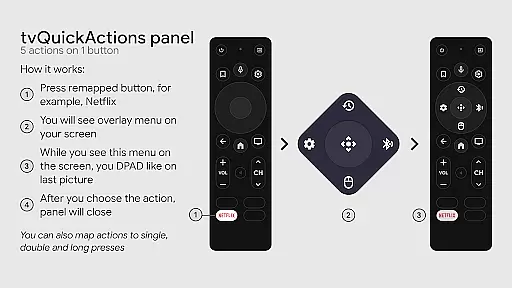
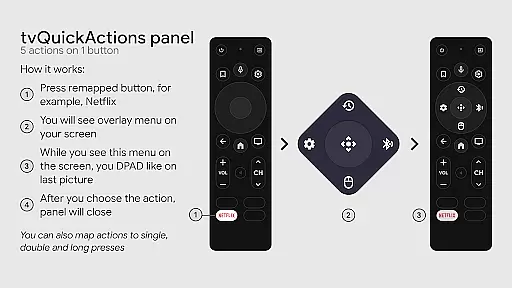
tvQuickActions Pro is an advanced button/key mapper specifically designed for TV devices, compatible with Android TV, Google TV, and AOSP on most devices. Its standout feature allows users to assign up to five actions to a single remote button, significantly enhancing device functionality.
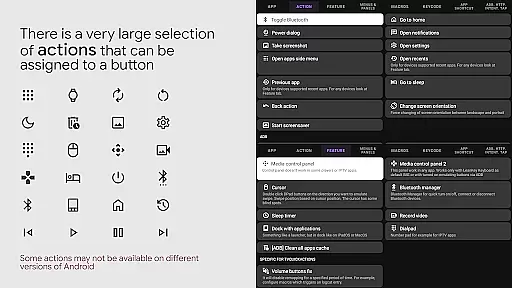
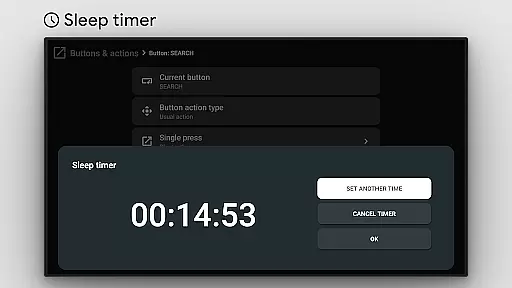
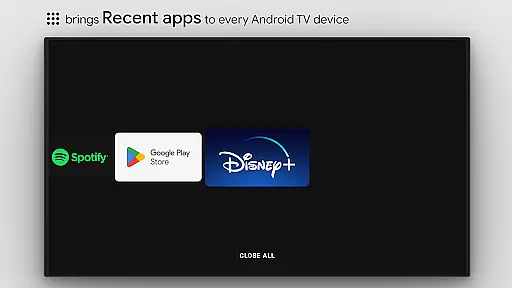
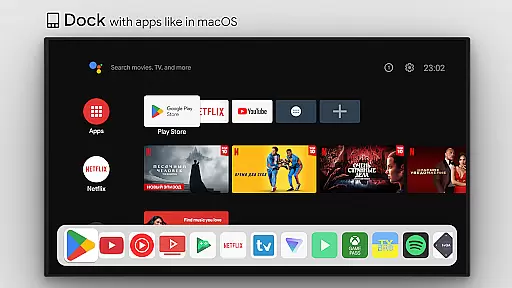
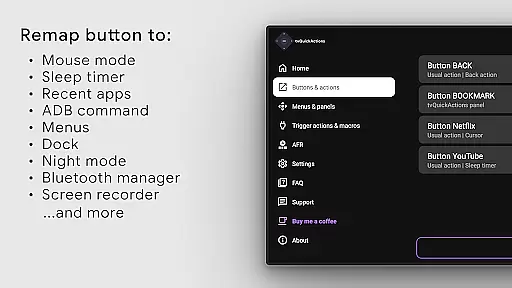
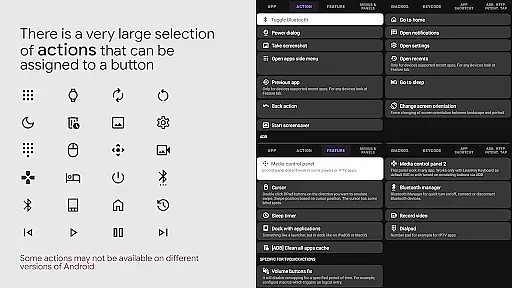
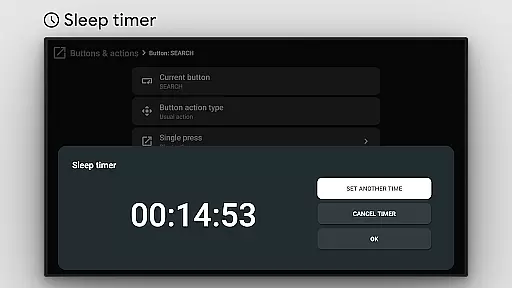
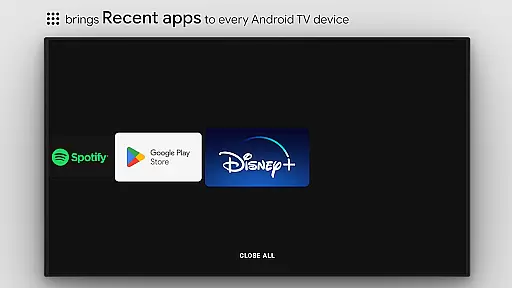
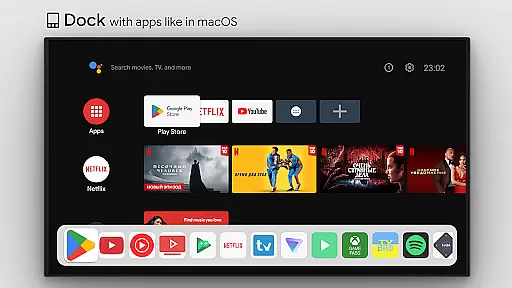
This tool transforms your TV experience by adding useful features such as app docks similar to macOS/iPadOS, recent apps management, custom action menus, and ADB command integration. It also supports practical functions like mouse toggle, sleep timers, dialpads, screen recording, night mode, and Bluetooth management.
Designed for power users, tvQuickActions Pro offers unique capabilities including auto framerate adjustment for Amlogic devices and remapping of special buttons like Netflix on select devices. Whether you want to streamline your workflow or customize your TV interface, this app provides the tools to optimize your setup.
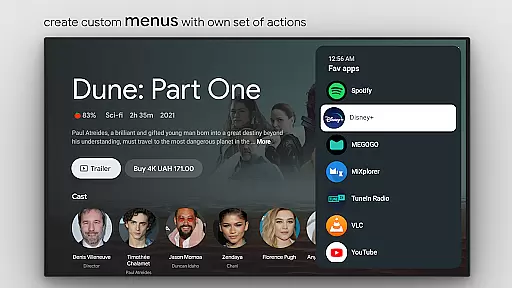
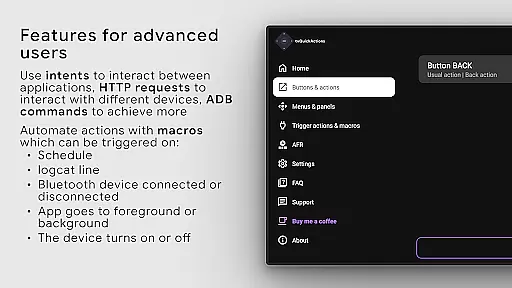
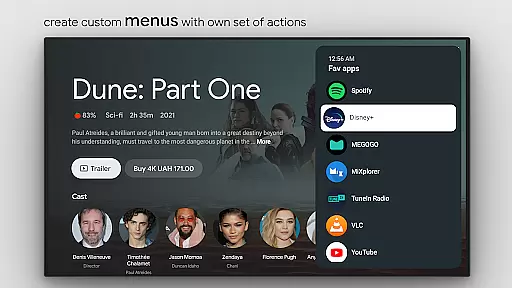
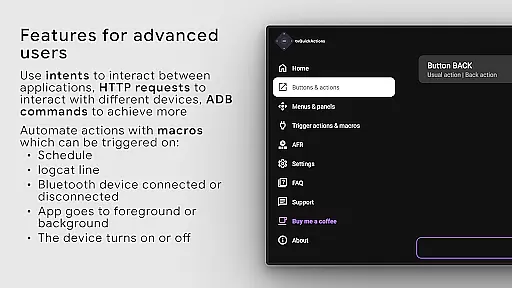
tvQuickActions Pro stands out with its extensive feature set tailored for TV device customization. The app allows users to create custom menus with specific actions, execute ADB commands, and toggle various device settings directly from their remote control.
Among its notable features are the ability to manage recent apps, control media playback, adjust display settings, and even lock apps. Users can also automate tasks such as changing TV inputs, setting up sleep timers, and creating custom channels for Android TV home screens.
The app utilizes Android's AccessibilityService API to enable key remapping functionality, allowing it to listen to and intercept key events. This architecture ensures reliable performance across different devices and firmware versions, though some features may vary depending on the specific hardware configuration.
tvQuickActions Pro stands out as a highly accurate and effective button/key mapper specifically designed for TV devices, including Android TV, Google TV, and AOSP. The app's core functionality allows users to assign up to five actions to a single button on their remote control, significantly enhancing the utility of their device.
This tool supports an extensive range of actions, from opening apps and recent apps management to executing ADB commands and toggling features like WiFi, Bluetooth, and media controls. Such comprehensive support ensures that each action performs precisely as intended, providing users with seamless control over their TV experience.
The effectiveness of tvQuickActions Pro is further highlighted by its unique features such as custom menus, mouse toggle, sleep timer, and screen recording capabilities. These functions are implemented with precision, ensuring they deliver real value to users looking to optimize their TV device usage.
By leveraging the AccessibilityService API, the app guarantees reliable remapping of buttons, making it possible to listen to and block key events effectively. This technical foundation underscores the app's commitment to delivering both accuracy and effectiveness in its primary functions.
Despite its powerful capabilities, tvQuickActions Pro maintains an interface that is both simple and intuitive. Users can easily navigate through the app's features without encountering a steep learning curve, thanks to its well-organized layout and straightforward design.
The app includes a dock system similar to macOS/iPadOS, allowing quick access to frequently used applications. This feature enhances the overall user experience by simplifying navigation and ensuring that essential functions are always within reach.
Moreover, the ability to create custom channels for Android TV homes from menus and lock apps adds another layer of personalization without complicating the interface. These options are presented clearly, enabling users to tailor their TV environment according to their preferences effortlessly.
tvQuickActions Pro also provides helpful visual cues and feedback for various actions, reinforcing its intuitive nature. Whether users are adjusting settings or setting up complex remapping configurations, the app ensures that every step is transparent and easy to follow.
Extensive customization options
Wide device compatibility
Unique multi-action assignments
Comprehensive feature set
Advanced automation capabilities
Complex setup process
Device-specific limitations
Requires technical knowledge
Potential compatibility issues
Steep learning curve

 4.50
4.50
Quickly switch to an encrypted DNS server on Android TV
4.50
Canon PRINT is a companion app for your Canon printer.
4.60
Optimize your WiFi network, turn your phone into Wifi Analyzer
4.70
Excellent scientific calculator with symbolic algebra, integrals, derivatives
4.80
Bedrock Together: Join any bedrock server on Xbox/PS
4.80
The Ultimate Bluetooth Keyboard & Mouse. Securely control your PC, Mac, and more
4.50
Clean up your phone, find files, play media, and share files offline
4.50
The ideal app to be the digital eye of your family
3.40
Extremely fast, secure, and protects your privacy
4.80
ADB support Android 4.X-Android 13(Support wireless pair mode).No root required!
4.70
Fast Video Downloader, Movie Downloader, Torrent Downloader & Adblock Browser
4.70
FV File Manager Pro, Fast and powerful file manager for Android
4.60
Keep track of your Palia friendships, tasks, and inventory with Palia Notebook
4.60
With videos, electrical calculators, and built-in ebook, Ugly’s has your answer.
4.50
Mirror your screen to Fire TV - Super fast and simple
4.40 4.10
4.10
View detailed information about your Nissan Leaf the dealer never shows you.
4.10
Fun lie-detection pranks for friends and parties.
3.80


User Reviews