
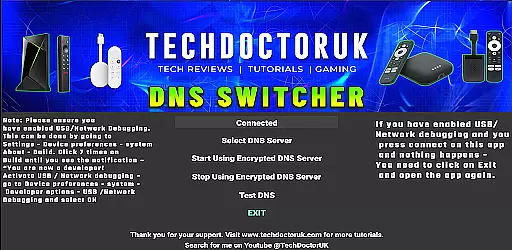
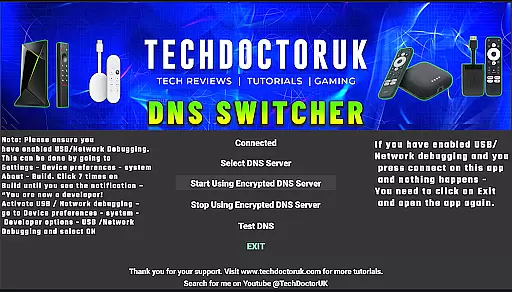
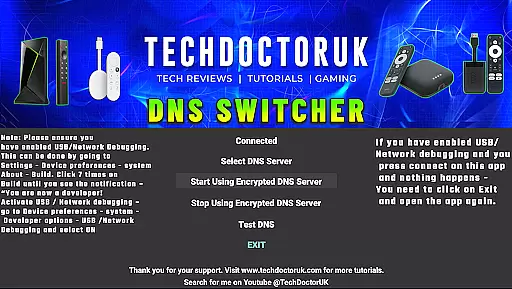
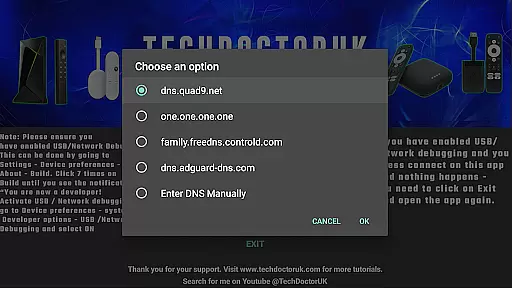
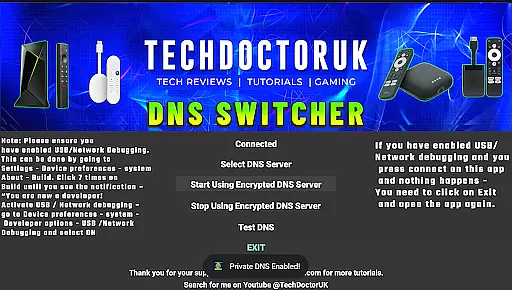
TDUK DNS Switcher is a specialized tool designed to enhance your Android TV's security by enabling encrypted DNS server usage. This application allows users to protect their privacy and secure their DNS requests from potential threats. With a user-friendly interface, it provides the option to choose from well-known encrypted DNS servers or add custom ones, ensuring a personalized and secure browsing experience.
The app is particularly useful for tech-savvy individuals who prioritize online security and want to ensure their smart TVs are as protected as their other devices. By configuring your Android TV to use an encrypted DNS, you can prevent unauthorized access to your viewing habits and personal data. The requirement of USB or Network Debugging to be enabled highlights its advanced technical functionality tailored for specific user needs.
TDUK DNS Switcher offers several key features that make it stand out in the realm of network tools. Firstly, it supports multiple well-known encrypted DNS services, providing flexibility and ease of use for securing your internet connection. Users can select from these predefined options or input their own custom DNS server details, allowing for complete control over their network security settings.
Another notable feature is the necessity of USB or Network Debugging being enabled on the device before using the app. This ensures that only authorized users with appropriate access can modify the DNS settings, adding an extra layer of security. Additionally, the app's straightforward setup process makes it accessible even to those with limited technical expertise, while still offering advanced customization for experienced users.
TDUK DNS Switcher focuses on providing users with a reliable way to enhance their privacy by routing DNS requests through encrypted servers. This functionality is crucial for maintaining security and protecting sensitive information from potential threats.
The app allows users to select from a list of well-known encrypted DNS servers or input custom server details. By doing so, it ensures that all DNS requests made from an Android TV are safeguarded against interception or tracking. The ability to choose different servers adds flexibility and broadens the scope of user control over their privacy settings.
For optimal performance, users are advised to enable USB or Network Debugging before launching the application. This preparatory step guarantees seamless integration and operation within the Android TV environment, making the process straightforward even for less tech-savvy individuals.
A simple and intuitive interface is vital for any tool aiming to reach a wide audience. TDUK DNS Switcher excels in this area by offering a clean layout that makes navigation effortless. Users can easily find and select their preferred DNS server without facing a steep learning curve.
The design prioritizes essential functions, ensuring that users can quickly configure settings without unnecessary distractions. Clear labels and logical grouping of options contribute to an overall user-friendly experience. Such thoughtful organization reduces the likelihood of errors during setup.
Moreover, the app's straightforward approach extends to its instructions for enabling USB or Network Debugging. By providing concise guidance, it empowers users to prepare their devices correctly, thus avoiding common pitfalls associated with more complex configurations.
Enhances privacy protection
User-friendly interface
Supports custom DNS servers
Easy setup process
Advanced security measures
Requires USB debugging
Limited to Android TV
No iOS support
Technical knowledge needed
May not suit all users

 4.10
4.10
Complete kernel toolbox with features to manage and tweak your rooted device
4.30
Universal TV remote control all TVs, Roku, LG, Samsung, Fire, Vizio, Sony, TCL.
4.40
Carry a FTP server in your pocket and avoid USB cables for file transfer
4.20
WiFi Signal Strength Meter help you detect WiFi Signal Strength in real time.
4.80
With videos, electrical calculators, and built-in ebook, Ugly’s has your answer.
4.50
Introducing Smart Printer, your ultimate destination for printing solutions!
4.00
Creation, Learning, Entertainment & More — The All-in-One AI Search Engine
4.70
Clean up large files and similar photos, fast and easy to use
4.40
Navigate with Ease and Style
4.90
The one-and-only remote control for PC, Mac, and Linux
4.70
App to pay for FUTO Keyboard
4.60
eXtended Permission Manager - a small app to manage permissions and AppOps
4.50
PC precision for mobile gaming: dominate with keyboard and mouse!
4.30
Effortlessly run ADB commands directly on your device without a PC.
4.20
A convenient photo, video, and file recovery tool.
4.00
Family Locator, Share location, StayConnect with your family in real time
3.90
Create your own live wallpaper or check out thousands already made presets
3.90
Unleash gamepad precision for ultimate mobile gaming dominance.
3.90


User Reviews