
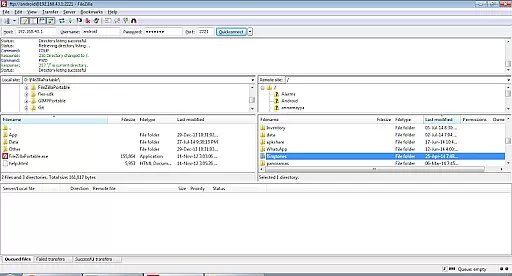
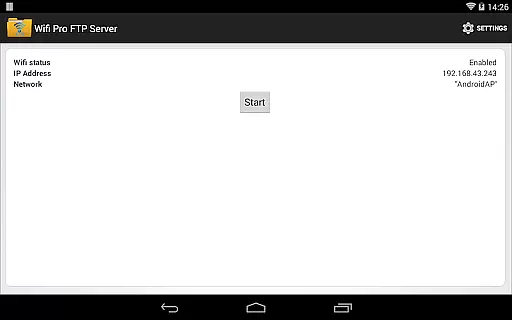
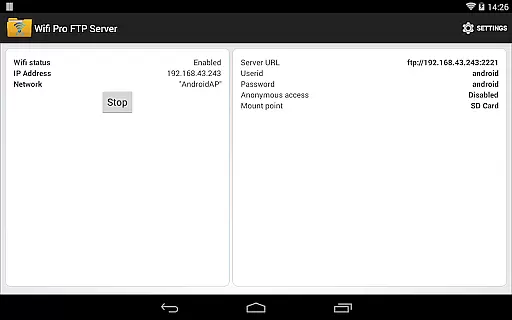
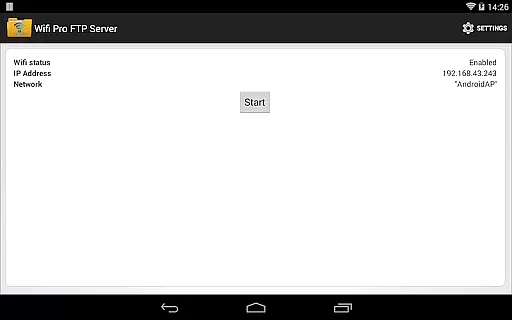
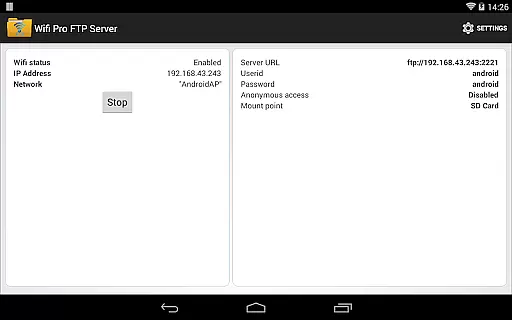
WiFi Pro FTP Server is a powerful tool that transforms your Android device into a fully functional FTP server. This allows users to wirelessly transfer files, including photos, movies, and songs, between their Android device and any FTP client like FileZilla. The app supports FTP over TLS/SSL (FTPS) for secure file transfers and offers configurable settings such as port number, home folder, username, and password.
The application works seamlessly over Wi-Fi and Wi-Fi tethering mode (hotspot mode), providing flexibility in connectivity options. With the ability to avoid cumbersome USB cables, users can easily backup or copy files over Wi-Fi. Whether you're looking to manage files on-the-go or need a reliable way to share data within a local network, WiFi Pro FTP Server delivers both convenience and functionality.
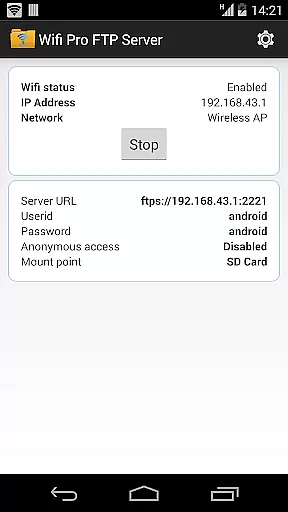
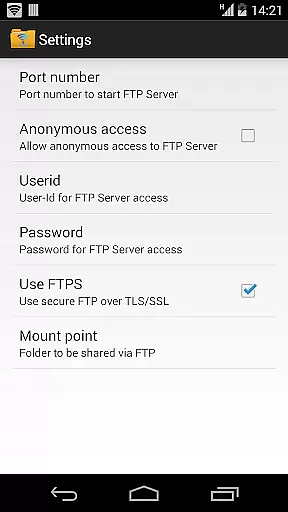
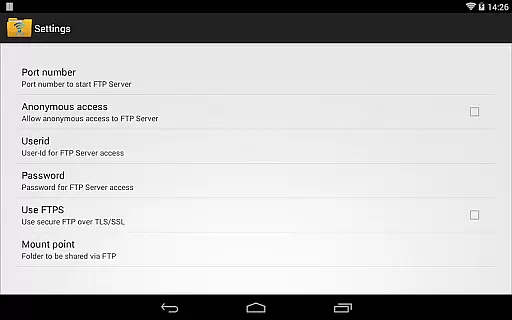
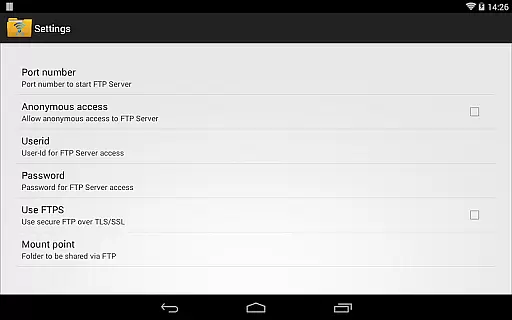
One of the standout features of WiFi Pro FTP Server is its complete FTP server capability with advanced configuration options. Users can set a custom port number, enable FTP over TLS/SSL (FTPS) for enhanced security, and configure anonymous access if needed. The app also allows users to define a home folder (mount point) and set unique usernames and passwords, ensuring controlled access to the server.
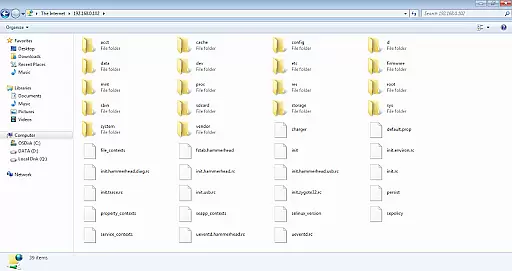
Another notable feature is its compatibility with various connectivity modes, including standard Wi-Fi and hotspot mode. This ensures that users can establish an FTP connection regardless of their network setup. Additionally, the app provides clear instructions on how to connect using popular FTP clients like FileZilla or even Windows File Explorer. These comprehensive features make it an indispensable tool for anyone needing efficient wireless file management.
WiFi Pro FTP Server transforms your Android device into a fully functional FTP server, enabling seamless file transfers between your phone or tablet and other devices. The core functionality of this app lies in its ability to accurately host an FTP server with minimal setup, allowing users to transfer files, photos, movies, and songs effortlessly. With support for FTP over TLS/SSL (FTPS), the app ensures secure data transmission while maintaining high performance.
The app offers several advanced features that enhance its effectiveness. Users can configure the port number, set up anonymous access, and define a home folder as the mount point for file sharing. Additionally, it provides options for setting user-specific credentials, ensuring controlled access to sensitive data. These features collectively make the app reliable for both casual and professional use cases, where precision and security are paramount.
For users seeking convenience, the app eliminates the need for USB cables by facilitating wireless file transfers over Wi-Fi. This not only simplifies the process but also enhances productivity by saving time. Whether you're backing up important documents or sharing large media files, WiFi Pro FTP Server delivers consistent performance, making it an indispensable tool for anyone looking to streamline their digital workflow.
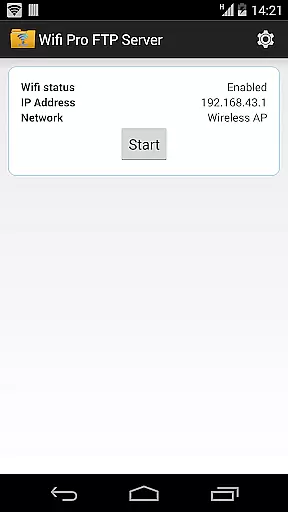
A standout feature of WiFi Pro FTP Server is its intuitive interface, which ensures that even novice users can set up and manage their FTP server without difficulty. Upon launching the app, users are greeted with a clean and organized layout that highlights all essential settings and controls. Key configurations such as port number, home folder, and authentication methods are easily accessible, reducing the learning curve typically associated with FTP server management.
The app's design emphasizes simplicity without compromising functionality. For instance, enabling FTPS (FTP over TLS/SSL) requires just a few taps, and users can toggle anonymous access on or off based on their preferences. Similarly, configuring user credentials is straightforward, thanks to clear input fields and helpful tooltips. Such thoughtful design choices ensure that users spend less time troubleshooting and more time utilizing the app's capabilities.
Furthermore, the app integrates seamlessly with popular FTP clients like FileZilla, enhancing its overall usability. By providing step-by-step guidance within the interface, WiFi Pro FTP Server empowers users to connect their devices quickly and efficiently. This combination of simplicity and power makes the app an excellent choice for individuals who value both ease of use and robust functionality in their tools.
User-friendly interface
Secure FTPS support
Flexible configuration options
Works in hotspot mode
Comprehensive documentation
No SFTP support yet
Limited port options below 1024
Default settings may require adjustments
Anonymous access disabled by default
Requires Wi-Fi connection

PDF Reader - Document Viewer: Read, Manage & Organize Your Documents
 3.10
3.10
Save any video in HD - paste the link, download fast and watch offline.
4.3
HD Video player and downloader for all formats, fast & smooth 4K video playback.
4.60
PC precision for mobile gaming: dominate with keyboard and mouse!
4.30
Undelete and recover your lost or deleted files with DiskDigger!
3.40
With videos, electrical calculators, and built-in ebook, Ugly’s has your answer.
4.50
Powerful collection of electronics tools and reference.A must for any enthusiast
4.90
Download any file easily and quickly with Downloader
4.3
Enhance your Beats
3.70
Small and simple app to Verify Root Access and BusyBox Install!
4.70
HD Camera captures every special moment.
4.60
Head tracking for PC sim games such as MSFS 2024 or Elite:Dangerous. No headset!
4.50
Just swipe the edge to do something!
4.40
Use your phone as a webcam on your computer over WiFi or USB.
4.40
Quickly check the frequency of the Earth
4.30
Effortlessly run ADB commands directly on your device without a PC.
4.20
Introducing Smart Printer, your ultimate destination for printing solutions!
4.00
Amateur Radio app for APRS: Track friends, exchange messages, get tactical info.
3.90
Unleash gamepad precision for ultimate mobile gaming dominance.
3.90


User Reviews