
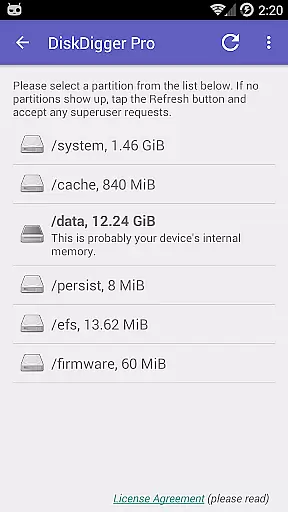
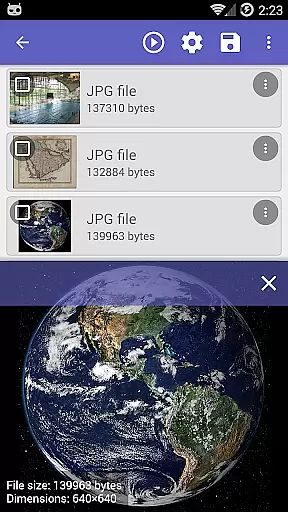
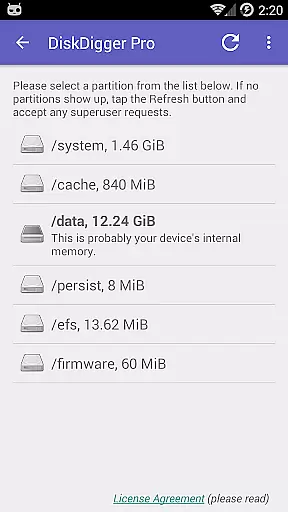
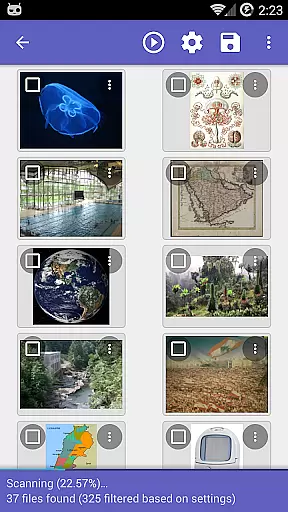
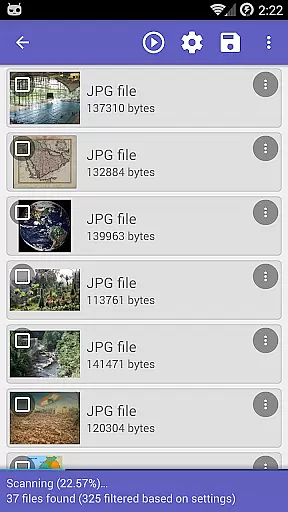
DiskDigger Pro is a powerful data recovery tool designed for rooted Android devices. This application specializes in retrieving lost files, including photos, documents, videos, and music from both internal memory and external memory cards. With its advanced scanning capabilities, DiskDigger can recover files even after accidental deletion or memory card reformatting.
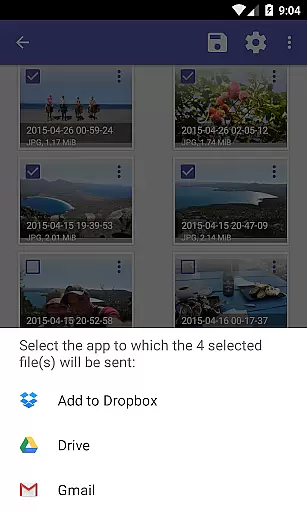
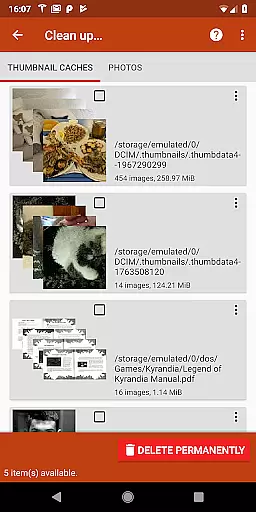
For non-rooted devices, the app offers limited functionality, allowing recovery of lower-resolution images found in cache and thumbnail directories. The app also features options to permanently delete unwanted files and wipe free space to prevent future recovery of deleted items. DiskDigger Pro supports various file formats and enables direct uploads to cloud services like Google Drive and Dropbox.
Ideal for users who need to recover critical data, this tool provides an essential service with its comprehensive file recovery options. Whether it's restoring precious memories or recovering important documents, DiskDigger Pro delivers reliable performance for Android users.
DiskDigger Pro stands out with its robust feature set tailored for data recovery. The app performs deep scans of device storage to locate and restore deleted files, supporting a wide range of formats including JPG, PNG, MP4, DOCX, PDF, and more. Its powerful algorithms can recover files from reformatted memory cards and even internal storage on rooted devices.
A notable feature is the 'Clean up' option, which allows users to permanently remove unnecessary files discovered during scans. Additionally, the 'Wipe free space' function ensures deleted files cannot be recovered by overwriting free space. These features provide users with complete control over their device's storage.
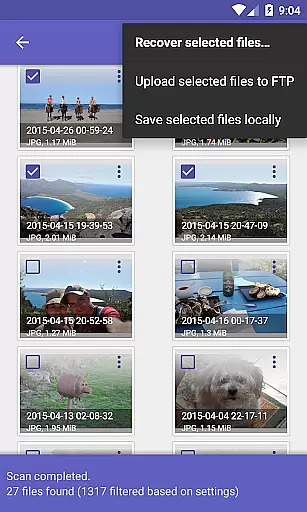
The app facilitates easy file management by enabling direct uploads to Google Drive, Dropbox, or FTP servers. It also supports local saving and sharing via email. While non-rooted devices experience limited functionality, DiskDigger Pro remains one of the most versatile and effective data recovery solutions available for Android.
DiskDigger Pro file recovery stands out for its powerful data recovery capabilities, which are essential for any tool in the data recovery category. The app can undelete and recover lost files including photos, documents, videos, music, and more from your device's memory card or internal memory.
The effectiveness of DiskDigger Pro is evident in its ability to recover files even after accidental deletion or reformatting of the memory card. For rooted devices, the app offers comprehensive scanning options that ensure no file is left behind. This thoroughness ensures users can restore their precious data with minimal loss.
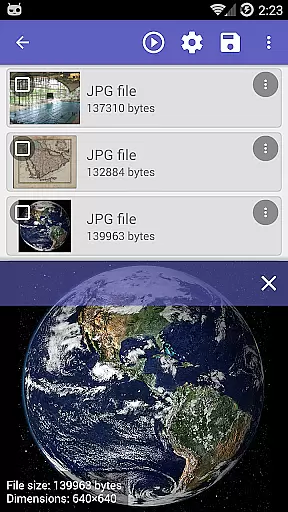
For non-rooted devices, while the functionality is limited to recovering lower-resolution versions of photos from cache and thumbnail directories, this still provides a valuable safety net. The experimental 'Clean up' feature allows users to permanently delete unnecessary items, optimizing storage space and enhancing device performance.
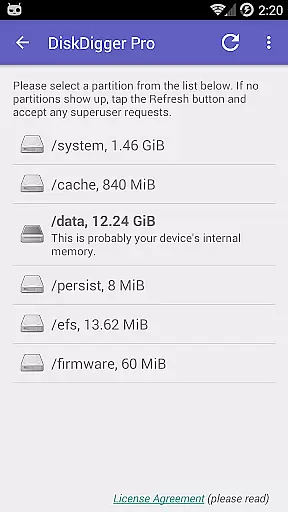
The interface of DiskDigger Pro is designed to be user-friendly, ensuring that even those with minimal technical knowledge can navigate and utilize its features effectively. Upon launching the app, users are greeted with straightforward options to begin scanning for deleted files, making the recovery process accessible to all.
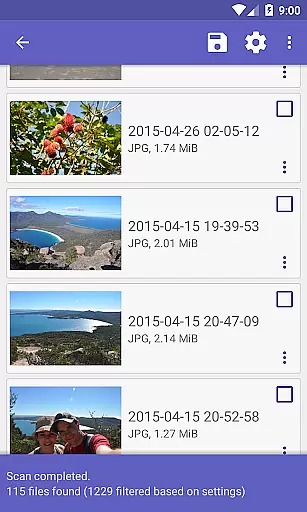
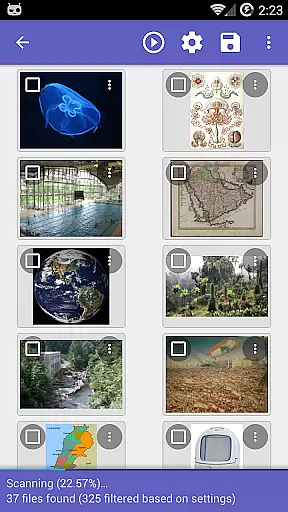
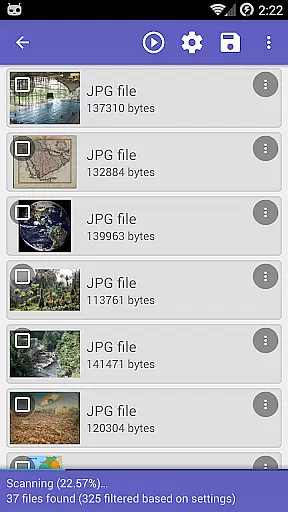
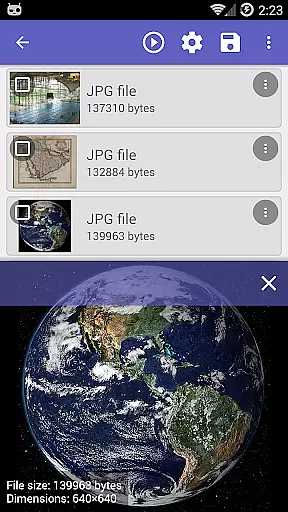
After completing a scan, DiskDigger Pro presents the results in an organized manner, allowing users to easily identify and select the files they wish to recover. This intuitive presentation helps streamline the recovery process, saving users time and effort.
Additionally, the app offers multiple options for handling recovered files. Users can upload files directly to cloud services like Google Drive or Dropbox, send them via email, or save them locally. These flexible options enhance the overall user experience, making DiskDigger Pro not only effective but also convenient and easy to use.
Powerful recovery capabilities
Wide file format support
Direct cloud integration
User-friendly interface
Comprehensive cleanup tools
Limited on non-rooted devices
Advanced features require root
Some functions experimental
Interface may feel complex
Performance varies by device

Just one-tap to easy translate in any language after calls within seconds.
 4.20
4.20
1-Click close all background apps on Android TV
3.90
Learn the vast amount of system information about device and monitor it's state
4.70
Head tracking for PC sim games such as MSFS 2024 or Elite:Dangerous. No headset!
4.50
Canon PRINT is a companion app for your Canon printer.
4.60
VESC Tool can monitor and configure VESC-compatible devices over BLE and Wifi
4.20
MS-DOS in your pocket. Play old DOS games anywhere you are ;)
4.10
Mobile Security with Scam Protection | Malware & Virus Cleaner | Safe Browser
4.70
A clean app.
4.50
Best leveling tool for your Android device. Hang paintings like a pro.
4.90
Extremely fast, secure, and protects your privacy
4.80
Excellent scientific calculator with symbolic algebra, integrals, derivatives
4.80
Bedrock Together: Join any bedrock server on Xbox/PS
4.80
Just swipe the edge to do something!
4.40
Complete kernel toolbox with features to manage and tweak your rooted device
4.30
pdf merge, word to pdf, jpg to pdf, edit pdf, convert to pdf and much more!
4.20
An open-source APK explorer for Android!
4.10
A simple app to back up and restore SMS & MMS messages and call logs.
4.10
Download any file easily and quickly with Downloader
4.1


User Reviews