
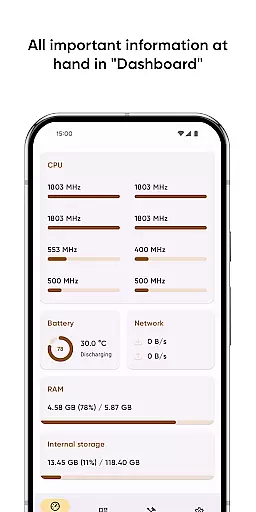
Castro Premium is a comprehensive device monitoring tool that provides real-time performance tracking and detailed system information. The app offers an extensive dashboard displaying critical metrics like CPU usage, battery status, network consumption, and memory load.
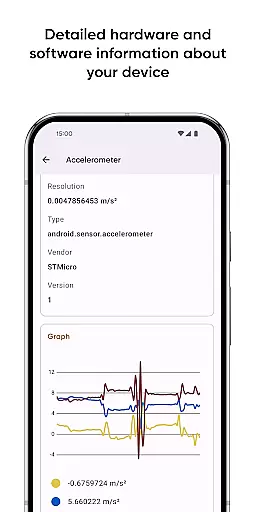
With advanced features such as processor statistics, sensor data visualization, camera details, and codec listings, Castro caters to both casual users and tech enthusiasts. The premium version unlocks deeper customization options, making it an indispensable tool for Android power users seeking complete control over their devices.
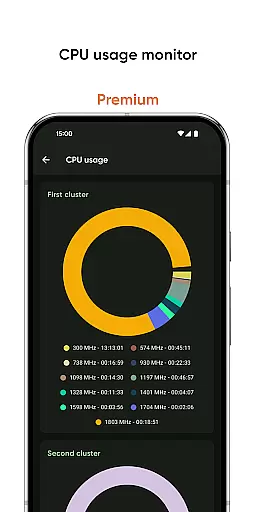
Castro Premium stands out with its robust feature set designed for device monitoring and analysis. The app provides detailed processor statistics including CPU and GPU performance, real-time battery monitoring with historical data, and comprehensive memory usage tracking across RAM and storage.
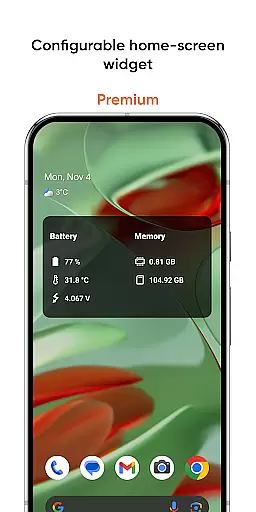
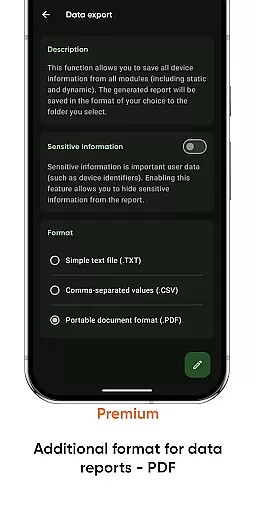
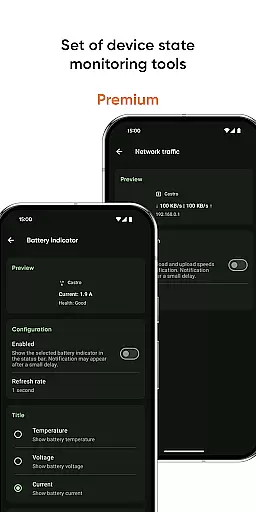
Additional tools include network traffic speed monitoring, noise level detection, screen testing utilities, and customizable home-screen widgets. Premium users benefit from enhanced interface customization, PDF exporting capabilities, and specialized monitoring tools for battery health and CPU frequency usage.
Castro Premium stands out in the Tools category by offering highly accurate and effective core functionalities that cater to users who need detailed insights into their device's performance. The app provides comprehensive statistics on processor usage, including both CPU and GPU metrics, which are crucial for understanding how computational resources are utilized.
Beyond processor statistics, Castro offers real-time monitoring of battery consumption, memory usage, and network data flow. This allows users to identify potential bottlenecks or excessive resource consumption by specific apps or processes. The inclusion of real-time sensor data and visual graphs further enhances the ability to monitor device health effectively.
For users, this level of detail translates into actionable insights. For instance, identifying high CPU usage by a particular application can lead to better resource management, potentially extending battery life and improving overall device responsiveness. These features collectively ensure that users have access to precise information needed to optimize their device's performance.
In addition to its powerful monitoring capabilities, Castro Premium excels in providing an intuitive and straightforward user interface. The Dashboard feature consolidates all critical information such as CPU usage, battery status, network activity, and memory load into a single, easy-to-navigate screen. This design choice ensures that even users with limited technical knowledge can quickly grasp their device's current state without feeling overwhelmed.
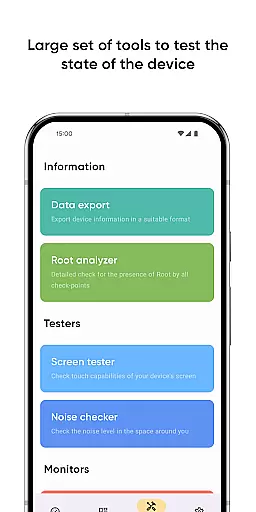
The app also includes specialized tools like the Screen Tester and Noise Checker, which are seamlessly integrated into the main interface. These tools maintain a balance between advanced functionality and ease of use, ensuring that users can perform complex diagnostics without navigating through complicated menus.
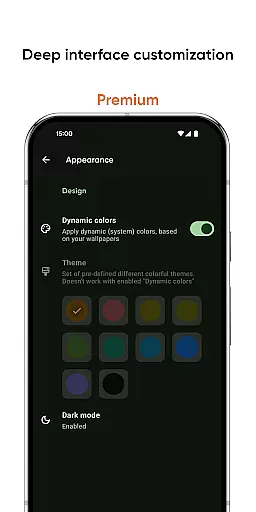
Premium users benefit from additional interface customization options, including various themes and colors, allowing for a personalized experience tailored to individual preferences. Such thoughtful design not only enhances usability but also makes regular device monitoring a more engaging and less tedious task.
User-friendly interface
Real-time monitoring
Extensive device info
Customizable widgets
Premium customization
Complex for beginners
Premium is paid
Heavy on resources
No iOS support
Occasional bugs

 4.50
4.50
Easily install aab(Android App Bundle) files on your Android device with our app
4.80
Transfer Files, APK from Phone to Watch & Install.
4.3
Use your phone as a webcam on your computer over WiFi or USB.
4.40
HD Video player and downloader for all formats, fast & smooth 4K video playback.
4.60
Clean the junk files on your device
3.40
Safely recover deleted photos, videos, and files with a single easy tap.
3.70
The ultimate tool for network analysis, wifi scanning and problem detection.
4.90
Connect wirelessly to your computer to watch movies, browse the web, play games
5.00
WiFi Signal Strength Meter help you detect WiFi Signal Strength in real time.
4.80
Unit and currency converter with easy and simple UI.
4.80
Optimize your WiFi network, turn your phone into Wifi Analyzer
4.70
NFC Tools can read and write NFC tags.
4.70
App to pay for FUTO Keyboard
4.60
Quickly switch to an encrypted DNS server on Android TV
4.50
An easy-to-use calculator designed to save time calculating and bending conduit
4.30
An open-source APK explorer for Android!
4.10
Amateur Radio app for APRS: Track friends, exchange messages, get tactical info.
3.90
Undelete and recover your lost or deleted files with DiskDigger!
3.40


User Reviews