
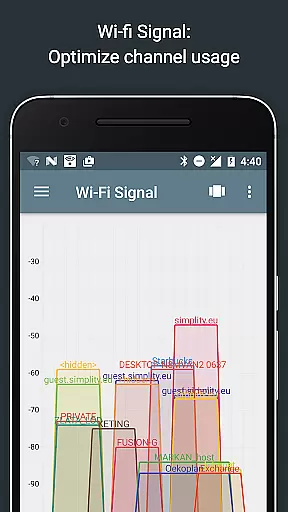
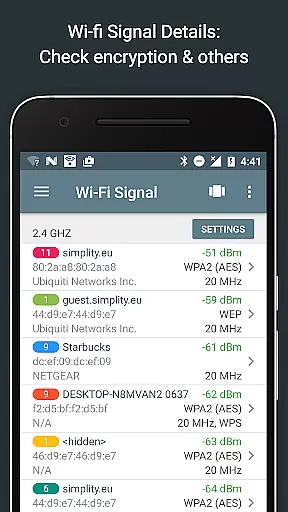
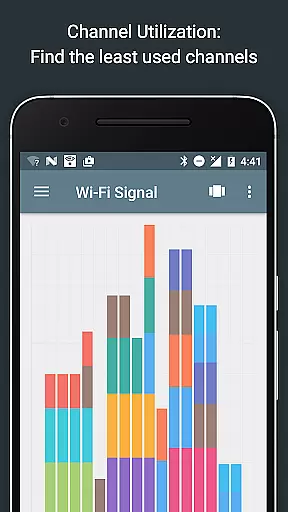
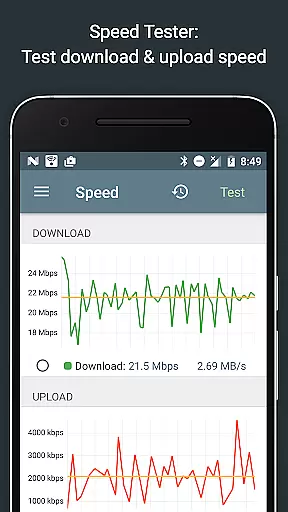
Network Analyzer Pro is a comprehensive network diagnostic tool designed to help users troubleshoot various issues related to their Wi-Fi networks and Internet connectivity. The app provides an extensive suite of utilities, including a fast Wi-Fi device discovery feature that identifies all LAN devices along with their addresses and names, as well as the Bonjour/DLNA services they offer. It also includes standard network diagnostic tools such as ping, traceroute, port scanner, DNS lookup, whois, and network speed test.
In addition to diagnosing local network problems, Network Analyzer Pro can detect issues on remote servers, making it an invaluable tool for both home users and IT professionals. With support for both IPv4 and IPv6, this app ensures compatibility across different network configurations. Whether you need to find the best channel for your wireless router or require detailed information about neighboring Wi-Fi networks, Network Analyzer Pro delivers the insights needed to optimize your network setup.
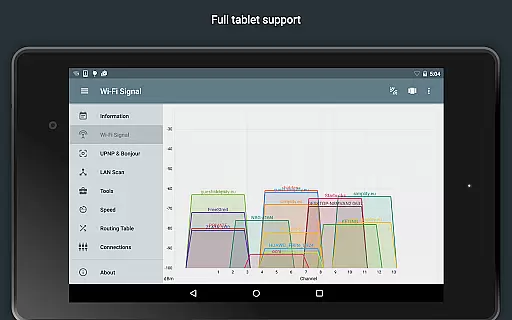
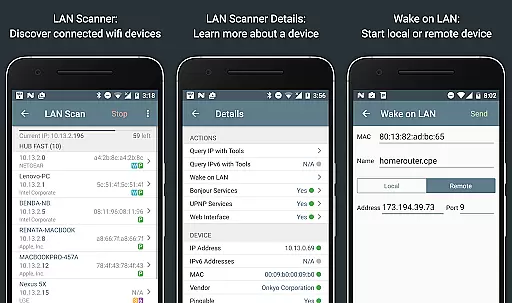
One of the standout features of Network Analyzer Pro is its robust set of diagnostic tools. These include a Wi-Fi signal meter that offers both graphical and textual representations of network channels and signal strengths, helping users identify the optimal channel for their routers. Additionally, the LAN scanner quickly detects all network devices, providing IP addresses, NetBIOS, mDNS (Bonjour), LLMNR, and DNS names where available. This feature also supports Wake on LAN (WOL) functionality, allowing users to remotely power on devices within their network.
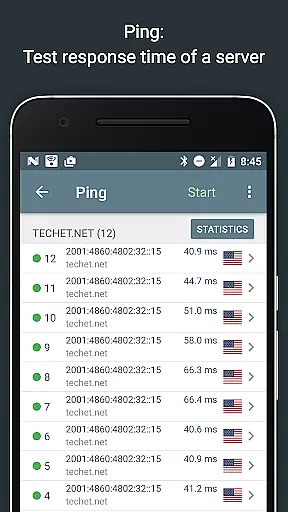
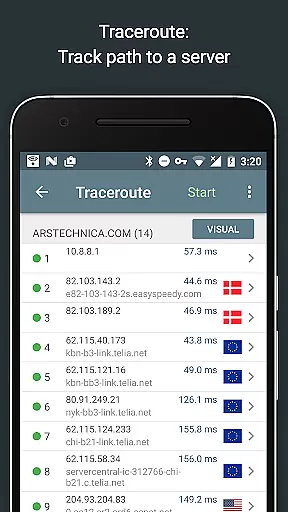
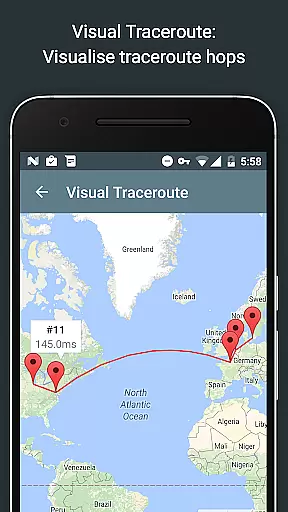
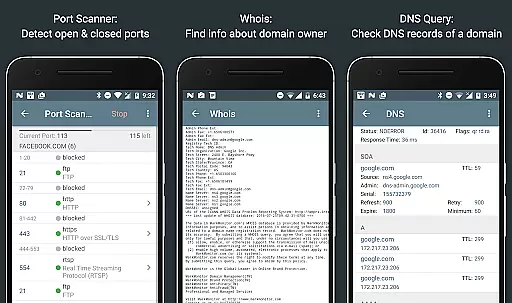
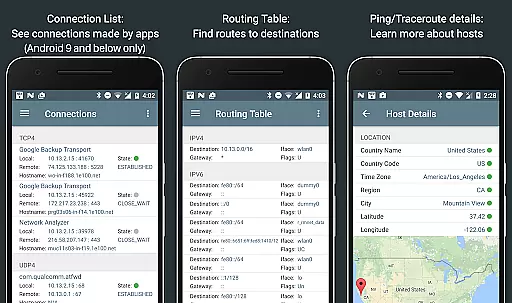
The app's routing table displays essential data such as destination and gateway information, interface usage, and flags, supporting both IPv4 and IPv6 protocols. Users can perform ping and traceroute operations to measure round-trip delays and visualize complete trace routes on a map, complete with geolocation data. Furthermore, the port scanner uses a fast, adaptive algorithm to check common ports or user-specified ranges, detecting closed, firewalled, and open ports while offering descriptions of known open port services.
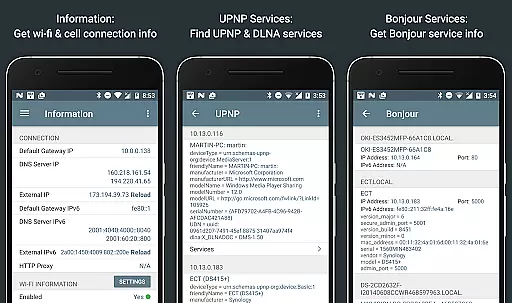
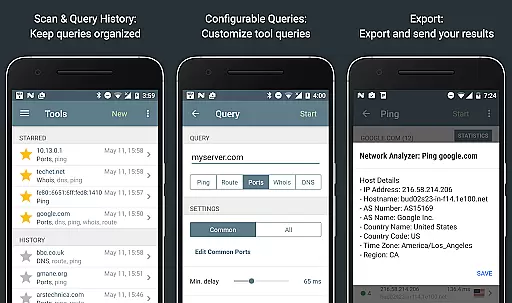
Other notable features include Whois queries for domains, IP addresses, and AS numbers; DNS lookups similar to nslookup or dig commands; and internet speed tests that measure both download and upload speeds. The app also provides detailed network information, local service discovery through Bonjour and UPNP/DLNA browsers, and full IPv6 support throughout all functionalities. With options to export results via email and other means, Network Analyzer Pro ensures that users have the flexibility to manage and share their network diagnostics effectively.
Network Analyzer Pro excels in delivering precise and effective network diagnostic tools that are crucial for both home users and IT professionals. The app provides a comprehensive suite of utilities including ping, traceroute, port scanner, DNS lookup, and whois queries, all working seamlessly with both IPv4 and IPv6 protocols.
The application's wifi signal meter offers detailed insights through graphical and textual representations, displaying network channels, signal strengths, and encryption types. This allows users to make informed decisions about optimizing their network setup. Additionally, the LAN scanner quickly identifies all devices on the network, providing essential details such as IP addresses, device names, and service information.
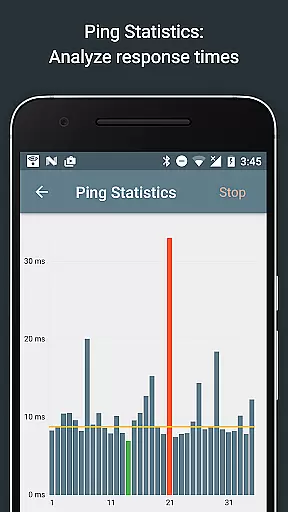
With advanced features like geolocation data for network nodes, adaptive port scanning algorithms, and real-time updates of ping statistics, Network Analyzer Pro ensures users can diagnose and resolve network issues efficiently. These capabilities not only save time but also enhance the overall network performance and reliability.
A user-friendly interface is vital for effective network analysis, and Network Analyzer Pro delivers an intuitive experience without compromising on functionality. The app organizes its extensive toolset into clearly labeled sections, making it easy for users of all skill levels to navigate and utilize its features effectively.
Each tool within the app follows a consistent design pattern, ensuring that once users learn to use one feature, they can easily apply that knowledge across other functions. For instance, the ping and traceroute tools present results in a straightforward manner, complete with geolocation data and visual trace route maps.
Moreover, helpful functionalities such as the ability to filter and search through discovered devices, export results via email, and access detailed help documentation contribute to a smooth and efficient user experience. This thoughtful design ensures that even complex tasks become manageable, allowing users to focus on resolving network issues rather than struggling with the app itself.
Comprehensive network tools
Fast Wi-Fi device discovery
Supports IPv4 and IPv6
Detailed network diagnostics
User-friendly interface
Paid version only
No free trial available
Advanced features may overwhelm beginners
Limited customer support
Requires technical knowledge

A recovery soft,it features photo recovery, video recovery, file recovery.
 3.40
3.40
Unlock your Essential Key. Create custom shortcuts to your favorite apps!
4.2
An open-source APK explorer for Android!
4.10
App to pay for FUTO Keyboard
4.60
Detect hidden spy camera with advanced scanning {{ Premium version }}
4.00
Making emulation easy for everyone!
4.30
WiFi Signal Strength Meter help you detect WiFi Signal Strength in real time.
4.80
The Ultimate Flex Drivers Utility App - Convenient Tapping & Block Filters
4.70
Button mapper, mouse toggle, sleep timer and a lot of another features
4.50
Change your GPS location instantly. Simulate routes anywhere in the world.
4.90
FV File Manager Pro, Fast and powerful file manager for Android
4.60
The Ultimate Bluetooth Keyboard & Mouse. Securely control your PC, Mac, and more
4.50
Just swipe the edge to do something!
4.40
Clean up large files and similar photos, fast and easy to use
4.40
An easy-to-use calculator designed to save time calculating and bending conduit
4.30
A simple app to back up and restore SMS & MMS messages and call logs.
4.10
Unleash gamepad precision for ultimate mobile gaming dominance.
3.90
Safely recover deleted photos, videos, and files with a single easy tap.
3.70
PDF Reader - Document Viewer: Read, Manage & Organize Your Documents
3.10


User Reviews