
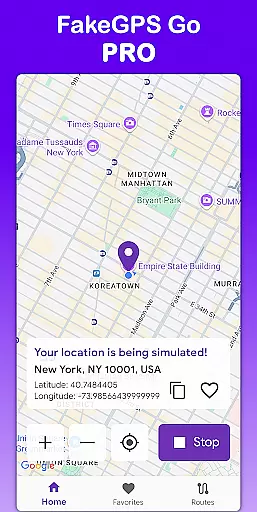
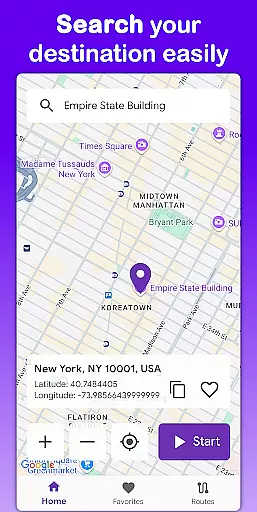
Fake GPS Go Pro is a powerful tool designed to help users instantly change their GPS location and simulate routes anywhere in the world. This app is ideal for developers testing location-based apps, individuals exploring virtual locations, or anyone needing to spoof their GPS position. With no root access required, it offers seamless functionality across devices.
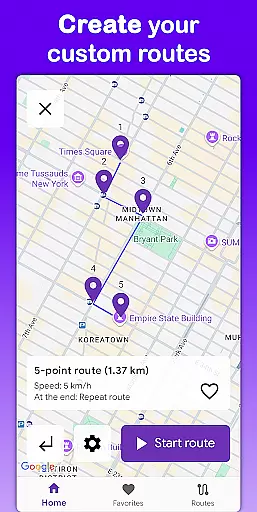
The app allows users to create custom routes by placing markers on the map, simulating movement at adjustable speeds. Additionally, users can save favorite locations and routes for quick access later. Supporting eight languages and offering a premium experience free of ads, Fake GPS Go Pro ensures both usability and convenience.
Fake GPS Go Pro stands out with its comprehensive feature set tailored for diverse user needs. The app enables instant GPS location changes with just a few taps, making it easy to simulate being anywhere in the world. Its route simulation feature lets users draw custom paths on the map and choose the speed of movement, providing flexibility for various use cases.
Another notable feature is the ability to save frequently used locations and routes, eliminating the need for repetitive setup. The app supports eight languages, ensuring accessibility for a global audience. With no root requirement, it delivers a smooth experience while maintaining high precision in GPS simulation. The premium version offers an uninterrupted, ad-free experience.
Fake GPS Go Pro excels in delivering precise and effective location spoofing capabilities, making it a top choice for users who need to alter their GPS coordinates. The app allows you to instantly change your location with just a few taps, ensuring that the new position is accurately reflected across various applications and services.
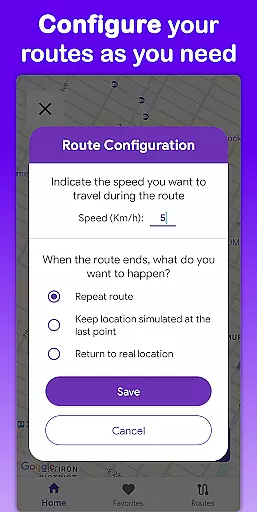
One of the standout features is its ability to simulate movement along custom routes. By placing markers on the map, users can create detailed paths and even set the speed at which the simulation occurs. This level of control ensures that the spoofed locations are not only accurate but also realistic, mimicking genuine travel patterns.
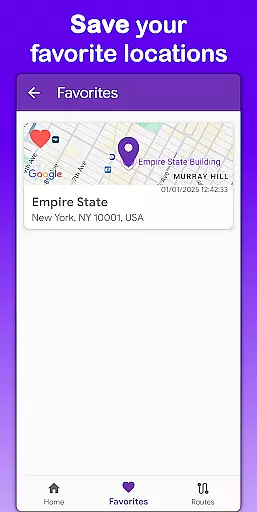
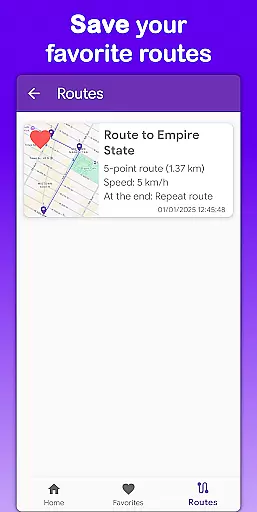
The app's functionality extends to saving favorite locations and routes, allowing quick access to frequently used settings without the need for repeated configurations. This feature enhances user convenience and saves time, particularly for those involved in app testing or development.
Overall, Fake GPS Go Pro offers a reliable and efficient solution for anyone needing to manipulate their GPS data. Its high precision and ease of use make it an invaluable tool for developers, testers, and individuals exploring virtual locations.
The interface of Fake GPS Go Pro is designed with simplicity and user-friendliness in mind, ensuring that even those new to location spoofing can navigate and utilize the app with ease. Upon opening the app, users are greeted with a clean and intuitive layout that prioritizes essential functions, minimizing the learning curve typically associated with more complex tools.
Key functionalities such as changing GPS locations and simulating routes are accessible through straightforward controls. Users can quickly input desired coordinates or select predefined locations from a list, streamlining the process of altering oneu2019s virtual position. The app also provides visual aids like maps, enhancing spatial understanding and accuracy when setting up custom routes.
Additionally, multilingual support in eight languages broadens accessibility, catering to a global audience. Whether you speak English, Spanish, French, or any of the other supported languages, the app remains approachable and easy to comprehend. This inclusivity underscores the app's commitment to providing an intuitive experience for all users.
In summary, Fake GPS Go Pro combines a simple yet powerful interface with intuitive design elements, making it an excellent choice for anyone seeking an uncomplicated way to manage their device's GPS location.
User-friendly interface
High-precision GPS simulation
No root access needed
Multilingual support
Ad-free premium version
Limited non-premium features
Potential ethical concerns
Device compatibility issues
Route customization complexity
Learning curve for beginners

 4.10
4.10
Just swipe the edge to do something!
4.40
A recovery soft,it features photo recovery, video recovery, file recovery.
3.40
Best leveling tool for your Android device. Hang paintings like a pro.
4.90
The one-and-only remote control for PC, Mac, and Linux
4.70
Powerful collection of electronics tools and reference.A must for any enthusiast
4.90
Play your X-Box games remotely in 1080p with any controller and zero latency
4.60
The Ultimate Flex Drivers Utility App - Convenient Tapping & Block Filters
4.70
NFC Tools can read and write NFC tags.
4.70
Protect your device with antivirus, storage cleanup, and system monitoring
4.70
HD Video player and downloader for all formats, fast & smooth 4K video playback.
4.60 4.50
4.50
With videos, electrical calculators, and built-in ebook, Ugly’s has your answer.
4.50
The Ultimate Bluetooth Keyboard & Mouse. Securely control your PC, Mac, and more
4.50
Screen Mirroring for Roku Sticks, Roku TCL TV and Roku Hisense TV
4.50
Remote for Roku, Fire TV, Samsung TV, LG TV, Android TV, Chromecast and VIZIO TV
4.20
Introducing Smart Printer, your ultimate destination for printing solutions!
4.00
card-reader app
2.20
Transfer Files, APK from Phone to Watch & Install.
4.3


User Reviews