
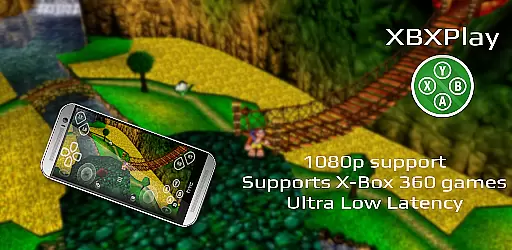
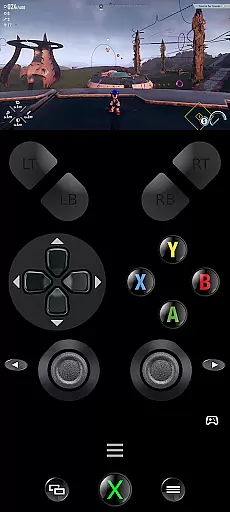
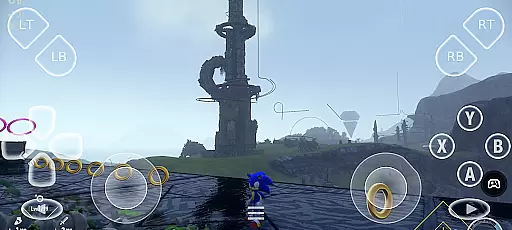
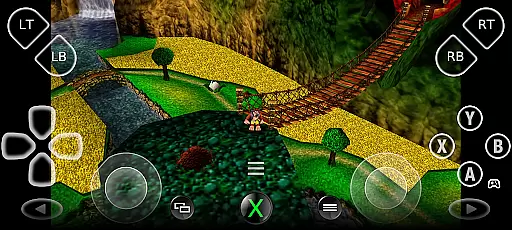
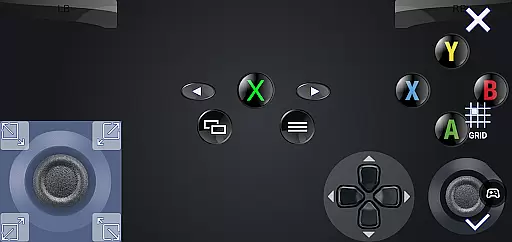
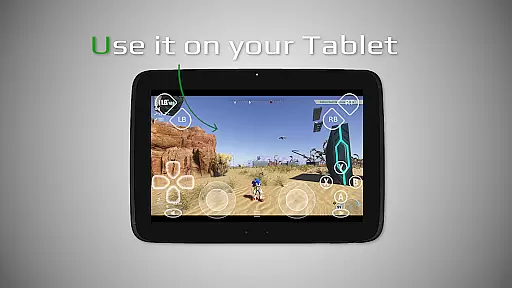
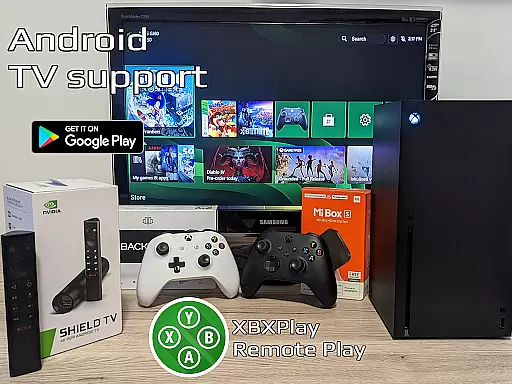

XBXPlay is a powerful remote control application designed specifically for X-Box Series X/S, X-Box One (X/S), and even X-Box 360 consoles. The app allows users to stream their favorite games in full 1080p resolution directly to their mobile devices, providing an unrestricted gaming experience from anywhere. With advanced features such as customizable onscreen gamepad layouts, manual bitrate adjustments, and support for third-party controllers, XBXPlay ensures a seamless and low-latency streaming experience.
One of the standout capabilities of XBXPlay is its ability to function without a physical gamepad. Users can rely on the touch-optimized onscreen controls, which can be tailored to fit specific gaming needs. Additionally, the app supports unique functionalities like Picture-In-Picture mode, Multi-Window support, and USB-OTG connectivity, making it versatile for various use cases. Whether you're looking to play remotely or simply use your mobile device as a virtual gamepad, XBXPlay offers a comprehensive solution for all your X-Box gaming needs.
The app is particularly beneficial for gamers who want to enjoy their console experience on the go. By connecting to a stable 5GHz WiFi network and ensuring a high-speed internet connection, users can enjoy minimal delays and optimal performance. This makes XBXPlay an essential tool for those who wish to extend their gaming sessions beyond the living room, offering flexibility and convenience without compromising on quality.
XBXPlay stands out with its extensive feature set tailored for both casual and hardcore gamers. One of its primary advantages is the support for 1080p streaming, which delivers crisp and clear visuals directly to your mobile device. Unlike the official X-Box Remote Play app, XBXPlay also supports X-Box 360 games, expanding the range of playable titles. The inclusion of manual bitrate adjustments ensures that users can fine-tune their streaming quality based on their internet speed, thus maintaining a balance between performance and visual fidelity.
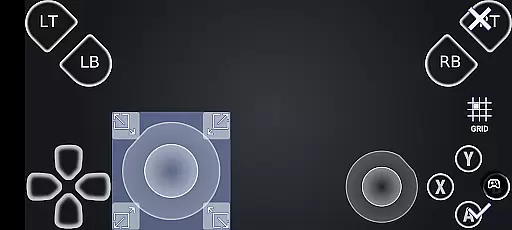
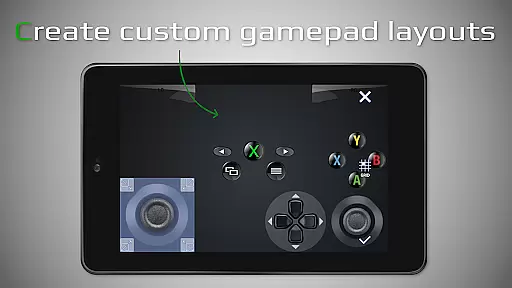
Another remarkable feature is the customizable onscreen gamepad layout. This functionality allows users to create personalized control schemes that cater to the specific requirements of different games. Coupled with full-screen support and the absence of black bars, the gaming experience becomes truly immersive. Furthermore, XBXPlay provides native USB-OTG support, enabling direct connections with external controllers for enhanced precision and comfort. Gamers can also take advantage of Picture-In-Picture mode and Multi-Window support, which are especially useful for multitasking or monitoring other applications while gaming.
For those who prefer using their mobile devices as virtual gamepads, XBXPlay offers this capability with optimized latency. The app's emphasis on reducing input delay ensures that gameplay remains responsive and smooth. These features collectively make XBXPlay a versatile and indispensable tool for anyone looking to maximize their X-Box gaming experience on the go.
XBXPlay excels in delivering core functionalities with precision and effectiveness, making it a top choice for remote gaming. The app supports 1080p streaming, ensuring that users experience high-quality visuals without any compromise on performance.
One of the standout features is its compatibility with X-Box 360 games, broadening the scope of playable titles. This extended support allows gamers to enjoy a vast library of games, enhancing the overall value of the application.
Manual bitrate adjustments are available, providing users with the flexibility to optimize their streaming experience based on their internet connection. This ensures minimal latency and a seamless gaming session, regardless of the network conditions.
The inclusion of customizable onscreen gamepad layouts caters to individual preferences, allowing gamers to tailor controls that suit specific games. This level of personalization enhances user satisfaction and demonstrates the app's commitment to accuracy and effectiveness in its core functions.
XBXPlay offers an interface that balances simplicity with intuitiveness, ensuring users can navigate and utilize its features with ease. The app provides fullscreen support without black bars, maximizing the viewing area and delivering an immersive experience.
Support for gamepad button mapping adds another layer of intuitiveness, enabling players to configure controls that feel natural to them. This feature simplifies complex control schemes, making gameplay more accessible to users of all skill levels.
Native USB-OTG support further exemplifies the app's user-friendly design by allowing direct connections to physical game controllers. This straightforward approach eliminates unnecessary setup steps, letting users dive straight into their gaming sessions.
Additionally, Picture-In-Picture mode and Multi-Window support cater to multitasking needs, offering flexibility in how users interact with the app alongside other tasks. These intuitive features collectively enhance the overall usability of XBXPlay, making it a versatile tool for remote gaming.
User-friendly interface
Customizable controls
Low latency streaming
Supports X-Box 360 games
Picture-In-Picture mode
No microphone support
Requires stable WiFi
High system requirements
Limited to compatible games
Firmware compatibility issues

Transfer Files, APK from Phone to Watch & Install.
 4.5
4.5
1-Click close all background apps on Android TV
3.90
Complete kernel toolbox with features to manage and tweak your rooted device
4.30
Small and simple app to Verify Root Access and BusyBox Install!
4.70
Mirror your screen to Fire TV - Super fast and simple
4.40
Connect wirelessly to your computer to watch movies, browse the web, play games
5.00
Mobile Security with Scam Protection | Malware & Virus Cleaner | Safe Browser
4.70
Your personal health butler
3.60
The ideal app to be the digital eye of your family
3.40
The Ultimate Flex Drivers Utility App - Convenient Tapping & Block Filters
4.70
Connect instantly to a fast, encrypted VPN with one tap
4.60
Quickly switch to an encrypted DNS server on Android TV
4.50
Clean up large files and similar photos, fast and easy to use
4.40
Fluid navigation gestures for all of us!
4.30
Effortlessly run ADB commands directly on your device without a PC.
4.20
Family Locator, Share location, StayConnect with your family in real time
3.90
Amateur Radio app for APRS: Track friends, exchange messages, get tactical info.
3.90
Create your own custom widget with endless possibilities
3.90
Fun lie-detection pranks for friends and parties.
3.80


User Reviews