
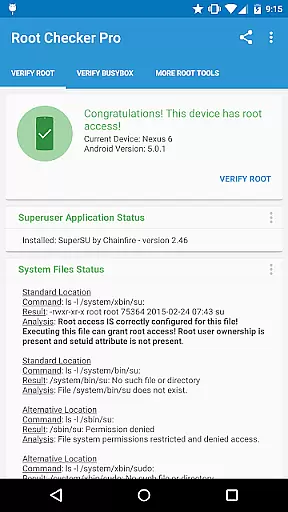
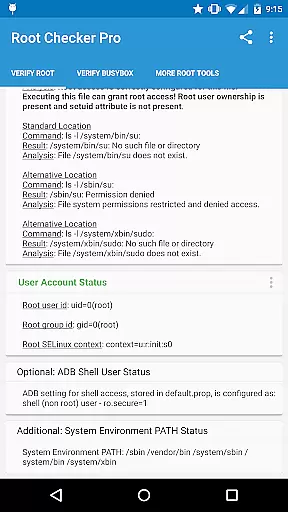
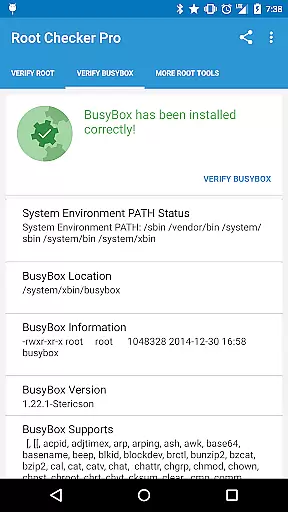
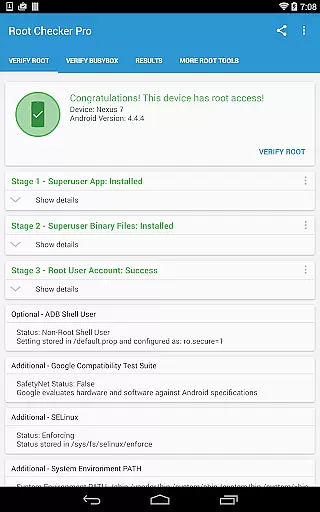
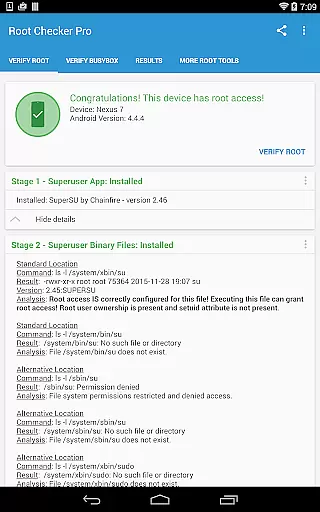
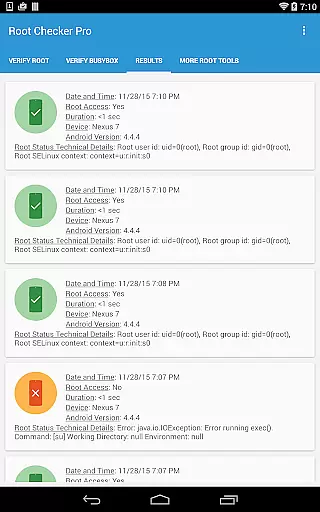
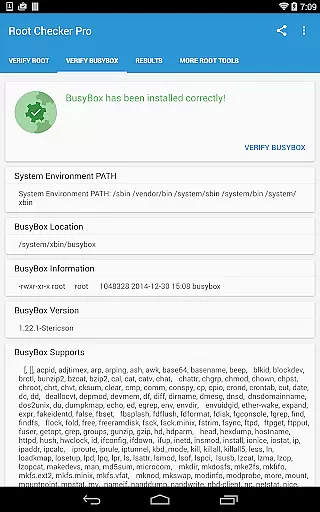
Root Checker Pro is a powerful Android tool designed to verify root access on your device. The app checks for proper root (superuser) permissions and BusyBox installation, providing detailed system information crucial for troubleshooting. It displays important data such as su binary locations, file permissions, SELinux status, and Superuser app versions.
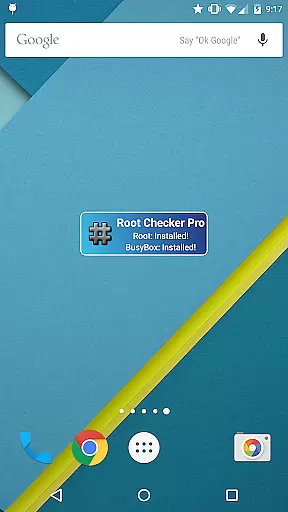
This application caters to both novice and advanced users by offering simple root verification while also presenting technical details for experienced users. The built-in sharing feature allows exporting diagnostic information via email or social media for collaborative troubleshooting. Additionally, the included widget provides continuous monitoring of root and BusyBox status, ensuring your device maintains proper root access.
Root Checker Pro offers comprehensive features for verifying and maintaining root access on Android devices. The app checks critical system components including su binary locations, file permissions, and SELinux context results. It verifies Superuser application installations and versions while monitoring adb shell default user mode.
Advanced users benefit from detailed technical information about their root installation. The app provides complete diagnostics around root and BusyBox configurations, including system PATH details and permission settings. The unique export feature enables sharing diagnostic results through various channels, facilitating easier troubleshooting and technical support.
The included widget enhances functionality by offering customizable monitoring intervals for root and BusyBox status. Users receive instant notifications about any changes in their root configuration, ensuring they maintain proper system access. This combination of detailed diagnostics and continuous monitoring makes Root Checker Pro an essential tool for rooted Android devices.
Root Checker Pro excels in delivering accurate and effective core functionality for Android users seeking to verify root access on their devices. The application meticulously checks the presence and status of the su binary, which is crucial for granting root permissions.
The app's effectiveness lies in its comprehensive verification process. It examines standard su binary locations, file permissions, and system-defined paths, ensuring a thorough analysis of root access. This detailed inspection helps users quickly identify any issues with their root configuration.
For both novice and advanced users, the application provides valuable insights into SELinux contexts, Superuser app installations, and BusyBox details. These features collectively contribute to the app's reliability in confirming proper root access and installation integrity.
The straightforward testing method employed by Root Checker Pro delivers quick and dependable results, making it an essential tool for maintaining optimal device performance and security.
Root Checker Pro demonstrates exceptional interface simplicity while maintaining powerful functionality. The developers have successfully created an intuitive user experience that caters to both technical experts and casual Android users alike.
The main interface presents crucial information through clear visual indicators and well-organized sections. Users can easily navigate between different verification modules without encountering complex technical jargon or confusing menus.
A standout feature is the one-touch export function, allowing users to share detailed root and BusyBox information effortlessly. This simplicity extends to the accompanying widget, which provides continuous monitoring of root status with customizable update intervals.
The application strikes an excellent balance between providing comprehensive technical data and maintaining an accessible interface, ensuring that even users new to Android rooting can effectively utilize its features.
Comprehensive root verification
Detailed system diagnostics
Easy result sharing
Continuous status monitoring
User-friendly interface
No automatic root fixing
Paid version only
Technical knowledge required
Limited to rooted devices
Occasional false positives

 4.10
4.10 4.50
4.50
This app unlocks the Pro features of the Central for DayZ app
3.60
Carry a FTP server in your pocket and avoid USB cables for file transfer
4.20
MS-DOS in your pocket. Play old DOS games anywhere you are ;)
4.10
Planner and Tracker for Stardew Valley
4.60
The Ultimate Flex Drivers Utility App - Convenient Tapping & Block Filters
4.70
Creation, Learning, Entertainment & More — The All-in-One AI Search Engine
4.70
The ideal app to be the digital eye of your family
3.40
Extremely fast, secure, and protects your privacy
4.80
ADB support Android 4.X-Android 13(Support wireless pair mode).No root required!
4.70
Use your phone as a webcam on your computer over WiFi or USB.
4.40
Forza Tuning Calculator App for Forza Horizon 5, Motorsport and Earlier Titles
4.40
Effortlessly run ADB commands directly on your device without a PC.
4.20
1-Click close all background apps on Android TV
3.90
A recovery soft,it features photo recovery, video recovery, file recovery.
3.40
PDF Reader - Document Viewer: Read, Manage & Organize Your Documents
3.10
Unlock your Essential Key. Create custom shortcuts to your favorite apps!
4.0
Save any video in HD - paste the link, download fast and watch offline.
4.0


User Reviews