
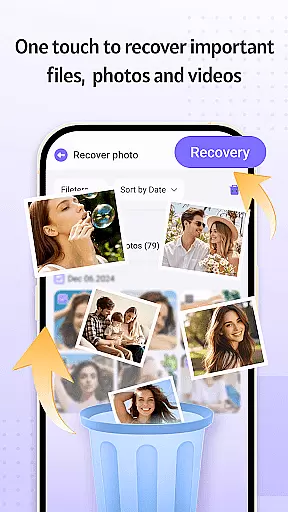
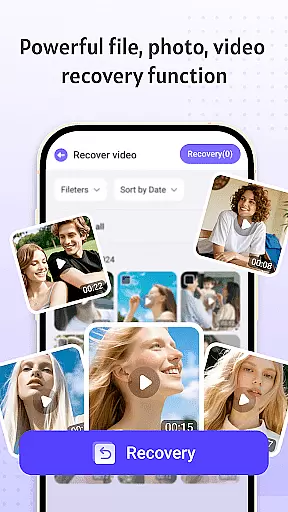
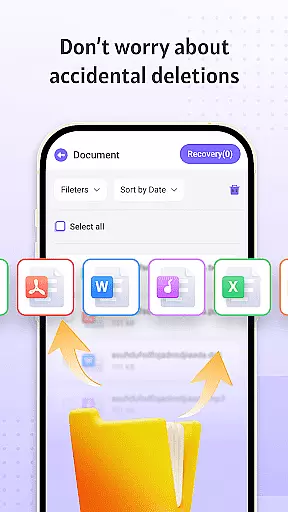


Recovery Photo is a professional file recovery tool designed to help users retrieve lost or deleted files across various categories. The app specializes in recovering photos, videos, and other important documents that may have been accidentally removed or lost due to system errors. Its powerful scanning technology ensures that even files cached by other apps can be identified and restored. Beyond simple recovery, the software offers a comprehensive management system for organizing and viewing recovered files directly on your device. This makes it an essential utility for anyone looking to safeguard their digital memories and important data.
The app also provides real-time monitoring of your device's storage space, allowing you to keep track of available memory and manage recovered files efficiently. Whether it’s family photos, work documents, or cherished videos, Recovery Photo ensures that your critical files are never permanently lost. With its user-friendly interface and reliable performance, this tool delivers peace of mind for individuals and professionals alike who need a dependable solution for file recovery.
Recovery Photo stands out with its diverse set of features tailored to meet different recovery needs. First and foremost, the app offers specialized recovery functions for images, videos, and general files. For photos, it employs advanced scanning algorithms to locate and restore lost images from your device's storage. Similarly, the video recovery feature helps retrieve deleted or corrupted video files, ensuring that precious moments captured on camera are not lost forever. Additionally, the document recovery function supports multiple file formats, making it versatile for both personal and professional use.
Beyond recovery, the app includes a robust file management system. Once files are restored, users can easily organize them into folders, preview content, and delete unnecessary items. Another notable feature is the built-in storage analysis tool, which provides insights into your device's memory usage. This allows users to monitor the status of recovered files and optimize storage space accordingly. With its combination of powerful recovery capabilities and practical management tools, Recovery Photo proves to be an indispensable asset for maintaining data integrity.
Recovery Photo is designed to offer users a reliable solution for retrieving lost files, focusing on photo, video, and general file recovery. The core functions are engineered with advanced scanning algorithms that meticulously comb through the device's storage to locate recoverable files. This ensures that even files deleted accidentally or lost due to system errors can be identified and restored.
The software's effectiveness lies in its ability to handle various types of data loss scenarios. Whether it's recovering cherished memories from photos or important documents, Recovery Photo provides an intuitive interface that simplifies the process. Users can initiate scans, preview recoverable items, and restore them to their desired location without needing technical expertise.
By integrating features like restored file management and device storage monitoring, the app enhances user experience beyond mere recovery. These tools allow users to organize recovered files efficiently and keep track of their device's storage health, ensuring optimal performance and preventing future data loss incidents.
A key aspect of Recovery Photo is its commitment to providing a user-friendly interface that makes file recovery accessible to all users, regardless of their technical background. The layout is carefully designed to guide users through the recovery process with minimal effort. Clear instructions and straightforward navigation ensure that users can quickly understand and utilize the app's features.
From initiating a scan to managing recovered files, every step is streamlined to enhance usability. The app categorizes recoverable items into photos, videos, and other files, allowing users to focus on specific types of content. This thoughtful organization reduces complexity and helps users find what they need faster.
Additionally, Recovery Photo incorporates visual indicators and progress trackers that keep users informed throughout the recovery process. These elements contribute to a stress-free experience by providing real-time feedback and clear status updates. By prioritizing simplicity and intuitiveness, the app empowers users to recover their valuable data confidently and efficiently.
User-friendly interface
Advanced scanning technology
Multiple file format support
Real-time storage monitoring
Comprehensive privacy protection
Recovery success varies by device
Factory reset files unrecoverable
Limited by storage media condition
Performance depends on file system
No cloud backup integration

 4.50
4.50
Learn the vast amount of system information about device and monitor it's state
4.70
Use your phone as a webcam on your computer over WiFi or USB.
4.40
Universal TV remote control all TVs, Roku, LG, Samsung, Fire, Vizio, Sony, TCL.
4.40
Best leveling tool for your Android device. Hang paintings like a pro.
4.90
PC precision for mobile gaming: dominate with keyboard and mouse!
4.30
A simple app to back up and restore SMS & MMS messages and call logs.
4.10
Pro Emulator is an easy to use game console emulator for a range of consoles.
4.40
Clean up your phone, find files, play media, and share files offline
4.50
Navigate with Ease and Style
4.90
Remote Play with FSR upscaling, low latency & full controller support
4.80
Fast Video Downloader, Movie Downloader, Torrent Downloader & Adblock Browser
4.70
Head tracking for PC sim games such as MSFS 2024 or Elite:Dangerous. No headset!
4.50
With videos, electrical calculators, and built-in ebook, Ugly’s has your answer.
4.50
An easy-to-use calculator designed to save time calculating and bending conduit
4.30
Quickly check the frequency of the Earth
4.30
Remote for Roku, Fire TV, Samsung TV, LG TV, Android TV, Chromecast and VIZIO TV
4.20
PDF Reader - Document Viewer: Read, Manage & Organize Your Documents
3.10
Download any file easily and quickly with Downloader
4.3


User Reviews