
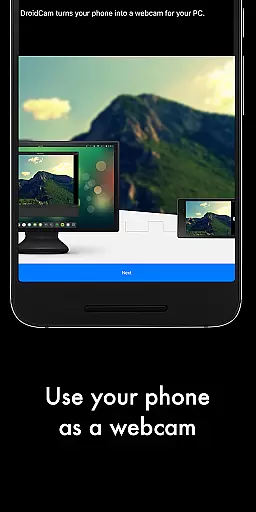

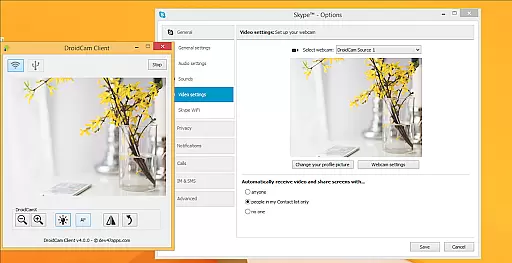
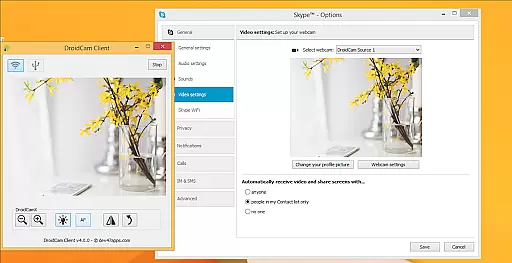
DroidCamX HD (Classic) is a versatile tool that transforms your Android device into a high-quality webcam for your computer. This application supports both video and audio transmission, making it ideal for video conferencing, streaming, and more.
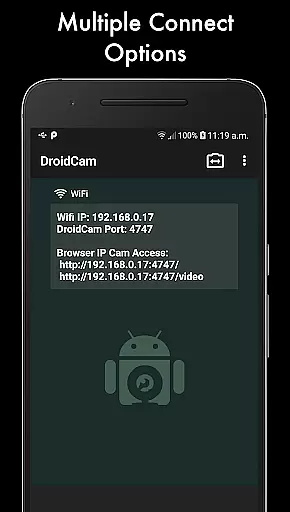
The app offers multiple connectivity options including Wi-Fi and USB, with support for HD video resolutions up to 1080p. Its unique features like 'Smooth FPS' ensure stable video performance while allowing users to run other apps in the background or conserve battery by turning off the screen.
Whether you're working from home, engaging in online education, or streaming content, DroidCamX provides a reliable and flexible solution for all your webcam needs.
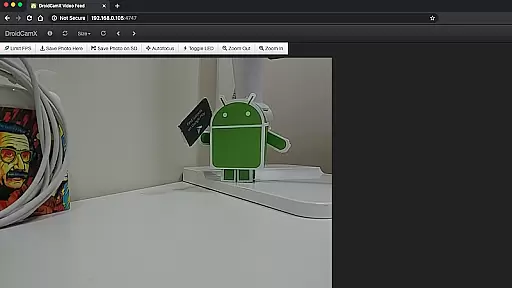
DroidCamX HD (Classic) stands out with its comprehensive feature set tailored for seamless webcam functionality. The app supports MJPEG access, enabling camera use via a browser or from another device, which is particularly useful for remote monitoring.
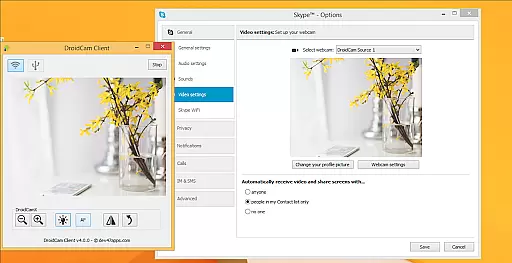
Advanced camera controls such as auto-focus, zoom, flash light, and more are available directly from the app interface. Additionally, the Windows client offers professional controls like Mirror, Flip, Brightness, and Contrast adjustments, providing users with extensive customization options.
One of the key advantages of DroidCamX is its ability to maintain functionality even when the Android device screen is off, conserving battery life. This makes it an excellent choice for extended use scenarios where power management is crucial.
DroidCamX HD (Classic) excels in delivering accurate and effective core functionalities that transform your Android device into a high-quality webcam. The app ensures both audio and video streams are transmitted seamlessly to the computer, providing users with a reliable communication tool.
The application supports multiple connection methods including Wifi and USB, ensuring flexibility and convenience. With options for 720p/1080p video quality in HD mode, users can expect clear and sharp video output. Additionally, features like 'Smooth FPS' enhance video stability, making virtual meetings more professional and enjoyable.
One of the standout aspects is its ability to operate efficiently in the background, allowing users to utilize other apps without interrupting the video stream. This multitasking capability, combined with battery-saving features such as working with the screen off, highlights the app's commitment to user-centric design.
The interface of DroidCamX HD (Classic) is designed to offer simplicity and intuitiveness, ensuring users can easily navigate and utilize its features without a steep learning curve. Upon launching the app, users are greeted with a straightforward layout that emphasizes essential functions, making it accessible even for those who may not be tech-savvy.
Controls for camera operations such as auto-focus, zoom, and flash are intuitively placed, allowing users to make adjustments effortlessly during video calls. Moreover, advanced settings like brightness, contrast, and image mirroring are available on the Windows client, offering users enhanced customization options without complicating the primary interface.
By maintaining an uncluttered and logical design, DroidCamX ensures that users can quickly connect their devices and start using the webcam functionality. This ease of use, paired with comprehensive support and documentation available on the developer's website, makes the overall user experience smooth and hassle-free.
High-quality video support
Versatile connectivity options
Background app operation
Comprehensive camera controls
Battery conservation features
Requires separate PC client
USB setup can be complex
Limited to Android devices
No native iOS support
Occasional connection issues

 4.10
4.10
Quickly switch to an encrypted DNS server on Android TV
4.50
PDF Reader - Document Viewer: Read, Manage & Organize Your Documents
3.10
Save any video in HD - paste the link, download fast and watch offline.
4.4
Clean the junk files on your device
3.40
Enjoy smooth gameplay with Game Booster
4.90
Monitor car performance in real time and troubleshoot malfunctions.
4.80
A simple app to back up and restore SMS & MMS messages and call logs.
4.10
The ideal app to be the digital eye of your family
3.40
Excellent scientific calculator with symbolic algebra, integrals, derivatives
4.80
Unit and currency converter with easy and simple UI.
4.80
Canon PRINT is a companion app for your Canon printer.
4.60
With videos, electrical calculators, and built-in ebook, Ugly’s has your answer.
4.50
Button mapper, mouse toggle, sleep timer and a lot of another features
4.50
pdf merge, word to pdf, jpg to pdf, edit pdf, convert to pdf and much more!
4.20
View detailed information about your Nissan Leaf the dealer never shows you.
4.10
Amateur Radio app for APRS: Track friends, exchange messages, get tactical info.
3.90
Unleash gamepad precision for ultimate mobile gaming dominance.
3.90
A non-root local ADB shell client. READ BELOW!
3.40


User Reviews