
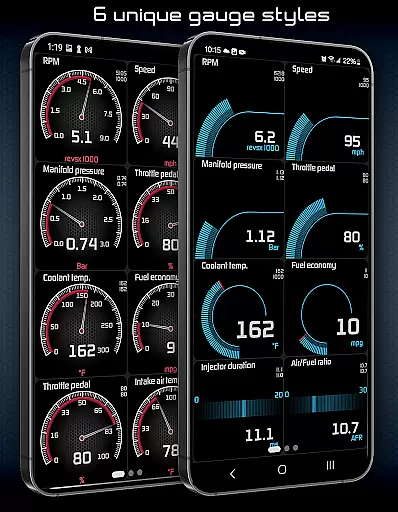
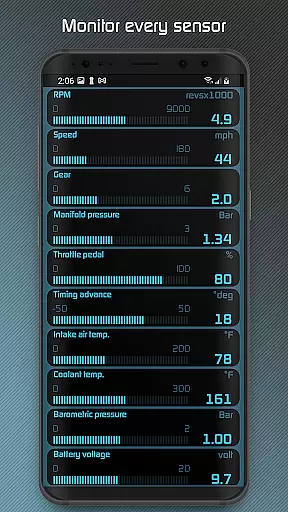
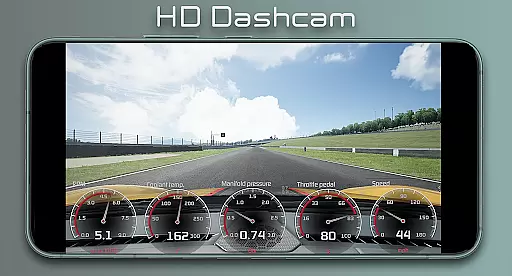
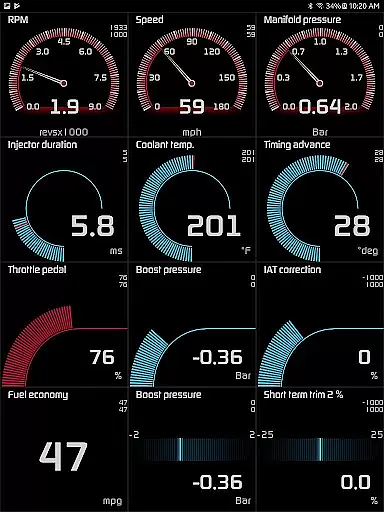
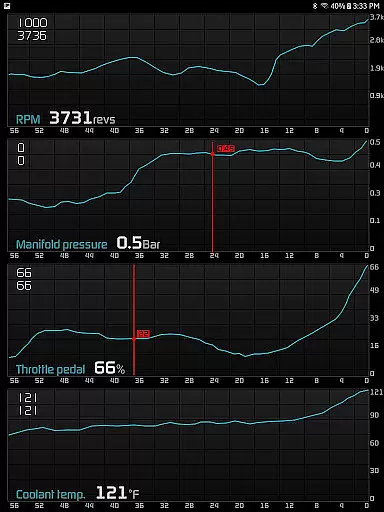
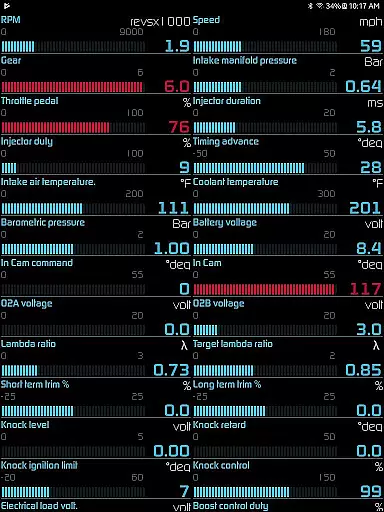
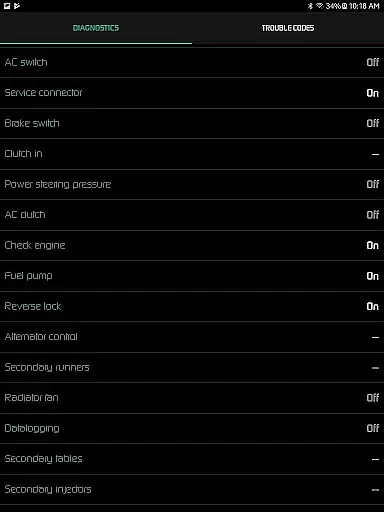
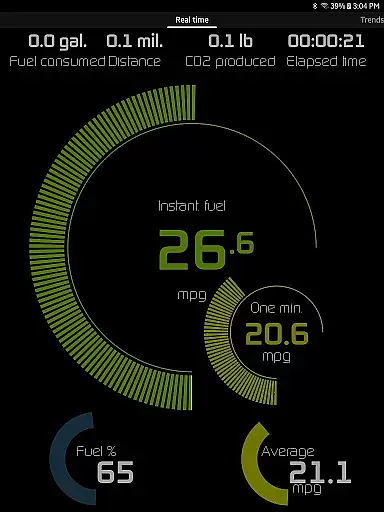
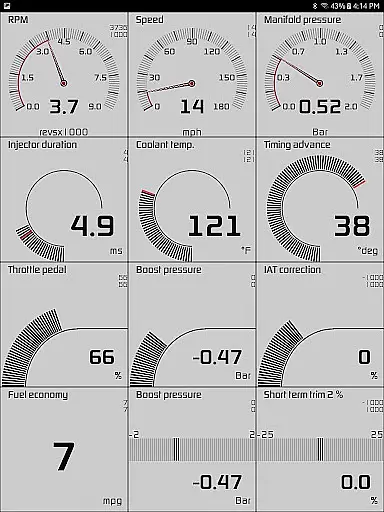
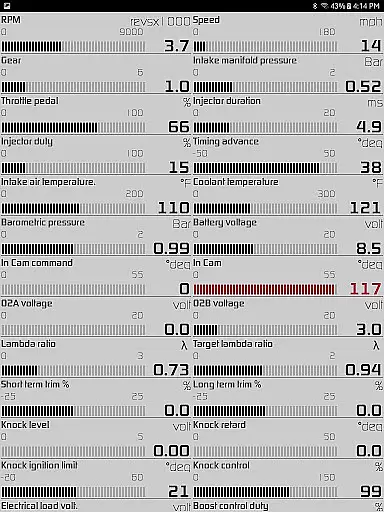
Hondata is a powerful automotive tool that transforms your Android device into a comprehensive performance tracking and diagnostic system for Honda vehicles. The app provides real-time monitoring of up to 80 sensors, including fuel economy, boost pressure, and battery voltage, through customizable gauges and interactive graphs.
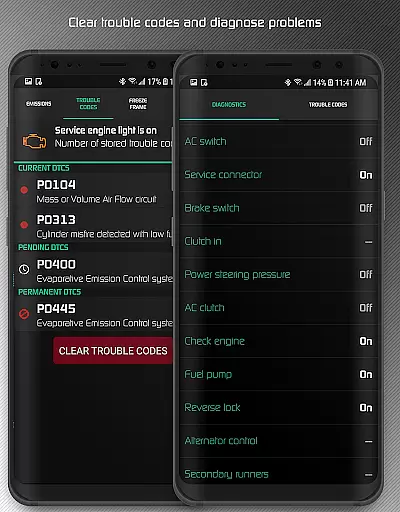
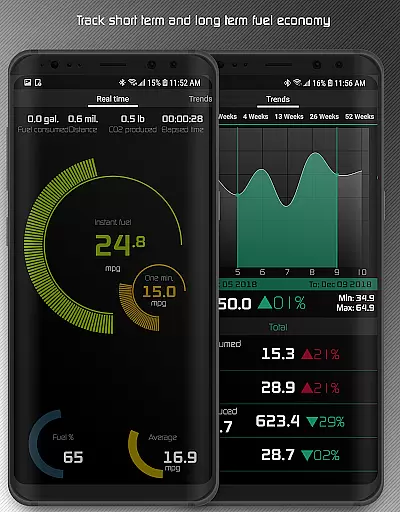
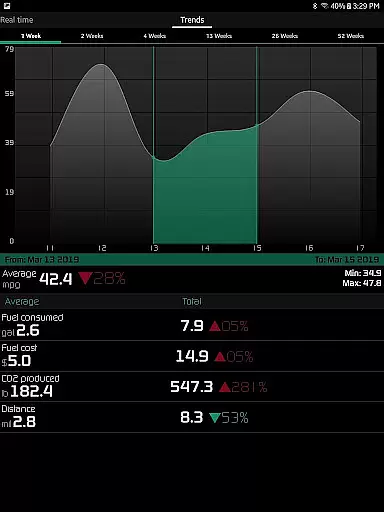
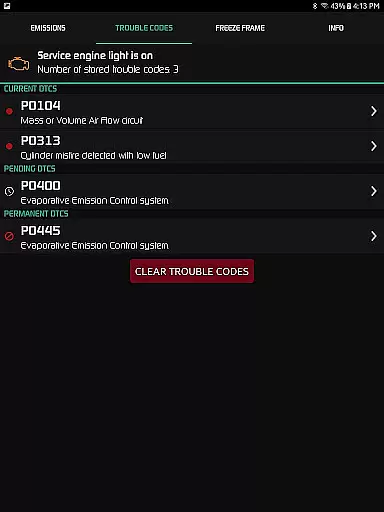
One of the standout features is the ability to troubleshoot vehicle malfunctions by accessing the onboard ECU. Users can read and clear trouble codes, reset the service engine light, and track fuel economy over different time intervals. This helps car owners understand issues before visiting a mechanic, potentially saving on repair costs.
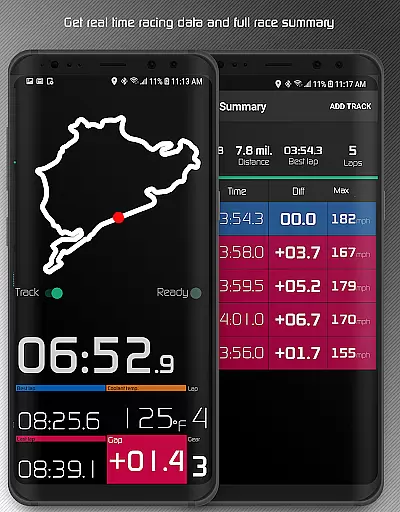
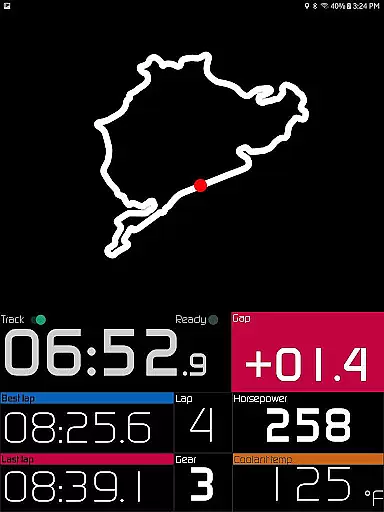
The app also includes advanced functionalities like drag race timing, lap time recording using GPS, and long-term fuel economy tracking with interactive graphs. These features make Hondata an essential tool for both everyday drivers and automotive enthusiasts looking to optimize their vehicle's performance.
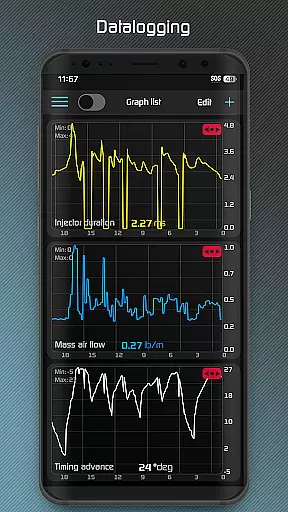
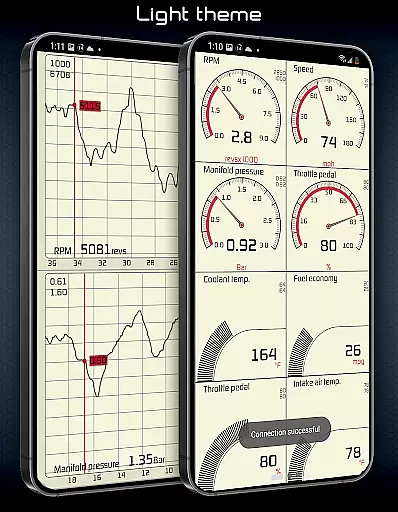
Hondata offers an extensive range of features designed to enhance vehicle monitoring and diagnostics. The app provides customizable gauges that allow users to track up to 80 real-time sensors, such as fuel economy, boost pressure, and G-force measurements. Additionally, it supports plotting sensor data onto interactive graphs, enabling simultaneous recording of up to four sensors.
For those interested in deeper analysis, Hondata allows exporting recorded data to CSV files for further examination. The app also includes a racetrack feature that measures drag race times, lap times, and uses GPS to record track circuits, providing a detailed summary of each race. Users can choose from stored tracks and access statistics like distance traveled and maximum speed.
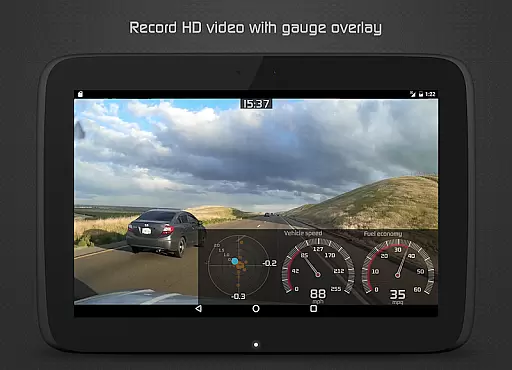
Other notable features include a heads-up display (HUD) gauge for night driving, speed limit warnings, and notifications for engine overheating or when sensor readings reach user-defined limits. With support for both metric and imperial units, Hondata ensures accessibility and convenience for a global audience.
The Hondata app excels in providing precise and effective core functionalities that transform your Android device into a comprehensive car performance tracking tool. With the ability to monitor up to 80 real-time sensors, including fuel economy and boost pressure, it ensures accurate readings crucial for maintaining your Honda's peak condition.
One of the key features is its capability to plot sensor data on interactive graphs, allowing users to record and analyze data from up to four sensors simultaneously. This functionality not only enhances the understanding of vehicle performance trends but also supports exporting data for further analysis, ensuring that users have reliable information at their fingertips.
In addition to tracking, the app offers diagnostic tools that read and clear vehicle trouble codes, effectively empowering car owners with the knowledge to address issues before consulting a mechanic. The app's detailed diagnostics extend to over 40 parameters, such as engine knock count and VTEC pressure, which contribute to a holistic view of the vehicle's health.
Ultimately, the Hondata app's accuracy in monitoring and diagnosing vehicle performance translates into tangible benefits for users, saving them time and money by preventing unnecessary repairs and improving fuel efficiency through informed driving habits.
Hondata stands out with an intuitive interface that simplifies complex vehicle data into understandable visuals. Users can customize gauges to track essential metrics like battery voltage and G-force, making it easy to monitor their Honda's performance at a glance without being overwhelmed by data.
The app provides multiple themes and includes a HUD gauge for night driving, ensuring that the interface remains user-friendly in all conditions. These customization options allow drivers to tailor the display to their preferences, enhancing the overall user experience while maintaining focus on driving safety.
With landscape mode available across all views, Hondata ensures that users can interact with the app comfortably, regardless of how they position their device. This flexibility contributes to the app's ease of use, accommodating different usage scenarios and driver preferences.
By focusing on interface simplicity, Hondata enables users to efficiently access critical vehicle information, such as speed limit warnings and engine overheating notifications. This straightforward approach empowers drivers to respond promptly to potential issues, fostering a safer and more informed driving experience.
User-friendly interface
Comprehensive sensor tracking
Real-time performance monitoring
Advanced diagnostic capabilities
Customizable data visualization
No Android Auto support
Limited device compatibility
Requires specific hardware
Potential connectivity issues
Subscription may be required

A convenient photo, video, and file recovery tool.
 4.00
4.00
Just one-tap to easy translate in any language after calls within seconds.
4.20
Family Locator, Share location, StayConnect with your family in real time
3.90
An open-source APK explorer for Android!
4.10
Amateur Radio app for APRS: Track friends, exchange messages, get tactical info.
3.90
Effortlessly run ADB commands directly on your device without a PC.
4.20
Quickly check the frequency of the Earth
4.30
Screen Mirroring with sound for Samsung TV, LG TV, Sony TV, Smart TV and Browser
4.20
Mobile Security with Scam Protection | Malware & Virus Cleaner | Safe Browser
4.70 4.50
4.50 4.50
4.50
Quickly switch to an encrypted DNS server on Android TV
4.50
Screen Mirroring for Roku Sticks, Roku TCL TV and Roku Hisense TV
4.50
Game Booster, GFX Tool is now compatible with newer game update
4.50
App that Recover your pictures, videos or files after you delete them.
4.20
Carry a FTP server in your pocket and avoid USB cables for file transfer
4.20
Create your own live wallpaper or check out thousands already made presets
3.90
Fun lie-detection pranks for friends and parties.
3.80
PDF Reader - Document Viewer: Read, Manage & Organize Your Documents
3.10


User Reviews