
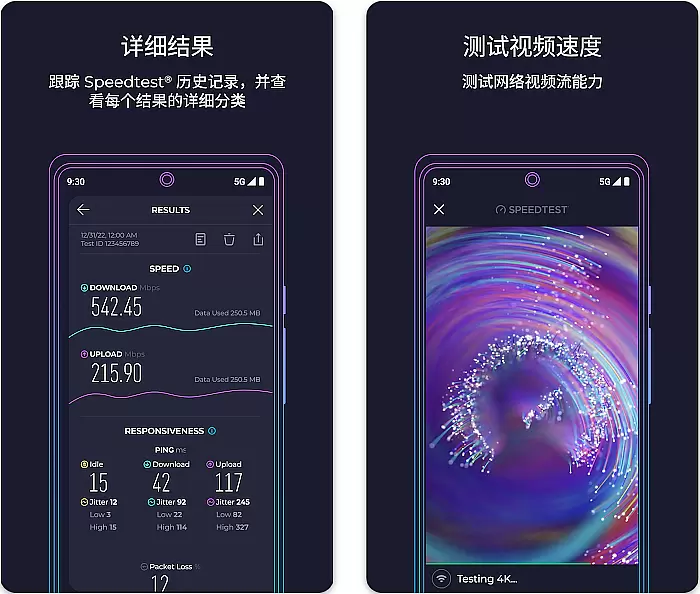
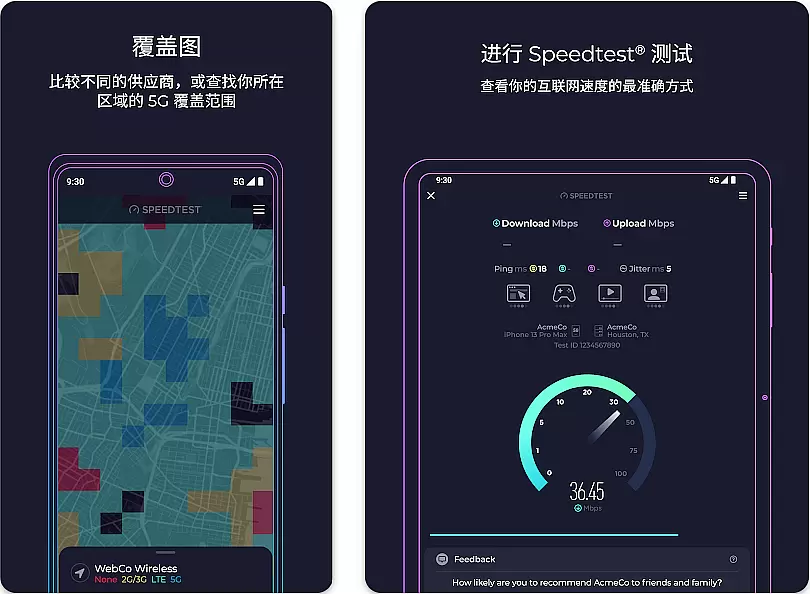
Speedtest by Ookla is a leading internet speed testing tool that provides accurate measurements of your connection's performance. The app offers download, upload, and ping tests, giving users a comprehensive view of their network quality. With its intuitive interface and reliable results, it has become an essential utility for both casual users and network professionals.
Beyond basic speed testing, the app includes advanced features like real-time monitoring, detailed analytics, and historical tracking. These capabilities make it particularly useful for troubleshooting connectivity issues or optimizing network performance. Whether you're at home, in the office, or traveling, Speedtest ensures you have the information needed to manage your internet connection effectively.
Speedtest stands out with its robust feature set tailored for network diagnostics. The app uses advanced algorithms to ensure precise measurement of internet speeds across various devices and network types. Its real-time graphing feature visually represents connection stability, making it easier to identify fluctuations or inconsistencies.
Additional functionalities include background testing options, customizable test servers, and detailed reporting tools. Users can export test results for further analysis or share them directly with technical support teams. These professional-grade features, combined with its user-friendly design, make Speedtest a versatile solution for both personal and enterprise-level network management.
Speedtest by Ookla is a premier tool designed to deliver precise and reliable internet speed measurements. The core functionality of this application lies in its ability to accurately measure download and upload speeds, as well as latency and packet loss. These metrics are essential for users who need to understand their network performance for both personal and professional purposes.
The app employs advanced testing methodologies that ensure the results reflect the true capabilities of your internet connection. By using multiple concurrent connections and optimizing test durations, Speedtest provides a comprehensive evaluation that accounts for various factors affecting network performance. This meticulous approach guarantees that users receive the most accurate depiction of their internet speeds.
For users, this means they can confidently diagnose connectivity issues, hold their ISPs accountable, and optimize their online activities accordingly. Whether it's streaming, gaming, or working remotely, having access to reliable speed data empowers users to make informed decisions about their internet usage and potential upgrades.
A standout feature of Speedtest by Ookla is its commitment to providing an intuitive and user-friendly interface. Recognizing that users of all technical backgrounds rely on this tool, the developers have crafted an experience that minimizes complexity without sacrificing functionality. From the moment you open the app, you're greeted with a clean layout that highlights the primary actionu2014starting a speed test.
The design philosophy centers around ease of use, ensuring that even first-time users can navigate the app effortlessly. Controls are thoughtfully placed, and the testing process is streamlined to just a single tap. Visual indicators and progress animations further enhance the user experience by providing clear feedback during tests.
This focus on simplicity extends beyond aesthetics; it enhances the overall effectiveness of the app. Users can quickly access historical data, compare results, and share findings without wading through complicated menus or settings. Such an approach not only saves time but also makes regular speed testing a hassle-free part of maintaining optimal network health.
Accurate speed measurements
User-friendly interface
Comprehensive network diagnostics
Real-time monitoring tools
Cross-platform compatibility
Premium features require subscription
Ads in free version
Occasional server congestion
Limited offline functionality
High system resource usage

Learn the vast amount of system information about device and monitor it's state
 4.70
4.70
Unit and currency converter with easy and simple UI.
4.80
Use your phone as a webcam on your computer over WiFi or USB.
4.40
HD Video player and downloader for all formats, fast & smooth 4K video playback.
4.60
Best leveling tool for your Android device. Hang paintings like a pro.
4.90
MS-DOS in your pocket. Play old DOS games anywhere you are ;)
4.10
With videos, electrical calculators, and built-in ebook, Ugly’s has your answer.
4.50
Game Booster, GFX Tool is now compatible with newer game update
4.50
The ideal app to be the digital eye of your family
3.40
Connect wirelessly to your computer to watch movies, browse the web, play games
5.00
Support Fossify apps with a warm thank you!
5.00
The Ultimate Flex Drivers Utility App - Convenient Tapping & Block Filters
4.70
Connect instantly to a fast, encrypted VPN with one tap
4.60
An easy-to-use calculator designed to save time calculating and bending conduit
4.30
pdf merge, word to pdf, jpg to pdf, edit pdf, convert to pdf and much more!
4.20
Screen Mirroring with sound for Samsung TV, LG TV, Sony TV, Smart TV and Browser
4.20
Family Locator, Share location, StayConnect with your family in real time
3.90
Amateur Radio app for APRS: Track friends, exchange messages, get tactical info.
3.90
Fun lie-detection pranks for friends and parties.
3.80


User Reviews