
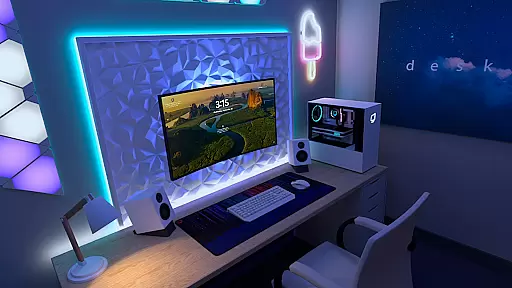
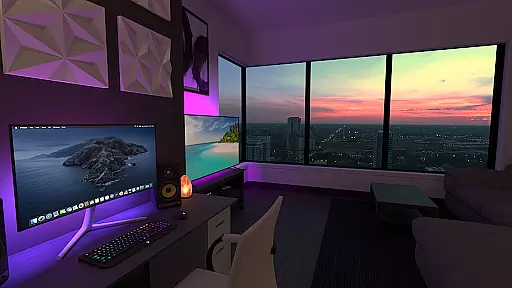
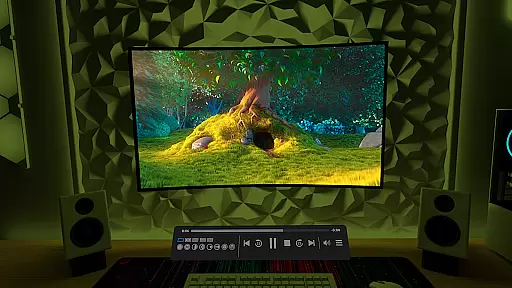
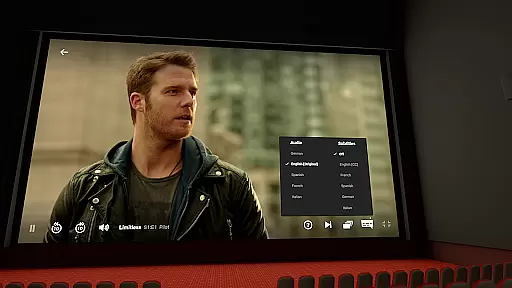
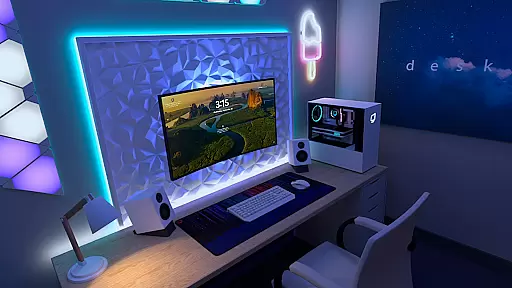

Virtual Desktop is a powerful tool that allows users to connect wirelessly to their computers for an immersive experience. Watch movies, browse the web, and play games on a large virtual screen or stream PCVR games with ease. Optimized for low latency and high-quality streaming, this native application ensures smooth performance.
The app supports Windows 10/11, macOS Catalina or later, and VR Ready PCs. It features multi-monitor support, Bluetooth device compatibility, and options for video downloads or streaming directly from your computer. With its advanced functionalities like 3D content support and microphone passthrough, Virtual Desktop enhances productivity and entertainment.
Virtual Desktop offers a range of impressive features designed to optimize user experience. The app supports both local network connections via Gigabit Ethernet and remote connections over the internet, ensuring flexibility in usage scenarios. Its compatibility with various operating systems including Windows 10/11 and macOS makes it versatile.
Users can enjoy enhanced multimedia experiences through support for different types of 3D content, as well as seamless interaction using Bluetooth mice, keyboards, and gamepads. Additionally, the ability to stream videos directly from your computer adds convenience. These robust features make Virtual Desktop ideal for both work and leisure activities.
Virtual Desktop excels in delivering a seamless and high-quality streaming experience, ensuring that users can efficiently connect to their computers wirelessly. The application is optimized for low latency, which is crucial for activities such as watching movies, browsing the web, and even playing games on a giant virtual screen.
The app supports both local and remote connections, provided that the computer is wired with a Gigabit Ethernet cable to a 5 or 6 GHz router. This setup facilitates a stable and fast connection, essential for streaming PCVR games and other content without interruptions or lag.
With compatibility across most PCs and laptops running Windows 10 or 11, as well as macOS Catalina or later, Virtual Desktop ensures broad usability. Its support for multi-monitors and 3D content further enhances its effectiveness, making it a versatile tool for various computing needs.
Despite its advanced features, Virtual Desktop maintains an interface that is both simple and intuitive, allowing users of all technical backgrounds to easily navigate and utilize its capabilities. The layout is designed to provide quick access to essential functions such as streaming videos, managing multiple monitors, and controlling peripheral devices like Bluetooth mice and keyboards.
Users can effortlessly switch between different tasks, thanks to the app's logical grouping of features and straightforward controls. Whether it's downloading or streaming regular, 180, or 360 videos directly from their computer, the process is streamlined for maximum convenience.
Additionally, Virtual Desktop includes options like Microphone passthrough and remote connections over the internet, which are presented in a manner that does not overwhelm the user. These features enhance the overall functionality while maintaining ease of use, ensuring that even those new to virtual desktop environments can adapt quickly.
High-quality streaming
Multi-platform support
Low latency performance
Flexible connectivity options
Enhanced multimedia capabilities
Requires specific hardware setup
Limited mobile OS compatibility
Potential network dependency issues
Advanced features may require additional configuration
Subscription costs for full access

Change your GPS location instantly. Simulate routes anywhere in the world.
 4.90
4.90
Just one-tap to easy translate in any language after calls within seconds.
4.20
Complete kernel toolbox with features to manage and tweak your rooted device
4.30
Unit and currency converter with easy and simple UI.
4.80
Remote for Roku, Fire TV, Samsung TV, LG TV, Android TV, Chromecast and VIZIO TV
4.20
Quickly & easily calculate the spacing of handrail balusters
4.20
An easy-to-use calculator designed to save time calculating and bending conduit
4.30
A non-root local ADB shell client. READ BELOW!
3.40
Signal Strength, Mobile, Wifi, Speed Test, Bad Signals, Cellular, 5G, LTE, 4G
4.20
Easily install aab(Android App Bundle) files on your Android device with our app
4.80
Learn the vast amount of system information about device and monitor it's state
4.70
HD Video player and downloader for all formats, fast & smooth 4K video playback.
4.60
Planner and Tracker for Stardew Valley
4.60 4.50
4.50
eXtended Permission Manager - a small app to manage permissions and AppOps
4.50
The Ultimate Bluetooth Keyboard & Mouse. Securely control your PC, Mac, and more
4.50
A convenient photo, video, and file recovery tool.
4.00
Create your own custom widget with endless possibilities
3.90
This app unlocks the Pro features of the Central for DayZ app
3.60


User Reviews