
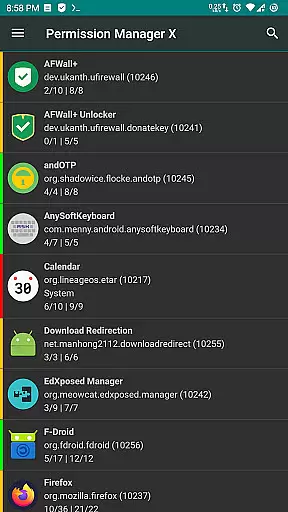
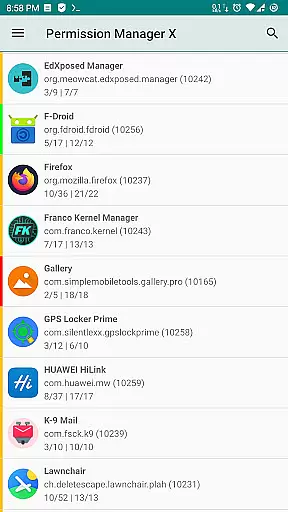
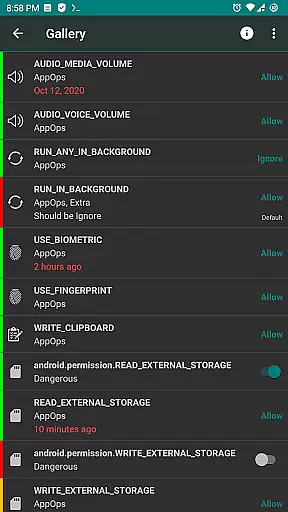
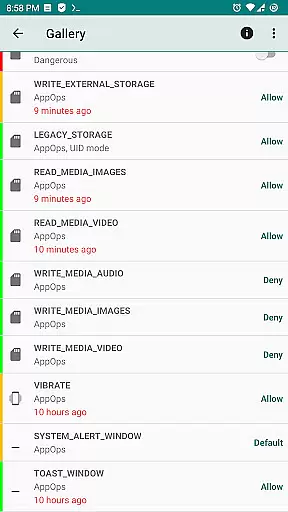
Permission Manager X is a powerful tool designed to give Android users complete control over app permissions. This utility allows you to manage both manifest permissions and AppOps on a single screen, providing fine-grained access control for each installed application. With its intuitive interface, you can easily view, grant, or revoke permissions, set reference values, and review permission states at a glance using colored bars.
The app is particularly useful when reinstalling apps, changing devices, or upgrading your ROM. By setting reference states for permissions, you can quickly back up and restore your preferred settings. Whether you're concerned about privacy, performance, or control, Permission Manager X enables you to restrict background execution, location tracking, SMS capabilities, contact access, and more. The app offers both free and paid features, including scheduled checks, auto-revoke functionality, and multi-user support.
Permission Manager X stands out with its comprehensive feature set that goes beyond basic permission management. The app allows users to control both manifest permissions and AppOps simultaneously, revealing how these two permission systems relate to and affect each other. This dual-control capability becomes increasingly important with every new Android release, as manifest permissions become more dependent on AppOps.
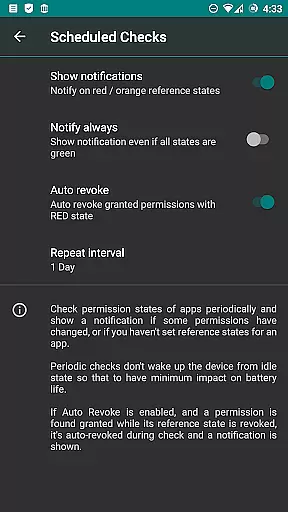
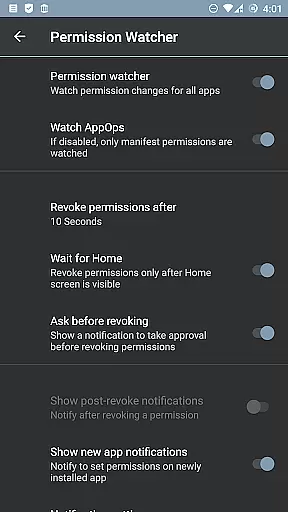
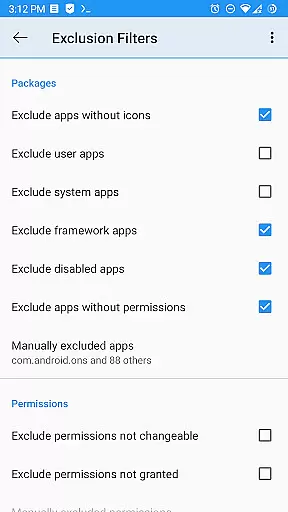
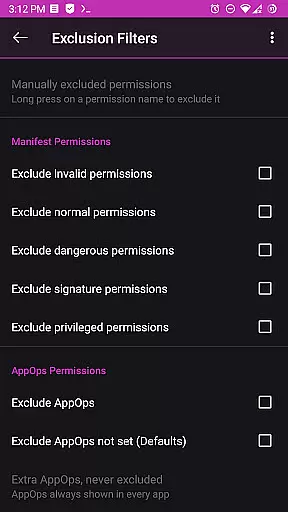
Advanced users will appreciate the app's ability to sort apps and permissions by various parameters, schedule checks for bad reference states, and automatically revoke granted permissions with problematic states. The Permission Watcher feature helps remove unwanted permissions as soon as you stop using an app. For power users, the app offers batch operations, theming options, and multi-user profile support. These features are particularly valuable for maintaining optimal device performance and protecting user privacy across different user profiles or work environments.
All these capabilities require either root access or ADB network connection, ensuring that only advanced users who understand the implications of permission management can utilize the app's full potential. The developers have also maintained a strong commitment to privacy and transparency by making the basic functionality open-source, with no ads or analytics included.
Permission Manager X offers a comprehensive solution for managing app permissions with precision and control. The core functionality allows users to view, grant, or revoke both manifest permissions and AppOps permissions from a single screen. This ensures that every permission change is accurately reflected in the system, providing users with complete control over their privacy settings.
The application's robust framework leverages Android's backend access control mechanisms, offering fine-grained control over permissions such as storage, camera, background execution, and more. By integrating manifest permissions and AppOps, Permission Manager X enables simultaneous management of these permissions, revealing how they relate to each other. This dual-level control enhances the overall effectiveness of the app's permission management capabilities.
For users who frequently reinstall apps or switch devices, the ability to set reference states for permissions is invaluable. These reference states can be quickly backed up and restored, ensuring consistency across installations. Additionally, visual indicators like colored bars make it easy to review packages and permissions at a glance, streamlining the process of maintaining desired privacy levels.
Despite its powerful features, Permission Manager X maintains an intuitive and user-friendly interface. All critical functions are accessible from a single screen, allowing users to manage permissions without navigating through complex menus. This straightforward design ensures that even those new to permission management can quickly understand and utilize the app's capabilities.
The app provides clear explanations and guidance for each feature, making it simple for users to grasp the differences between manifest permissions and AppOps. A comprehensive help guide and FAQs section further enhance the learning experience by answering common questions about the app's functionality and purpose. This educational approach empowers users to make informed decisions about their privacy settings.
Additional premium features, such as scheduled checks and auto-revoke options, are seamlessly integrated into the interface without complicating the user experience. These advanced tools are presented in a way that maintains the app's overall simplicity while offering enhanced control. The result is an interface that balances powerful functionality with ease of use, catering to both casual users and privacy enthusiasts alike.
User-friendly interface
Comprehensive permission control
Free core functionality
Regular updates
Active community support
Requires root access
Complex for beginners
Limited without ADB
No iOS support
Paid features needed

 4.50
4.50
Transfer Files, APK from Phone to Watch & Install.
4.2
Keep track of your Palia friendships, tasks, and inventory with Palia Notebook
4.60
Best leveling tool for your Android device. Hang paintings like a pro.
4.90
Effortlessly run ADB commands directly on your device without a PC.
4.20
Unleash gamepad precision for ultimate mobile gaming dominance.
3.90
Signal Strength, Mobile, Wifi, Speed Test, Bad Signals, Cellular, 5G, LTE, 4G
4.20
Play your X-Box games remotely in 1080p with any controller and zero latency
4.60
Clean up your phone, find files, play media, and share files offline
4.50
Navigate with Ease and Style
4.90
The ultimate tool for network analysis, wifi scanning and problem detection.
4.90
Bedrock Together: Join any bedrock server on Xbox/PS
4.80
Small and simple app to Verify Root Access and BusyBox Install!
4.70
Complete kernel toolbox with features to manage and tweak your rooted device
4.30
Quickly & easily calculate the spacing of handrail balusters
4.20
View detailed information about your Nissan Leaf the dealer never shows you.
4.10
Family Locator, Share location, StayConnect with your family in real time
3.90
A powerful, easy-to-use flight computer on your phone or tablet!
3.80
Undelete and recover your lost or deleted files with DiskDigger!
3.40


User Reviews