
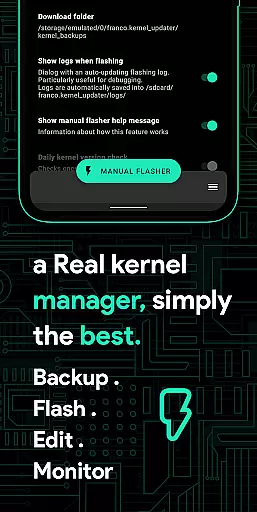
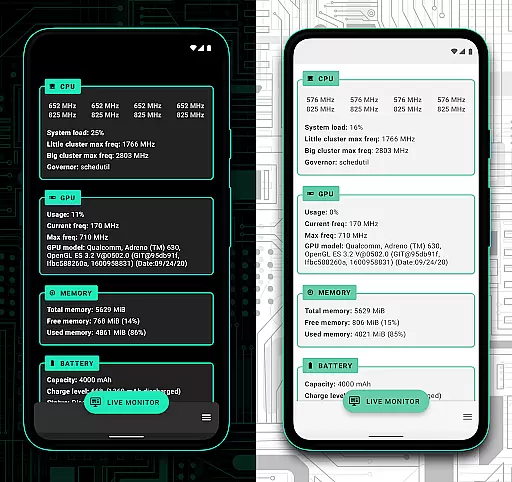
Franco Kernel Manager is a comprehensive toolbox designed for Android users who want to supercharge their device's kernel. This app offers an extensive feature set that caters to both beginners and expert users, providing everything needed to manage, tweak, and optimize your device efficiently.
With Franco Kernel Manager, you can enhance your device's performance and battery life while also having the ability to flash mods without using a custom recovery. The app supports all devices and kernels but requires root access for full functionality, except for the Battery Monitor feature which works without root.
This tool is invaluable for those looking to fine-tune their device settings, offering features like detailed battery stats, build.prop editing, auto-flashing of kernels and mods, and much more. Whether you're adjusting CPU frequencies or managing per-app profiles, this app provides significant control over your device's operations.
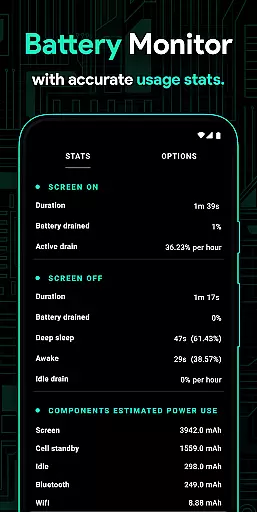
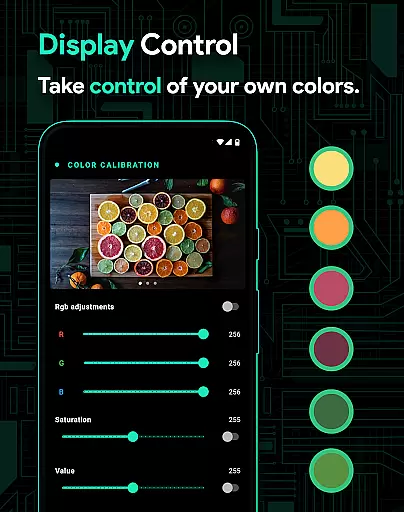
Franco Kernel Manager stands out with its rich array of features tailored for device optimization. One notable feature is the Battery Monitor notification, which provides detailed insights into power consumption, charging time estimates, and more. Additionally, it offers advanced capabilities such as displaying color temperature presets and supporting various GPU types including Adreno, Exynos, and Kirin.
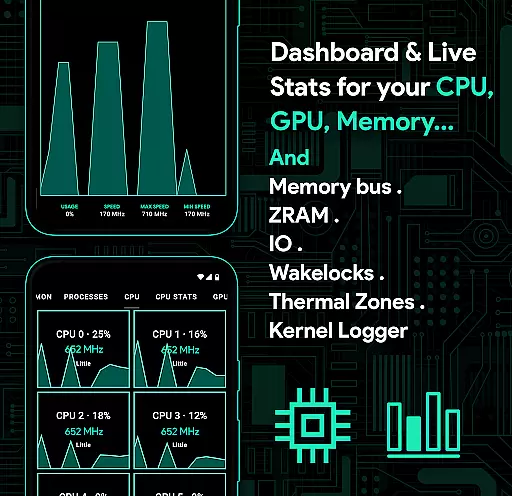
The app allows users to create per-app profiles, enabling different settings for specific applications. For example, you can set maximum CPU frequency for gaming and lower frequencies for reading e-books. It also includes system health monitoring with real-time usage statistics for CPU, GPU, RAM, and other components.
Other standout features include automatic Night Shift for eye comfort during nighttime use, CPU temperature notifications, script management for creating shell scripts within the app, and light/dark themes compatible with the latest Android versions. These features collectively provide a powerful toolkit for optimizing and personalizing your device experience.
Franco Kernel Manager offers a comprehensive suite of tools designed to enhance kernel management with precision and efficiency. The app provides detailed control over CPU frequencies, GPU settings, and system memory, ensuring that every tweak is accurately applied to deliver optimal performance.
One of the standout features is its ability to flash kernels and mods without requiring a custom recovery, streamlining the process for both novice and expert users. This functionality not only saves time but also reduces the risk of errors during manual installations, making kernel management more accessible to a wider audience.
The inclusion of a battery monitor with real-time consumption data allows users to fine-tune their device's power usage effectively. By offering insights into active and idle power consumption, charging speeds, and component-specific usage, the app empowers users to make informed decisions to extend battery life significantly.
Furthermore, the app supports advanced features like per-app profiles, giving users the flexibility to customize performance settings based on specific use cases. Whether it's maximizing CPU power for gaming or conserving energy while reading, Franco Kernel Manager ensures that each setting is implemented accurately, enhancing the overall user experience.
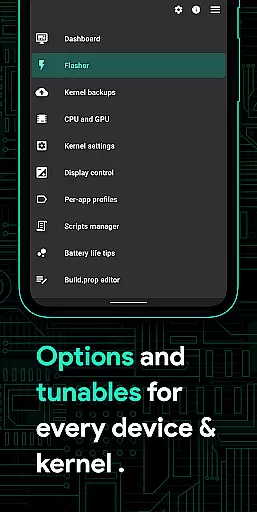
The interface of Franco Kernel Manager is crafted to provide an intuitive and user-friendly experience, catering to both beginners and seasoned tech enthusiasts. Its clean layout and straightforward navigation ensure that even those new to kernel management can easily access and utilize its powerful features without feeling overwhelmed.
Central to its design is the emphasis on ease of use, exemplified by features like one-tap backups and restores for kernels. This simplifies what could otherwise be a complex process, allowing users to safeguard their configurations effortlessly and restore them whenever needed, thus minimizing downtime and potential errors.
Additionally, the app includes a system health monitor with a visually appealing UI that displays real-time statistics on CPU, GPU, RAM, and thermal zones. This transparency not only helps users understand their device's current state but also aids in making timely adjustments to maintain peak performance, all through an interface that is both informative and easy to interpret.
With support for light and dark themes, Franco Kernel Manager ensures visual comfort across different environments and times of day. These themes adapt seamlessly to the latest Android versions, providing a modern look while maintaining focus on usability and accessibility, ultimately delivering a streamlined yet powerful tool for device optimization.
User-friendly interface
Extensive feature set
Supports all devices
Regular updates
Comprehensive battery stats
Requires root access
Complex for beginners
Some features need technical knowledge
No iOS support
Premium version costs

Change your GPS location instantly. Simulate routes anywhere in the world.
 4.90
4.90
HD Camera captures every special moment.
4.60
FV File Manager Pro, Fast and powerful file manager for Android
4.60
Unit and currency converter with easy and simple UI.
4.80
An open-source APK explorer for Android!
4.10
Small and simple app to Verify Root Access and BusyBox Install!
4.70
With videos, electrical calculators, and built-in ebook, Ugly’s has your answer.
4.50
Clean up large files and similar photos, fast and easy to use
4.40
A clean app.
4.50
Extremely fast, secure, and protects your privacy
4.80
Optimize your WiFi network, turn your phone into Wifi Analyzer
4.70
The one-and-only remote control for PC, Mac, and Linux
4.70
Button mapper, mouse toggle, sleep timer and a lot of another features
4.50
Just one-tap to easy translate in any language after calls within seconds.
4.20
App that Recover your pictures, videos or files after you delete them.
4.20
Quickly & easily calculate the spacing of handrail balusters
4.20
1-Click close all background apps on Android TV
3.90
Unleash gamepad precision for ultimate mobile gaming dominance.
3.90
PDF Reader - Document Viewer: Read, Manage & Organize Your Documents
3.10


User Reviews