
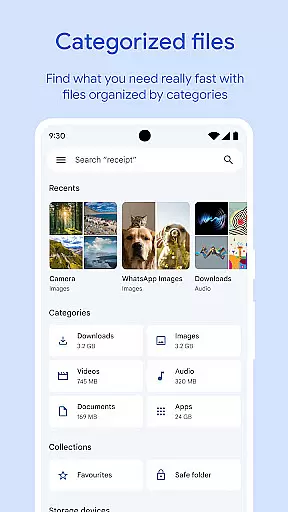
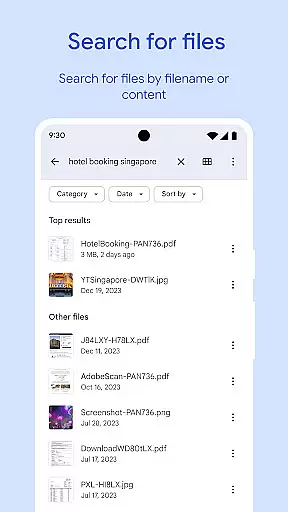
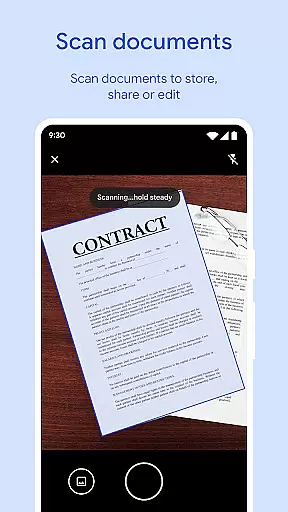
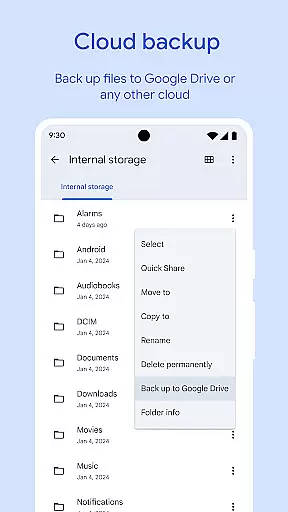
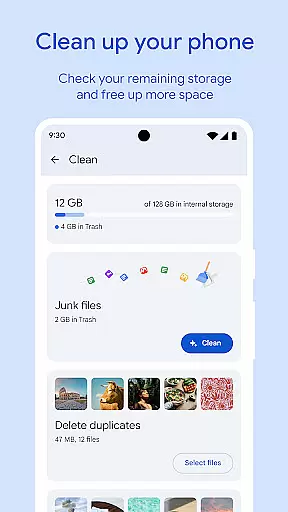
Files by Google is a powerful file management tool designed to help users efficiently organize, secure, and optimize their mobile storage. The app offers cleaning recommendations to free up space, advanced search features for faster file retrieval, and offline sharing capabilities with Quick Share. It also provides cloud backup options and enhanced security measures through separate PIN or pattern locks.
One of the standout features is its ability to analyze device storage and recommend actions such as removing duplicate files, clearing cache, and deleting old chat photos. Whether you're managing documents, media files, or apps, Files by Google ensures smooth navigation and optimal performance. Its offline functionality allows users to share files at high speeds without an internet connection, making it ideal for areas with limited connectivity.
This app is particularly useful for individuals who need to manage large volumes of data on their Android devices while maintaining privacy and security. By offering smart recommendations and seamless integration with Google Drive, Files by Google delivers both convenience and reliability for everyday file management needs.
Files by Google stands out with its comprehensive suite of features tailored for efficient file management. The app's cleaning recommendations provide intelligent suggestions to free up space by identifying duplicate files, cached data, and unnecessary media. This feature alone helps users maintain optimal device performance without manual intervention.
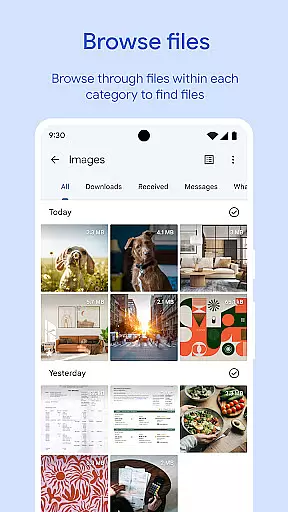
The search and browsing functionality is another key highlight. Users can quickly locate specific files using the robust search engine or browse through categorized sections like photos, videos, and documents. Sorting options by size and type further enhance usability, allowing users to understand storage distribution easily. Additionally, the Quick Share feature enables fast, secure file transfers between Android devices and Chromebooks at speeds up to 480 Mbps, all without requiring an internet connection.
Security is prioritized with the option to set a unique PIN or pattern lock for sensitive files, ensuring they remain protected even if the device is unlocked. For those needing offline access, the app supports media playback with advanced controls like adjustable playback speed and shuffle modes. Integration with Google Drive and other cloud services adds another layer of flexibility, enabling users to back up important files and free up local storage effortlessly.
Files by Google excels in providing accurate and effective core functions that cater to users' file management needs. The app offers precise recommendations for freeing up space by identifying old photos, duplicate files, and cache data that are safe to remove.
In addition to storage management, the app enables quick file searches and browsing, allowing users to effortlessly locate photos, videos, and documents. Sorting options by size or type help users understand their device's storage usage better.
The effectiveness of Files by Google is further enhanced by its offline file-sharing feature, Quick Share, which facilitates fast and secure transfers at speeds up to 480 Mbps without requiring an internet connection. This ensures private and encrypted file exchanges between Android and Chromebook devices.
A hallmark of Files by Google is its simple and intuitive interface, designed to make file management accessible to all users. The straightforward navigation allows users to easily browse through different file categories such as photos, videos, and documents.
With a focus on user experience, the app provides advanced media playback controls for offline use, including options like playback speed and shuffle. These features ensure that users can enjoy their media files with flexibility and ease.
Furthermore, Files by Google smartly integrates helpful suggestions into the interface, offering tips to save space and protect the device. As users interact more with the app, these recommendations become increasingly personalized, enhancing the overall intuitiveness and efficiency of the tool.
User-friendly interface
Efficient storage management
Offline file sharing
Enhanced security options
Smart recommendations
Limited iOS compatibility
Requires Google account
Occasional bugs reported
Cloud dependency for backups
Ads in some regions

Change your GPS location instantly. Simulate routes anywhere in the world.
 4.90
4.90
Connect instantly to a fast, encrypted VPN with one tap
4.60
Save any video in HD - paste the link, download fast and watch offline.
4.4
ADB support Android 4.X-Android 13(Support wireless pair mode).No root required!
4.70
View detailed information about your Nissan Leaf the dealer never shows you.
4.10
Bedrock Together: Join any bedrock server on Xbox/PS
4.80
Undelete and recover your lost or deleted files with DiskDigger!
3.40
Button mapper, mouse toggle, sleep timer and a lot of another features
4.50
Introducing Smart Printer, your ultimate destination for printing solutions!
4.00
Easily install aab(Android App Bundle) files on your Android device with our app
4.80
Unit and currency converter with easy and simple UI.
4.80
Small and simple app to Verify Root Access and BusyBox Install!
4.70
The Ultimate Flex Drivers Utility App - Convenient Tapping & Block Filters
4.70
With videos, electrical calculators, and built-in ebook, Ugly’s has your answer.
4.50
Forza Tuning Calculator App for Forza Horizon 5, Motorsport and Earlier Titles
4.40
Quickly & easily calculate the spacing of handrail balusters
4.20
An open-source APK explorer for Android!
4.10
PDF Reader - Document Viewer: Read, Manage & Organize Your Documents
3.10
Unlock your Essential Key. Create custom shortcuts to your favorite apps!
4.1


User Reviews