
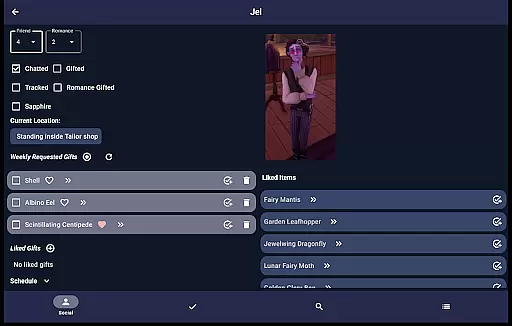
Palia Notebook is a comprehensive companion app designed for players of the video game Palia. This ad-free tool helps users manage daily interactions with villagers, including chatting, gifting, and tracking schedules and locations. The app allows you to efficiently organize your in-game activities by providing detailed insights into villager preferences and behaviors.
One of the standout features of Palia Notebook is its ability to track inventory, create tasks, and monitor various in-game processes such as preserves, seeds, and worms offline. Additionally, it offers an achievements tracker, villager likes lookup, and real-time game time display. These functionalities ensure that players can optimize their gameplay strategy and enhance their overall gaming experience.
Whether you're managing villager relationships or planning your next in-game task, Palia Notebook serves as an indispensable tool for both casual and hardcore gamers. By streamlining information management and offering strategic insights, this app significantly boosts productivity and enjoyment within the Palia universe.
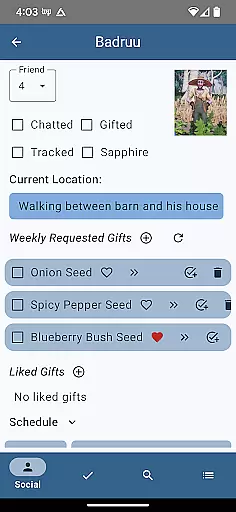
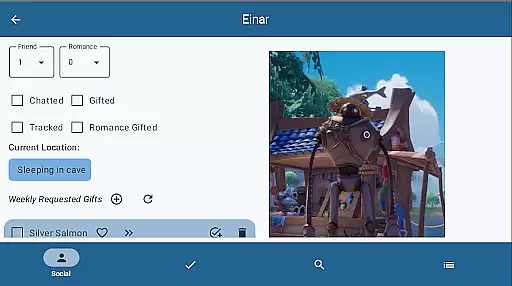
Palia Notebook boasts a variety of robust features tailored to enhance your Palia gaming experience. In the Villager screen, you can meticulously track chats and gifts, view schedules, discover current locations, and look up likes. The automatic update feature for chat and gift statuses ensures that your data remains synchronized with the game time.
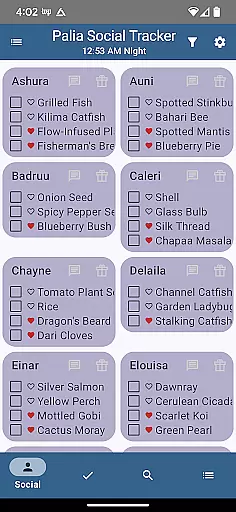
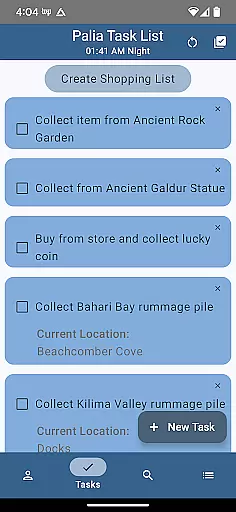
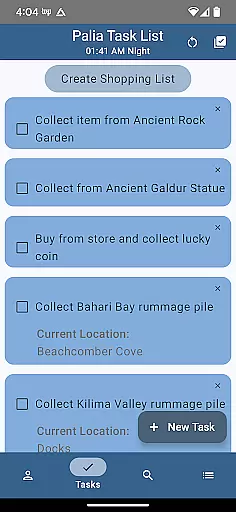
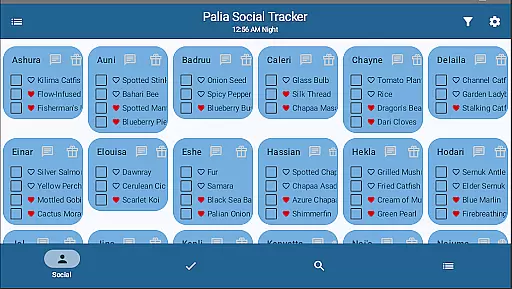
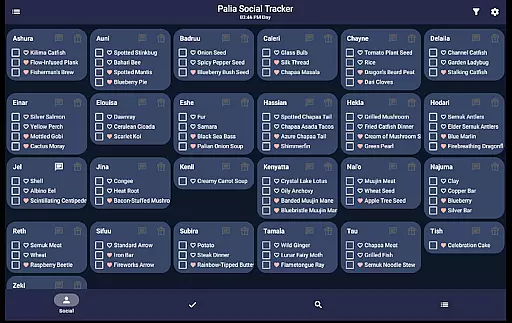
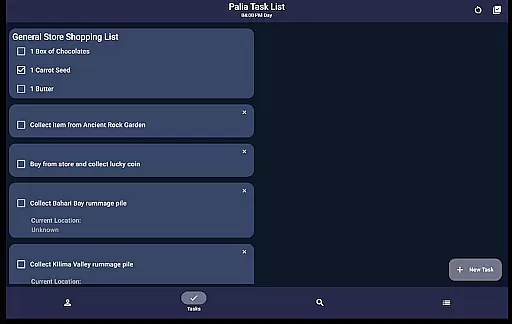
The Social Tracker screen provides a holistic view of all villagers, allowing you to monitor chat and gift interactions. You can filter out completed interactions and search for specific items requested or liked by villagers. Meanwhile, the Task Edit screen empowers you to create and manage tasks, specify required items, and link other tasks as prerequisites, thus facilitating complex task management.
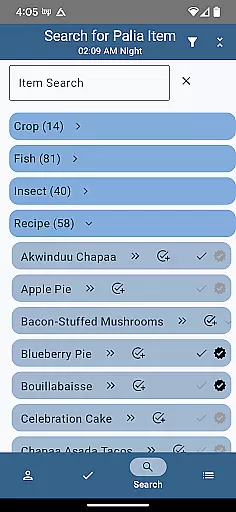
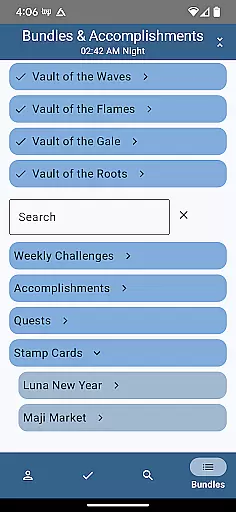
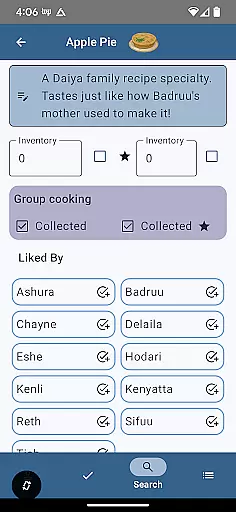
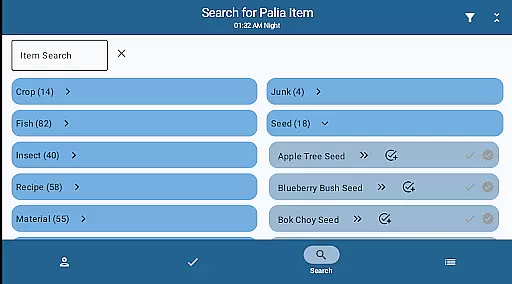
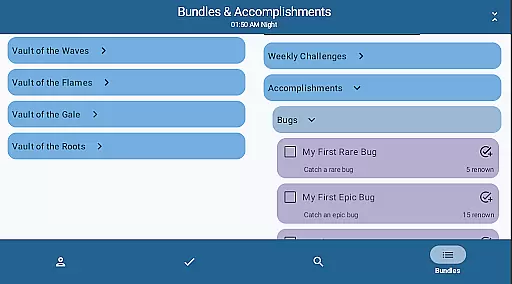
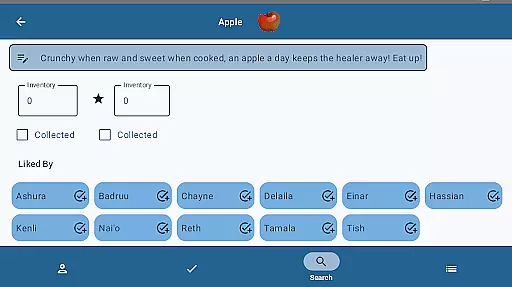
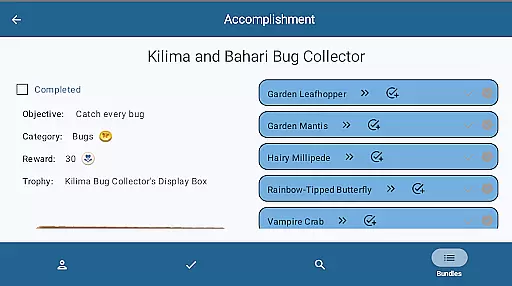
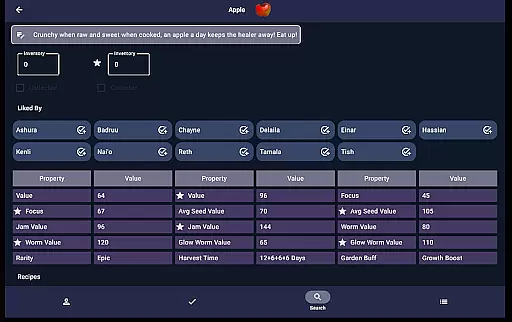
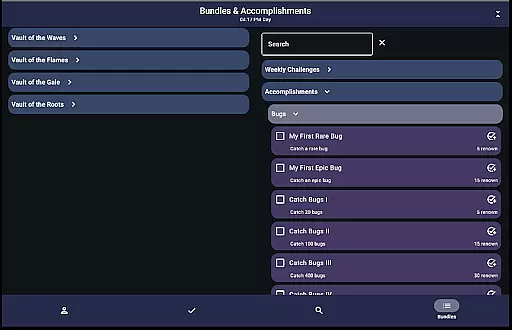
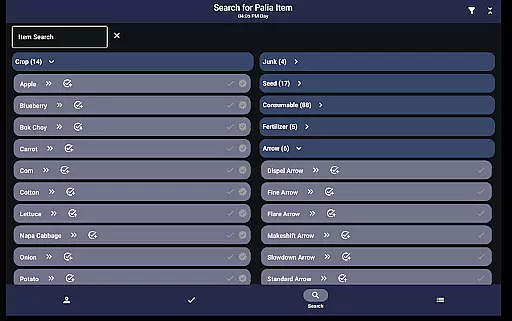
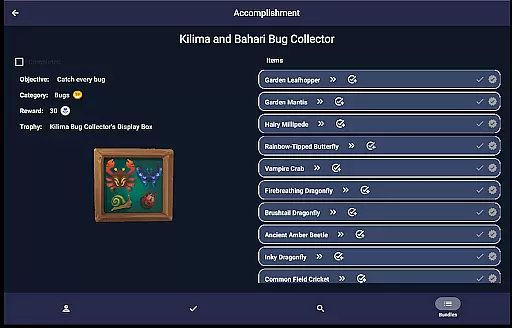
In the Items screen, you can mark collected items, input current inventory, and identify villager preferences. For items processable by seed collectors, preserves jars, or worm bins, the app displays potential profits, aiding in maximizing in-game earnings. The Search screen further enhances item discovery by enabling category browsing, name searching, and filtering by location, biome, and time, making it easier to locate fish, bugs, and assorted items. Lastly, the Bundles and Accomplishments screens help track progress on bundles, accomplishments, and quests, ensuring you stay on top of your in-game goals.
Palia Notebook is designed to enhance your gaming experience by providing accurate tracking of villager interactions, inventory management, and task organization. The app meticulously records daily chats, gift-giving, villager schedules, and locations, ensuring that you never miss an important interaction or event in Palia.
The application's effectiveness lies in its comprehensive approach to task management and item tracking. By allowing players to create tasks, track item collections, and monitor processing units like seed collectors and preserves jars, it ensures optimal resource utilization. This level of detail helps users strategize their gameplay for maximum efficiency and profit.
Another key feature is the automatic updating of villager interactions based on game time. This real-time synchronization ensures that all tracked data remains current and relevant, providing a reliable companion tool for effective game planning. The accuracy of these updates directly impacts the quality of user decisions within the game.
Ultimately, the app's core functions deliver tangible value to users by simplifying complex information and presenting it in an accessible format. This accuracy and effectiveness in information delivery translates to improved gameplay strategies and better overall performance in Palia.
The interface of Palia Notebook has been carefully crafted to provide a seamless user experience through intuitive navigation and straightforward functionality. Key features are easily accessible across different screens, allowing users to quickly switch between villager information, task management, and inventory tracking without confusion.
Each screen serves a distinct purpose with clear visual cues and logical layouts. For instance, the Villager screen consolidates all essential information about NPCs in one place, while the Search screen offers robust filtering options for items and furniture. These thoughtful design choices minimize learning curves for new users.
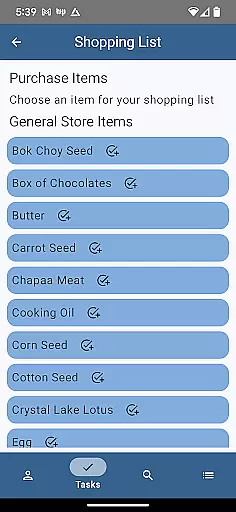
Task creation and editing follow simple step-by-step processes, making complex operations like linking multiple tasks or creating gifts for specific villagers remarkably straightforward. The consistency in UI elements across different sections reinforces user familiarity and confidence in navigating the app.
This emphasis on interface simplicity extends to the app's offline functionality, where users can manage their game data without internet connectivity. The intuitive nature of these features ensures that even novice players can effectively utilize the app's full capabilities to enhance their Palia gaming experience.
User-friendly interface
Comprehensive villager tracking
Offline functionality
Task management tools
Profit optimization features
Limited to Palia game
No iOS version available
Requires manual updates
Initial learning curve
Third-party app risks

Quickly switch to an encrypted DNS server on Android TV
 4.50
4.50
Just one-tap to easy translate in any language after calls within seconds.
4.20
Family Locator, Share location, StayConnect with your family in real time
3.90
An easy-to-use calculator designed to save time calculating and bending conduit
4.30
View detailed information about your Nissan Leaf the dealer never shows you.
4.10
With videos, electrical calculators, and built-in ebook, Ugly’s has your answer.
4.50
Mirror your screen to Fire TV - Super fast and simple
4.40
Button mapper, mouse toggle, sleep timer and a lot of another features
4.50
Your personal health butler
3.60
Connect wirelessly to your computer to watch movies, browse the web, play games
5.00
Change your GPS location instantly. Simulate routes anywhere in the world.
4.90
Remote Play with FSR upscaling, low latency & full controller support
4.80
Protect your device with antivirus, storage cleanup, and system monitoring
4.70
Universal TV remote control all TVs, Roku, LG, Samsung, Fire, Vizio, Sony, TCL.
4.40
Forza Tuning Calculator App for Forza Horizon 5, Motorsport and Earlier Titles
4.40
pdf merge, word to pdf, jpg to pdf, edit pdf, convert to pdf and much more!
4.20
Detect hidden spy camera with advanced scanning {{ Premium version }}
4.00
A powerful, easy-to-use flight computer on your phone or tablet!
3.80
PDF Reader - Document Viewer: Read, Manage & Organize Your Documents
3.10


User Reviews