
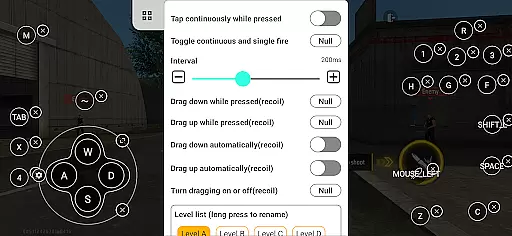
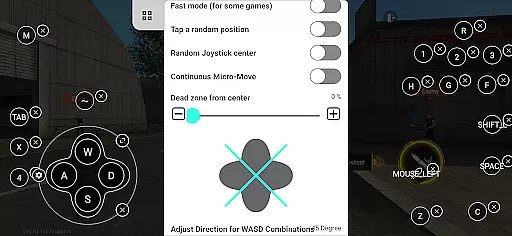
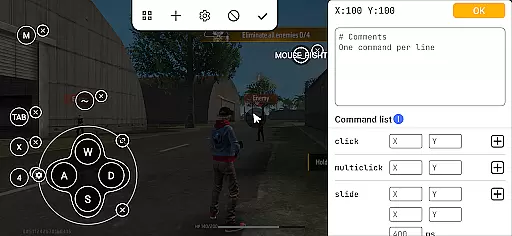
Panda Mouse Pro is a specialized keymapping tool that revolutionizes mobile gaming by enabling gamers to use keyboard and mouse setups for enhanced precision and control. Designed for competitive players, this app allows users to seamlessly connect their preferred input devices, providing an edge in various game genres from shooters to MOBAs.
With features like direct game launch, secure Google Play login, and ban-proof technology, Panda Mouse Pro ensures a smooth and risk-free gaming experience. Its universal compatibility with different hardware brands and extensive support for multiple game types make it an essential tool for elevating your mobile gaming sessions.
The app stands out through its innovative features tailored for serious gamers. The direct game launch functionality eliminates the need for cloning, allowing instant access to games. Secure Google Play login provides peace of mind while maintaining account safety during play sessions.
Ban-proof technology ensures uninterrupted gaming by circumventing restrictions on duplication running in certain games. Supporting virtually all keyboard and mouse brands, Panda Mouse Pro offers unparalleled flexibility. Additionally, its extensive game support spans across genres including shooting games, MOBAs, sports titles, and more, making it a versatile choice for any gamer looking to enhance their gameplay experience.
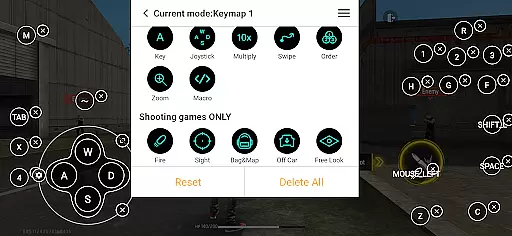
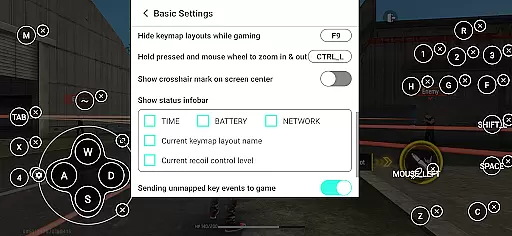
Panda Mouse Pro excels in delivering precise and effective functionality as a keymapper for mobile gaming. The app ensures that every keystroke and mouse movement translates accurately into in-game actions, providing gamers with the exact control they need.
The direct game launch feature eliminates unnecessary steps, allowing users to start playing immediately. This seamless integration is complemented by secure Google Play login, ensuring that user accounts remain safe while enjoying their favorite games with enhanced keyboard and mouse controls.
With universal compatibility across all keyboard and mouse brands, Panda Mouse Pro guarantees that no matter what peripherals you own, they will work flawlessly with your mobile games. This universality enhances the overall effectiveness of the application, making it an indispensable tool for gamers seeking high performance.
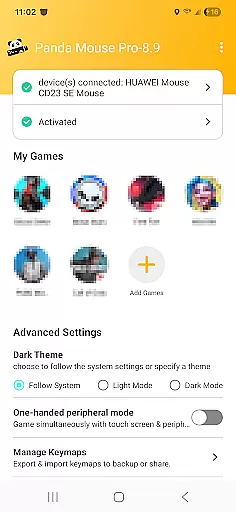
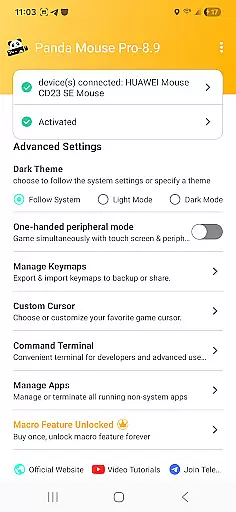
The interface design of Panda Mouse Pro prioritizes simplicity and intuitiveness, ensuring that even beginners can quickly get accustomed to using their keyboard and mouse for mobile gaming. The straightforward setup process allows users to activate the app easily on their devices or via PC/Mac.
For Android 11 and above, the hassle-free activation system means players can start their gaming sessions without any complicated procedures. Rooted device users benefit from automatic activation, streamlining the entire experience further. These intuitive features make transitioning from touch controls to keyboard and mouse effortless.
Moreover, extensive video tutorials and guides are available for those who require additional assistance. This support network reinforces the app's commitment to providing an accessible and user-friendly interface, empowering gamers to focus more on their gameplay rather than troubleshooting technical issues.
Enhanced Precision
Wide Game Support
Secure Login System
Ban-Proof Technology
Universal Compatibility
Requires Activation
Device Compatibility
Premium Features Locked
Learning Curve Present
Limited Offline Support

pdf merge, word to pdf, jpg to pdf, edit pdf, convert to pdf and much more!
 4.20
4.20
Learn the vast amount of system information about device and monitor it's state
4.70
Head tracking for PC sim games such as MSFS 2024 or Elite:Dangerous. No headset!
4.50
Unlock your Essential Key. Create custom shortcuts to your favorite apps!
4.5
Save any video in HD - paste the link, download fast and watch offline.
4.4
Unleash gamepad precision for ultimate mobile gaming dominance.
3.90
The Ultimate Bluetooth Keyboard & Mouse. Securely control your PC, Mac, and more
4.50
Game Booster, GFX Tool is now compatible with newer game update
4.50
Creation, Learning, Entertainment & More — The All-in-One AI Search Engine
4.70
Support Fossify apps with a warm thank you!
5.00
Connect wirelessly to your computer to watch movies, browse the web, play games
5.00
Extremely fast, secure, and protects your privacy
4.80
Unit and currency converter with easy and simple UI.
4.80
HD Video player and downloader for all formats, fast & smooth 4K video playback.
4.60
Making emulation easy for everyone!
4.30
VESC Tool can monitor and configure VESC-compatible devices over BLE and Wifi
4.20
Effortlessly run ADB commands directly on your device without a PC.
4.20
A recovery soft,it features photo recovery, video recovery, file recovery.
3.40
Clean the junk files on your device
3.40


User Reviews