
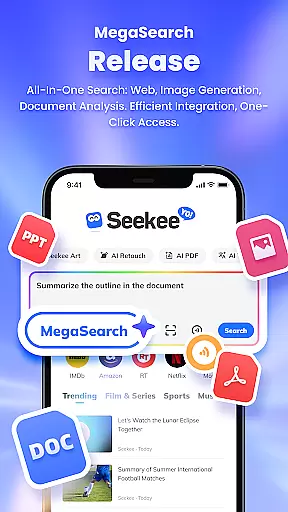
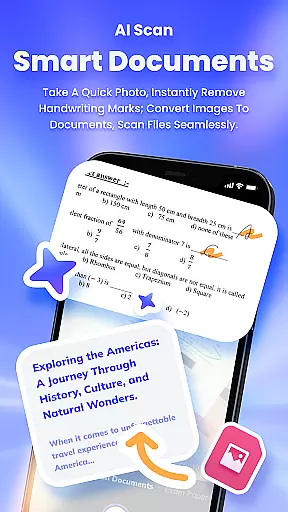
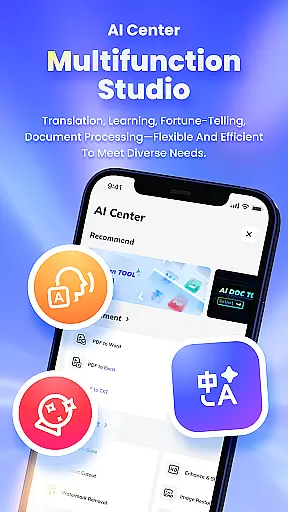
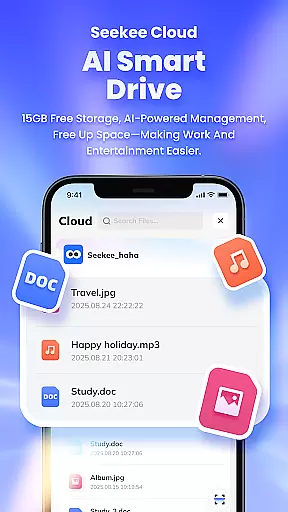
Seekee is an innovative productivity tool that redefines how users interact with digital content through its unique MegaSearch Bar. This all-in-one interface serves as your personal AI assistant, streamlining multiple functions into a single access point. Users can instantly extract web key points, generate images, edit documents, and process files with remarkable efficiency.
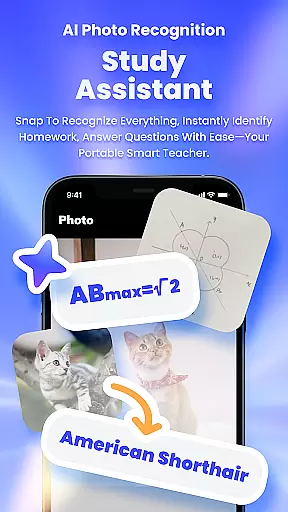
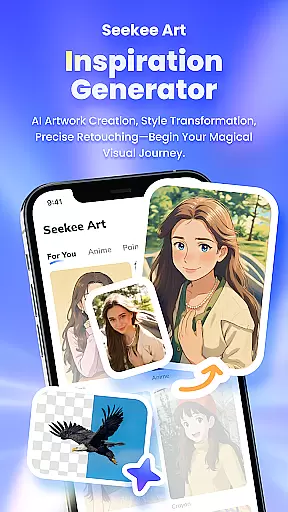
The application's versatility extends across various use cases, from professional document management to creative projects. Its powerful features include AI-powered content creation, intelligent image editing, and comprehensive PDF processing. Whether you need to summarize lengthy reports, enhance image quality, or translate multilingual content, Seekee delivers seamless solutions. The app's ability to recognize objects through photos adds another layer of practicality for both work and personal exploration.
Seekee's value lies in its capacity to consolidate numerous productivity tools into one streamlined platform. From students seeking homework assistance to professionals managing complex documents, the application adapts to diverse needs. Its real-time information tracking and intelligent translation features make it particularly valuable for those working in international environments or requiring up-to-date industry insights.
Seekee distinguishes itself through its comprehensive feature set designed to enhance productivity across multiple dimensions. The AI Creation module supports various content generation tasks, from drafting professional emails to creating detailed work summaries. Its sophisticated algorithms ensure that generated content maintains high quality and relevance to user requirements.
The application's AI Image Editing capabilities offer professional-grade tools accessible to all users. These include precise background removal, image enhancement, and restoration of old photographs. The ID photo generation feature adheres to various official standards, making it suitable for formal documentation purposes. Additionally, the PDF Editing suite provides robust document conversion and management options, supporting efficient workflow across different file formats.
Seekee's learning assistance features demonstrate particular innovation. The AI Learning module not only answers questions but also provides constructive feedback on academic work. The application's object recognition and translation capabilities showcase its technical sophistication, while its real-time trend tracking ensures users stay informed about current developments in various fields. These features collectively create a powerful ecosystem for productivity enhancement.
Seekee's core functions are designed to deliver precision and efficiency across multiple use cases. The app integrates AI-powered tools that ensure accurate results whether you're drafting emails, editing images, or managing PDF files. Each feature is optimized to minimize errors while maximizing productivity.
The MegaSearch Bar exemplifies this commitment to accuracy. With a single tap, users can access an AI assistant that provides instant answers, generates content, and handles complex tasks like document scanning and mind map creation. This unified approach ensures that every interaction with Seekee delivers reliable and effective outcomes.
For specialized tasks, Seekee offers dedicated modules such as AI Learning for homework assistance and Intelligent Translation for cross-language communication. These features undergo rigorous testing to guarantee their effectiveness in real-world scenarios, making Seekee an indispensable tool for both personal and professional use.
Seekee prioritizes user-friendly design through its intuitive interface. The MegaSearch Bar serves as the central hub for all functionalities, eliminating the need to navigate through multiple menus. This streamlined approach ensures that even first-time users can quickly grasp how to utilize the app's extensive features.
Each core function is presented with clear labels and logical groupings. For instance, AI Creation tools are easily accessible alongside Image Editing options, while PDF management features are organized under a dedicated section. This thoughtful arrangement prevents interface clutter and enhances overall usability.
Furthermore, Seekee maintains consistency across its interface elements. All tools follow similar operational patterns, reducing the learning curve significantly. The app's designers have carefully balanced advanced capabilities with straightforward controls, ensuring that users can harness Seekee's full potential without facing unnecessary complexity.
Comprehensive all-in-one solution
Advanced AI-powered features
Intuitive user interface design
Efficient document processing
Versatile image editing tools
Requires significant storage space
Some features need premium subscription
Occasional processing delays
Limited offline functionality
Steep learning curve for beginners

A convenient photo, video, and file recovery tool.
 4.00
4.00
Just one-tap to easy translate in any language after calls within seconds.
4.20
FV File Manager Pro, Fast and powerful file manager for Android
4.60
Forza Tuning Calculator App for Forza Horizon 5, Motorsport and Earlier Titles
4.40
Smart and comfortable browsing experience.
3.80
Making emulation easy for everyone!
4.30
Fun lie-detection pranks for friends and parties.
3.80
Protect your device with antivirus, storage cleanup, and system monitoring
4.70
fast and easy mp3 music downloader
4.80
Enjoy smooth gameplay with Game Booster
4.90
Monitor car performance in real time and troubleshoot malfunctions.
4.80
Bedrock Together: Join any bedrock server on Xbox/PS
4.80
HD Video player and downloader for all formats, fast & smooth 4K video playback.
4.60
Quickly check the frequency of the Earth
4.30
Quickly & easily calculate the spacing of handrail balusters
4.20
An open-source APK explorer for Android!
4.10
A recovery soft,it features photo recovery, video recovery, file recovery.
3.40
A non-root local ADB shell client. READ BELOW!
3.40
Undelete and recover your lost or deleted files with DiskDigger!
3.40


User Reviews