
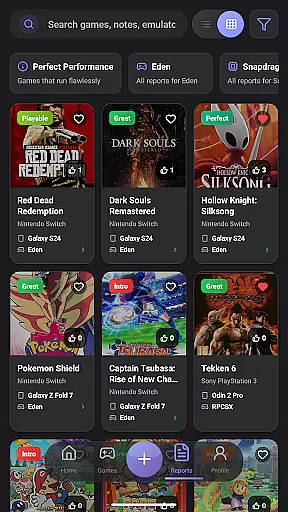
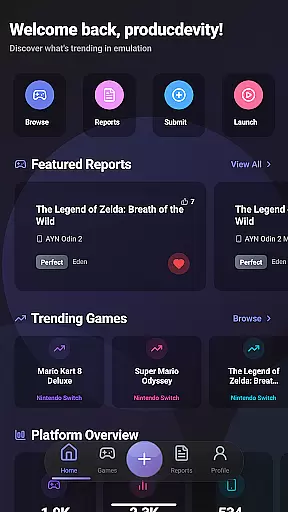
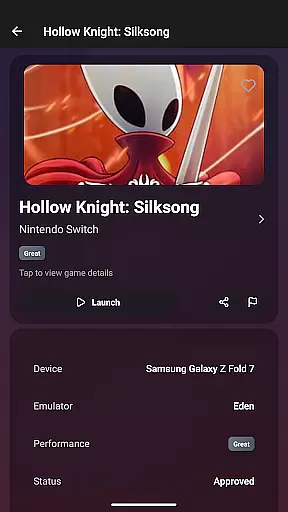
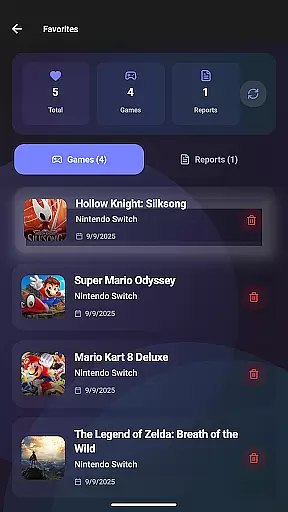
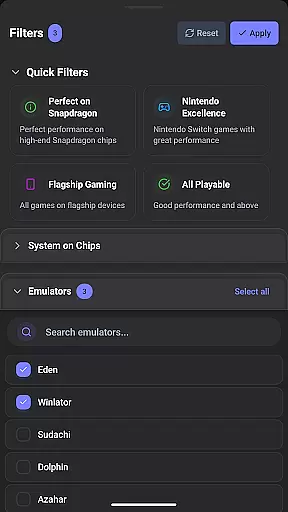
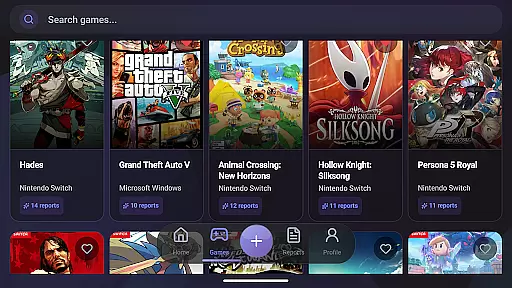
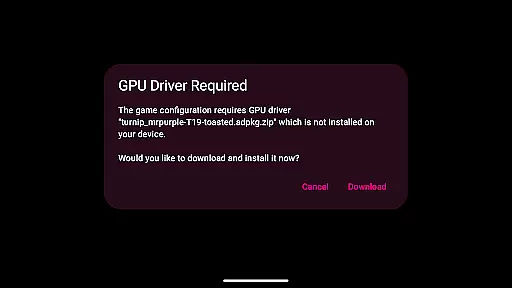
EmuReady Beta is a comprehensive emulation compatibility tool designed to help users discover the best gaming experience on their devices. This app provides detailed compatibility reports for various games, emulators, and devices, ensuring optimal performance before you start playing.
The core feature set includes a vast game compatibility database, community-driven reports, device-specific information, and support for multiple emulator systems. Whether you're using a flagship smartphone or a budget tablet, EmuReady offers tailored insights to enhance your retro gaming journey. The app also features smart filtering options, performance tracking metrics, and a convenient favorites system for saving games of interest.
By leveraging EmuReady's extensive resources, users can avoid time-consuming trial-and-error configurations and enjoy a seamless gaming experience. The app's intuitive interface and valuable community contributions make it an essential companion for both novice and experienced emulation enthusiasts.
EmuReady Beta stands out with its robust set of features tailored for emulation enthusiasts. One of the key highlights is the comprehensive Game Compatibility Database, which allows users to browse thousands of games and instantly view their performance across different devices and emulators. This feature empowers users to make informed decisions about which games will run smoothly on their specific hardware.
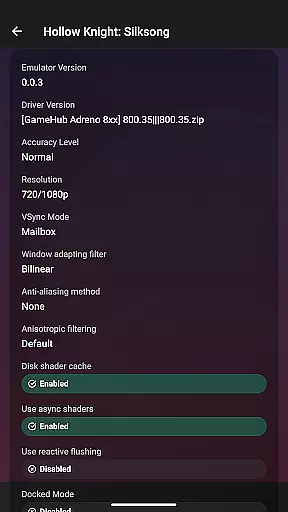
In addition to the database, EmuReady offers Community Reports where real users share detailed compatibility experiences. These reports include performance ratings, custom settings, and helpful notes, providing a collaborative platform for users to learn from each other. The app also supports multiple emulators for systems like Nintendo Switch and 3DS, enabling users to compare and choose the best emulator for each game.
Other notable features include Device-Specific Information, Smart Filtering, a Vote & Comment System, Performance Tracking, Save Favorites, and Dark Mode. These functionalities collectively create a user-friendly environment that enhances the overall emulation experience while offering convenience and customization options.
EmuReady Beta focuses on providing accurate and effective core functions that enhance the emulation experience. The app's Game Compatibility Database allows users to browse thousands of games, instantly revealing how each title performs across different devices and emulators. This feature ensures that users can make informed decisions about which games are likely to run smoothly on their specific hardware.
The app supports its accuracy through community-driven reports. Real user experiences contribute detailed compatibility information, including performance ratings and custom settings. These reports are tailored to specific device models, ensuring that the data reflects real-world conditions and is not just theoretical compatibility. This specificity empowers users to choose games that they know will work well, avoiding unnecessary trial and error.
EmuReady Beta also offers smart filtering options, allowing users to refine search results by device, emulator, and performance metrics such as FPS and graphical fidelity. This functionality streamlines the process of finding compatible games, saving users time and effort. By leveraging these precise tools, EmuReady Beta delivers an effective solution for retro gaming enthusiasts looking to optimize their emulation setup.
Despite its beta status, EmuReady Beta excels in offering a simple and intuitive interface that caters to both newcomers and seasoned emulation enthusiasts. The app's design emphasizes ease of use, presenting key features like the Game Compatibility Database and Community Reports in a straightforward manner. Users can quickly search for games by title, system, or browse through an extensive catalog without encountering a steep learning curve.
One of the standout aspects of EmuReady Beta's interface is the one-touch launch capability. With a single press, users can apply all necessary settings and start playing their chosen game. This seamless integration of functionality reduces complexity and enhances the overall user experience. Additionally, the inclusion of a dark mode provides a comfortable viewing experience, adapting automatically to ensure optimal visibility at any time of day.
Furthermore, EmuReady Beta incorporates interactive elements such as voting and commenting systems, making community engagement intuitive. Users can easily upvote helpful reports and share their own experiences, fostering a collaborative environment. These design choices reflect a commitment to creating an interface that is not only easy to navigate but also encourages active participation from its user base.
User-friendly interface
Extensive game database
Community-driven reports
Device-specific insights
Multiple emulator support
Limited to compatibility checking
Beta version instability
No emulator provided
Dependent on user reports
Performance varies by device

 4.10
4.10
Connect instantly to a fast, encrypted VPN with one tap
4.60
Fluid navigation gestures for all of us!
4.30
Family Locator, Share location, StayConnect with your family in real time
3.90
Signal Strength, Mobile, Wifi, Speed Test, Bad Signals, Cellular, 5G, LTE, 4G
4.20
WiFi Signal Strength Meter help you detect WiFi Signal Strength in real time.
4.80
Screen Mirroring for Roku Sticks, Roku TCL TV and Roku Hisense TV
4.50
Enjoy a smooth mobile reading experience!
3.60
The ideal app to be the digital eye of your family
3.40
Enjoy smooth gameplay with Game Booster
4.90
Small and simple app to Verify Root Access and BusyBox Install!
4.70
HD Video player and downloader for all formats, fast & smooth 4K video playback.
4.60
Keep track of your Palia friendships, tasks, and inventory with Palia Notebook
4.60 4.50
4.50
With videos, electrical calculators, and built-in ebook, Ugly’s has your answer.
4.50
Screen Mirroring with sound for Samsung TV, LG TV, Sony TV, Smart TV and Browser
4.20
View detailed information about your Nissan Leaf the dealer never shows you.
4.10
This app unlocks the Pro features of the Central for DayZ app
3.60
Unlock your Essential Key. Create custom shortcuts to your favorite apps!
4.5


User Reviews