
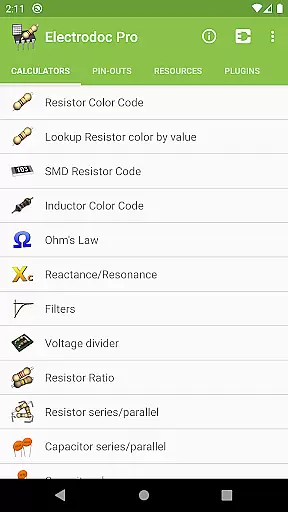
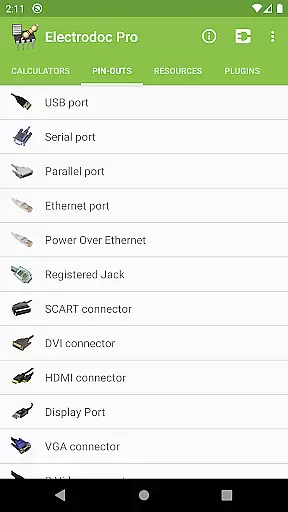
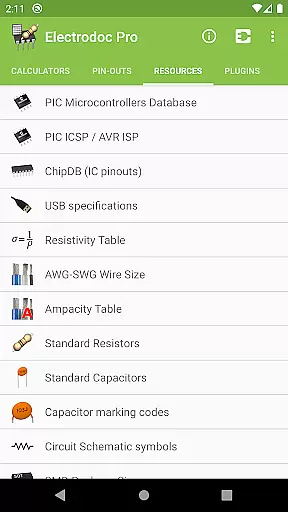
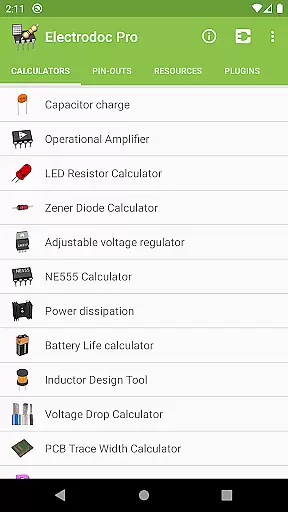
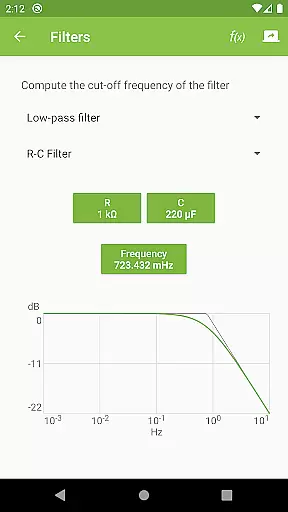
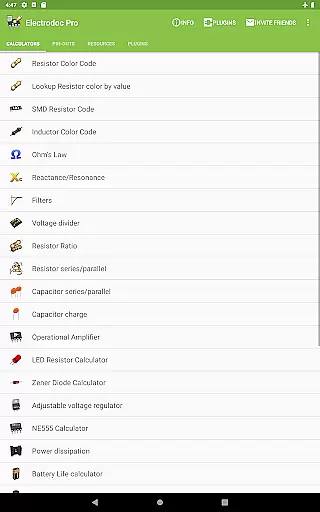
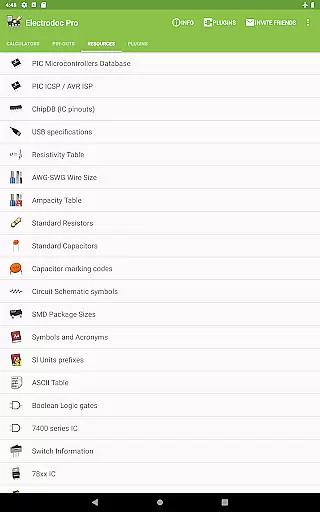
Electrodoc Pro is a comprehensive electronics toolkit designed for professionals, hobbyists, and students alike. This application serves as an all-in-one reference and calculator suite for various electronic components and circuits. With its extensive range of calculators and reference materials, users can quickly determine resistor values, design filters, and calculate power dissipation among other tasks.
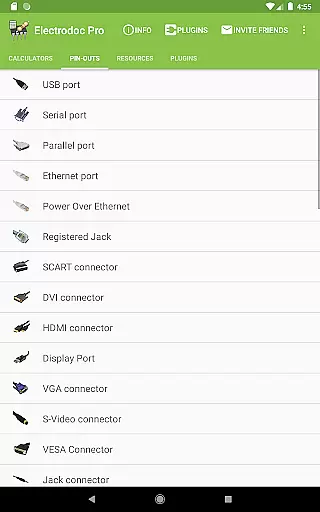
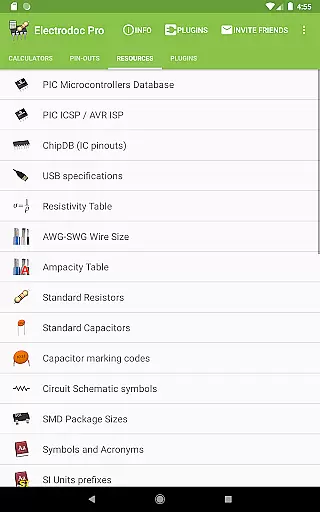
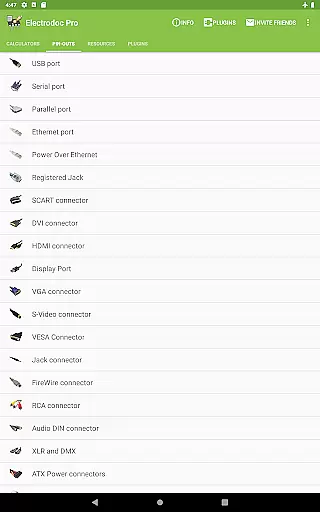
The app includes advanced tools such as the NE555 Calculator, Inductor Design Tool, and PCB Trace Width Calculator, which cater to more specific needs in electronics design. Additionally, Electrodoc Pro offers port pin-outs and resources that provide quick access to essential information regarding connectors and IC specifications. The PRO version boasts an ad-free experience with additional features compared to its free counterpart.
Electrodoc Pro proves invaluable in practical scenarios where engineers and technicians require immediate access to electronics data and calculation tools on their mobile devices. Whether you're troubleshooting circuits in the lab or designing new systems on-the-go, this app streamlines the process by providing accurate calculations and detailed references at your fingertips.
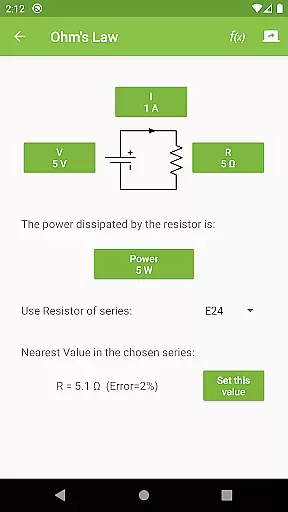
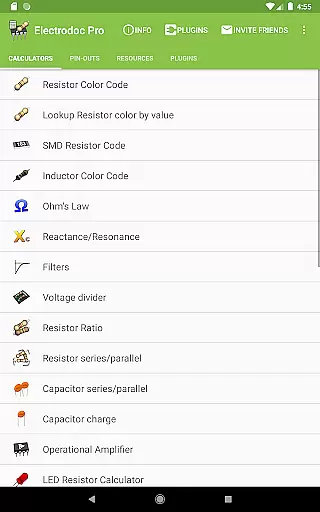
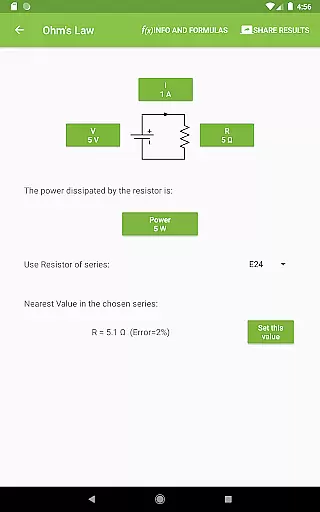
Electrodoc Pro stands out with its rich feature set tailored for electronics enthusiasts. One notable feature is the Resistor Color Code calculator, which allows users to decode resistor values from their color bands or vice versa. Another highlight is the Ohm's Law calculator that simplifies voltage, current, and resistance computations. These features are complemented by tools like Reactance/Resonance calculators and Voltage Divider configurations, making complex calculations straightforward.
Beyond basic calculators, Electrodoc Pro provides specialized tools such as the Battery Life calculator and Power Calculator, which help optimize energy usage and efficiency in electronic projects. The inclusion of Decibel Converter, Frequency Converter, and Analog-Digital Converter further extends its utility in signal processing applications. Moreover, the app supports plugins that expand its functionality, including databases for PIC and AVR microcontrollers, simulators, and parts search capabilities.
Each feature within Electrodoc Pro is crafted to deliver tangible benefits to its users. By integrating these tools into a single platform, the app enhances productivity and precision in electronics work. Its intuitive interface ensures that both novice learners and seasoned professionals can utilize these powerful features effectively, thus fostering innovation and learning across different skill levels.
Electrodoc Pro stands out in the Tools category by offering highly accurate and effective core functionalities that are essential for electronics enthusiasts and professionals. The app provides a comprehensive suite of calculators and references, including Resistor Color Code, Ohm's Law, Reactance/Resonance, and more, each designed to deliver precise calculations and information.
The effectiveness of Electrodoc Pro is evident in its detailed implementation of features such as the LED Resistor Calculator, Zener Diode Calculator, and NE555 Calculator. These tools not only ensure high levels of accuracy but also enable users to execute their projects with confidence, knowing that their electronic computations are reliable.
Users benefit significantly from Electrodoc Pro's meticulous attention to detail and commitment to functionality. Whether it's through the Power Dissipation calculator or the Decibel Converter, individuals can undertake complex electronics tasks with ease, thus saving time and reducing errors in their work.
This dedication to providing an accurate and effective toolkit makes Electrodoc Pro an indispensable resource for anyone involved in electronics, from hobbyists to seasoned engineers looking for a trustworthy companion application.
In the realm of user interface design, Electrodoc Pro excels by providing an experience that marries simplicity with intuitiveness, making it accessible for users of all skill levels. Its straightforward layout ensures that even those new to electronics can navigate through its features without feeling overwhelmed.
Each tool and calculator within Electrodoc Pro has been thoughtfully designed to minimize learning curves while maximizing usability. With clear labels and logical grouping of related functions, users can swiftly locate and utilize the resources they need, such as the Voltage Divider or Capacitor Charge calculator, enhancing overall productivity.
Moreover, Electrodoc Prou2019s intuitive design extends beyond mere aesthetics; it encompasses practical aspects like quick access to frequently used tools and seamless transitions between different sections of the app. This approach fosters an engaging environment where users can focus on their work rather than figuring out how to use the software.
By prioritizing interface simplicity and intuitiveness, Electrodoc Pro ensures that its powerful capabilities are matched by an equally robust yet friendly user experience, setting a benchmark in the Tools category for ease-of-use.
User-friendly interface
Comprehensive toolset
Regular updates
Offline functionality
Ad-free experience
Premium cost
Complex for beginners
Limited customization
No interactive simulations
Occasional bugs

 4.50
4.50
HD Camera captures every special moment.
4.60
Unit and currency converter with easy and simple UI.
4.80
Quickly & easily calculate the spacing of handrail balusters
4.20
Small and simple app to Verify Root Access and BusyBox Install!
4.70
Best leveling tool for your Android device. Hang paintings like a pro.
4.90
Detect hidden spy camera with advanced scanning {{ Premium version }}
4.00
Unleash gamepad precision for ultimate mobile gaming dominance.
3.90
Screen Mirroring with sound for Samsung TV, LG TV, Sony TV, Smart TV and Browser
4.20
Support Fossify apps with a warm thank you!
5.00
Connect wirelessly to your computer to watch movies, browse the web, play games
5.00
Bedrock Together: Join any bedrock server on Xbox/PS
4.80
Fast Video Downloader, Movie Downloader, Torrent Downloader & Adblock Browser
4.70 4.50
4.50
Screen Mirroring for Roku Sticks, Roku TCL TV and Roku Hisense TV
4.50
Game Booster, GFX Tool is now compatible with newer game update
4.50
Introducing Smart Printer, your ultimate destination for printing solutions!
4.00
Family Locator, Share location, StayConnect with your family in real time
3.90
Smart and comfortable browsing experience.
3.80


User Reviews