
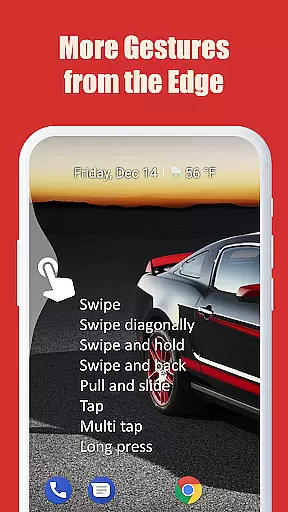
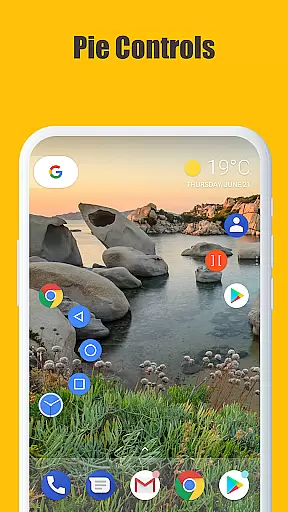
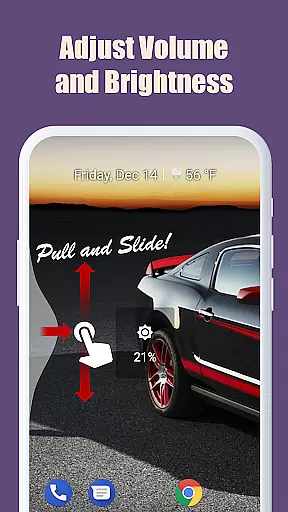
Edge Gestures is a powerful tool app that allows users to perform various actions through simple gestures on the screen edge. With support for multiple gesture types like tap, swipe, and pie controls, it offers a highly customizable navigation experience.
The app enables users to execute essential functions such as launching apps, controlling brightness, accessing quick settings, and toggling split-screen mode. Its adjustable edge zones and minimal permission requirements make it an efficient and user-friendly solution for Android device management.
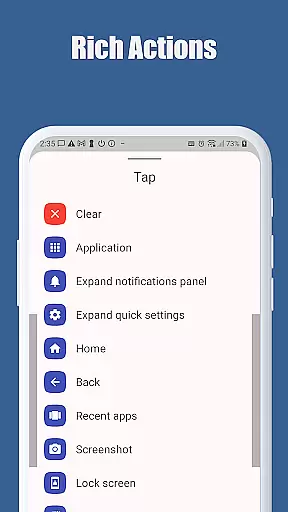
Edge Gestures stands out with its diverse range of gesture types, including swipe, long press, and diagonal swipes. Each gesture can be mapped to specific system actions like going back, opening recent apps, or adjusting media volume.
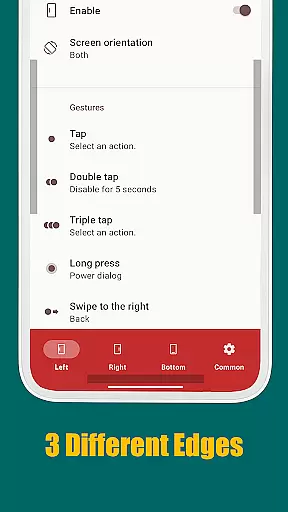
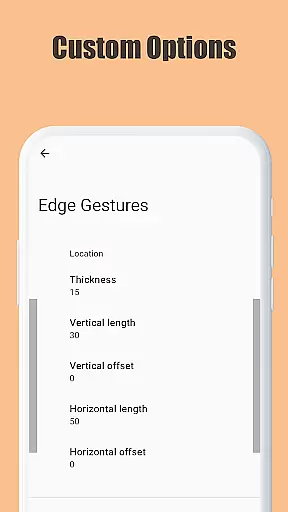
One of the key highlights is its ability to customize the edge area's thickness, length, and position, allowing users to tailor the experience to their preferences. The app also uses accessibility service API responsibly, ensuring only necessary permissions are requested while maintaining optimal functionality.
Edge Gestures provides a reliable and versatile gesture-based navigation system that transforms the way users interact with their devices. The app supports multiple gesture types, including tap, swipe, and long press, each precisely mapped to specific actions.
The application's core functions are implemented with remarkable accuracy. For instance, gestures like swiping from the edge of the screen can trigger actions such as going back, opening the recent apps menu, or expanding the notification panel. These functions are executed seamlessly, ensuring minimal latency and maximum responsiveness.
Users benefit from this precision as it allows them to perform frequent tasks more efficiently. Whether it is adjusting the brightness, toggling split-screen mode, or launching an app, Edge Gestures ensures these actions are completed smoothly and without unnecessary delays.
By focusing on accuracy and effectiveness, Edge Gestures enhances user productivity and streamlines device interaction, making daily tasks quicker and easier to accomplish.
The interface design of Edge Gestures emphasizes simplicity and ease of use, ensuring that users can quickly adapt to the new navigation method. The customization options for edge areas are straightforward, allowing users to adjust thickness, length, and position according to their preferences.
With clear categories and descriptions, users can easily assign specific actions to different gestures. This intuitive setup process eliminates the need for extensive tutorials or complicated instructions, providing a user-friendly experience right from the start.
Moreover, the app requires only necessary permissions, maintaining transparency and trust. Users can feel confident knowing that the app uses accessibility service API solely for detecting foreground apps and executing commands like power dialog or screenshot functions.
This blend of simplicity and intuitiveness in both design and functionality makes Edge Gestures an accessible tool for all users, regardless of their technical expertise.
Highly customizable
User-friendly interface
Wide range of gestures
Minimal permissions required
Efficient navigation
Limited to Android devices
Requires accessibility permission
May conflict with other gesture apps
Not all features work on older Android versions
Learning curve for new users

Just one-tap to easy translate in any language after calls within seconds.
 4.20
4.20
Clean the junk files on your device
3.40
Family Locator, Share location, StayConnect with your family in real time
3.90
Universal TV remote control all TVs, Roku, LG, Samsung, Fire, Vizio, Sony, TCL.
4.40
Enjoy smooth gameplay with Game Booster
4.90
Amateur Radio app for APRS: Track friends, exchange messages, get tactical info.
3.90
Excellent scientific calculator with symbolic algebra, integrals, derivatives
4.80
Pro Emulator is an easy to use game console emulator for a range of consoles.
4.40
The ideal app to be the digital eye of your family
3.40
Powerful collection of electronics tools and reference.A must for any enthusiast
4.90
pdf merge, word to pdf, jpg to pdf, edit pdf, convert to pdf and much more!
4.20
Carry a FTP server in your pocket and avoid USB cables for file transfer
4.20
View detailed information about your Nissan Leaf the dealer never shows you.
4.10
Detect hidden spy camera with advanced scanning {{ Premium version }}
4.00
Introducing Smart Printer, your ultimate destination for printing solutions!
4.00
1-Click close all background apps on Android TV
3.90
Smart and comfortable browsing experience.
3.80
PDF Reader - Document Viewer: Read, Manage & Organize Your Documents
3.10
Save any video in HD - paste the link, download fast and watch offline.
4.4


User Reviews