
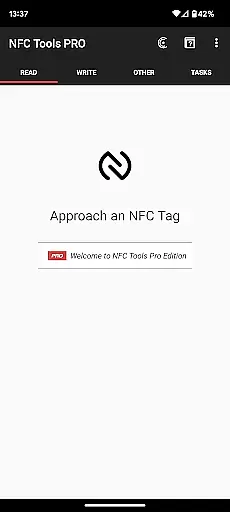
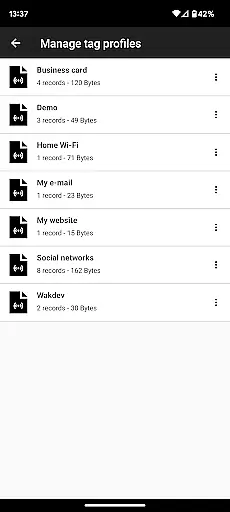
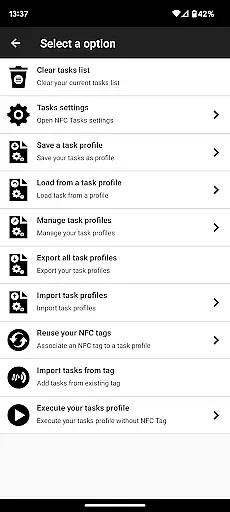
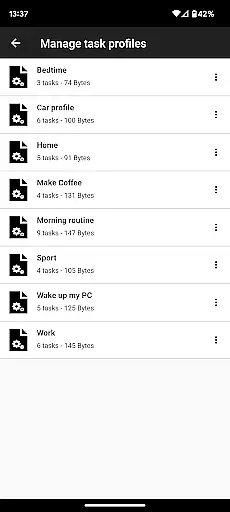
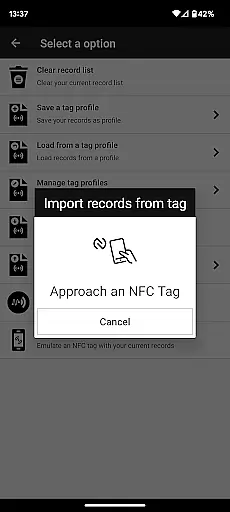
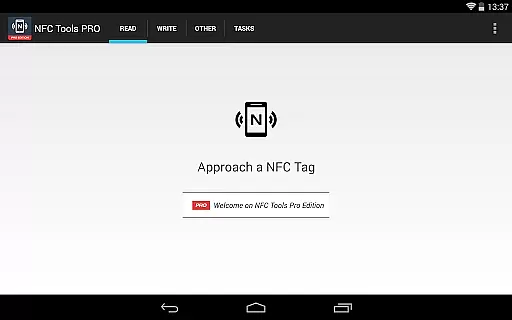
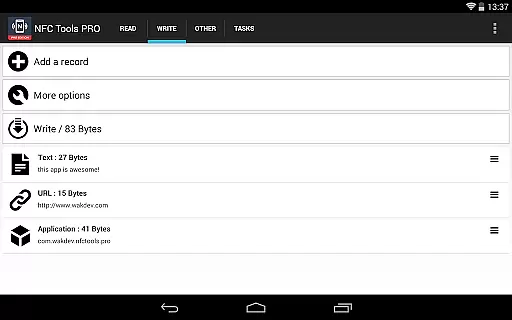
NFC Tools - Pro Edition is a powerful tool for managing NFC tags with advanced capabilities. This app allows users to read, write, and program tasks on NFC tags through a simple and lightweight interface. It unlocks all features available in the standard NFC Tools app without limitations, enabling users to create complex routines and automate tasks.
With exclusive features like profile management, task execution without NFC tags, and conditional blocks for complex actions, this app is ideal for both personal and professional use. Whether you're automating daily tasks or creating custom NFC solutions, NFC Tools - Pro Edition offers the tools needed to maximize productivity and creativity.
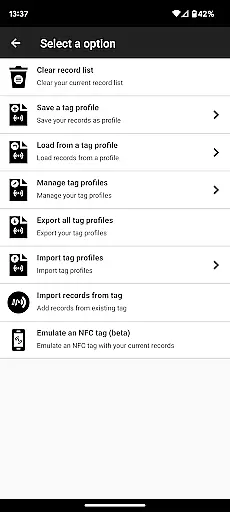
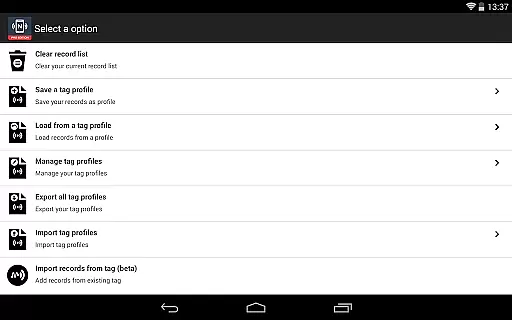
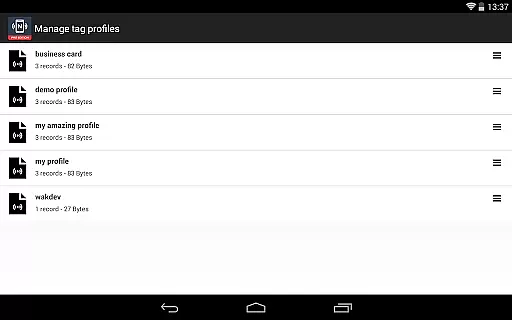
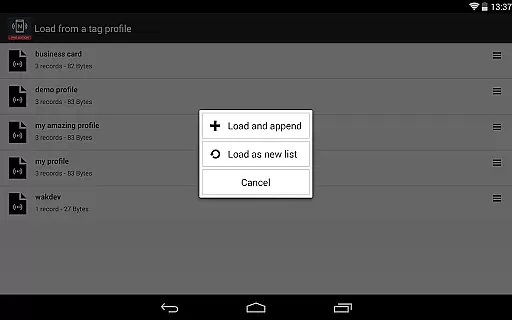
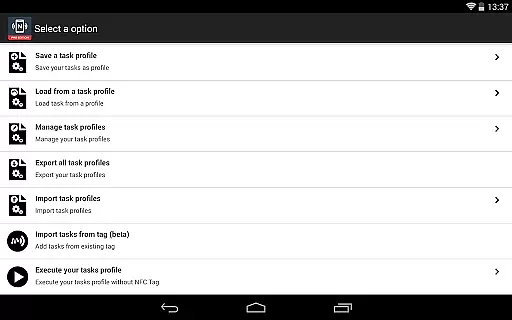
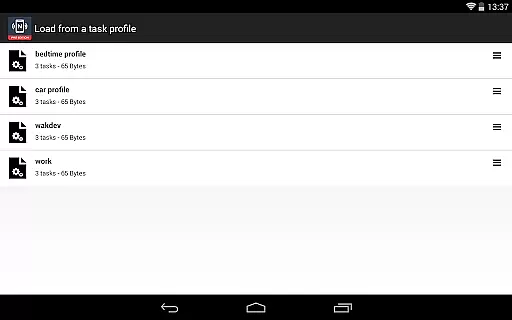
The NFC Tools - Pro Edition stands out with its extensive feature set tailored for power users. One of its key features is the ability to save and reuse profiles, which include records and tasks, allowing for efficient management of NFC tag programming. Additionally, the app supports importing data from existing NFC tags, making it easy to edit and update records quickly.
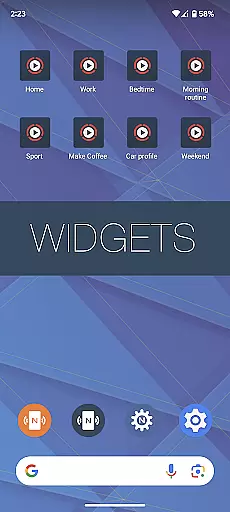
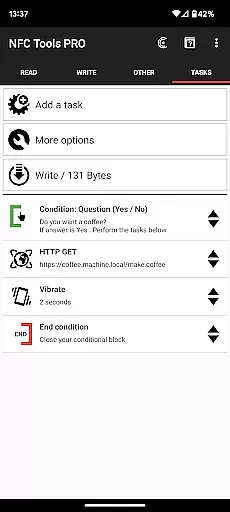
Another highlight is the ability to execute tasks directly from the home screen without needing an NFC tag, as well as emulating NFC tags using your device. With support for over 200 tasks and conditional blocks, users can create intricate routines that suit their specific needs. These features make NFC Tools - Pro Edition a versatile solution for anyone looking to leverage NFC technology to its fullest potential.
NFC Tools - Pro Edition is designed to deliver precise and effective NFC interactions. The app enables users to read, write, and program tasks on NFC tags with remarkable accuracy. This ensures that every interaction with an NFC chip is executed exactly as intended.
The application offers a comprehensive suite of over 200 tasks, allowing for infinite combinations tailored to specific needs. Whether it's automating daily routines or creating complex conditional actions, the app handles each task with meticulous attention to detail. This extensive capability guarantees that users can fully exploit the potential of their NFC-enabled devices.
Moreover, the app includes exclusive features such as profile management and NFC tag emulation. These advanced functionalities not only enhance user experience but also ensure that all operations are carried out seamlessly. As a result, users can rely on NFC Tools - Pro Edition for both simple and sophisticated NFC programming requirements.
The user interface of NFC Tools - Pro Edition is crafted to provide a seamless and intuitive experience. With a lightweight design, the app ensures that even those new to NFC technology can easily navigate through its features. The straightforward layout allows users to quickly access and utilize the full range of functions without any hassle.
One of the standout aspects is the ability to execute tasks without needing physical NFC tags by using home screen shortcuts. This feature simplifies the process significantly, making it more accessible for everyday use. Additionally, the inclusion of a profile management system means users can save and reuse configurations effortlessly.
Overall, NFC Tools - Pro Edition combines powerful functionality with an easy-to-use interface. By focusing on user-centric design principles, the app ensures that all its robust features are presented in a manner that is both approachable and efficient, catering to both novice and experienced users alike.
Unlimited Task Access
Profile Management System
Task Execution Without NFC Tags
Over 200 Tasks Available
Conditional Blocks for Complex Actions
Requires NFC Compatible Device
Paid Version Only
Complexity May Overwhelm Beginners
Limited Use Without NFC Tags
Separate App Needed for Task Execution

Easily install aab(Android App Bundle) files on your Android device with our app
 4.80
4.80
1-Click close all background apps on Android TV
3.90
Family Locator, Share location, StayConnect with your family in real time
3.90
Forza Tuning Calculator App for Forza Horizon 5, Motorsport and Earlier Titles
4.40
VESC Tool can monitor and configure VESC-compatible devices over BLE and Wifi
4.20
Detect hidden spy camera with advanced scanning {{ Premium version }}
4.00
View detailed information about your Nissan Leaf the dealer never shows you.
4.10
Protect your device with antivirus, storage cleanup, and system monitoring
4.70
Clean up your phone, find files, play media, and share files offline
4.50
Connect wirelessly to your computer to watch movies, browse the web, play games
5.00
Connect instantly to a fast, encrypted VPN with one tap
4.60
Planner and Tracker for Stardew Valley
4.60
An easy-to-use calculator designed to save time calculating and bending conduit
4.30
PC precision for mobile gaming: dominate with keyboard and mouse!
4.30
Quickly check the frequency of the Earth
4.30
pdf merge, word to pdf, jpg to pdf, edit pdf, convert to pdf and much more!
4.20
Amateur Radio app for APRS: Track friends, exchange messages, get tactical info.
3.90
PDF Reader - Document Viewer: Read, Manage & Organize Your Documents
3.10
Transfer Files, APK from Phone to Watch & Install.
4.5


User Reviews