
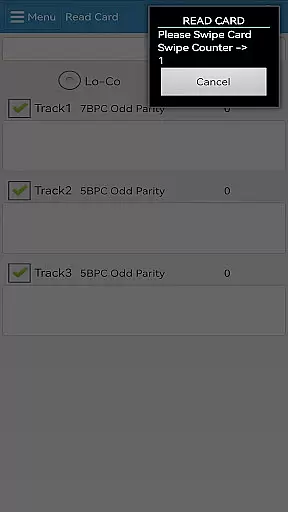
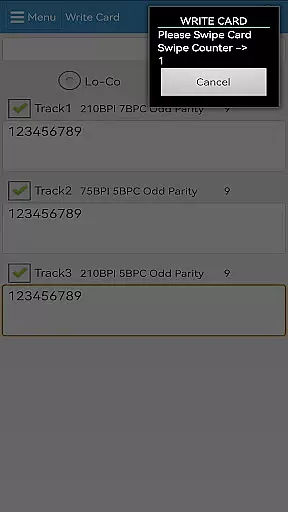
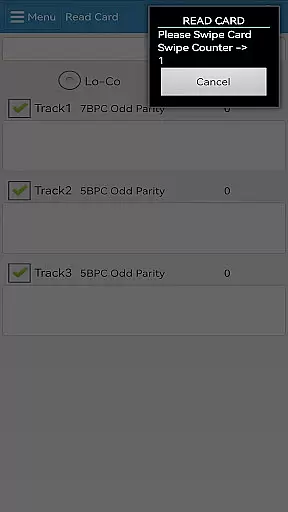
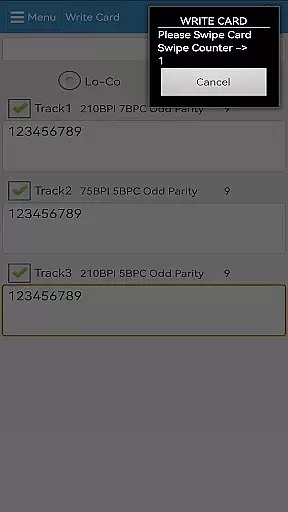
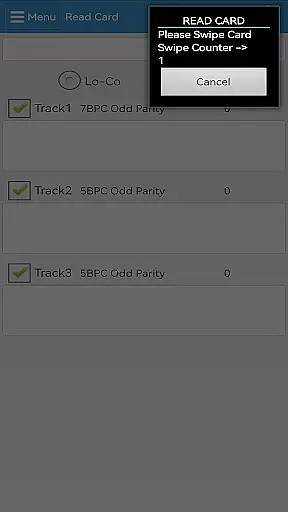

EasyMSR is a versatile card-reader application designed for mobile devices. This tool enables users to effortlessly read and write magnetic cards through a wireless Bluetooth connection. Compatible with Android systems, EasyMSR offers a seamless experience by allowing users to manage card data without the constraints of traditional wired card readers.
The app's core functionality lies in its ability to connect with magnetic card readers via Bluetooth, providing freedom and flexibility in managing card information. Whether you're processing payments or managing customer information, EasyMSR ensures that your data transactions are efficient and reliable. Its user-friendly interface makes it accessible for businesses of all sizes.
EasyMSR boasts an array of features that enhance its utility as a mobile card reader. One standout feature is its wireless Bluetooth connectivity, which eliminates the need for cumbersome cables and allows for greater mobility during card transactions. The app supports both reading and writing of magnetic stripe cards, catering to various business needs.
Another notable feature is its compatibility with a wide range of mobile devices running on Android OS. This ensures that users can integrate EasyMSR into their existing device ecosystem without compatibility issues. Additionally, the app provides a simple yet effective user interface that streamlines the process of managing cardholder data, making it an indispensable tool for businesses requiring quick and secure card transactions.
EasyMSR stands out in the Tools category by offering precise and effective core functionalities that cater to both casual users and professionals. The app enables customers to read and write magnetic cards wirelessly, ensuring data is captured accurately every time.
Through a reliable Bluetooth connection between mobile devices, EasyMSR facilitates seamless interactions with magnetic card readers. This ensures that each transaction or data entry is processed without errors, maintaining high standards of operational integrity.
The effectiveness of EasyMSR is evident in its ability to perform tasks quickly and reliably. Users can trust the application to handle sensitive information securely, providing peace of mind when managing personal or business data.
By focusing on accuracy and effectiveness, EasyMSR delivers significant value to its users, streamlining workflows and enhancing productivity. Whether for individual use or integration into larger systems, this app proves indispensable.
In addition to its robust core functions, EasyMSR excels in providing an interface that is both simple and intuitive. Navigating through the app's features is straightforward, allowing users to easily access the tools they need without unnecessary complexity.
The design prioritizes user experience, ensuring that even those new to magnetic card reading technologies can operate the app with minimal learning curve. Clear instructions and logical layout contribute to an overall pleasant usage experience.
EasyMSR's intuitive nature extends to its compatibility with various devices, making it versatile for different user needs. Regardless of the device being used, customers can expect consistent performance and ease of use across platforms.
This commitment to simplicity and intuitiveness not only enhances usability but also boosts efficiency. Users can focus more on their tasks rather than figuring out how to use the app, leading to increased satisfaction and productivity.
User-friendly interface
Wireless Bluetooth support
Read and write capabilities
Wide device compatibility
Efficient data management
Limited to Android devices
Requires external card reader
No iOS version available
Bluetooth pairing issues possible
Subscription fees may apply

A powerful, easy-to-use flight computer on your phone or tablet!
 3.80
3.80
Connect instantly to a fast, encrypted VPN with one tap
4.60
Just one-tap to easy translate in any language after calls within seconds.
4.20
Head tracking for PC sim games such as MSFS 2024 or Elite:Dangerous. No headset!
4.50
Enjoy smooth gameplay with Game Booster
4.90
MS-DOS in your pocket. Play old DOS games anywhere you are ;)
4.10
Making emulation easy for everyone!
4.30
Enjoy a smooth mobile reading experience!
3.60
Your personal health butler
3.60
Easily install aab(Android App Bundle) files on your Android device with our app
4.80
Unit and currency converter with easy and simple UI.
4.80
Creation, Learning, Entertainment & More — The All-in-One AI Search Engine
4.70
HD Camera captures every special moment.
4.60 4.50
4.50
Mirror your screen to Fire TV - Super fast and simple
4.40
PC precision for mobile gaming: dominate with keyboard and mouse!
4.30
Quickly check the frequency of the Earth
4.30
Signal Strength, Mobile, Wifi, Speed Test, Bad Signals, Cellular, 5G, LTE, 4G
4.20
Transfer Files, APK from Phone to Watch & Install.
4.3


User Reviews