
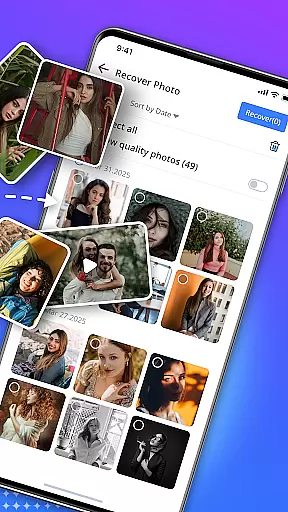

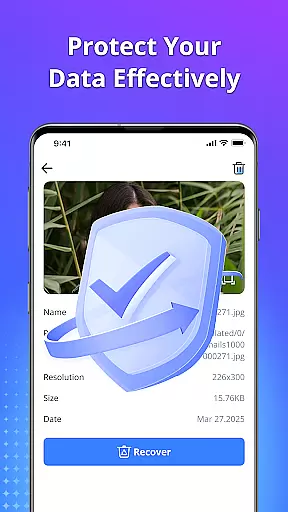
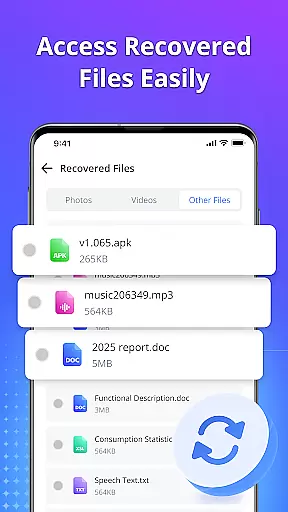
Restore Photo - Video Recover is a comprehensive data recovery tool designed to help users retrieve lost or deleted files from their devices. This application specializes in recovering photos, videos, audio files, and documents with minimal effort. Using advanced deep scan technology, the app ensures that even hidden or temporarily deleted files can be located and restored in high-definition quality. The intuitive interface allows users to preview recoverable items before final restoration, ensuring precise control over what gets recovered. Available for use without requiring root access, this tool provides a secure and reliable solution for recovering valuable digital content.
The app's versatility extends beyond photo recovery. It also supports video, audio, and document retrieval, making it an essential utility for anyone looking to safeguard their digital memories and important files. Whether you've accidentally deleted precious family photos or need to recover critical work documents, Restore Photo - Video Recover offers a fast, efficient, and safe recovery process. Its ability to securely delete unwanted files adds an extra layer of privacy protection, ensuring your device remains clutter-free and secure.
Restore Photo - Video Recover stands out due to its robust feature set tailored for comprehensive data recovery. One of its key features is the deep scan technology, which meticulously searches through device storage to locate lost or deleted files. This ensures that even files that are not immediately visible can be retrieved, providing users with a thorough recovery solution. Additionally, the app supports multiple file formats, accommodating various types of media and documents, thus maximizing the chances of successful recovery.
Another notable feature is the preview functionality, allowing users to view recoverable items before proceeding with the restoration process. This helps in selectively restoring only the necessary files, saving both time and storage space. The app also includes options for customizing where recovered files are saved, offering greater flexibility and organization. With its user-friendly interface and reliable performance, Restore Photo - Video Recover ensures that users can quickly and easily bring their lost digital content back to life, all while maintaining the highest standards of security and privacy.
Restore Photo - Video Recover stands out for its exceptional core functionality, which centers on accurate and effective data recovery. This tool is designed to retrieve lost or deleted files, including photos, videos, audio, and documents, with remarkable precision.
The app employs deep scan technology to ensure that even hidden or temporarily deleted files are found and restored in high-definition quality. Its ability to preview files before recovery ensures users can select exactly what they need, enhancing the overall effectiveness of the recovery process.
For users, this means peace of mind knowing that their precious memories and important data can be quickly and reliably recovered. The app's support for multiple file formats and its secure deletion feature for unwanted files further add to its functional robustness.
A key aspect of Restore Photo - Video Recover is its simple and intuitive interface, making data recovery accessible to users of all technical backgrounds. The design prioritizes ease of use, ensuring that even those unfamiliar with data recovery tools can navigate and utilize the app effortlessly.
With clear options for recovering different file types and an easy-to-follow process for scanning, previewing, and restoring files, the app minimizes the learning curve typically associated with such powerful tools. Users can execute complex recovery tasks with just a few taps, streamlining the experience significantly.
This simplicity does not come at the cost of capability; rather, it enhances user engagement by providing a seamless experience that combines powerful functionality with straightforward controls, thus maximizing both usability and efficiency.
User-friendly interface
Deep scan technology
Preview before recovery
Multiple file format support
No root required
Limited free recovery
Premium features locked
Occasional slow scans
Ads in free version
Large app size

PDF Reader - Document Viewer: Read, Manage & Organize Your Documents
 3.10
3.10
Family Locator, Share location, StayConnect with your family in real time
3.90
Canon PRINT is a companion app for your Canon printer.
4.60
View detailed information about your Nissan Leaf the dealer never shows you.
4.10
Making emulation easy for everyone!
4.30
Planner and Tracker for Stardew Valley
4.60
A simple app to back up and restore SMS & MMS messages and call logs.
4.10
Pro Emulator is an easy to use game console emulator for a range of consoles.
4.40
Button mapper, mouse toggle, sleep timer and a lot of another features
4.50
Extremely fast, secure, and protects your privacy
4.80
Excellent scientific calculator with symbolic algebra, integrals, derivatives
4.80
Fast Video Downloader, Movie Downloader, Torrent Downloader & Adblock Browser
4.70
The Ultimate Flex Drivers Utility App - Convenient Tapping & Block Filters
4.70
App to pay for FUTO Keyboard
4.60
Screen Mirroring for Roku Sticks, Roku TCL TV and Roku Hisense TV
4.50
Game Booster, GFX Tool is now compatible with newer game update
4.50
Fluid navigation gestures for all of us!
4.30
A powerful, easy-to-use flight computer on your phone or tablet!
3.80
card-reader app
2.20


User Reviews