
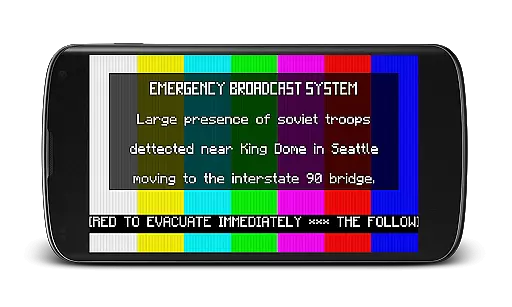
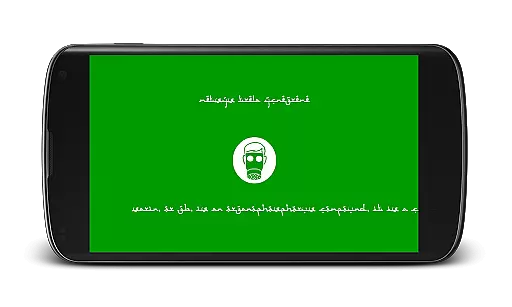
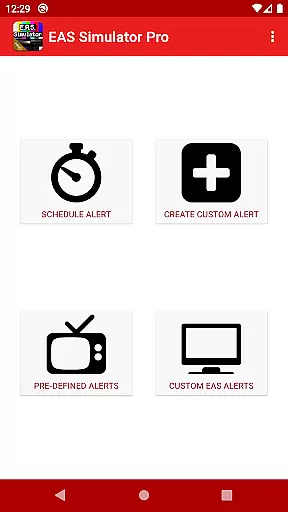
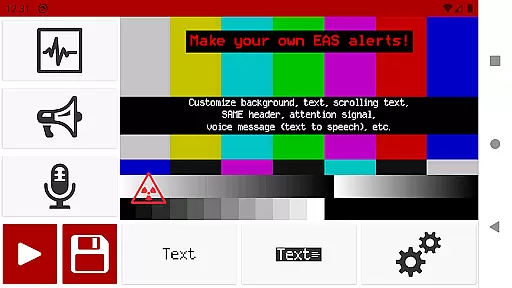
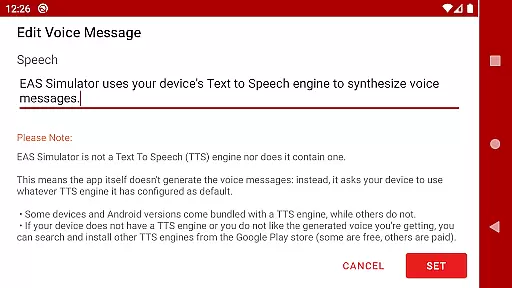
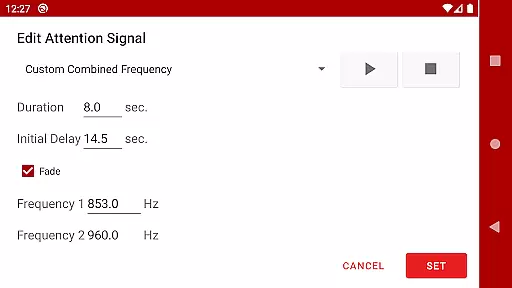
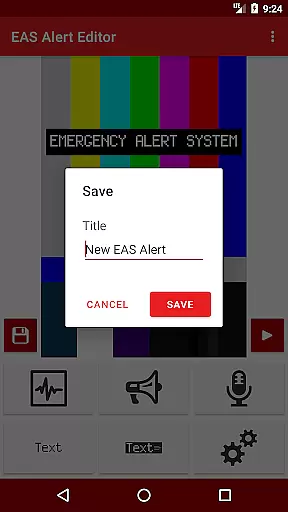
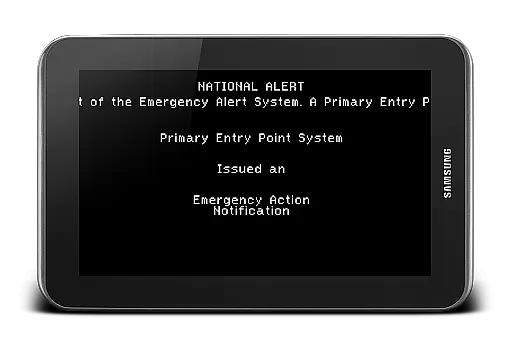
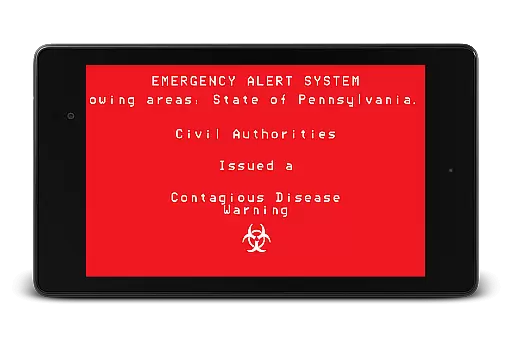
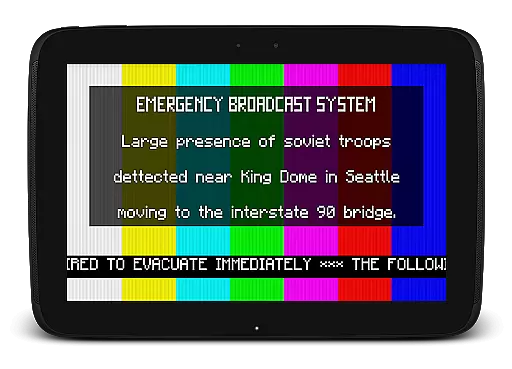
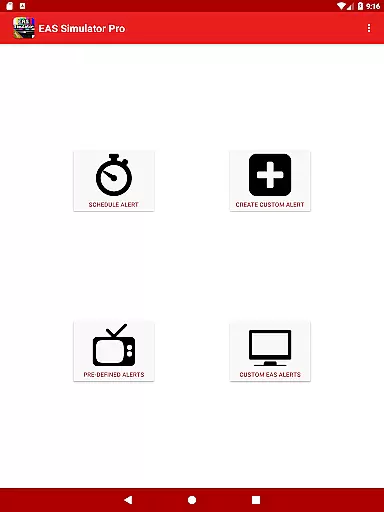
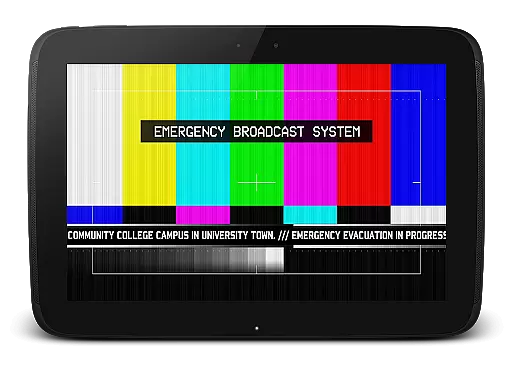
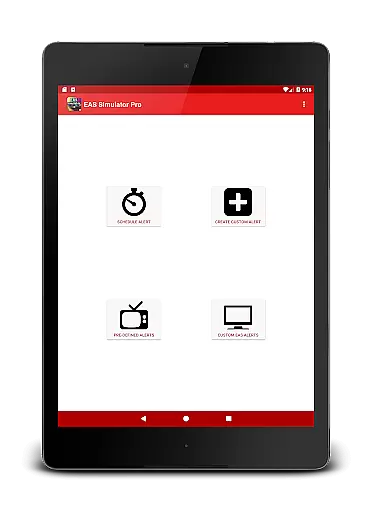
EAS Simulator Pro is an innovative entertainment application that allows users to simulate realistic Emergency Alert System (EAS) messages on their Android devices. The app provides a comprehensive set of features for creating and playing mock emergency alerts, including natural disasters, nuclear strikes, and even zombie apocalypses. With its detailed alert editor, users can customize every aspect of the EAS messages, from background visuals to attention signals and voice messages generated by the device's Text-to-Speech engine.
One of the standout features of EAS Simulator Pro is its ability to schedule alerts to play at specific times, making it ideal for drills, pranks, or role-playing scenarios. The app also supports exporting alerts as video files using screen recording and microphone audio, allowing users to share their creations with others. Whether you're interested in simulating real-life emergencies like flash floods and tornadoes or exploring fictional disaster scenarios inspired by popular media, this app offers a versatile platform for creative expression and immersive storytelling.
The app has gained significant popularity, reaching the top charts for paid Android apps with over 9,000 purchases. Its professional-grade features, combined with a user-friendly interface, make it a valuable tool for both casual users and enthusiasts looking to explore the realm of emergency broadcasting simulations.
EAS Simulator Pro stands out with its extensive feature set designed to provide users with a realistic and customizable EAS simulation experience. The app includes full access to an advanced alert editor, enabling users to create unlimited custom alerts without restrictions. This editor allows for detailed customization, including static or blinking text, scrolling news-ticker-like messages, SAME headers with authentic beeping sounds, and various attention signals such as tornado sirens.
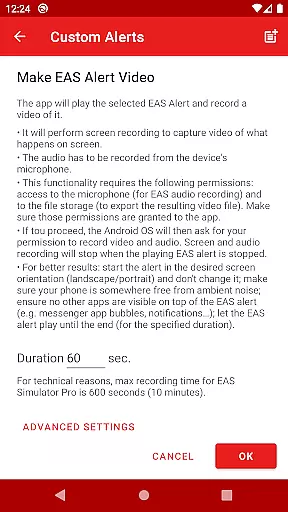
In addition to creating alerts, the app offers robust export and import capabilities. Users can save their alerts as files for backup purposes or share them with friends who have either the Demo or Pro version of the app. Another notable feature is the ability to convert EAS alerts into video format, capturing both visual and audio elements through screen recording and microphone input. This functionality not only enhances the realism of the simulations but also facilitates sharing on social media platforms.
Furthermore, EAS Simulator Pro comes pre-loaded with a variety of pre-defined alerts covering real-life emergencies and thrilling fictional scenarios. These range from natural disasters like flash floods and tornadoes to more imaginative situations such as a North Korean nuclear attack or zombie virus pandemics. The combination of these diverse scenarios with the app's scheduling feature ensures that users can enjoy a wide array of creative possibilities while maintaining practical applications for drills and educational purposes.
In the realm of entertainment, content variety and freshness are paramount to maintaining user engagement. EAS Simulator Pro excels in this area by offering a diverse array of pre-defined alerts that cater to both real-life scenarios and thrilling fictional situations. From simulating natural disasters like flash floods and tornadoes to enacting a North Korean nuclear attack or a zombie apocalypse, the app provides an extensive selection designed to captivate users' imaginations.
Moreover, the application allows for the creation and saving of custom alerts without limitations, ensuring that content remains fresh and personalized. Users can convert these EAS alerts into videos, which adds another layer of creativity and sharing potential with peers who also enjoy using EAS Simulator Demo or Pro versions.
The scheduling feature further enhances content freshness by enabling users to set up drills, pranks, or role-playing events at their convenienceu2014even if the device is locked. This ensures that each experience feels unique and timely, contributing significantly to sustained interest and enjoyment.
User engagement duration and retention are critical factors for the success of any entertainment app. EAS Simulator Pro addresses these aspects through its realistic Emergency Alert System (EAS) simulation capabilities. By playing authentic-looking EAS alerts complete with SAME headers, attention signals, scrolling texts, and voice messages generated by the device's Text to Speech engine, it creates an immersive environment that keeps users engaged for longer periods.
The appu2019s ability to export/import EAS alerts as files not only facilitates backup but also encourages community interaction among users who share their creations within the EAS Simulator ecosystem. Such interactions foster a sense of belonging and competition, driving repeat usage and enhancing overall retention rates.
Additionally, scheduled alerts provide a reason for users to return regularlyu2014whether planning a drill or executing a prank on friends. The anticipation built around upcoming simulated events motivates continuous involvement with the app over time, thereby solidifying user loyalty and maximizing session lengths.
User-friendly interface
Highly customizable alerts
Realistic simulation effects
Export/import functionality
Scheduling feature for timed alerts
No free version available
Requires TTS engine
Video export may have issues
Limited OS compatibility
Permissions needed for full functionality

Rain and lightning effects for your Philips Hue lights
 4.30
4.30
Pathfinder 2e initiative tracker with bestiary, HP, reaction, conditions, etc
4.80
Fetch money rewards all just for playing games. Cash out for gift cards in app.
4.50
Just play games to earn gift cards. Keep playing, keep earning.
4.50
Stream live TV shows, sports, news, movies & more - all without cable.
3.00
Watch Reels, Drama Shorts & TV Series Anytime. Download DramaWave Now!
4.70
Everything FOX in one place. Watch FOX News, NFL, MLB, TV shows and more.
4.50
Earn Real Rewards Playing Fun Mobile Games & Easy Cash Out - PayPal & Gift Cards
4.40
An app made just for kids
4.20
Colorful flows will relax and calm you down, or get you trippy and creative!
4.90
Catalog & tracker of your DVD, Blu-ray & Digital Movie and TV Collection Library
4.80
Original short dramas with diverse genres for a rich viewing experience!
4.80
Find out if you're on Santa's Naughty or Nice List with this magical scanner!
4.60
The Xbox app keeps you connected to your gaming community.
4.50
Browser for Chromecast to stream webvideos, online movies, IPTV & HD livestreams
4.40
Realistic Baby Simulator App
4.00
Necrophone is spirit box ghost hunting app made for spirit communication.
3.70
With the credits you earn play more games
2.90
EVP Recorder / Voice Recorder for ghost hunting, to communicate with ghosts.
4.3


User Reviews