

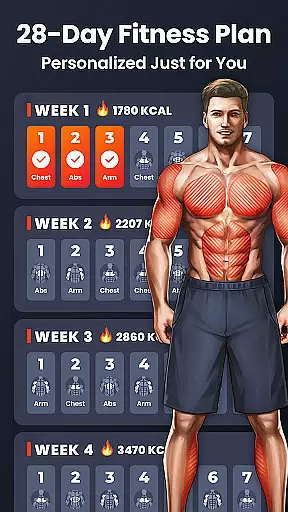
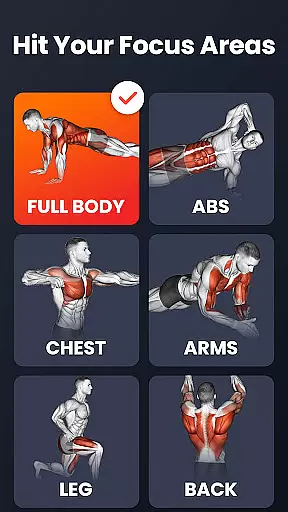
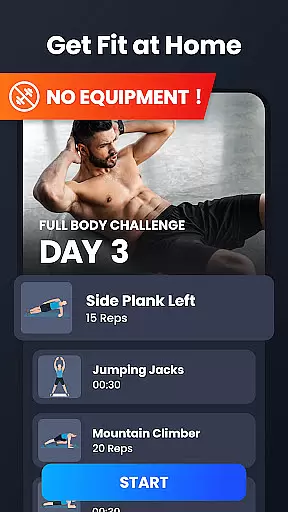
Home Workout is a comprehensive fitness application designed to provide daily workout routines for all major muscle groups. This app allows users to build muscles and maintain fitness at home without the need for gym equipment or personal trainers. All exercises are designed to be performed using only body weight, making it accessible for anyone, anywhere.
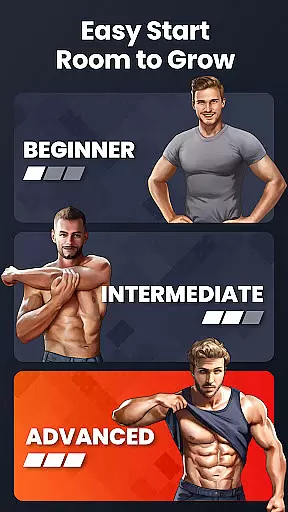
The app offers targeted workouts for abs, chest, legs, arms, and glutes, as well as full-body routines. Each exercise comes with animations and video guidance to ensure proper form and technique. Additionally, Home Workout includes warm-up and stretching routines, automatic progress tracking, customized reminders, and social sharing features. These functionalities create an all-in-one fitness solution that caters to both beginners and experienced fitness enthusiasts.
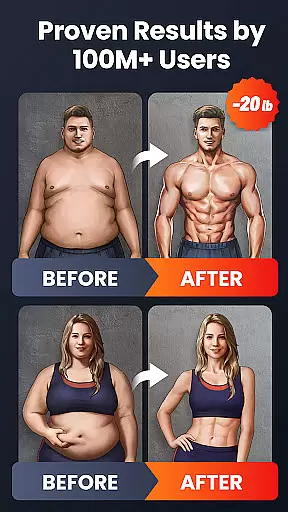
Whether you're looking to burn fat, build muscle, or improve overall fitness, Home Workout provides scientifically-designed routines that deliver noticeable results in just a few weeks. The combination of convenience, expert design, and innovative features makes this app an ideal choice for those seeking an effective home workout program.
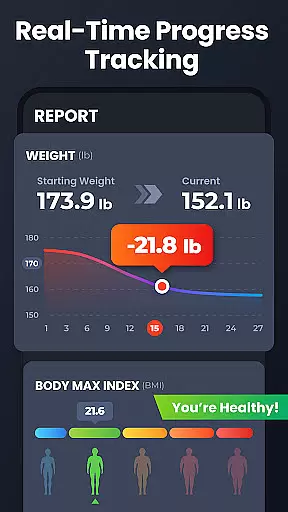
Home Workout stands out with its diverse range of features tailored to enhance the user's fitness journey. One of its key strengths is the inclusion of warm-up and stretching routines, which prepare the body for exercise and aid in recovery. The app automatically records training progress and uses charts to track weight trends over time, helping users stay motivated and informed about their fitness journey.
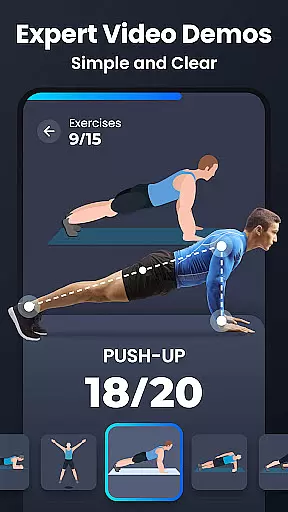
Another notable feature is the detailed video and animation guides provided for each exercise. These visual aids ensure users perform workouts with correct form, reducing the risk of injury and maximizing effectiveness. The app also offers personalized workout reminders and allows users to customize their fitness plans according to their schedules and goals.
Additionally, Home Workout functions as a virtual fitness coach, offering professional guidance through various exercises and routines. Users can share their achievements on social media, engage with friends, and participate in a community of like-minded individuals. These features collectively create an immersive and supportive environment for achieving fitness objectives efficiently.
Personalized planning in fitness apps refers to the ability to tailor workout routines specifically to individual user needs and goals. Home Workout excels in this area by offering customized exercise plans targeting different muscle groups such as abs, chest, legs, arms, and the butt.
The app's personalized planning feature is designed by expert fitness coaches ensuring that each workout plan is not only effective but also adheres to scientific principles of exercise. This means users get a balanced routine that promotes muscle growth and fat loss without needing any equipment.
Users benefit from this feature through automatic tracking of their training progress and weight trends over time. The app provides detailed video and animation guides for each exercise, making sure users perform workouts with the correct form, thus maximizing effectiveness and reducing injury risk.
Ultimately, personalized planning in Home Workout ensures that users can achieve their fitness goals efficiently, whether it's building muscle, losing weight, or maintaining general fitness, all within the comfort of their homes.
Progress visualization in fitness applications involves presenting users' achievements and advancements in an easily digestible format, typically through charts, graphs, or visual milestones. Home Workout offers robust progress visualization features that help users track their fitness journey effectively.
The app automatically records users' training progress and presents this data in clear charts that display weight trends over time. This allows users to visually comprehend their improvement and stay motivated as they work towards their fitness goals.
In addition to tracking physical changes, Home Workout provides visual cues and guides through animations and videos for each exercise. These visual aids ensure users maintain proper form during workouts, which is crucial for achieving desired results safely and effectively.
By leveraging progress visualization, Home Workout empowers users to monitor their achievements, adjust their routines if necessary, and celebrate milestones, thereby enhancing overall engagement and commitment to their fitness regimen.
User-friendly interface
Comprehensive workout library
Effective progress tracking
Expert-designed routines
Convenient home workouts
Limited advanced options
No live coaching sessions
Premium features require subscription
Basic nutritional guidance
Occasional ads in free version

sobriety counter app to help and motivate people to stop drinking alcohol.
 4.90
4.90
Pack of 66 calming lullabies for smooth fall asleep and relaxation
4.10
Use your watch as a bike computer, heart rate monitor and cycling power meter
2.50
50 HD sounds to help you relax during the day and sleep great at night!
4.40
Your personal BP tracking companion, focus on helping you achieve wellness goal.
4.10
Track sleep cycle, relax with white noise, sleep sounds & smart alarm clock
3.80
Dexcom G7 Continuous Glucose Monitoring
3.70
Fast Body building & Weight Loss. Home Workouts with Daily Coach, No Equipment.
4.30
Scan food & cosmetic products and evaluate their impact on your health
4.80
Load the bar with this barbell & plate calculator. It's leg day, not brain day!
4.70
Build Healthy Habits!
4.60
The Crunch Mobile app - Find a gym, manage favorites, reserve & cancel classes.
4.60
Period Tracker, the easiest way to track your periods!
4.50
Blood Pressure Log, HRV & Heartbeat Tracker. Pulse Checker.
4.40
Download MadMuscles to start your positive body transformation!
4.30
Control your sleep in real-time wearing Garmin device
3.60
HRV4Training helps you optimize goals and improve performance. No sensors needed
3.30
Text notifications, button control, heart monitor & more for your Amazfit.
2.40
Optimization for TRT & Enhanced Athletes
4.5


User Reviews