
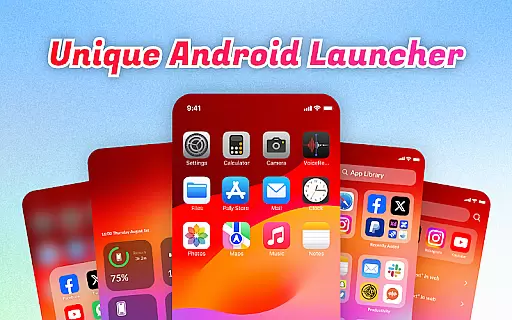
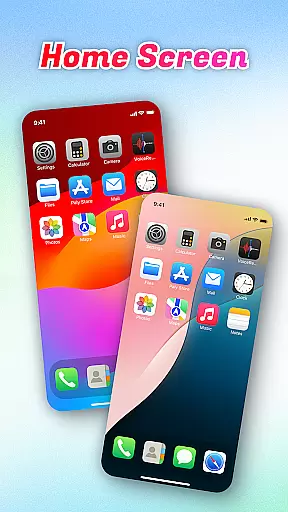
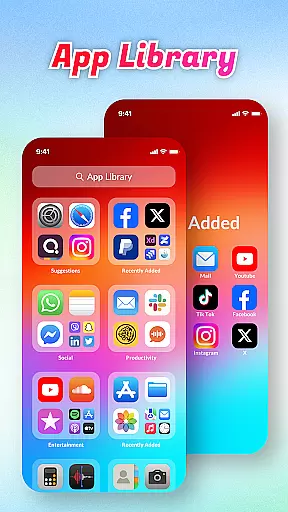
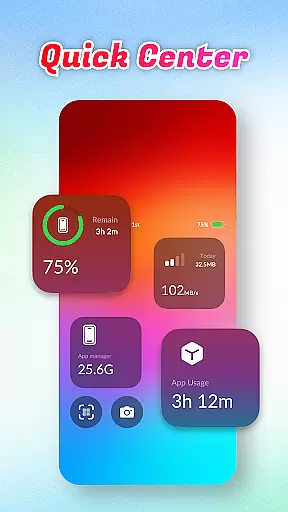
OS Launcher Theme is a personalization app designed to enhance your smartphone experience through an intuitive interface and practical features. This app offers tools like App Library for organized app management, Quick Center for instant access to essential functions, and a built-in QR Scanner for seamless scanning.
With additional features such as Battery Info, Data Usage tracking, and an App Manager, OS Launcher Theme ensures you stay in control of your device's performance while maintaining a clutter-free environment. Perfect for users seeking both aesthetics and functionality in their device customization.
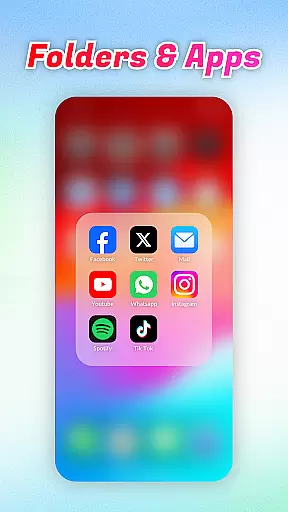
OS Launcher Theme stands out with its comprehensive feature set tailored for convenience and efficiency. The App Library automatically categorizes apps, reducing clutter and simplifying navigation. Quick Center provides one-tap access to frequently used functions like flashlight and settings, making daily tasks easier.
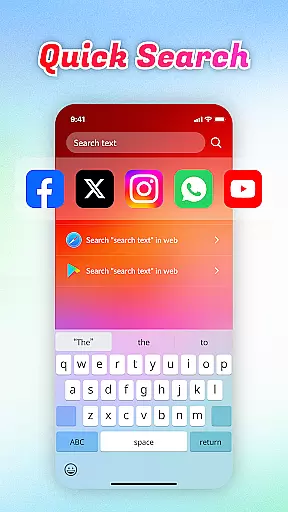
The app also includes a Quick Search function for finding apps or web content instantly using keyword search. Its built-in QR Scanner eliminates the need to switch between apps for scanning. With Battery Info and Data Usage monitoring, users can optimize their device's performance and avoid unnecessary charges, while the App Manager helps maintain storage efficiency.
OS Launcher Theme offers a wide array of customization options that allow users to tailor their device's appearance and functionality according to their preferences.
The App Library feature automatically sorts apps into categories, reducing clutter and personalizing the way you access your applications. With Quick Center, users can customize shortcuts for convenience, putting frequently used settings just a swipe away.
Quick Search enhances user experience by allowing instant searches for apps or web content using keywords, making navigation swift and intuitive. Additionally, built-in tools like the QR Scanner, Battery Info, and Data Usage provide practical utilities that users can personalize to fit their lifestyle needs.
This extensive range of customizable features ensures that each user can create a personalized and efficient mobile experience tailored specifically to their habits and preferences.
Theme compatibility is a crucial aspect of OS Launcher Theme, ensuring that visual customizations are not only diverse but also seamlessly integrated with the deviceu2019s operating system.
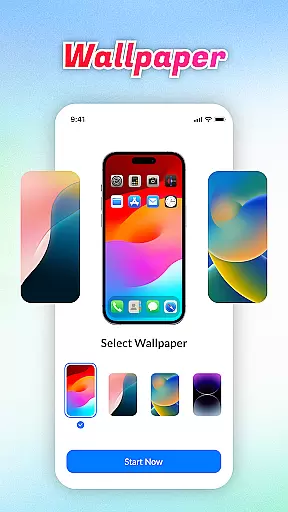
Users can apply various themes that change the look and feel of their interface without worrying about inconsistencies or performance issues. The application guarantees that all aesthetic modifications, from color schemes to icon designs, maintain high standards of quality and coherence across different sections of the launcher.
Beyond mere visuals, theme compatibility extends to functional elements such as widgets and app layouts which adapt smoothly when new themes are applied. This ensures an uninterrupted user experience where both form and function coexist harmoniously.
By prioritizing theme compatibility, OS Launcher Theme provides a reliable platform for users who wish to refresh their deviceu2019s appearance while maintaining optimal usability and performance.
User-friendly interface
Efficient app organization
Comprehensive utility tools
Quick access shortcuts
Performance optimization
Limited customization options
Occasional compatibility issues
Ads in free version
Advanced features locked
Drains battery slightly

Add cute Shimeji pets to screen, interact with them and relax with cute motions
 4.60
4.60
App Icon Changer & Shortcut Creator. Customize your icons without any watermarks
4.30
Zip lock screen with magic wallpaper to decorate your phone with fun zipper lock
4.60
HappyLighting is a Bluetooth lamp control software.
3.40
Stylish Pink Cute Hippo keyboard with 10000+ customized keyboard themes!
4.60
300+ widgets inspired by Material You and Material 3 expressive design.
4.60
Amazing letter fonts in your messages and social statuses
4.70
Cool custom fonts & keyboard themes! Symbols & font changer for Instagram
4.50
Custom ringtones songs, music ringtones for Android phones
4.60
Vertically oriented rectangular icons
4.70
Classic analogue watch face. For wear os devices.
4.60
Glass style colourful icons with a One UI look and feel
4.60 4.50
4.50
200+ Material Inspired Widgets
4.50
The definitive Icon pack maker and editor
4.30
Organize and manage your photos and videos effortlessly with Photo Gallery
4.20
Crystal-clear, square icon provides a sleek and sophisticated visual upgrade
4.00
Turn your lock screen into fun with smile live wallpapers & animated wallpapers!
2.50
Prank your friends with realistic broken screen and cracked HD effects!
4.5


User Reviews