
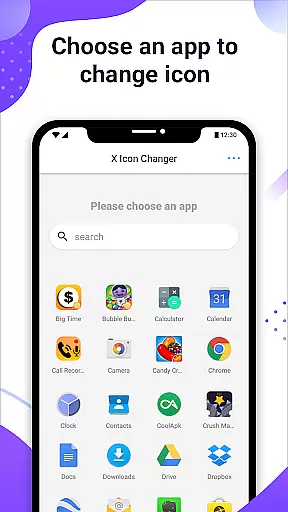
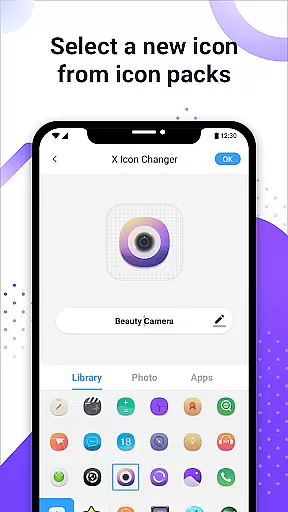
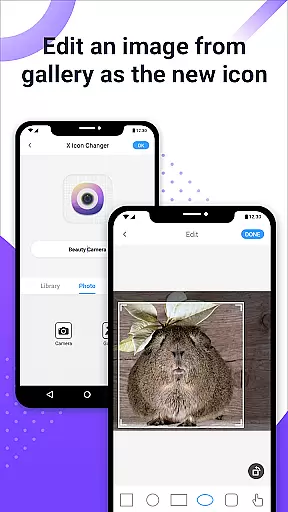
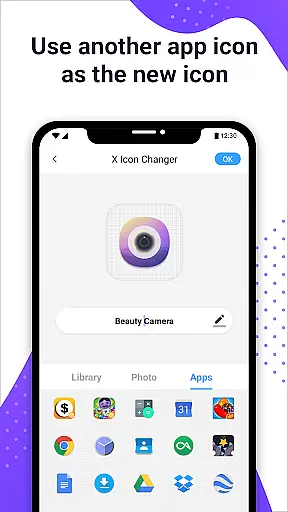
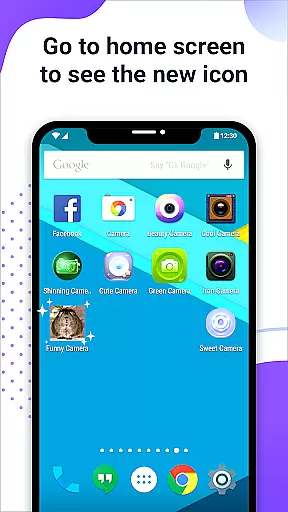
X Icon Changer is a free app designed to help users customize and change icons for any application on their Android devices. The app allows you to select new icons from various sources including built-in icon packs, personalized third-party icon packs, or directly from your gallery.
One of the standout features of X Icon Changer is its ability to create shortcuts with the new icons on your home screen, making it easy to access apps with your chosen aesthetic. Additionally, the app provides an innovative way to avoid watermarks on Android 8.0 and above by using widget technology, ensuring a seamless and visually appealing experience.
This app is perfect for users who want to personalize their phone interface, offering both ease of use and extensive customization options.
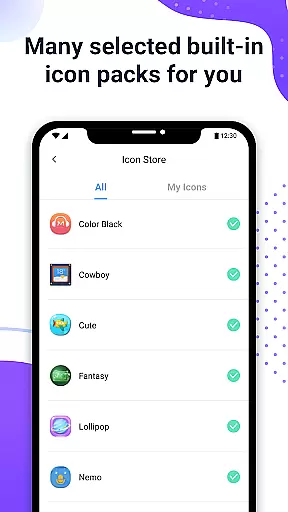
X Icon Changer offers a variety of robust features that make personalizing your Android device simple and enjoyable. Firstly, the app includes numerous built-in icon packs and supports third-party icon packs, providing a wide range of customization options. You can also choose icons directly from other apps or your gallery, giving you unparalleled flexibility in how you design your home screen.
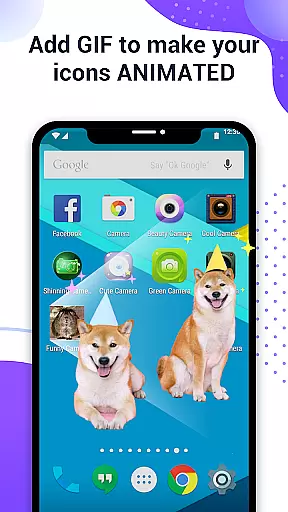
Another notable feature is the ability to add GIF animations to your new app icons, allowing for dynamic and engaging visuals each time you launch an app. This adds a layer of fun and creativity to your device's interface.
For users concerned about watermarks on Android 8.0 and above, X Icon Changer offers a unique solution through widget technology. By dragging the X Icon Changer widget to your desktop, you can change app icons without any watermarks, ensuring a clean and professional look.
X Icon Changer offers an extensive range of customization options, allowing users to personalize their app icons effortlessly. With the ability to choose from built-in icon packs, gallery images, other app icons, or third-party icon packs, this application provides a diverse selection to suit individual preferences.
The app's flexibility extends to renaming apps with custom names, adding another layer of personal touch to your Android device's interface. This feature is particularly beneficial for users who wish to categorize their apps thematically or simply refresh their home screen aesthetics.
Additionally, X Icon Changer supports GIF integration, enabling dynamic animations when launching apps through newly created shortcuts. This unique capability enhances user interaction and makes the customization experience more engaging and enjoyable.
By offering these varied customization features, X Icon Changer empowers users to create a truly personalized smartphone experience that reflects their style and preferences.
Theme compatibility is a crucial aspect of any customization tool, and X Icon Changer excels in this area. The application ensures seamless integration with various themes by providing a wide array of icon packs that align with different visual styles and preferences.
For users on Android 8.0 and above, where system-imposed watermarks might affect shortcut icons, X Icon Changer innovatively utilizes widget technology to circumvent this limitation. By dragging the X Icon Changer widget onto the desktop, users can modify app icons without any watermark interference, maintaining visual consistency across their theme.
This approach not only preserves the integrity of chosen themes but also enhances the overall aesthetic appeal of the device's interface. Users can enjoy a cohesive look and feel throughout their home screen, free from disruptive elements.
With its robust theme compatibility features, X Icon Changer guarantees that customized icons blend harmoniously with the device's existing design language, delivering a polished and professional appearance.
User-friendly interface
Wide selection of icon packs
Supports third-party icon packs
Ability to add GIF animations
No watermark on icons using widgets
Limited to Android devices
Requires manual setup for widgets
Some features may be complex for beginners
Dependent on third-party icon packs for variety
Potential compatibility issues with certain apps

Make your phone look simple & luxury, like iDevice
 4.60
4.60
Themes - Widget & Wallpaper: Customize home screen, icon changer w unique themes
4.30
Sparkle your screen with Glitter Wallpapers For Girls and Cute Backgrounds!
4.80
Gun Chase - Let the chase begin.
4.80
Organize and manage your photos and videos effortlessly with Photo Gallery
4.20
Yandex Browser — stylish and secure, with voice search and data compression
4.40
Enjoy a variety of amazing live wallpapers and colorful EDGE lighting borders!
4.80
Amazing letter fonts in your messages and social statuses
4.70
Fast SMS & group chat - use GIFs and emojis from your home screen launcher.
4.50
300+ Beautifully crafted widgets inspired by OneUI.
4.60
300+ widgets inspired by Material You and Material 3 expressive design.
4.60
Beautiful realistic hybrid watch face with numerous customization options.
4.50
Transfer your live wallpapers from Windows to Android using Wallpaper Engine!
4.00
Crystal-clear, square icon provides a sleek and sophisticated visual upgrade
4.00
Transform your phone with stunning video wallpapers and a unique, personal touch
3.80
Adorable pets roam and play right on your phone screen!
3.30
Turn your lock screen into fun with smile live wallpapers & animated wallpapers!
2.50
Struggling to find apps? Use this app to locate and open any app on your phone!
2.20
Capture moments that pass like a storm, second by second.
4.3


User Reviews