
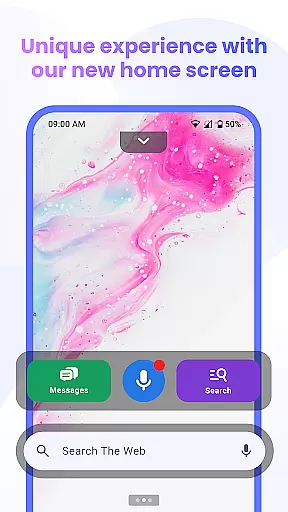

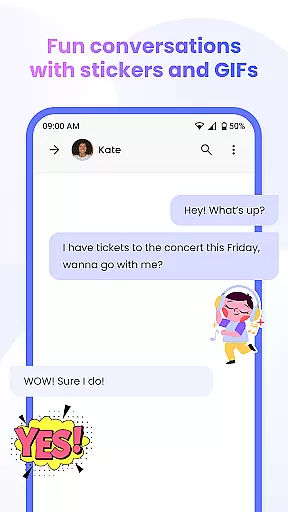
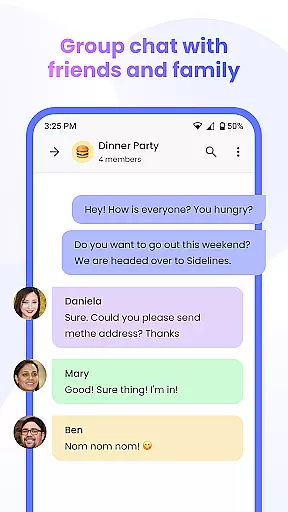
Messenger Chat Home is a unique personalization app that transforms your Android home screen into an efficient messaging hub. This innovative application allows users to send and receive SMS & MMS messages, initiate group chats, and express themselves with free stickers, GIFs, and emojis without leaving the home screen.
Designed for simplicity and functionality, Messenger Chat Home combines classic texting features with modern launcher capabilities. The app's smart widget provides instant access to unread messages, while its ad-light experience ensures minimal interruptions during communication. With additional features like voice-to-text and media sharing, this app streamlines mobile communication while maintaining user privacy and device performance.
The app offers a comprehensive set of features that enhance mobile communication. Its home screen integration enables direct access to messaging functions, eliminating the need to switch between multiple apps. The smart widget functionality allows users to preview and respond to messages quickly, improving overall efficiency.
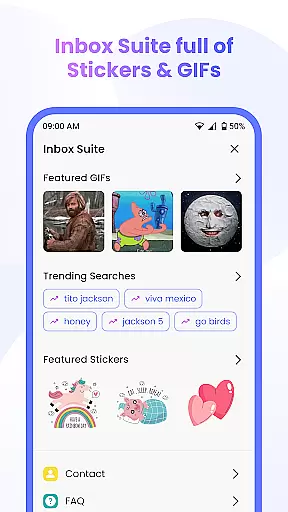
Messenger Chat Home stands out with its extensive library of free stickers, GIFs, and emojis, giving users numerous ways to personalize their conversations. The app also supports group chats and multimedia sharing, making it suitable for both personal and professional communication. Furthermore, its lightweight design and minimal data collection policy ensure smooth performance while protecting user privacy.
What sets this app apart is its ability to combine essential messaging features with home screen convenience. The voice-to-text capability and Yahoo Search integration provide additional value, while the ad-light experience creates a focused environment for meaningful conversations. These features collectively create a messaging solution that is both powerful and user-friendly.
Messenger Chat Home offers a diverse range of customization options that allow users to personalize their messaging experience. The app provides free stickers, GIFs, and emojis, enabling users to express themselves in creative ways. These features are integrated directly into the home screen, making it easy to access and use these customization tools without switching between apps.
The ability to customize is crucial for users who want their communication to reflect their personality. Messenger Chat Home ensures that every conversation can be unique by offering thousands of fun and creative options. This level of customization not only enhances the user experience but also makes texting more engaging and enjoyable.
By incorporating these customization features, Messenger Chat Home stands out as a versatile messaging solution. Users can tailor their chats to suit different moods and occasions, ensuring that their messages always stand out. This focus on personalization helps to create a more authentic and fun communication experience.
Theme compatibility is an essential feature of Messenger Chat Home, ensuring that users can enjoy a consistent and visually appealing experience across different devices and themes. The app supports various themes, allowing users to choose a look that best suits their style while maintaining optimal functionality and ease of use.
This compatibility extends to both light and dark modes, providing users with flexibility in how they view their messages. Whether using a device with a default theme or a custom one, Messenger Chat Home adapts seamlessly, ensuring that text readability and visual appeal are never compromised.
By prioritizing theme compatibility, Messenger Chat Home enhances user satisfaction and accessibility. Users can switch between themes without losing any functionality, ensuring a smooth and enjoyable messaging experience regardless of their preferred aesthetic settings. This adaptability underscores the app's commitment to delivering a personalized yet cohesive user interface.
Fast SMS access
Free sticker packs
Lightweight design
Voice-to-text support
Smart widget feature
Limited customization
No end-to-end encryption
Occasional bugs
Basic UI design
Few advanced features

Sparkle your screen with Glitter Wallpapers For Girls and Cute Backgrounds!
 4.80
4.80
Over 28,000 high quality icons to bring color & homogeneity to your phone.
4.60
Romantic Kiss Stickers App. Start romantic messaging now!
4.30 4.10
4.10
HappyLighting is a Bluetooth lamp control software.
3.40
Struggling to find apps? Use this app to locate and open any app on your phone!
2.20
Transform your device in a game console
4.40
Modern Glass Icon Pack with glossy icons, clean minimal theme & aesthetic style
4.2
Your home screen, just the way you like it.
3.80
Unique Android Launcher
4.60
Ultimate Gallery Lock App - Hide Pictures, Videos and Lock Apps Instantly!
4.60
Ninja Turtles Cowabunga SE watch face for Wear OS
4.50
3D, live, and moving wallpapers & themes in 4K and HD for your device.
4.50
Turn text & photos into stunning AI videos, art, and creative visual stories.
4.50
App Icon Changer & Shortcut Creator. Customize your icons without any watermarks
4.30
Your home screen, just the way you like it.
4.30
Realistic animated snow on your wrist, with 10 images landscapes to choose from
4.00
Design your screen with unique, vibrant clocks
3.80
Turn your lock screen into fun with smile live wallpapers & animated wallpapers!
2.50


User Reviews