
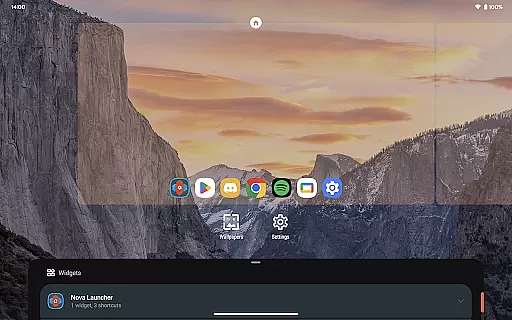
Nova Launcher represents the pinnacle of home screen customization for Android users seeking both aesthetic appeal and functional depth. As a highly versatile launcher, it empowers users to personalize every aspect of their device's interface while maintaining exceptional performance standards. Its intuitive design makes it suitable for both casual users who want a cleaner look and power users craving granular control over their home screen experience.
The application stands out with its comprehensive feature set including icon customization, advanced search capabilities, and precise subgrid positioning. These elements work together to create a seamless and visually cohesive mobile environment. Furthermore, Nova Launcher caters to productivity enthusiasts through its robust organizational tools and backup solutions, ensuring users can maintain their preferred setup across devices without hassle.
Whether you're looking to simply refresh your phone's appearance or implement complex workflow enhancements, Nova Launcher provides the tools necessary to transform your Android experience. Its compatibility with various icon packs and themes, combined with powerful administrative features, positions Nova Launcher as an indispensable utility for those seeking to elevate their device beyond standard manufacturer limitations.
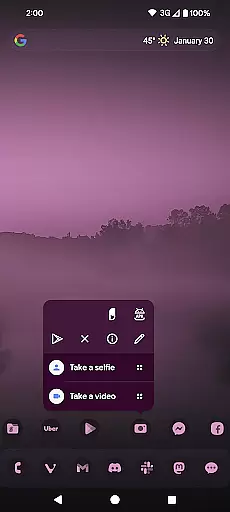
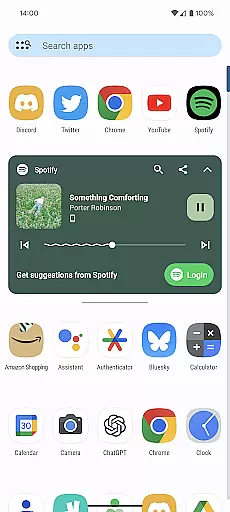
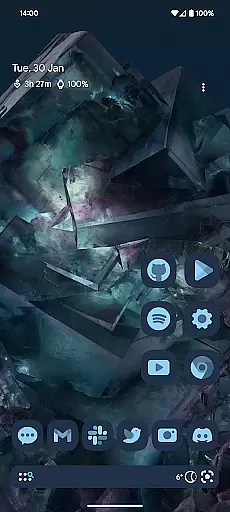
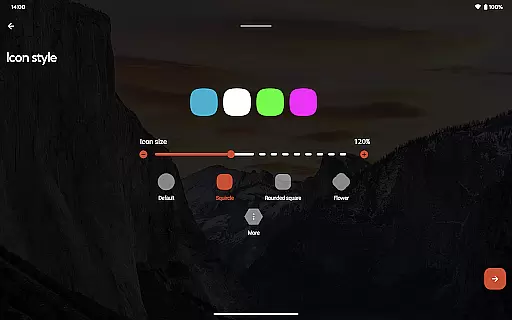
Nova Launcher distinguishes itself through an impressive array of customization options that cater to diverse user preferences. The application's support for thousands of icon themes from the Play Store enables users to completely transform their home screen aesthetics. This flexibility extends to icon reshaping capabilities, allowing for uniform modifications that ensure visual consistency across applications.
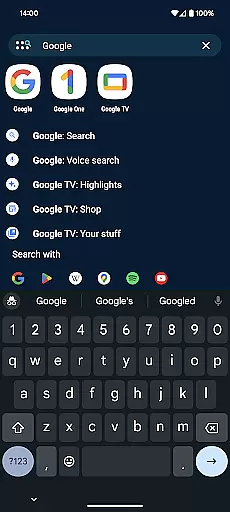
Beyond surface-level customization, Nova Launcher incorporates sophisticated organizational features that enhance productivity. The app drawer's innovative card system delivers relevant information at a glance, while advanced search functionality integrates multiple services including contact lookup and instant calculation results. Particularly noteworthy is the subgrid positioning system, which provides unprecedented precision in icon and widget placement - a feature unmatched by most competitors.
For users seeking continuity across devices, Nova Launcher's comprehensive backup and restore solution proves invaluable. This feature, combined with optional accessibility enhancements and notification management, demonstrates the application's commitment to both convenience and security. The availability of Nova Launcher Prime further expands these capabilities through additional gesture controls and organizational tools, solidifying its position as a complete personalization solution for Android devices.
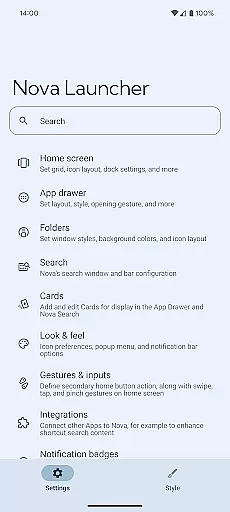
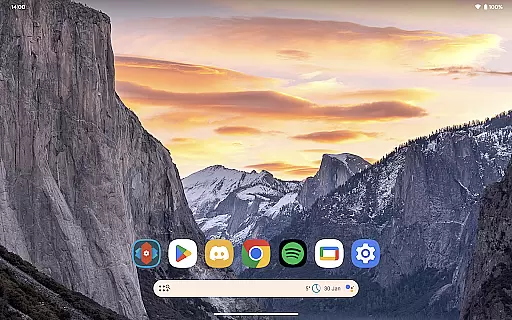
Nova Launcher stands out in the realm of personalisation with its extensive array of customization options, making it a top choice for users seeking a tailored home screen experience. The app allows for meticulous adjustments ranging from icon size and label colors to the positioning of the search bar, offering a personalized interface that aligns with individual preferences.
One of the key features is its support for thousands of icon themes available in the Play Store, enabling users to reshape all icons to a uniform style of their choosing. This level of customization extends to creating an extensive color system, where users can adopt Material You colors from their system or select unique colors for a look that's distinctly theirs.
The flexibility Nova Launcher provides is unparalleled; users can customize light and dark themes, sync dark mode with their system settings, or opt for a permanent setting based on personal preference. Such versatility ensures that every user can craft a digital environment that not only looks good but feels intuitive and natural to navigate.
Ultimately, Nova Launcher empowers users by placing control at their fingertips, allowing them to mold their smartphone's interface into an expression of their personality and workflow, enhancing both aesthetics and functionality.
Theme compatibility is a crucial aspect of any launcher, and Nova Launcher excels by offering seamless integration with a wide range of themes. This compatibility ensures that users can apply their favorite themes across their deviceu2019s interface without encountering formatting issues or inconsistencies, providing a cohesive and visually pleasing experience.
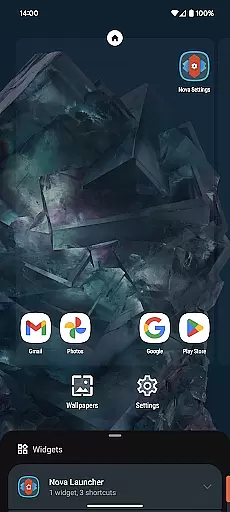
In addition to supporting diverse themes, Nova Launcher also allows users to customize home screens, app drawers, and folders extensively. Users can adjust everything from the layout and scroll direction to adding innovative cards in the app drawer that display pertinent information when needed, ensuring that theme elements are displayed correctly and enhance usability.
Moreover, Nova supports custom icons and icon packs, which means users aren't limited to default designs. With permissions from creators, Nova incorporates popular icon packs like OneYou by PashaPuma Design, ensuring high-quality visuals and theme consistency throughout the user interface.
This dedication to theme compatibility and comprehensive customization makes Nova Launcher a versatile tool for users who prioritize visual harmony and functional design in their mobile experience, setting a benchmark in theme adaptability within the Personalisation category.
Highly customizable interface
Extensive icon theme support
Powerful backup solutions
Precise positioning control
Regular feature updates
Prime version is paid
Some features require setup
Advanced options may overwhelm
Occasional compatibility issues
Device admin permissions needed

A light in the dark, a unique style and an andless cutomization!
 4.30
4.30
Ultra realistic gold analog watch face with lots of customization options.
4.50
A retro cartoon style watch face and a punch right in the face of the copyright
4.60
Transfer your live wallpapers from Windows to Android using Wallpaper Engine!
4.00
Customize your home screen with stunning themes, blur, widgets & icons.
4.60
Embrace the Night. Unleash the power of darkness with Raven Dark Icon Pack
4.60
300+ widgets inspired by Material You and Material 3 expressive design.
4.60
Create unique, fun emojis with Funny Emoji Maker! Unlimited creativity!
4.00
Cool custom fonts & keyboard themes! Symbols & font changer for Instagram
4.50
One 8 icons glass color version
4.80
Gun Chase - Let the chase begin.
4.80
Nothing Icon pack with more than 3750+ highly crafted icons.
4.70
Want to make your phone more special than ever?
4.60
300+ Beautifully crafted widgets inspired by OneUI.
4.60
Themes - Widget & Wallpaper: Customize home screen, icon changer w unique themes
4.30
Unleash Your Creativity and Connect with Loved Ones with Lockscreen Drawing!
4.20
Ultimate widget creator. Design custom widgets for a truly unique home screen!
3.90
Turn your lock screen into fun with smile live wallpapers & animated wallpapers!
2.50
⭐ OneUI inspired Fluffy Icon Pack – Soft. Stylish. Standout. ⭐
4.5


User Reviews