
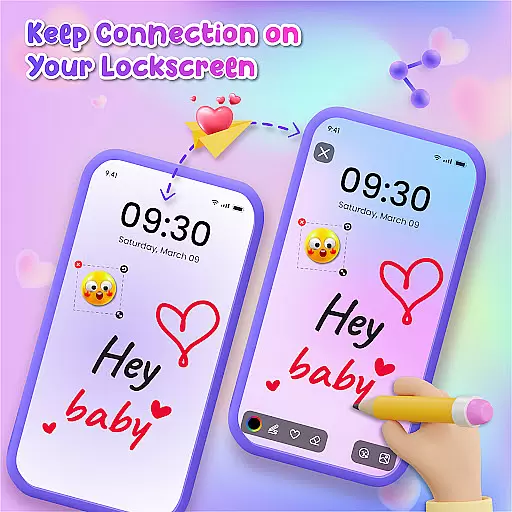
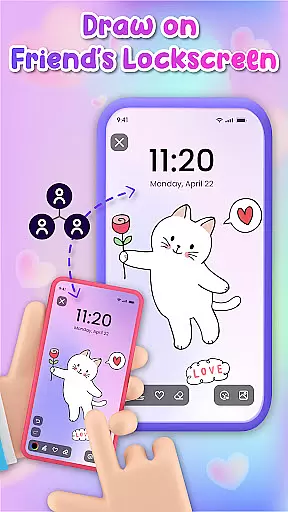
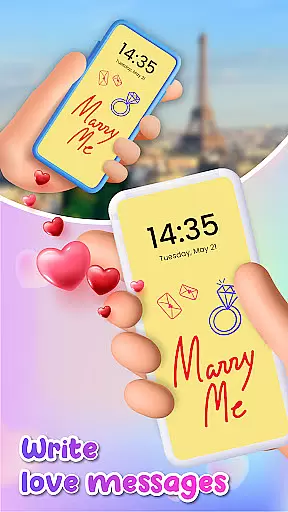
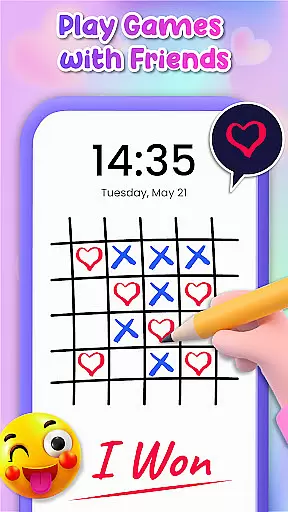
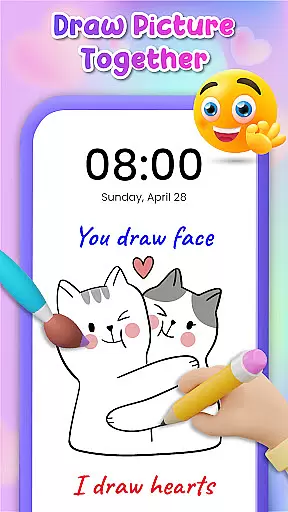
Lockscreen Drawing is a unique personalization app that transforms your phone's lock screen into an interactive canvas. This innovative application allows users to draw directly on their lock screens, share creations instantly with friends, and collaborate in real-time.
The app offers multiple drawing options including the lock screen itself, a dedicated widget, and an in-app canvas. With over 100 stickers and 20 themed backgrounds, it provides extensive creative possibilities while maintaining complete freedom of expression.
This application is particularly valuable for users seeking to add a personal touch to their devices while enjoying interactive features with friends and family. The real-time collaboration feature makes it perfect for couples and close friends who want to share special moments through creative expressions.
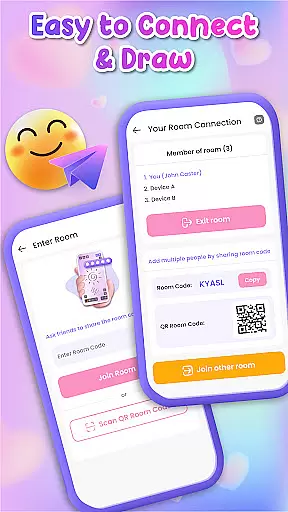
Lockscreen Drawing stands out with its live lock screen collaboration feature. Users can connect with friends and watch drawings appear in real-time across devices, creating a truly interactive experience. The app maintains this connection through various methods including QR codes and special links.
Beyond its core functionality, the app offers numerous customization options. Users can choose from more than 20 background themes or use personal photos as canvas backgrounds. The collection of over 100 stickers adds extra personality to each creation, while the handy widget keeps users updated on friends' latest drawings.
Additional features include an in-app canvas for more detailed artwork and easy sharing options. Users can save their masterpieces or share them directly with others, making it an excellent tool for both casual doodling and meaningful artistic exchanges.
Lockscreen Drawing offers a rich array of customization options that allow users to transform their lock screens into personalized canvases. With over 100 unique stickers and more than 20 themed backgrounds, the app provides endless possibilities for self-expression. Whether you're in the mood for something whimsical or romantic, the diverse selection ensures there's always a perfect backdrop for your creativity.
The app goes beyond simple drawing by enabling users to incorporate photos from their gallery as custom backgrounds. This feature adds a personal touch to every creation, making each doodle truly unique. Additionally, the ability to use different themes allows users to match their artistic endeavors with their current mood or occasion.
For those who enjoy adding flair to their work, the sticker library is an invaluable resource. From playful icons to expressive symbols, these stickers enhance the storytelling potential of every drawing. The combination of versatile backgrounds and engaging stickers makes Lockscreen Drawing stand out as a top choice for anyone seeking to customize their device with original artwork.
Theme compatibility is a crucial aspect of Lockscreen Drawing, ensuring that all visual elements work seamlessly together. The app supports various themes, allowing users to switch between styles without losing the integrity of their creations. Whether you choose a pre-designed theme or create your own, the app maintains consistent aesthetics across all features.
This compatibility extends to the widget functionality, where users can view friends' latest doodles while maintaining the chosen theme. The widget not only displays artwork but also adapts its appearance to match the selected style, providing a cohesive user experience throughout the app.
Furthermore, the in-app canvas benefits from this robust theme system, offering artists a unified environment for their projects. Regardless of whether they're working on collaborative pieces or individual masterpieces, users can trust that their chosen theme will be consistently applied, enhancing both the creative process and final presentation.
User-friendly interface
Real-time collaboration
Extensive customization
Variety of creative tools
Free to use
Limited advanced tools
Occasional connectivity issues
High battery consumption
Privacy concerns
Learning curve

Classic analogue watch face. For wear os devices.
 4.60
4.60
A retro cartoon style watch face and a punch right in the face of the copyright
4.60
Themes - Widget & Wallpaper: Customize home screen, icon changer w unique themes
4.30
Add cute Shimeji pets to screen, interact with them and relax with cute motions
4.60
Wallpaper HD 4K Live - Thousands of high-quality Anime backgrounds for you.
4.80
Adorable pets roam and play right on your phone screen!
3.30
Struggling to find apps? Use this app to locate and open any app on your phone!
2.20
Fast SMS & group chat - use GIFs and emojis from your home screen launcher.
4.50
Install amazing sticker packs: endless styles, always cool.
4.70
Enjoy a variety of amazing live wallpapers and colorful EDGE lighting borders!
4.80
Sparkle your screen with Glitter Wallpapers For Girls and Cute Backgrounds!
4.80
300+ Stunning and well-designed widgets inspired by NOTHING.
4.70
Stunningly Different look with Line Icons and Neon Colors
4.60
Want to make your phone more special than ever?
4.60
Ultimate Gallery Lock App - Hide Pictures, Videos and Lock Apps Instantly!
4.60
Adult video chat, dating, making friends, random matching
4.20 4.10
4.10
Emoji Maker app - Design custom emojis and effortlessly blend them with Mixer
3.80
HappyLighting is a Bluetooth lamp control software.
3.40


User Reviews