
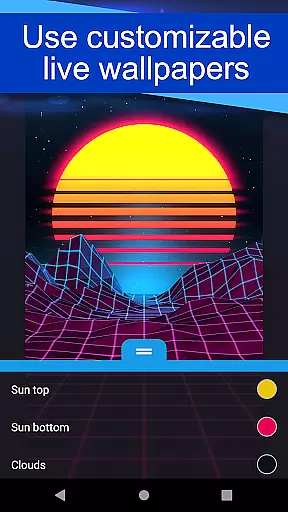
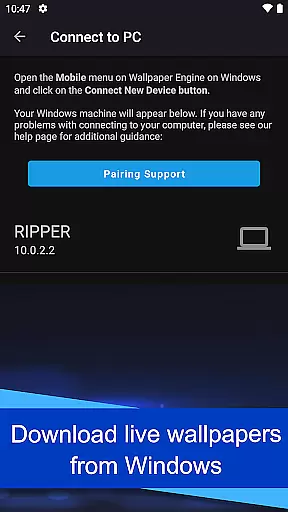
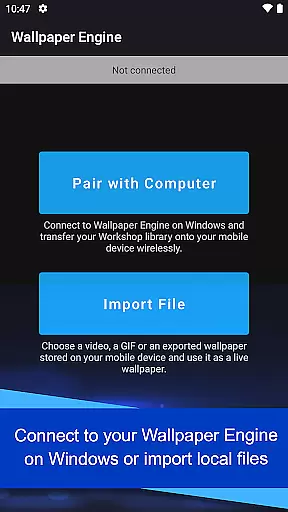
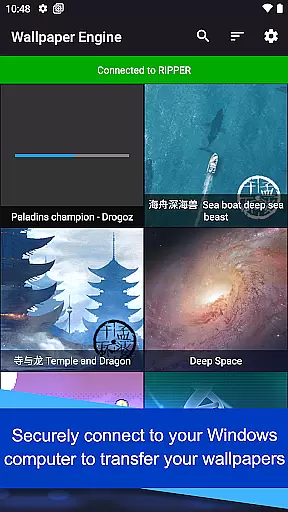
Wallpaper Engine is a personalization app designed to bring your live wallpapers from desktop to mobile. This Android companion app seamlessly connects with the Windows version of Wallpaper Engine, allowing users to transfer their existing library of animated wallpapers directly to their mobile devices. With support for videos, GIFs, and interactive 2D/3D scenes, it offers a dynamic way to customize your phone's appearance.
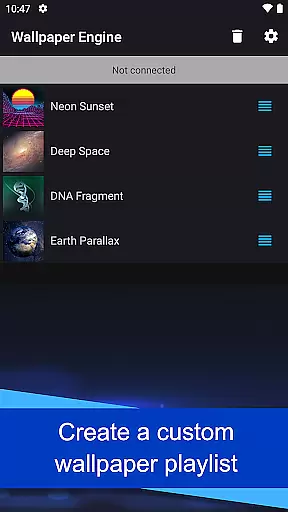
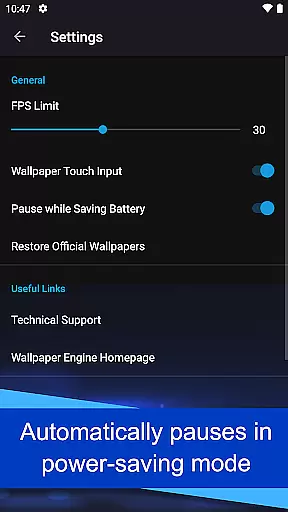
The app provides advanced customization options, letting you tailor wallpapers to match your preferred style. You can create playlists that rotate wallpapers based on time intervals or times of day, ensuring your device always feels fresh. Additionally, Wallpaper Engine respects battery life by pausing wallpapers when power-saving mode is active. The app is completely free of ads and does not engage in user behavior tracking, making it a privacy-conscious choice for personalizing your smartphone.
Wallpaper Engine stands out with its versatile feature set tailored for personalization enthusiasts. One of its key features is cross-platform synchronization, enabling users to connect their Android device to the Windows version of Wallpaper Engine. This allows for effortless transfer of an entire library of live wallpapers, including videos, GIFs, and interactive scenes, directly to your mobile device.
Customization is at the heart of this app. Users can fine-tune the look and feel of each wallpaper, adjusting elements to perfectly suit their preferences. The app also includes a unique playlist functionality, which automatically cycles through selected wallpapers at regular intervals or specific times of day. Another thoughtful feature is the automatic pausing of wallpapers during power-saving mode, ensuring your phone's performance remains unaffected. With its ad-free design and commitment to user privacy, Wallpaper Engine delivers a seamless and secure personalization experience.
Wallpaper Engine offers a diverse range of customization options that allow users to tailor their wallpapers to their personal preferences. The app supports various formats including videos, GIFs, and interactive 2D/3D scenes, providing a rich selection for users to choose from.
One of the standout features is the ability to connect with the Windows version of Wallpaper Engine. This integration enables users to transfer their existing desktop wallpaper library directly to their mobile devices, ensuring a seamless transition and access to a personalized collection of live wallpapers.
In addition to importing wallpapers, the app also allows users to customize the look and feel of each wallpaper. Users can adjust settings to match their aesthetic preferences, creating a unique and personalized experience on their Android device.
The flexibility in customization extends to setting up playlists for wallpapers. Users can configure playlists that automatically cycle through their selected wallpapers at regular intervals or based on the time of day, adding another layer of personalization to their device's appearance.
Theme compatibility is a crucial aspect of the Wallpaper Engine app, ensuring that users can enjoy a cohesive visual experience across their devices. The app is designed to work seamlessly with various themes, allowing users to maintain a consistent look and feel on their Android device.
By supporting different formats such as videos, GIFs, and interactive scenes, Wallpaper Engine enhances theme compatibility. Users can select wallpapers that complement their chosen themes without worrying about format restrictions, resulting in a harmonious and visually appealing interface.
Another feature that boosts theme compatibility is the app's ability to pause wallpapers when the device enters power-saving mode. This functionality ensures that the app remains efficient and does not interfere with the deviceu2019s performance, maintaining the integrity of the user's preferred theme settings.
Overall, Wallpaper Engine provides an ad-free and non-intrusive experience, focusing solely on delivering high-quality, theme-compatible wallpapers. This dedication to compatibility and user experience makes it an ideal choice for those looking to personalize their devices while preserving thematic consistency.
User-friendly interface
Highly customizable options
Cross-platform sync
Ad-free experience
Battery-efficient design
Limited to Android
Requires Windows version
No iOS support
Resource-intensive
Learning curve for setup

Vertically oriented rectangular icons
 4.70
4.70
Only for Wear OS devices!
4.90
Glass style colourful icons with a One UI look and feel
4.60
Gun Chase - Let the chase begin.
4.80
Launcher OS™ Pro without ads help make your phone simple and pretty
4.30
Stylish Pink Cute Hippo keyboard with 10000+ customized keyboard themes!
4.60
300+ Stunning and well-designed widgets inspired by NOTHING.
4.70
Emoji Maker app - Design custom emojis and effortlessly blend them with Mixer
3.80
Fast SMS & group chat - use GIFs and emojis from your home screen launcher.
4.50
Over 28,000 high quality icons to bring color & homogeneity to your phone.
4.60
Ultimate Gallery Lock App - Hide Pictures, Videos and Lock Apps Instantly!
4.60
300+ widgets inspired by Material You and Material 3 expressive design.
4.60
Ninja Turtles Cowabunga SE watch face for Wear OS
4.50
Transform your phone with Launcher iOS 26 - Smooth & elegant iOS experience
4.50
Customizable screen pets that play, climb, and keep you company.
4.50 4.50
4.50
AI-powered Copilot. Personalized keyboard with gifs, stickers & themes
4.40
HappyLighting is a Bluetooth lamp control software.
3.40
Modern Glass Icon Pack with glossy icons, clean minimal theme & aesthetic style
4.1


User Reviews