
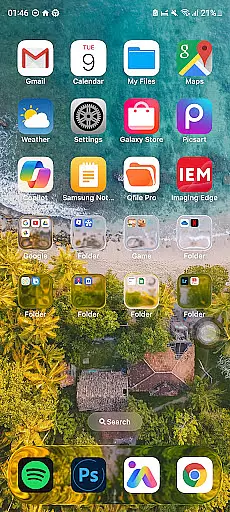
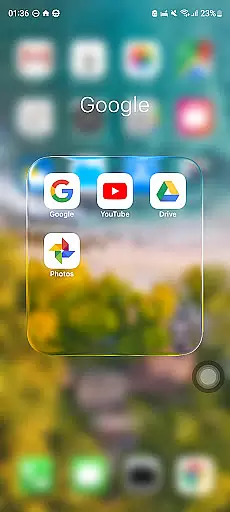
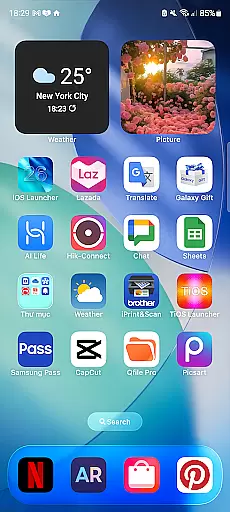
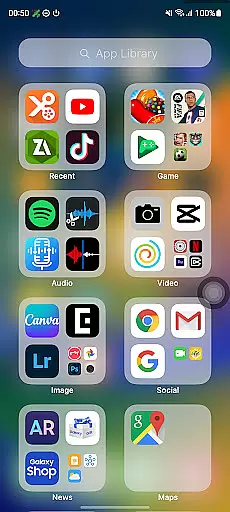
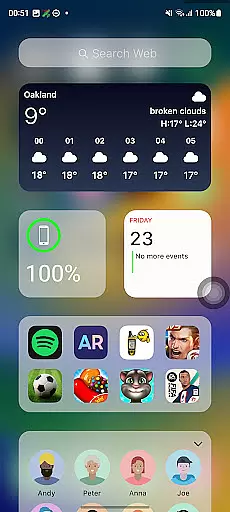
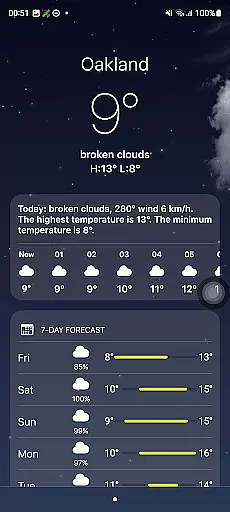
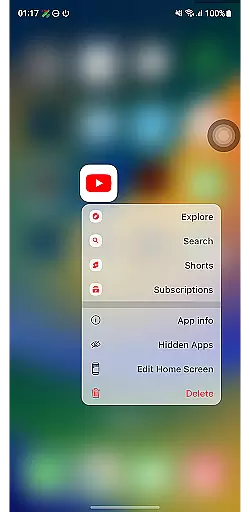
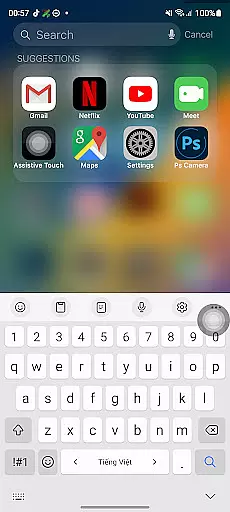
Launcher iOS 26 is a personalization app that brings the familiar iPhone experience to Android devices. It offers an authentic iOS look and feel, complete with enhanced functionality and customization options. Users can enjoy features like a Control Center for quick access to essential functions, similar to the iPhone's design. The app allows for a personalized experience by letting users customize wallpapers and access favorite apps easily.
This launcher simplifies navigation and elevates the overall user experience on Android phones. Whether you're transitioning from an iPhone or simply appreciate the iOS aesthetic, Launcher iOS 26 provides a polished and intuitive interface that enhances your device's usability while maintaining the sleek design Apple users love.
Launcher iOS 26 stands out with its comprehensive feature set designed to mimic the iPhone experience. The app includes a Control Center, which can be accessed with a simple swipe, providing quick access to essential phone functions such as brightness, volume, and connectivity settings. This mirrors the convenience of the iPhone's own Control Center.
Another notable feature is the ability to personalize your home screen. Users can set custom wallpapers and organize app icons in a grid layout reminiscent of iOS. Additionally, Launcher iOS 26 supports quick access to favorite apps and actions, inspired by AssistiveTouch, ensuring that users have a seamless and efficient interaction with their Android devices.
Launcher iOS 26 offers a rich array of customization options that allow users to tailor their Android devices to closely mimic the iPhone experience. This includes not only aesthetic elements but also functional features inspired by the iPhone's user-friendly design.
The launcher provides an authentic iOS look and feel, enabling users to immerse themselves in a familiar interface. It supports customizable wallpapers, allowing individuals to personalize their home screens just as they would on an actual iPhone.
Beyond visual customization, Launcher iOS 26 enhances functionality with features like the Control Center, which is accessible with a simple swipe, mirroring the convenience found on iPhones. Quick Access shortcuts are also available for easy navigation and app management.
By delivering these diverse customization options, Launcher iOS 26 empowers users to create a personalized and intuitive mobile environment that combines the best of both Android flexibility and iPhone-inspired design.
Theme compatibility is at the heart of Launcher iOS 26's design philosophy, ensuring that users can enjoy a seamless integration of iPhone-inspired themes on their Android devices. The launcher has been crafted to support various thematic elements typical to iOS, providing a cohesive visual experience.
With this application, you're not limited to static aesthetics; it brings over dynamic features such as the Control Center and Quick Access panels, which maintain the same usability and style expected from an iPhone. These components work together harmoniously, preserving theme integrity across different functions.
Moreover, Launcher iOS 26 guarantees consistent performance regardless of chosen customizations or themes applied by the user. Whether opting for default settings or tweaking every aspect, each element remains visually compatible while maintaining operational fluidity.
This dedication to theme compatibility ensures that whether you're adjusting your wallpaper or interacting with system controls, Launcher iOS 26 delivers a unified and engaging personalization journey reflective of true iOS essence within the versatile Android ecosystem.
User-friendly interface
Authentic iOS aesthetics
Customizable wallpaper options
Quick access to essential functions
Intuitive navigation controls
Limited to iOS-style themes
Potential performance issues
May lack native Android features
Occasional ads in free version
Requires manual updates

Ultra realistic gold analog watch face with lots of customization options.
 4.50
4.50
Fingerprint Lock Screen & Live Animations with 4K Wallpapers as Live Wallpaper
4.40
Gun Chase - Let the chase begin.
4.80
Ultimate widget creator. Design custom widgets for a truly unique home screen!
3.90
App Icon Changer & Shortcut Creator. Customize your icons without any watermarks
4.30
Organize and manage your photos and videos effortlessly with Photo Gallery
4.20
Amazing letter fonts in your messages and social statuses
4.70
Your home screen, just the way you like it.
3.80
Create stunning widgets with Widget 2026: Aesthetic Widgets for Android!
4.60
Dark icon pack based on One 8
4.80
300+ Stunning and well-designed widgets inspired by NOTHING.
4.70
Classic analogue watch face. For wear os devices.
4.60
300+ Beautifully crafted widgets inspired by OneUI.
4.60
Color phone with cool effects for call screen, flash alert & ringtones music
4.50
Vibrant Adaptive Icons with Material You and Enhanced Monet Colors.
4.50
Art & Emoji Keyboard with Cool Fonts, Cute Themes and Custom Designs.
4.40
Emoji Maker app - Design custom emojis and effortlessly blend them with Mixer
3.80 3.50
3.50
Modern Glass Icon Pack with glossy icons, clean minimal theme & aesthetic style
4.5


User Reviews