
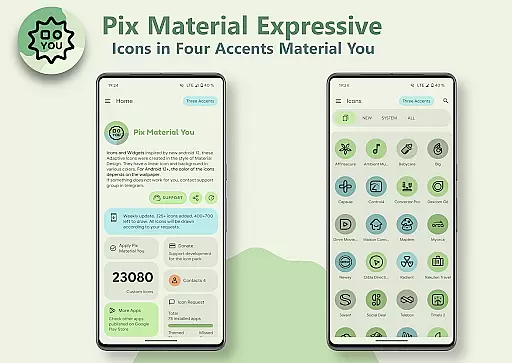
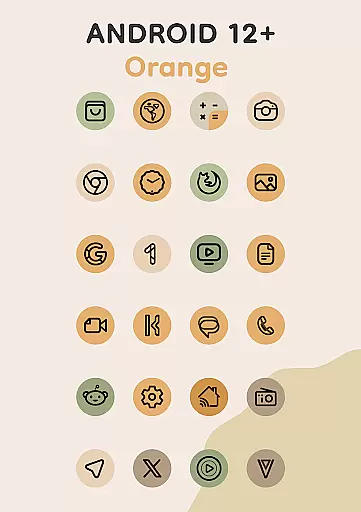
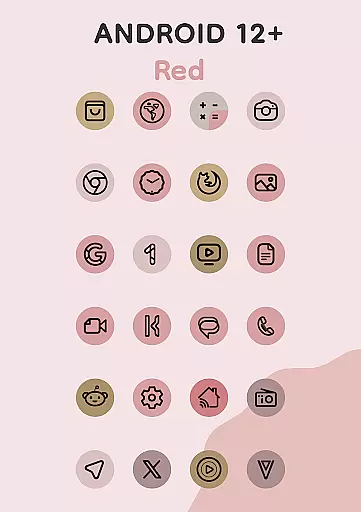
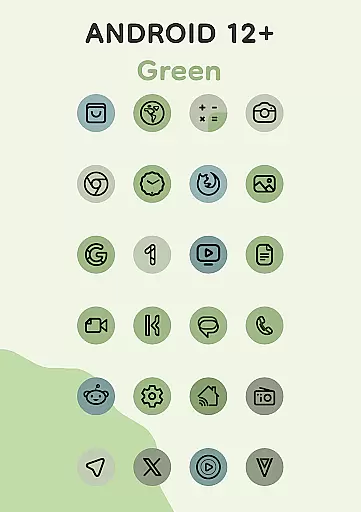
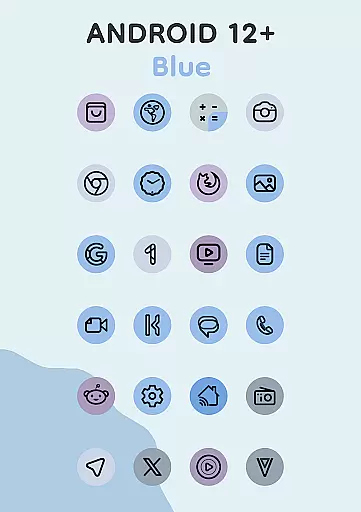
Pix Material Expressive Icons is a dynamic icon pack that transforms your device's appearance with adaptive icons fully supporting Material You design. These icons feature clean linear outlines and dynamically changing background colors based on your wallpaper, offering next-level personalization for your Android device.
Beyond the standard Monet palette, this icon pack includes four expressive accent colors, making your icons stand out while maintaining seamless integration with your system's color scheme. Compatible with various launchers, it provides extensive customization options through shape-shifting capabilities on supported platforms, giving users control over their device's aesthetic harmony.
This icon pack stands out with its enhanced Monet palette, featuring four additional accent colors that elevate expressiveness in design. Each icon boasts a modern linear style with backgrounds that adapt to your wallpaper, ensuring a cohesive look with your device's theme.
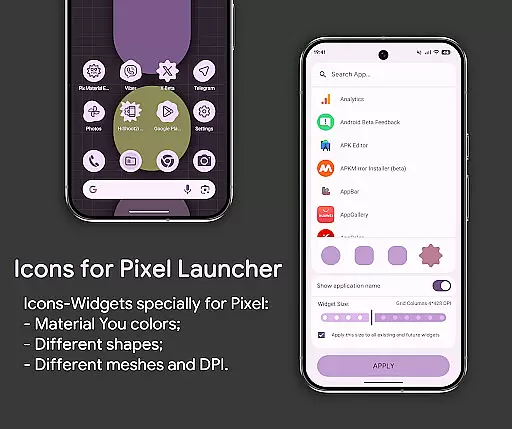
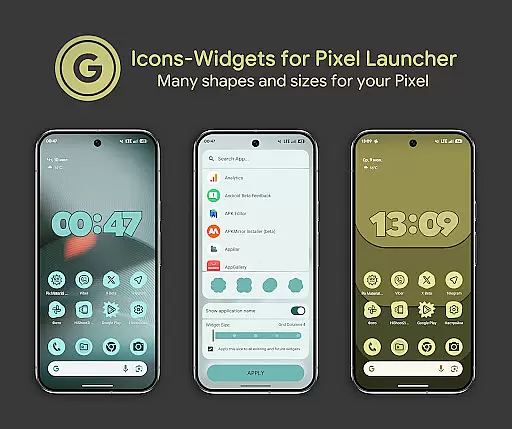
For devices running Android 12 and above, the icons and widgets change colors based on the wallpaper and light or dark theme settings. The pack also introduces Icon-Widgets, a novel implementation allowing further personalization such as selecting icon shapes, names, and sizes. This feature ensures compatibility even with launchers lacking native icon pack support, primarily designed for Google Pixel but versatile for other devices too.
Pix Material Expressive Icons offers an extensive range of customization options that allow users to refresh the look of their devices with adaptive icons. These icons are designed to support Material You, providing a next-level personalization experience. Each icon features a clean linear outline and a dynamic background that changes color based on the user's wallpaper, ensuring seamless integration with the system's color scheme.
The adaptive nature of these icons allows them to change shape on supported custom launchers, offering even more customization possibilities. With full Material You support, users can enjoy enhanced Monet palettes with four additional accent colors, making their icons stand out. This feature is particularly beneficial for users on Android 12+, where the colors of icons and widgets depend on the wallpaper and use three Material You colors.
For those seeking further personalization, the Icon-Widget feature provides a new implementation of the Icon Pack for launchers that don't traditionally support them. This feature is primarily designed for Google Pixel but can be installed on other devices as well. Users can choose from various icon shapes, animations, and sizes depending on the grid and DPI, allowing widgets to resemble themed icons in Pixel Launcher closely.
Theme compatibility is a standout feature of Pix Material Expressive Icons, ensuring that icons and widgets adapt fluidly to both light and dark themes based on the device settings or wallpaper. This compatibility extends to different launchers, although some may require manual reapplication of the icon pack after changing wallpapers to update the colors. For an optimal experience, launchers like Nova Launcher, Smart Launcher, and Hyperion automatically change colors on Android 12+ devices.
Included in the application are over 24,000 adaptive icons, clock widgets, music widgets, and the innovative Icon Widget. These widgets not only change color depending on the wallpaper but also offer users the ability to select icon shapes and sizes, enhancing the overall user interface consistency. The availability of various icon shapes and sizes ensures that users can tailor their home screens precisely to their liking.
Users looking to apply these features can do so easily by adding a widget, selecting the desired app and icon shape, choosing the appropriate grid size, and clicking APPLY. This straightforward process makes it accessible even for those who may not be technically inclined. Moreover, comprehensive guides and technical support are available through the app's resources and Telegram, ensuring users can maximize the benefits of theme compatibility.
Enhanced personalization
Dynamic color adaptation
Wide launcher compatibility
Modern linear design
Innovative Icon-Widgets
Limited to Android 8+
Manual reapplication needed
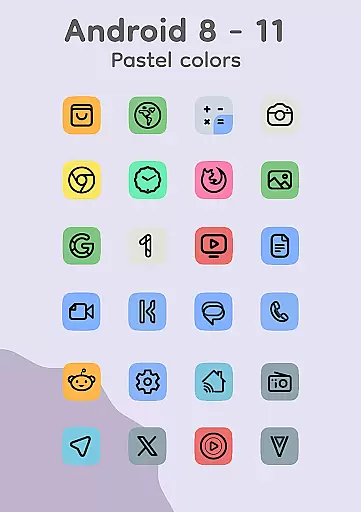
Pastel colors on older OS
Feature reliance on wallpaper
Third-party launcher variance

Customizable Glass widgets. Over 360+ stunning widgets and more!
 4.70
4.70
Beautiful realistic hybrid watch face with numerous customization options.
4.50
Shimeji adds cute animated characters to your screen, lively and fun.
4.70
Unique Fonts, typefaces and stylish text. Fonts for Instagram, Whatsapp & others
4.20
Emoji Maker app - Design custom emojis and effortlessly blend them with Mixer
3.80
set a new experience for the Android mobile phone
4.20
Fast SMS & group chat - use GIFs and emojis from your home screen launcher.
4.50
Install amazing sticker packs: endless styles, always cool.
4.70
Custom ringtones songs, music ringtones for Android phones
4.60
Only for Wear OS devices!
4.90
Gun Chase - Let the chase begin.
4.80
Enjoy a variety of amazing live wallpapers and colorful EDGE lighting borders!
4.80
Stunningly Different look with Line Icons and Neon Colors
4.60
Classic analogue watch face. For wear os devices.
4.60
Stylish Pink Cute Hippo keyboard with 10000+ customized keyboard themes!
4.60
3D, live, and moving wallpapers & themes in 4K and HD for your device.
4.50
Color phone with cool effects for call screen, flash alert & ringtones music
4.50
App Icon Changer & Shortcut Creator. Customize your icons without any watermarks
4.30
Transform your phone with stunning video wallpapers and a unique, personal touch
3.80


User Reviews