


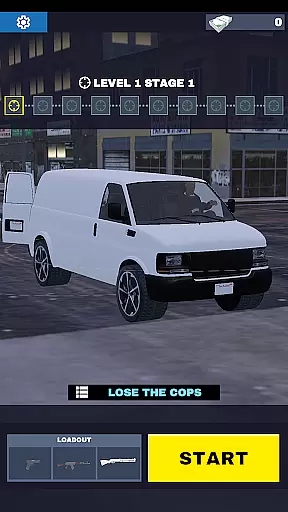



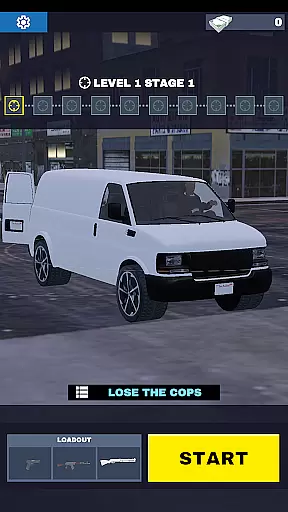


Gun Chase Launcher is a dynamic Android home screen app that combines the thrill of high-speed chases with personalized device customization. Designed for gamers and personalization enthusiasts, this launcher immerses users in the world of Gun Chase while offering practical tools to enhance their smartphone experience.
At its core, the app transforms your home screen into an interactive hub inspired by the Gun Chase game universe. It features themed backgrounds, cool gesture controls, adjustable themes (light or dark mode), and customizable icon shapes. These elements allow users to tailor their interface to match their gaming persona or mood. Whether you're navigating through city streets in-game or on your phone, Gun Chase Launcher keeps the adrenaline pumping while simplifying everyday tasks.
This app is perfect for those who want more than just utility from their launcher—it’s about expressing individuality and staying connected to the fast-paced action of Gun Chase. With intuitive navigation shortcuts and visually striking designs, it bridges functionality with immersive aesthetics.
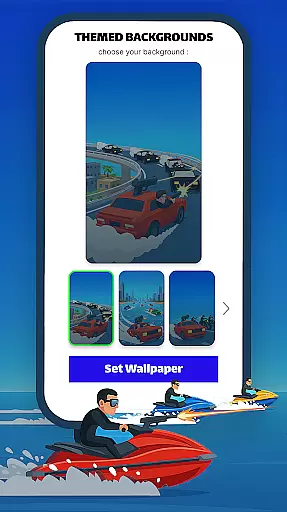
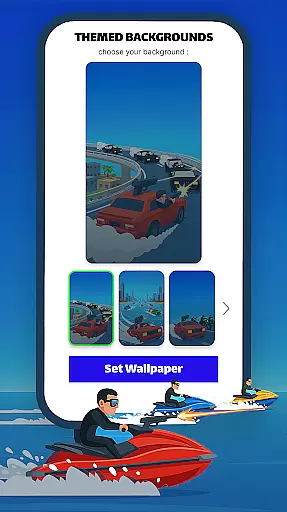
Gun Chase Launcher stands out with its rich feature set tailored for both gamers and power users. The app offers Themed Backgrounds that bring the high-octane energy of Gun Chase directly to your home screen, creating a cohesive look and feel. These themes are not static wallpapers but dynamic designs that evolve as you interact with your device.
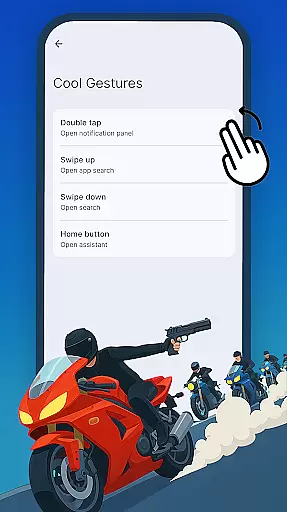
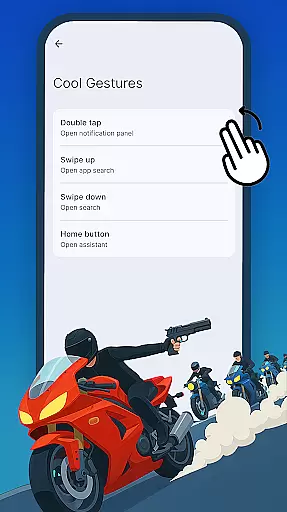
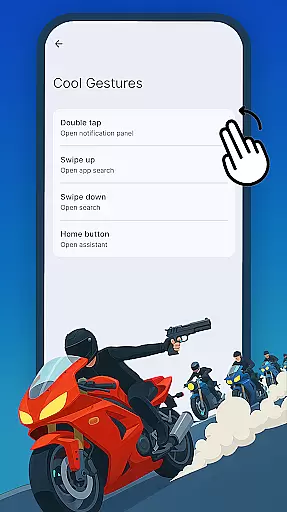
Cool Gestures revolutionize how you navigate your phone. Swipe, tap, or double-tap actions can be customized to open specific apps, trigger shortcuts, or execute common commands without diving into menus. This boosts efficiency and reduces clutter. Additionally, the launcher supports Adjustable Themes—switch between bright or dark modes depending on your preference or environment—and Icon Shape Customization lets you choose from various styles to give your home screen a unique touch.
All these features are easily accessible via the Home Settings menu, ensuring seamless integration into your daily routine. By blending gaming-inspired visuals with productivity-enhancing tools, Gun Chase Launcher delivers both style and substance.
Gun Chase Launcher offers a wide array of customization options that allow users to tailor their Android home screen to their personal style. The app provides themed backgrounds that echo the adventurous spirit of the Gun Chase game, bringing an element of excitement to your everyday mobile experience.
Cool gestures are another feature that enhances user interaction with the device. By assigning specific actions such as swipes, taps, and double taps to open apps or perform shortcuts, users can navigate their home screens more efficiently. This reduces the need to traverse through multiple menus, streamlining access to frequently used features and applications.
Moreover, the launcher menu is easily accessible by pressing and holding an empty area on the home screen. This intuitive access point enables users to quickly modify settings without hassle, ensuring that each individual can create a personalized and efficient mobile environment.
Theme compatibility in Gun Chase Launcher ensures that users can enjoy a cohesive look and feel across their devices. With options for both bright and dark modes, individuals can select themes that best match their mood or adapt to different lighting conditions throughout the day.
The icon shapes panel further extends this customization by offering various styles and shapes. Users have the freedom to adjust their home screen aesthetics, choosing from a range of icon designs that suit their preferences and maintain visual consistency with the overall theme.
To make these changes, one simply needs to press and hold an empty space on the home screen before selecting Home Settings. Here, it's easy to switch between themes and adjust icon styles, allowing for seamless personalization that keeps the user interface fresh and engaging.
Highly customizable
Gaming-themed design
Intuitive gestures
Variety of themes
User-friendly interface
May reset layouts
Limited non-gaming themes
Requires setup time
Not ideal for casual users
Occasional bugs

Ultra realistic gold analog watch face with lots of customization options.
 4.50
4.50
Winter's Journey: digital watch face for Galaxy Watch & Wear OS
4.80
App Icon Changer & Shortcut Creator. Customize your icons without any watermarks
4.30 4.50
4.50
⭐ OneUI inspired Fluffy Icon Pack – Soft. Stylish. Standout. ⭐
4.3
Custom edge gestures for volume control, brightness, apps, and shortcuts.
4.5
300+ widgets inspired by Material You and Material 3 expressive design.
4.60
Your home screen, just the way you like it.
4.30
set a new experience for the Android mobile phone
4.20
Ultra realistic high quality analog watch face for Wear OS.
4.60
A retro cartoon style watch face and a punch right in the face of the copyright
4.60
Unique Android Launcher
4.60
Over 28,000 high quality icons to bring color & homogeneity to your phone.
4.60
Customize your home screen with stunning themes, blur, widgets & icons.
4.60
Embrace the Night. Unleash the power of darkness with Raven Dark Icon Pack
4.60 4.50
4.50
A light in the dark, a unique style and an andless cutomization!
4.30
Unleash Your Creativity and Connect with Loved Ones with Lockscreen Drawing!
4.20
Prank your friends with realistic broken screen and cracked HD effects!
4.2


User Reviews