
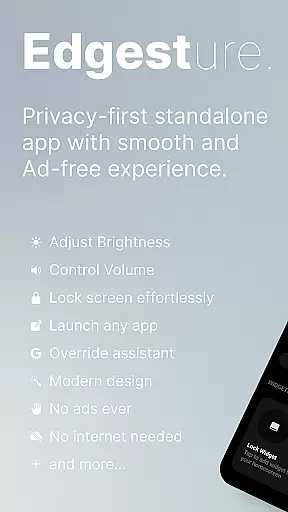
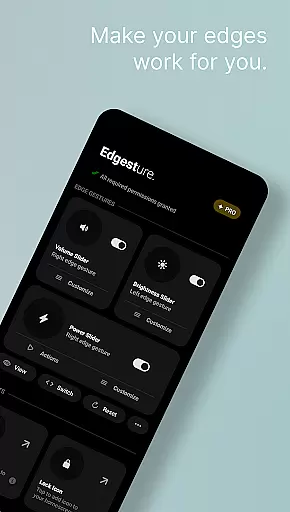
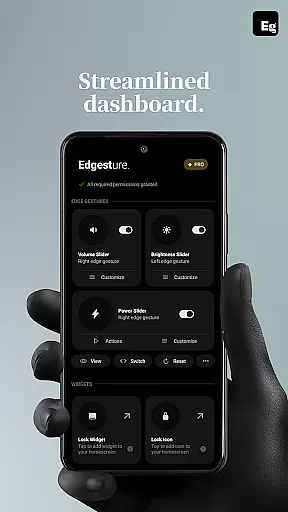
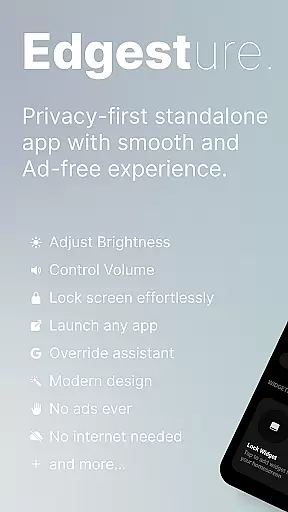
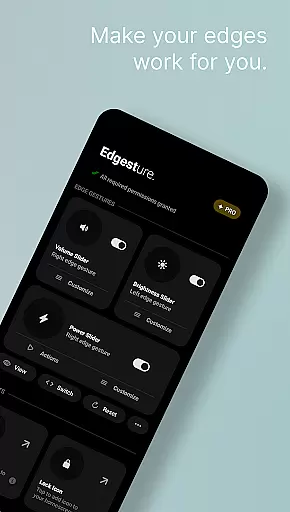

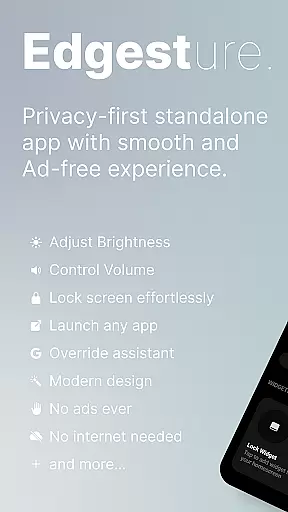
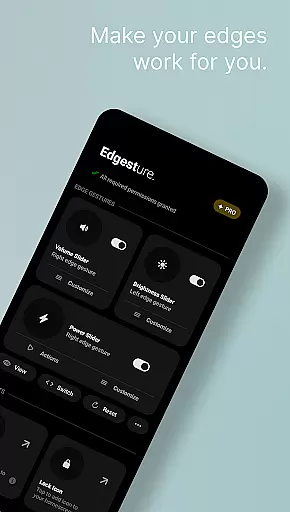
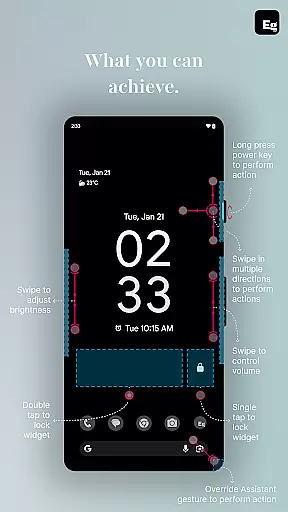
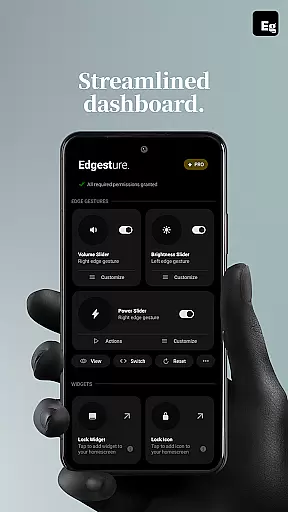
Edgest is a powerful personalisation tool designed to enhance your smartphone experience through intuitive gesture controls. This application allows users to take complete control of their devices with smart edge gestures, custom shortcuts, and instant access to frequently used actions. The app supports effortless navigation, quick adjustments of volume and brightness, and personalised gesture commands that adapt to individual preferences.
Built with simplicity in mind, Edgest offers a seamless user experience without intrusive ads or hidden charges. Whether you're looking to boost productivity or simplify daily tasks, this app provides the tools necessary to customise your device's functionality fully. From lock screen widgets to media playback controls, Edgest ensures every interaction is faster, smoother, and tailored to your needs.
The true value of Edgest lies in its ability to transform how users interact with their smartphones. By enabling customisable gestures for launching apps, controlling system settings, and managing media functions, it creates a more intuitive and efficient user experience. Its lightweight design and battery-friendly operation make it an ideal choice for those seeking to maximise their device's potential while maintaining optimal performance.
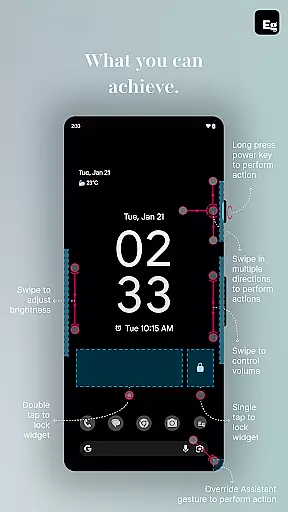
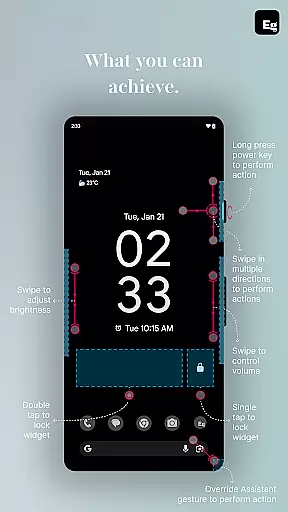
Edgest stands out with its comprehensive suite of features designed to streamline device interactions. One of the core functionalities is its edge gesture system, which allows users to perform essential tasks such as navigating home, adjusting settings, or launching favourite apps through simple swipes or taps along the screen's edge. This feature eliminates the need to navigate through multiple menus, saving valuable time.
In addition to gesture navigation, Edgest offers advanced customisation options. Users can create personalised gestures to trigger specific actions like opening URLs, taking screenshots, or accessing the notification shade. The app also includes dedicated quick settings tiles and lock screen widgets, providing even more ways to optimise workflow and improve accessibility. These tools ensure that critical functions are always within reach.
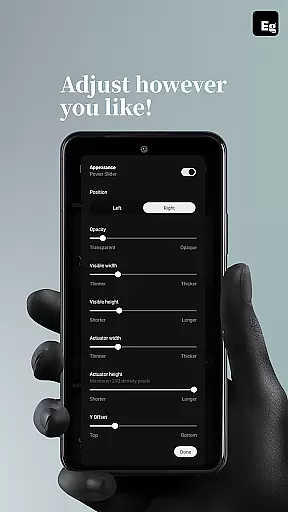
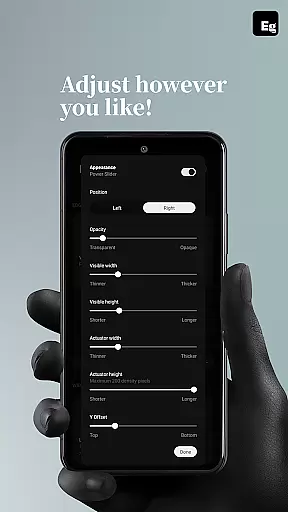
What truly sets Edgest apart is its commitment to flexibility and user empowerment. With adjustable gesture sensitivity, animation speeds, and assignable actions, the app adapts to each user's unique preferences. Furthermore, its use of the AccessibilityService API enables execution of system-level commands while maintaining strict privacy standards. This combination of powerful features, customisability, and security makes Edgest an indispensable tool for enhancing smartphone usability.
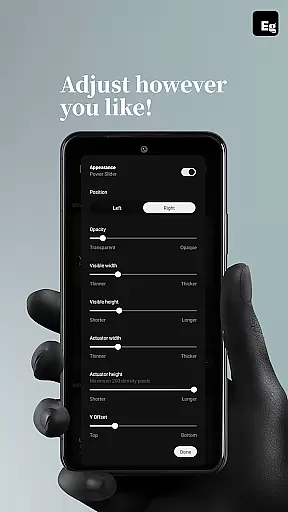
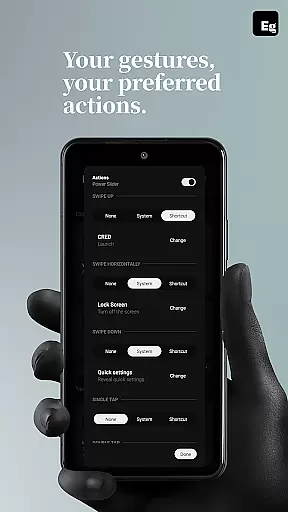
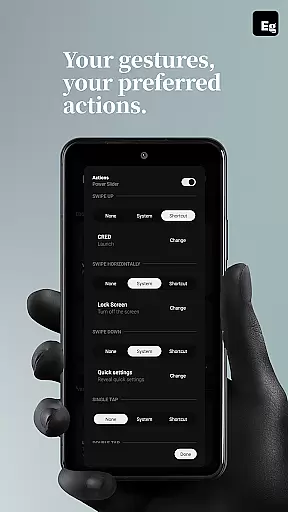
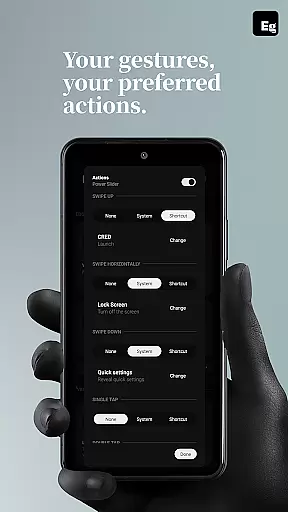
Edgest Edge Gestures & Control offers an extensive range of customization options that allow users to tailor their device interaction according to personal preferences. With the ability to create custom gestures, users can launch apps, open system menus, or trigger shortcuts effortlessly.
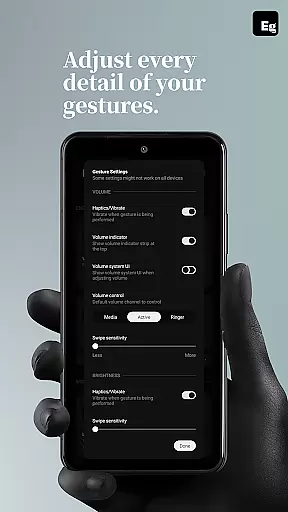
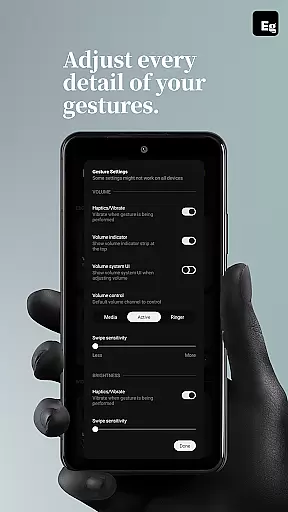
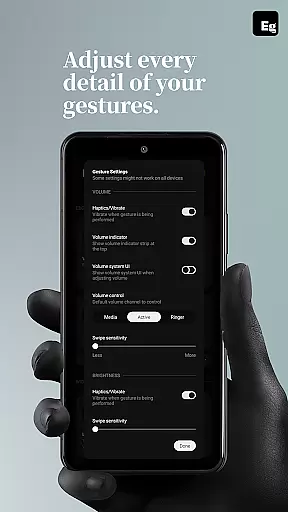
The app provides gesture sensitivity adjustments, animation speed settings, and feedback options, ensuring each user's experience is personalized. Whether it's swiping, tapping, or long-pressing, every gesture can be assigned a unique action, streamlining daily tasks.
This level of customization enhances user productivity by making frequently used actions more accessible. Users can adjust volume control, brightness, and even manage media playback directly from the screenu2019s edge without opening additional menus.
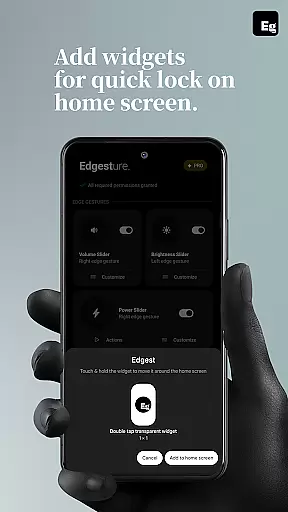
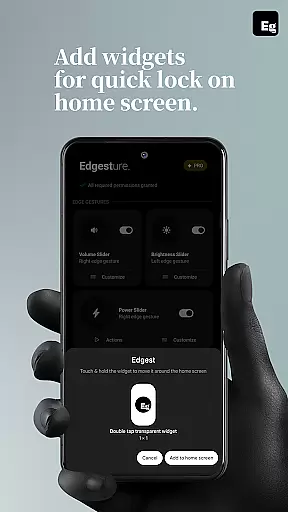
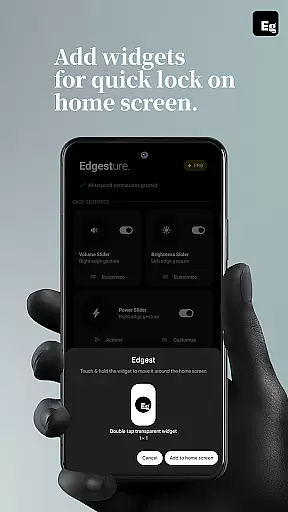
By integrating lock screen widgets with single or double-tap lock options, Edgest ensures device control is not only highly customizable but also intuitive and user-friendly, offering a seamless enhancement to the smartphone experience.
While Edgest Edge Gestures & Control focuses primarily on gesture-based navigation and control, its design ensures complete theme compatibility, allowing users to maintain a consistent visual experience across their devices. The app integrates smoothly with various themes, preserving the aesthetic appeal of your chosen interface design.
Users can enjoy the benefits of quick settings tiles and media control features without compromising the visual harmony of their device's theme. This compatibility extends to both default manufacturer themes and third-party options available in the market.
The app's interface elements, including gesture controls and lock screen widgets, adapt seamlessly to different themes. This ensures that while functionality is enhanced through customizable gestures, the visual integrity of the user's preferred theme remains intact.
By maintaining theme compatibility, Edgest guarantees that users do not have to choose between enhanced functionality and visual preference u2013 they can enjoy both, creating a cohesive and personalized smartphone environment.
Intuitive gesture controls
Highly customisable options
No ads or hidden charges
Lightweight and battery-friendly
Privacy-focused design
Limited to Android devices
Requires learning curve
Premium features may cost extra
Dependent on Accessibility API
Not suitable for all users

Glass style colourful icons with a One UI look and feel
 4.60
4.60
Unique Android Launcher
4.60
Zip lock screen with magic wallpaper to decorate your phone with fun zipper lock
4.60 3.50
3.50
Vibrant Adaptive Icons with Material You and Enhanced Monet Colors.
4.50
Unleash Your Creativity and Connect with Loved Ones with Lockscreen Drawing!
4.20
Magic fluids wallpaper 4D: Relax with stunning fluid simulation wallpaper app
4.20
Emoji Maker app - Design custom emojis and effortlessly blend them with Mixer
3.80
Custom ringtones songs, music ringtones for Android phones
4.60
Enjoy a variety of amazing live wallpapers and colorful EDGE lighting borders!
4.80
Sparkle your screen with Glitter Wallpapers For Girls and Cute Backgrounds!
4.80
Shimeji adds cute animated characters to your screen, lively and fun.
4.70
A minimalist productivity launcher. One-hand-friendly. Zero ads.
4.70
Customize your home screen with stunning themes, blur, widgets & icons.
4.60
Transform your phone with Launcher iOS 26 - Smooth & elegant iOS experience
4.50 4.50
4.50
Color phone with cool effects for call screen, flash alert & ringtones music
4.50
Fingerprint Lock Screen & Live Animations with 4K Wallpapers as Live Wallpaper
4.40
Customize glowing edges, wallpapers, and caller screen with EdgeAura.
3.50


User Reviews