
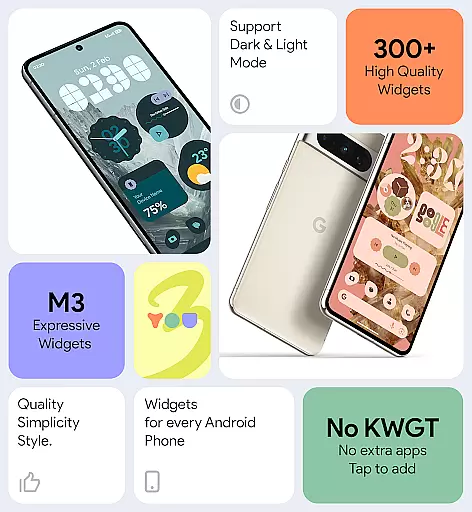
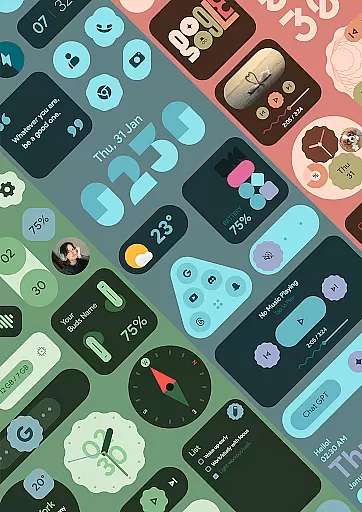
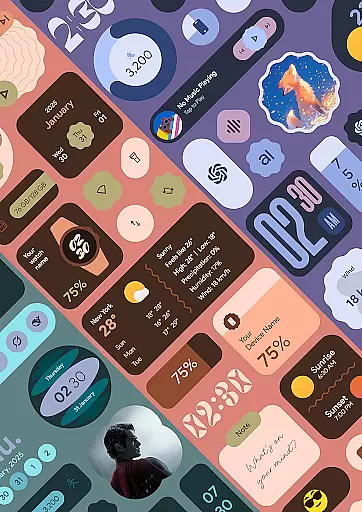
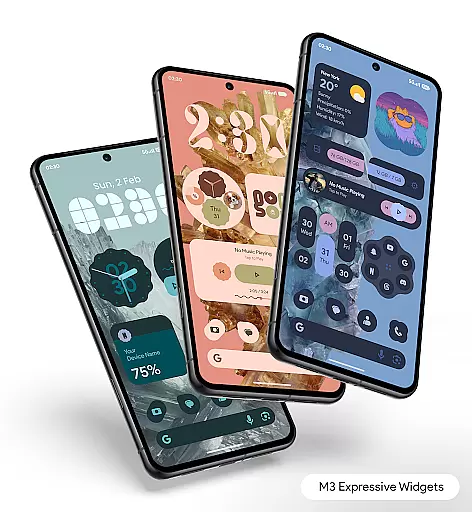
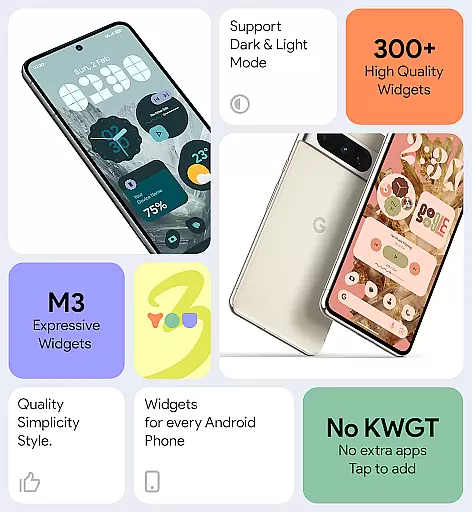
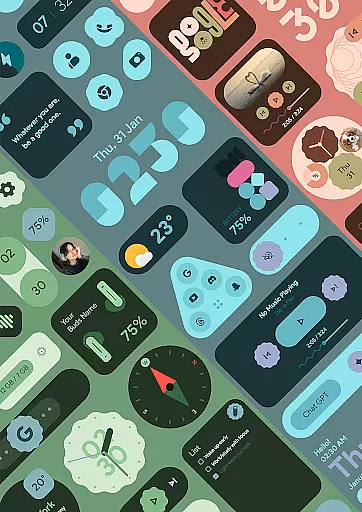
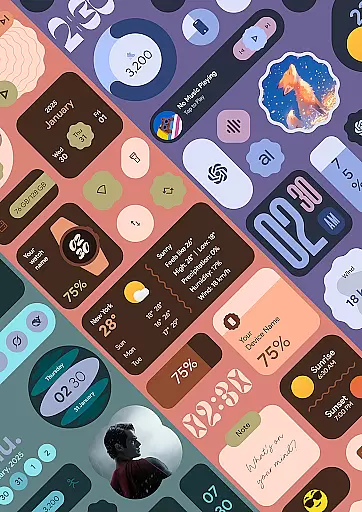
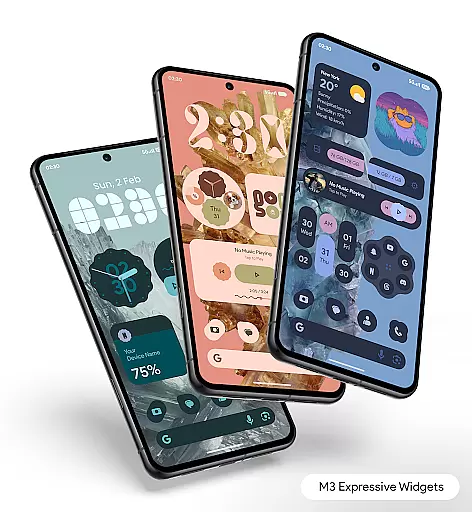
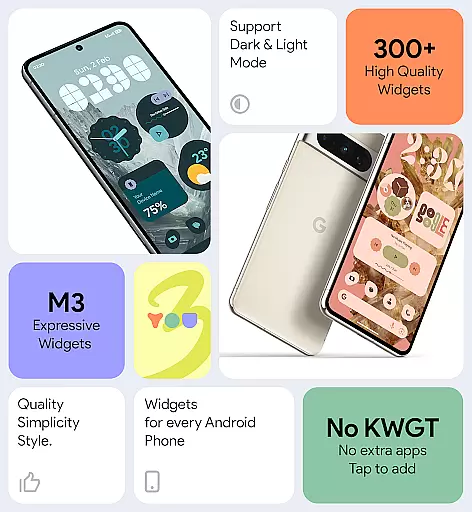

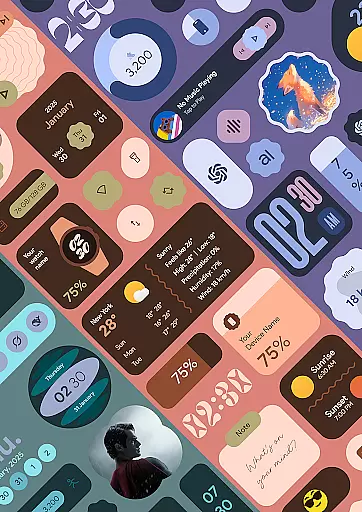
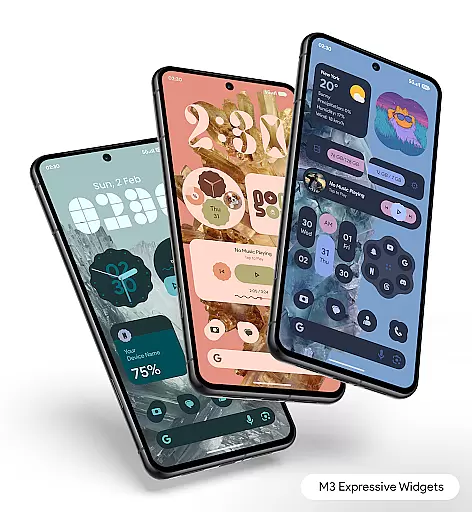
Material You Widgets is a versatile personalization app that brings the latest Material 3 design language to all Android devices. The app offers over 300 beautifully designed widgets spanning various categories including clocks, weather, games, quick settings, photos, and more. What sets this app apart is its seamless integration with Android's Material You theme, allowing users to instantly match widgets with their system's color scheme and aesthetic preferences.
The app provides dynamic customization options such as changeable widget shapes and adaptive designs for apps, photos, and quick settings. With features like battery-friendly performance optimization, regular updates, and 300+ theme-matching wallpapers, it ensures both functionality and visual appeal. Whether you want to create an information-rich home screen or simply add stylish accents, Material You Widgets delivers a complete solution for personalizing your device.
This app is particularly useful for users who value both form and function in their mobile experience. From customizable clock faces to interactive weather widgets, each element is designed to be minimal, elegant, and highly functional. The intuitive interface makes it easy to set up and manage widgets, while the app's optimization ensures smooth performance without excessive battery drain.
Material You Widgets stands out with its comprehensive feature set tailored for Android users seeking deep personalization options. One of its key strengths is the ability to work independently of additional apps like KWGT, offering instant usability right after installation. The app includes over 300 stunning widgets that are not only visually appealing but also optimized for performance, ensuring a smooth user experience even with multiple widgets active.
A major highlight is the app's support for Material You theming, which allows widgets to dynamically adapt to the user's chosen system colors. This creates a cohesive look across the device's interface. Additionally, the app offers dynamic shapes for widgets, giving users the freedom to customize the appearance of app shortcuts, quick settings panels, and photo frames. These adaptive designs ensure that every widget feels native to the device’s UI.
Other notable features include exact alarm permissions for timely updates of time-sensitive widgets like weather and calendar events, as well as a foreground service that maintains real-time accuracy. With regular updates promising new widgets and functionalities, Material You Widgets continues to evolve, making it a future-proof choice for Android personalization.
Material You Widgets offers an extensive range of customization options that allow users to personalize their home screens like never before. With over 300 beautifully designed widgets, including clocks, weather, games, and more, the app ensures a seamless experience tailored to individual preferences.
The app's standout feature is its deep integration with Material You, Googleu2019s modern design language. This allows widgets to instantly match the user's chosen system theme, creating a cohesive and expressive look across devices. Additionally, dynamic shapes for apps, quick settings, and photos provide further flexibility in how content is displayed on the screen.
Users benefit from not only aesthetic enhancements but also functional improvements. The ability to customize widgets such as battery indicators, location services, or search bars ensures that everyday tools are both visually appealing and highly practical. These features collectively empower users to craft a unique digital environment aligned with their personal style.
Theme compatibility lies at the core of Material You Widgetsu2019 appeal, ensuring that all widgets blend effortlessly with Androidu2019s Material You design framework. By adopting this technology, the app enables real-time synchronization between widget appearances and the deviceu2019s selected color scheme or wallpaper.
This level of compatibility extends beyond mere aesthetics; it enhances usability by maintaining visual consistency throughout the interface. Whether users choose vibrant themes or minimalist designs, the widgets adapt dynamically, preserving clarity and readability while matching the overall tone of the home screen.
Furthermore, the inclusion of 300+ theme-matching wallpapers simplifies the process of achieving a polished look. Users can easily pair these wallpapers with their customized widgets, resulting in a harmonious and professional appearance. Such attention to detail underscores the appu2019s commitment to delivering both beauty and functionality.
User-friendly interface
Extensive widget variety
Dynamic theming options
Optimized performance
Regular feature updates
Premium version required
Limited iOS compatibility
Advanced features complex
Occasional update bugs
Design inconsistencies

Make your phone look simple & luxury, like iDevice
 4.60
4.60
Bring adorable pets to life on your screen. Playful, interactive and full of fun
4.60
AI-powered Copilot. Personalized keyboard with gifs, stickers & themes
4.40
Over 28,000 high quality icons to bring color & homogeneity to your phone.
4.60
Embrace the Night. Unleash the power of darkness with Raven Dark Icon Pack
4.60
Icons made of colorful linear lines
4.60
Modern Glass Icon Pack with glossy icons, clean minimal theme & aesthetic style
4.0
Amazing letter fonts in your messages and social statuses
4.70
Custom ringtones songs, music ringtones for Android phones
4.60
Shimeji adds cute animated characters to your screen, lively and fun.
4.70
Customize your home screen with stunning themes, blur, widgets & icons.
4.60
Choose your keyboard with RGB colors effect, themes, fonts, emojis.
4.60
300+ Beautifully crafted widgets inspired by OneUI.
4.60 4.50
4.50
Romantic Kiss Stickers App. Start romantic messaging now!
4.30
App Icon Changer & Shortcut Creator. Customize your icons without any watermarks
4.30
Wear Os Watch Face - Seasonal - Animated Snow Effect - 9 Animals
4.20
Unleash Your Creativity and Connect with Loved Ones with Lockscreen Drawing!
4.20
Capture moments that pass like a storm, second by second.
4.0


User Reviews