
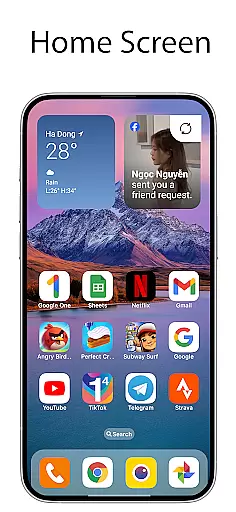
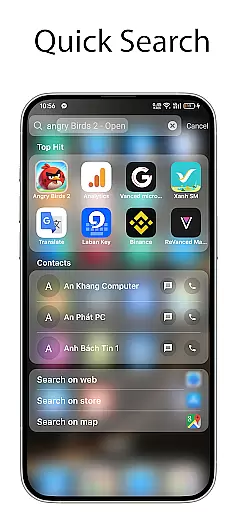
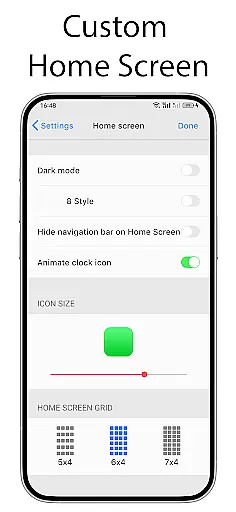
OS Launcher 18 - Phone 16 Max is a personalization app that transforms the visual appearance of Android devices into a more simple and luxurious interface. This launcher provides users with a customized experience, including redesigned app icons, wallpapers, and various other features. It allows Android users to customize their device to resemble a Simple interface while maintaining the functionality and versatility of the Android operating system.
The app offers an Apps Library to categorize apps, a Today View for weather information and calendar events, and customizable widgets for the home screen. Additionally, it includes features like Lock App to prevent unauthorized access, Weather forecast with detailed information, and the ability to hide apps and create folders by dragging and dropping apps. These features collectively enhance both the aesthetic appeal and usability of your device.
With its user-friendly design, OS Launcher 18 - Phone 16 Max is ideal for those who want to personalize their Android device with a sleek and modern look. Whether you're aiming to simplify your home screen or add functional widgets, this app delivers both style and practicality, making daily device interactions more enjoyable and efficient.
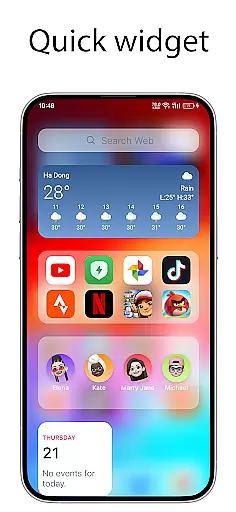
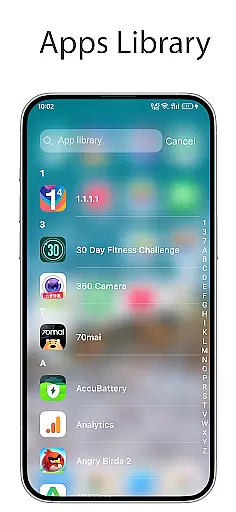
OS Launcher 18 - Phone 16 Max stands out with its comprehensive feature set tailored for personalization enthusiasts. One of its main highlights is the Apps Library, which organizes apps into categories, making navigation seamless and efficient. The Today View is another key feature, offering quick access to weather updates, favorite contacts, and calendar events, ensuring users stay informed without cluttering their home screen.
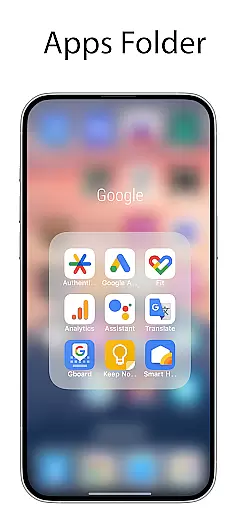
The launcher also includes advanced customization options such as the ability to modify app icons and names, hide apps from the home screen, and create folders by dragging and dropping apps. Users can enhance their interface with beautiful widgets and a detailed Weather forecast displaying temperature, wind, and humidity. Furthermore, the Lock App feature adds an extra layer of security by preventing unauthorized access to specific apps.
These features collectively provide a personalized and secure user experience, allowing individuals to tailor their Android devices to match their unique preferences while maintaining optimal functionality. With its innovative tools and attention to detail, OS Launcher 18 - Phone 16 Max ensures both aesthetic appeal and practical utility.
OS Launcher 18 - Phone 16 Max offers a wide array of customization options that allow users to personalize their Android devices extensively. This app provides features such as customizable app icons, wallpapers, and the ability to modify both the icon and name of applications. Users can tailor their device's interface to match their personal style while maintaining the core functionality of the Android operating system.
The launcher includes an Apps Library that groups apps into categories, making it easier for users to organize and access their applications. Additionally, it offers widgets and the option to create folders by dragging and dropping apps onto each other. These features enhance user convenience and contribute to a more organized home screen setup.
For those who prioritize privacy, OS Launcher 18 includes options to hide apps from the home screen and lock apps to prevent unauthorized access. The Unread Notification Dot feature further enhances usability by alerting users to unread messages. Overall, this app empowers users with numerous ways to customize their device, ensuring a personalized and secure user experience.
Theme compatibility is a crucial aspect of OS Launcher 18 - Phone 16 Max, allowing users to enjoy a cohesive visual experience across their device. The launcher supports various themes that ensure consistency in design elements such as app icons, wallpapers, and interface components. This compatibility enables users to transform their deviceu2019s appearance to suit their preferences while maintaining a professional look and feel.
One notable feature is the Today View, which displays essential information like weather updates, favorite contacts, and calendar events in a visually appealing manner. The Weather function provides detailed forecasts including temperature, wind speed, and humidity, all presented within a beautiful interface. These integrations demonstrate how well the launcher maintains theme consistency even when incorporating diverse functionalities.
Furthermore, OS Launcher 18 ensures seamless integration with existing Android features, enhancing usability without compromising on aesthetics. Whether users choose minimalist designs or vibrant themes, they can expect all visual elements to work harmoniously together. This attention to detail in theme compatibility makes OS Launcher 18 - Phone 16 Max a versatile choice for anyone looking to elevate their device's appearance while enjoying robust performance.
User-friendly interface
Highly customizable features
Enhanced security options
Beautiful widget designs
Detailed weather forecasts
May consume additional resources
Some features require permissions
Potential compatibility issues
Limited default themes
Occasional bugs reported

Prank your friends with realistic broken screen and cracked HD effects!
 4.1
4.1
Themes - Widget & Wallpaper: Customize home screen, icon changer w unique themes
4.30
Dark icon pack based on One 8
4.80
Run multiple accounts of the same app on a single device
4.10
Romantic Kiss Stickers App. Start romantic messaging now!
4.30
Launcher OS™ Pro without ads help make your phone simple and pretty
4.30
350+ widgets with a premium glass-style finish, perfect for home & lock screens.
4.70
Enjoy a variety of amazing live wallpapers and colorful EDGE lighting borders!
4.80
Magic fluids wallpaper 4D: Relax with stunning fluid simulation wallpaper app
4.20
Winter's Journey: digital watch face for Galaxy Watch & Wear OS
4.80
100+ Stylish Fonts, Emojis, Symbols keyboard for Instagram & TikTok!
4.80
Shimeji adds cute animated characters to your screen, lively and fun.
4.70
A retro cartoon style watch face and a punch right in the face of the copyright
4.60
Zip lock screen with magic wallpaper to decorate your phone with fun zipper lock
4.60
Icons made of colorful linear lines
4.60
300+ widgets inspired by Material You and Material 3 expressive design.
4.60 4.50
4.50
App Icon Changer & Shortcut Creator. Customize your icons without any watermarks
4.30 3.50
3.50


User Reviews