
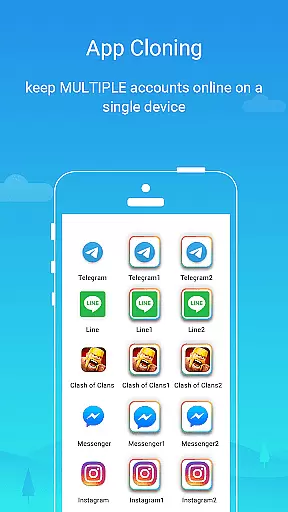
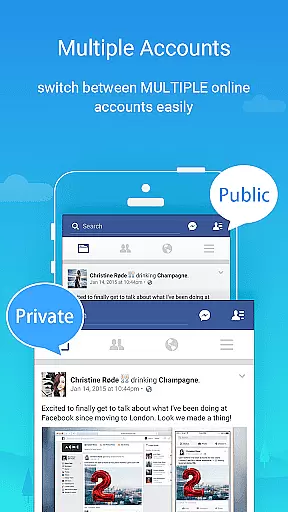
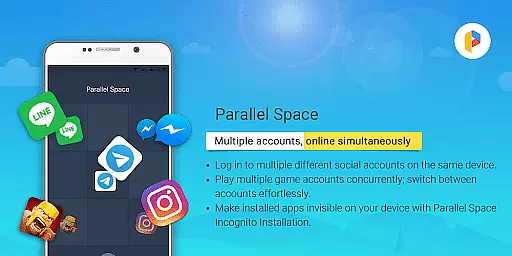
Parallel Space is an innovative Android tool that allows users to clone and run multiple accounts of the same app simultaneously. With over 200 million users, it offers a seamless experience for managing multiple accounts on a single device. The app provides enhanced privacy features through its Incognito Installation option, which makes apps invisible on your device, ensuring your personal information remains secure.
The application supports 24 languages and is compatible with most Android apps, making it versatile for a global audience. Whether you need to separate work and personal accounts or manage multiple gaming profiles, Parallel Space delivers a powerful, stable, and user-friendly solution. Built on multiDroid, the first application virtualization engine for Android, it stands out as a unique tool in the market.
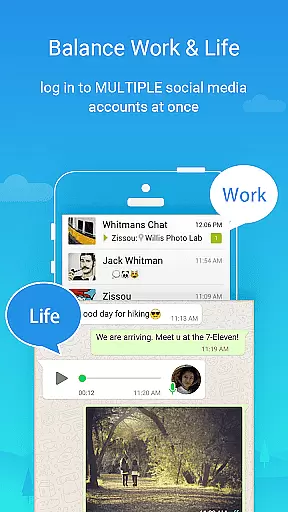
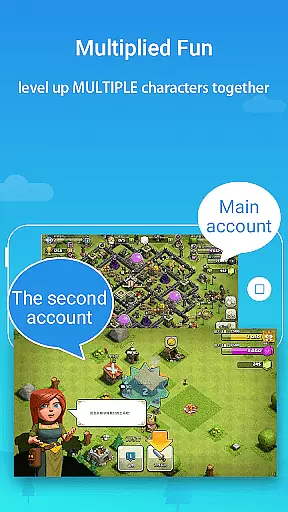
Parallel Space offers several key features that enhance user experience. Firstly, it enables logging into multiple accounts on one device, allowing users to maintain separation between personal and work accounts effortlessly. This feature is particularly beneficial for those who wish to explore different game paths or level up multiple gaming accounts simultaneously while keeping each account's data separate and organized.
Privacy protection is another significant aspect of Parallel Space. It allows users to hide sensitive apps within their private space, away from prying eyes, and enhances security with a lock feature. Additionally, switching between accounts is effortless, thanks to its seamless one-tap functionality. These features collectively ensure that Parallel Space not only meets but exceeds user expectations by providing both convenience and security.
Parallel Space offers a wide array of customization options that allow users to tailor their experience according to their preferences. With the ability to clone and run multiple accounts of the same app, it provides flexibility for managing different aspects of your digital life.
The Incognito Installation feature is a prime example of this versatility, enabling users to make certain apps invisible on their device. This not only helps in organizing apps but also plays a crucial role in enhancing privacy by keeping sensitive applications out of sight from prying eyes.
Moreover, Parallel Space supports 24 languages which adds another layer of personalization, catering to diverse linguistic backgrounds. Users can switch between accounts with ease and maintain separation between personal and work-related activities without hassle.
This level of customization ensures that each user's data remains separate and organized within their respective accounts, providing an efficient way to manage various profiles simultaneously while safeguarding individual privacy.
Theme compatibility is a significant aspect of Parallel Space's appeal, as it allows users to enjoy a consistent visual experience across different apps and accounts. The applicationu2019s support for most Android apps means you can apply themes or skins that resonate with your style throughout your cloned environments.
With its unique multiDroid technology, Parallel Space ensures that theme settings are preserved even when running multiple instances of the same app. This creates a seamless transition between accounts without disrupting the aesthetic continuity that many users appreciate.
Furthermore, the secure lock feature enhances privacy while maintaining theme consistency. By protecting sensitive apps within a private space, users can be confident that their customized appearances won't compromise security measures put in place.
Overall, Parallel Space delivers robust theming capabilities alongside essential privacy protections, ensuring both form and function coexist harmoniously within its ecosystem.
User-friendly interface
Enhanced privacy options
Supports multiple languages
Compatible with most apps
Effortless account management
Some apps not supported
Resource consumption
Requires whitelist for notifications
Limited free version
Account conflict issues

A Colorful and Minimal icon pack in an Outline Style - Over 13,600 icons!
 4.70
4.70
Wear Os Watch Face - Seasonal - Animated Snow Effect - 9 Animals
4.20
Ultimate widget creator. Design custom widgets for a truly unique home screen!
3.90
Customizable screen pets that play, climb, and keep you company.
4.50
Romantic Kiss Stickers App. Start romantic messaging now!
4.30
App Icon Changer & Shortcut Creator. Customize your icons without any watermarks
4.30
Vibrant Adaptive Icons with Material You and Enhanced Monet Colors.
4.50
Unleash Your Creativity and Connect with Loved Ones with Lockscreen Drawing!
4.20
Create unique, fun emojis with Funny Emoji Maker! Unlimited creativity!
4.00
Gun Chase - Let the chase begin.
4.80
Vertically oriented rectangular icons
4.70
Shimeji adds cute animated characters to your screen, lively and fun.
4.70
Customize your home screen with stunning themes, blur, widgets & icons.
4.60
Embrace the Night. Unleash the power of darkness with Raven Dark Icon Pack
4.60
Handcrafted pixel art icons, widgets & wallpapers
4.60
Ninja Turtles Cowabunga SE watch face for Wear OS
4.50
Realistic animated snow on your wrist, with 10 images landscapes to choose from
4.00
Adaptive Dot Style IconPack with Light & Dark Theme.
3.70
Struggling to find apps? Use this app to locate and open any app on your phone!
2.20


User Reviews