
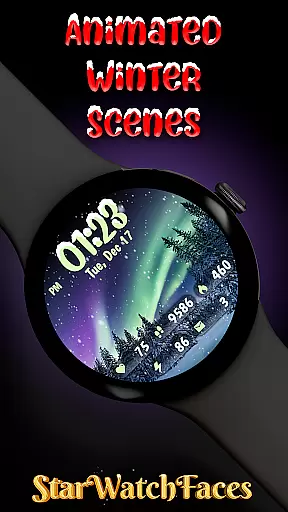
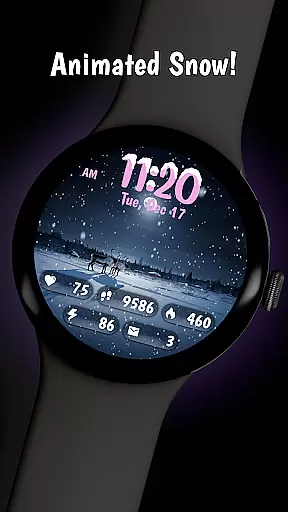
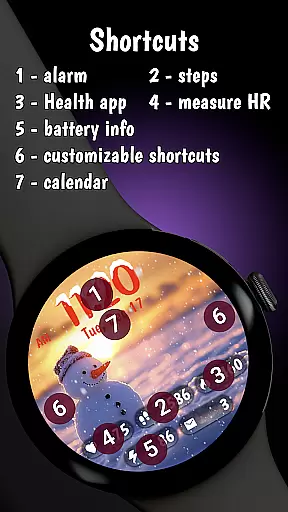
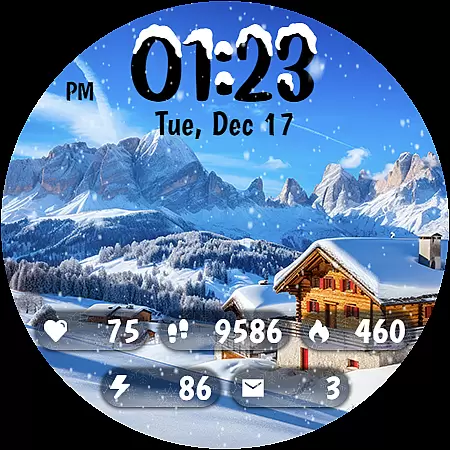
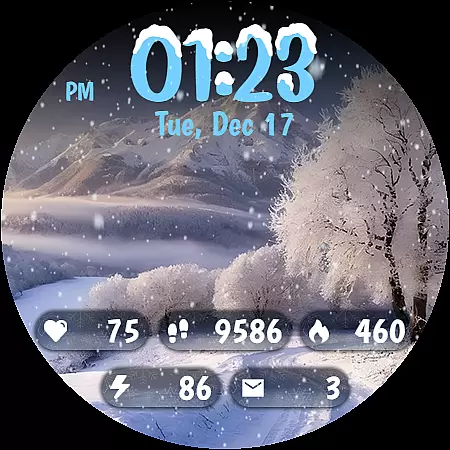
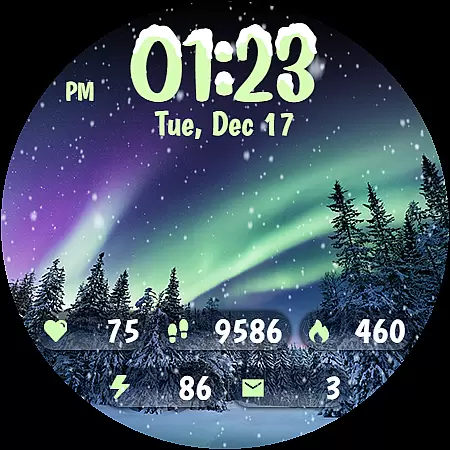
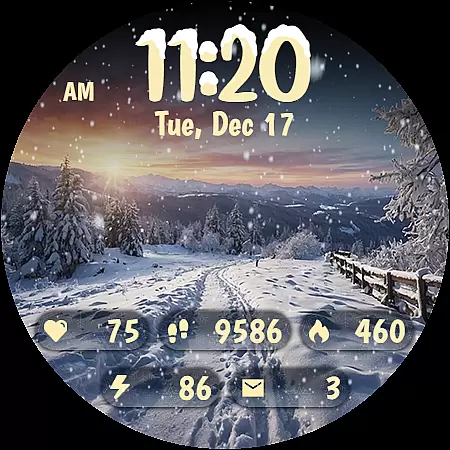
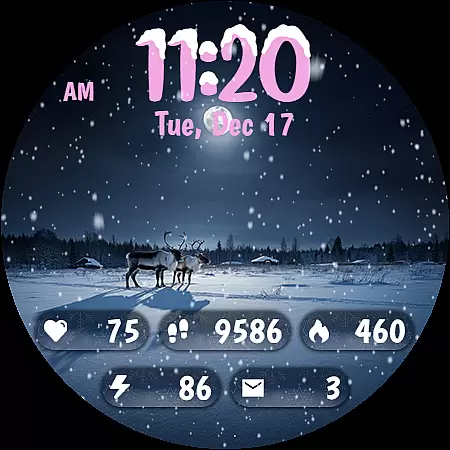
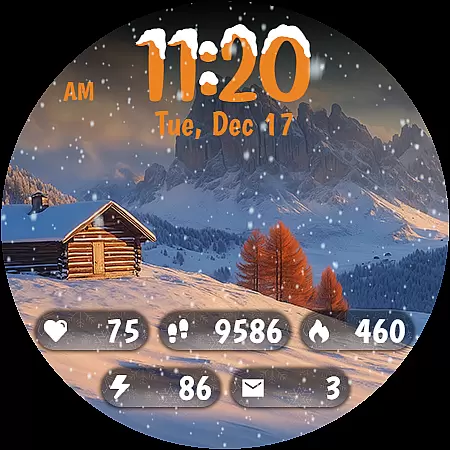
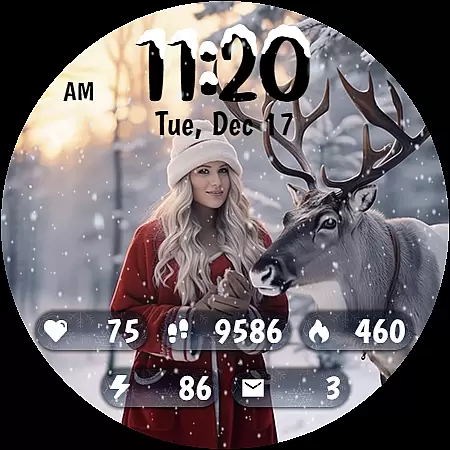
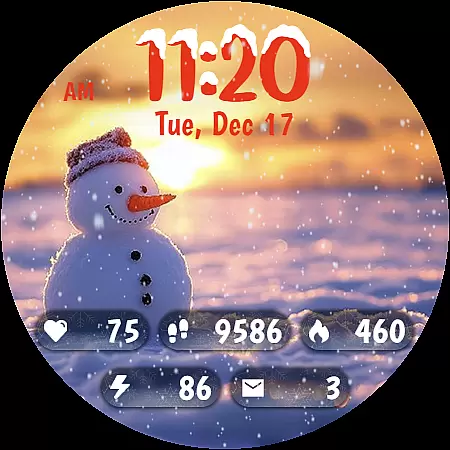
Animated Winter Scenes brings the serene beauty of winter to your Wear OS smartwatch. This personalization app offers a collection of stunning, animated watchfaces that transform your device into a window overlooking enchanting snowy landscapes.
With features like animated snowfall, 30 customizable color themes, and a unique digital clock design, the app creates an immersive winter experience. Users can access essential information such as step count and heart rate while enjoying the festive atmosphere on their wrist.
The optimized Always-On Display mode ensures battery efficiency while maintaining the magical winter view. Perfect for those who love seasonal themes, this app lets you carry the wonder of winter wherever you go.
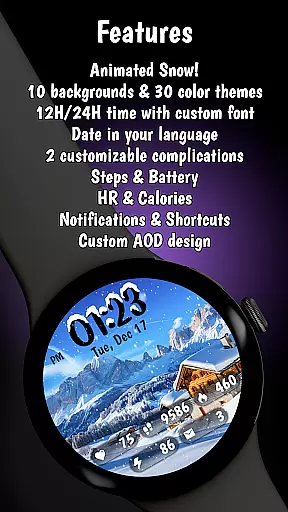
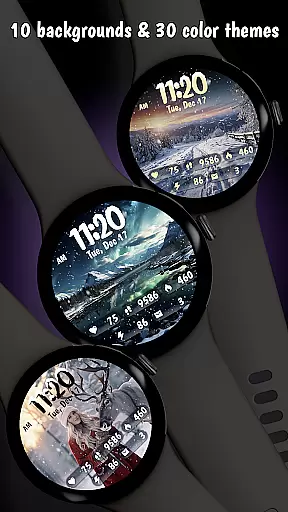
Animated Winter Scenes stands out with its carefully crafted features designed to enhance your smartwatch experience. The app includes 10 breathtaking winter-themed backgrounds featuring mountains, forests, and cozy cabins, each complemented by realistic animated snow effects.
Personalization is key, with 30 unique color themes allowing users to match their watchface to their style. The custom digital clock combines functionality with aesthetics through a distinctive font decorated with snow accents.
Beyond beauty, the app delivers practicality by integrating essential information displays for fitness tracking, notifications, and date display in your device's language. Built using the latest Watch Face Format (WFF), it's fully optimized for the newest Wear OS versions.
Customization is at the heart of Animated Winter Scenes, offering users a rich tapestry of options to tailor their smartwatch experience. With 10 stunning winter-themed backgrounds ranging from majestic mountains to enchanting forests, users can select the perfect scene that resonates with their personal style.
Beyond backgrounds, the app provides 30 unique color themes, ensuring that there's a palette for every preference and outfit. The inclusion of animated snow adds an element of serenity and festivity, making each glance at the watch a delightful experience.
The custom digital clock feature stands out with its charming font and snow accents, allowing users to choose between 12-hour or 24-hour formats. This level of customization ensures that timekeeping is not only functional but also a fashion statement.
Overall, Animated Winter Scenes transforms a simple smartwatch into a personalized piece of art, reflecting individual tastes while providing essential information through its comprehensive display integration.
Theme compatibility in Animated Winter Scenes ensures that all visual elements work harmoniously to create a cohesive look on Wear OS devices. By optimizing the app with the latest Watch Face Format (WFF), it guarantees seamless integration and performance across different smartwatch models.
Users will appreciate how each theme complements the animated snow and background images without compromising functionality or battery life. The AOD (Always-On Display) mode exemplifies this balance by maintaining visibility while being power-efficient.
Moreover, the app supports various complications like step count, heart rate, and notifications, embedding them naturally within the design. This thoughtful incorporation allows users to stay informed without disrupting the aesthetic appeal of their chosen theme.
Ultimately, Animated Winter Scenes sets a high standard for theme compatibility, enhancing both usability and beauty on your wrist throughout the seasons.
Stunning winter visuals
Customizable themes
Battery-efficient AOD
Integrated health stats
Unique clock design
Premium price point
Limited to Wear OS
No weather updates
Complex customization
Few interactive elements

Themes - Widget & Wallpaper: Customize home screen, icon changer w unique themes
 4.30
4.30
Art & Emoji Keyboard with Cool Fonts, Cute Themes and Custom Designs.
4.40
Add cute Shimeji pets to screen, interact with them and relax with cute motions
4.60 4.50
4.50
Adaptive Dot Style IconPack with Light & Dark Theme.
3.70
HappyLighting is a Bluetooth lamp control software.
3.40
Your go to Weather App & Home Screen. Get your weather at a swipe of a finger!
3.80
Emoji Maker app - Design custom emojis and effortlessly blend them with Mixer
3.80
Fast SMS & group chat - use GIFs and emojis from your home screen launcher.
4.50
Gun Chase - Let the chase begin.
4.80
Choose your keyboard with RGB colors effect, themes, fonts, emojis.
4.60
300+ Beautifully crafted widgets inspired by OneUI.
4.60
Handcrafted pixel art icons, widgets & wallpapers
4.60
Organize and manage your photos and videos effortlessly with Photo Gallery
4.20
Magic fluids wallpaper 4D: Relax with stunning fluid simulation wallpaper app
4.20
Crystal-clear, square icon provides a sleek and sophisticated visual upgrade
4.00
Customize glowing edges, wallpapers, and caller screen with EdgeAura.
3.50
Interactive Miniature Painting Catalogue
3.30
⭐ OneUI inspired Fluffy Icon Pack – Soft. Stylish. Standout. ⭐
4.0


User Reviews