
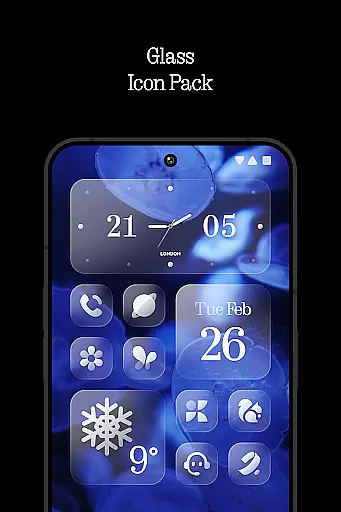
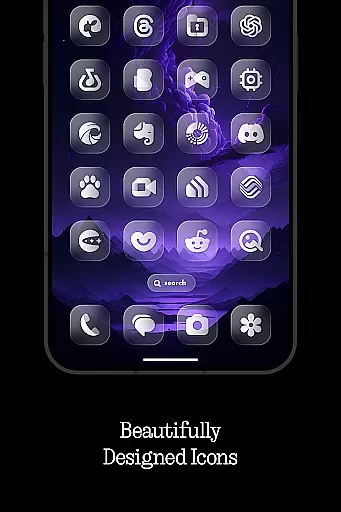
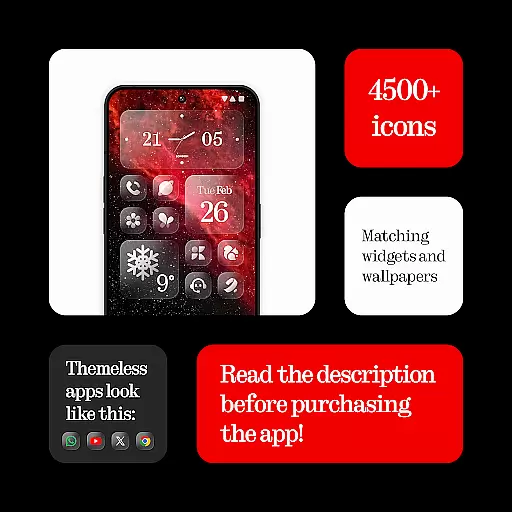
Glass Icons is a premium icon pack designed to provide users with a sleek and sophisticated visual upgrade for their mobile devices. Featuring over 5,400 crystal-clear square icons, this pack seamlessly integrates with your device's interface, offering a modern and polished look.
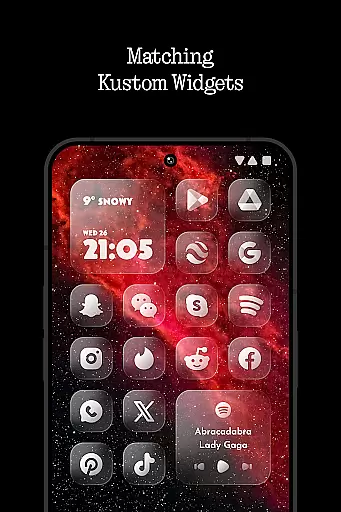
In addition to the extensive icon collection, Glass Icons includes five Kustom widgets and cloud-based wallpapers, allowing for deeper customization of your home screen. The pack also provides an icon request tool and regular updates, ensuring compatibility with new apps and maintaining a fresh experience. Whether you're using Nova Launcher, Lawnchair, or other supported launchers, Glass Icons delivers a cohesive and stylish aesthetic that enhances your device's appearance.
Glass Icons stands out with its comprehensive set of features tailored for personalization enthusiasts. The pack includes over 5,400 meticulously designed square icons, each crafted to offer a sleek and consistent look across your device. These icons are complemented by five customizable Kustom widgets, which allow users to create unique home screen layouts.
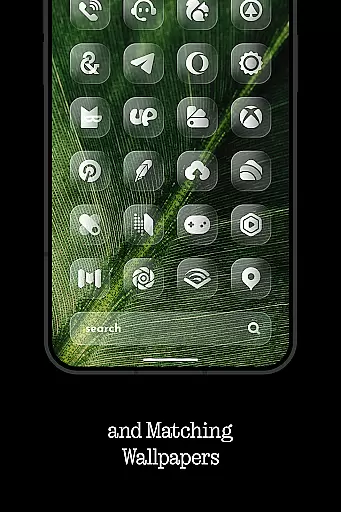
The inclusion of cloud-based wallpapers provides additional customization options, while the built-in icon request tool ensures that users can suggest new icons for upcoming updates. Regular updates not only expand the icon library but also maintain compatibility with newly released apps. With support for popular launchers like Nova, Lawnchair, and Niagara, Glass Icons offers a versatile solution for those seeking a visually cohesive mobile experience.
Glass Icons offers an extensive range of customization options, ensuring users can tailor their device's appearance to their personal style. With over 5400 icons, the pack provides a comprehensive selection that caters to various aesthetic preferences.
In addition to the vast icon library, the pack includes five Kustom widgets, allowing for further personalization of the home screen. These widgets are highly customizable, giving users the power to create unique layouts and designs that reflect their individuality.
The inclusion of a cloud-based wallpaper feature adds another layer of customization. Users can choose from a dynamic collection of wallpapers that complement the crystal-clear icons, enhancing the overall visual experience.
Moreover, Glass Icons supports a wide array of launchers, making it versatile for different devices and user preferences. This compatibility ensures that everyone can enjoy a personalized and cohesive look across their smartphone interface.
Theme compatibility is a crucial aspect of Glass Icons, ensuring seamless integration with various launchers and devices. The icon pack is designed to work harmoniously with popular launchers such as Nova Launcher, Lawnchair Launcher, and many others, providing a consistent visual theme.
For users of specific launchers like Pixel Launcher or Stock One UI Launcher, Glass Icons recommends complementary apps such as Shortcut Maker and Theme Park to achieve optimal results. These partnerships demonstrate the pack's commitment to broad theme compatibility.
Furthermore, the requirement for active shadows in Nova Launcher highlights the attention to detail in maintaining visual consistency. Such considerations ensure that icons maintain their sleek and sophisticated appearance regardless of the launcher used.
With regular updates and an icon request tool, Glass Icons continues to expand its compatibility and adapt to new themes and launcher versions. This dedication to ongoing improvement guarantees that users will always have access to the latest design trends and compatibility features.
Extensive icon library
Regular updates
Cloud-based wallpapers
Wide launcher support
Customizable widgets
Paid KWGT PRO required
Limited stock launcher support
No dynamic icons
FAQ section inside app
Shadow activation needed

Beautiful realistic hybrid watch face with numerous customization options.
 4.50
4.50
Gun Chase - Let the chase begin.
4.80
Want to make your phone more special than ever?
4.60
100+ Stylish Fonts, Emojis, Symbols keyboard for Instagram & TikTok!
4.80
Custom edge gestures for volume control, brightness, apps, and shortcuts.
4.3
Icons made of colorful linear lines
4.60
350+ widgets with a premium glass-style finish, perfect for home & lock screens.
4.70
Transform your phone with stunning video wallpapers and a unique, personal touch
3.80
Your home screen, just the way you like it.
3.80
Vertically oriented rectangular icons
4.70
A minimalist productivity launcher. One-hand-friendly. Zero ads.
4.70
Unique Android Launcher
4.60
Ultimate Gallery Lock App - Hide Pictures, Videos and Lock Apps Instantly!
4.60 4.50
4.50
200+ Material Inspired Widgets
4.50
App Icon Changer & Shortcut Creator. Customize your icons without any watermarks
4.30
Adult video chat, dating, making friends, random matching
4.20
Your go to Weather App & Home Screen. Get your weather at a swipe of a finger!
3.80
Interactive Miniature Painting Catalogue
3.30


User Reviews