
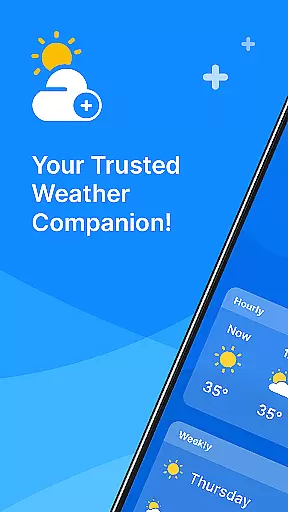
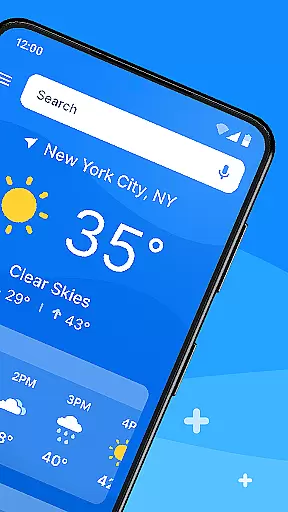
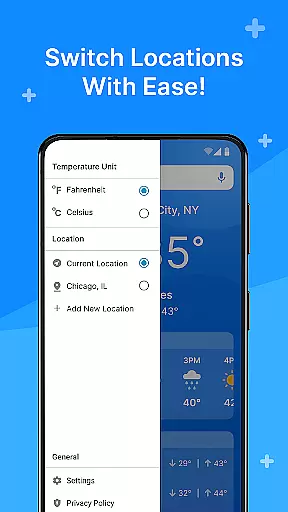
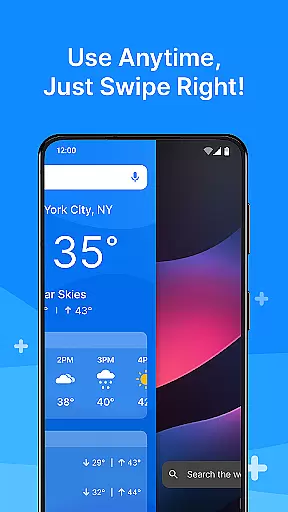
All Weather Mode is a comprehensive weather application designed to keep users informed about current and forecasted weather conditions. The app provides real-time updates, detailed forecasts, and location-based reporting, ensuring you're always prepared for the day ahead. With an intuitive home screen layout, it offers quick access to essential weather information through swipe shortcuts.
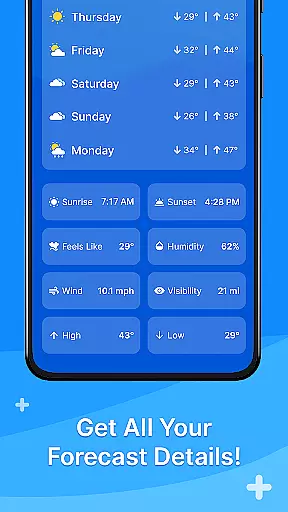
One of the standout features is its robust search functionality powered by Yahoo, which allows users to easily find weather details for various locations. Whether planning daily activities or preparing for outdoor adventures, All Weather Mode equips users with accurate temperature readings, sunrise and sunset times, humidity levels, wind speed, visibility, and more. This makes it an invaluable tool for anyone looking to stay ahead of severe weather conditions.
The app's value lies in its ability to provide timely and reliable weather data, helping users make informed decisions. Whether scheduling your week using the 7-day forecast or checking hourly updates for immediate planning, All Weather Mode ensures you are never caught off guard. Its user-friendly interface and comprehensive features make it a trusted weather companion for both casual users and outdoor enthusiasts.
All Weather Mode stands out with its array of innovative features tailored to meet diverse user needs. One key feature is the Intuitive Home Screen Layout, which offers a clean and straightforward design. First-time users will appreciate how easy it is to navigate and access important weather information via quick-swipe shortcuts, eliminating the need to search extensively within the app.
Real-Time Weather Reporting is another critical aspect, providing up-to-the-minute weather updates for current and saved locations. Users can view accurate temperature readings, feels-like temperatures, humidity levels, wind speed, visibility, and other vital metrics at their fingertips. This ensures that users have the latest information to make timely decisions.
Detailed Forecasts further enhance the user experience by offering 7-day weather predictions complete with daily highs and lows. Additionally, robust hourly forecasts include precipitation percentages and hour-by-hour updates, allowing users to plan their days confidently. Location-Based Weather adds another layer of convenience, enabling users to monitor multiple locations and stay informed about different areas. These features collectively ensure that All Weather Mode remains a go-to solution for all weather-related queries.
Weather Mode: Weather Launcher stands out with its extensive customization options, allowing users to tailor their weather experience according to personal preferences.
The app features an intuitive home screen layout that can be personalized for easy access to weather forecasts, ensuring you get the information you need with a simple swipe.
Users can choose from various widgets and themes to match their style while enjoying seamless navigation through quick-swipe shortcuts designed for convenience.
This level of customization empowers users to create a unique interface that not only looks good but also enhances usability by prioritizing the most relevant weather details at their fingertips.
Beyond its customizable interface, Weather Mode: Weather Launcher ensures broad theme compatibility, enabling users to apply their favorite aesthetics without compromising functionality.
The app supports a wide range of visual themes, which means whether you prefer a light or dark mode, there's an option that suits your taste while maintaining optimal readability and performance.
With robust integration capabilities, this app allows themes to work harmoniously across different sections of the application, providing a cohesive look and feel throughout your weather journey.
Such attention to design consistency guarantees that no matter how you personalize your app, every element remains visually appealing and functionally sound.
User-friendly interface
Accurate real-time data
Comprehensive forecasts
Location flexibility
Quick access shortcuts
Limited customization options
Occasional update delays
Ads in free version
High battery usage
Regional limitations

Realistic animated snow on your wrist, with 10 images landscapes to choose from
 4.00
4.00
Bring adorable pets to life on your screen. Playful, interactive and full of fun
4.60
Personalize your phone with stunning HD and 4K wallpapers!
4.70
Ultimate Gallery Lock App - Hide Pictures, Videos and Lock Apps Instantly!
4.60
Modern Glass Icon Pack with glossy icons, clean minimal theme & aesthetic style
4.0
Customize phone with anime themes, 3D icons, aesthetic widgets & wallpapers
4.80
Fast SMS & group chat - use GIFs and emojis from your home screen launcher.
4.50
Transform your phone with stylish zipper lock themes and 4D live wallpaper
4.10
Cool custom fonts & keyboard themes! Symbols & font changer for Instagram
4.50
One 8 icons glass color version
4.80
Customizable Glass widgets. Over 360+ stunning widgets and more!
4.70
Nothing Icon pack with more than 3750+ highly crafted icons.
4.70
Make your phone look simple & luxury, like iDevice
4.60
300+ Beautifully crafted widgets inspired by OneUI.
4.60
Turn text & photos into stunning AI videos, art, and creative visual stories.
4.50
The definitive Icon pack maker and editor
4.30
Wear Os Watch Face - Seasonal - Animated Snow Effect - 9 Animals
4.20
Adult video chat, dating, making friends, random matching
4.20
Customizable flower power digital watch face for Wear OS watches.
4.00


User Reviews