
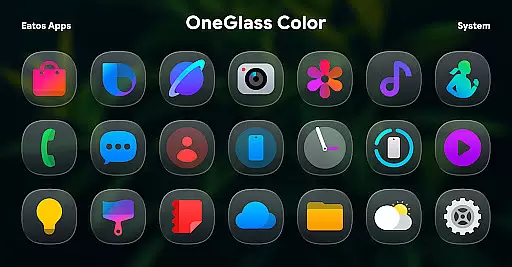
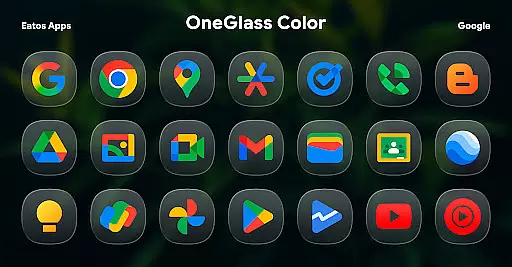
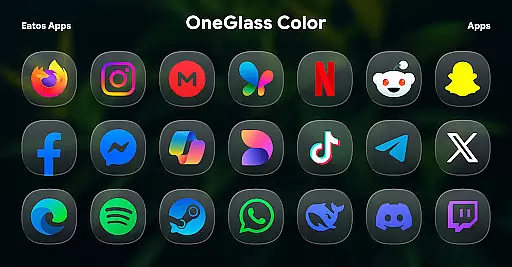
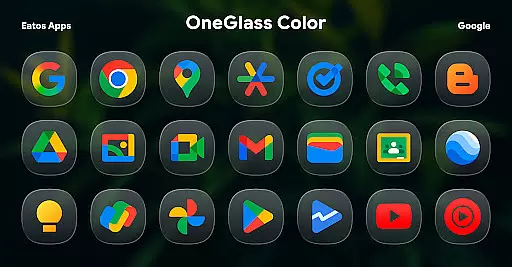
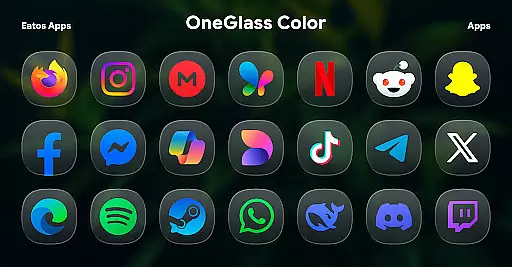
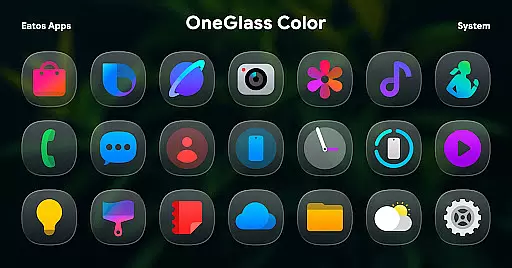
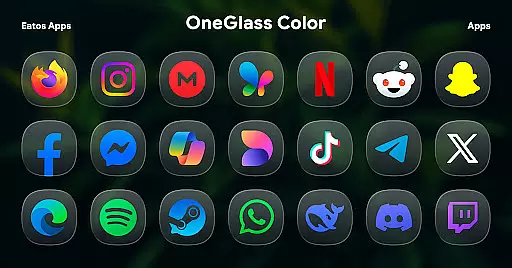
OneGlass 8 (Color) is an exceptional personalization app offering over 4,600 beautifully crafted glass-style icons inspired by One 8 design language. The app also includes more than 430 high-quality wallpapers specifically optimized for dark mode usage.
This icon pack is meticulously designed to enhance the visual appeal of your device's interface while maintaining usability. Compatible with popular launchers like Hyperion, Nova, and Smart Launcher, it allows users to fully customize their home screens with modern aesthetics.
The app features an extensive collection of over 4,600 unique icons, each carefully crafted with a glass-effect finish that brings depth and elegance to any interface. The included wallpapers are specifically designed to complement the icon set, creating a cohesive and visually stunning experience.
OneGlass 8 (Color) stands out with its compatibility with multiple launchers including Hyperion, Nova, and Smart Launcher. For Samsung users, the app offers integration with OneUI through Good Lock and Theme Park applications, providing seamless customization options across different devices and operating systems.
OneGlass 8 (Color) offers an extensive range of customization options, featuring over 4,600 Glass color icons inspired by One 8. This vast collection ensures that users can find the perfect icon to match their personal style or mood.
In addition to the rich icon selection, the pack includes more than 430 wallpapers. These wallpapers are specifically designed for dark mode, enhancing the visual experience when using dark themes and wallpapers.
The variety extends beyond just static aesthetics; it also encompasses functional aspects. Users can seamlessly integrate these icons and wallpapers with various launchers that support theme application, such as Hyperion Launcher, Nova Launcher, and Smart Launcher.
This level of customization empowers users to create a cohesive and personalized device interface that aligns with their preferences while maintaining compatibility across different platforms.
Theme compatibility is a crucial aspect of OneGlass 8 (Color), ensuring that its vibrant icons and wallpapers work harmoniously within different environments. Specifically designed for use in dark mode, this icon pack enhances the overall aesthetic when paired with dark wallpapers.
To apply these themes on OneUI launcher, users need to download 'Good Lock' and 'Theme Park' apps. Following the provided instructions at https://bit.ly/OneUIThemePark allows for seamless integration, demonstrating the pack's commitment to compatibility across various systems.
The inclusion of detailed instructions for different launchers highlights the product's dedication to accessibility and ease of use. Whether you're using popular launchers like Nova or specialized ones like OneUI, OneGlass 8 maintains consistent performance and appearance.
This comprehensive approach to theme compatibility ensures that users can enjoy a unified visual experience regardless of their chosen launcher or device configuration.
Extensive icon collection
Optimized for dark mode
High-quality wallpapers
Wide launcher support
Regular updates
Requires compatible launcher
No standalone functionality
Dark mode specific
Limited customization
Premium price

Ultra realistic gold analog watch face with lots of customization options.
 4.50
4.50
Wear Os Watch Face - Seasonal - Animated Snow Effect - 9 Animals
4.20
Realistic animated snow on your wrist, with 10 images landscapes to choose from
4.00
Yandex Browser — stylish and secure, with voice search and data compression
4.40
Your go to Weather App & Home Screen. Get your weather at a swipe of a finger!
3.80
Adorable pets roam and play right on your phone screen!
3.30
Crystal-clear, square icon provides a sleek and sophisticated visual upgrade
4.00
300+ Stunning and well-designed widgets inspired by NOTHING.
4.70
Create unique, fun emojis with Funny Emoji Maker! Unlimited creativity!
4.00
Sparkle your screen with Glitter Wallpapers For Girls and Cute Backgrounds!
4.80
Gun Chase - Let the chase begin.
4.80
350+ widgets with a premium glass-style finish, perfect for home & lock screens.
4.70
Embrace the Night. Unleash the power of darkness with Raven Dark Icon Pack
4.60
Handcrafted pixel art icons, widgets & wallpapers
4.60
Beautiful realistic hybrid watch face with numerous customization options.
4.50
A light in the dark, a unique style and an andless cutomization!
4.30
Unleash Your Creativity and Connect with Loved Ones with Lockscreen Drawing!
4.20
Interactive Miniature Painting Catalogue
3.30
Custom edge gestures for volume control, brightness, apps, and shortcuts.
4.1


User Reviews