
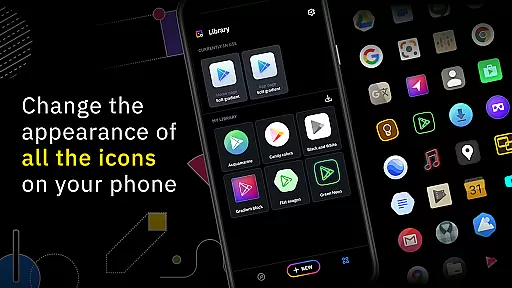
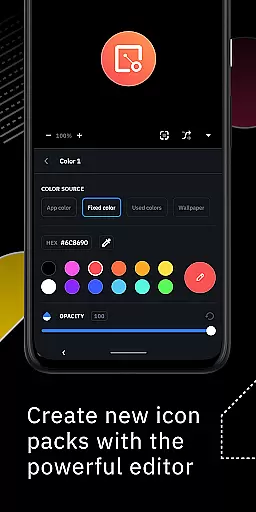
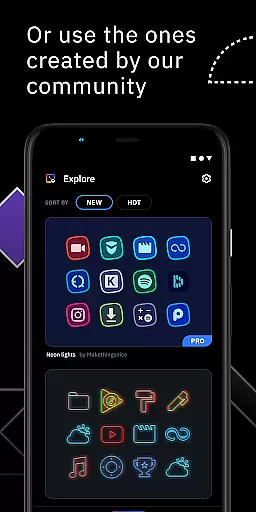
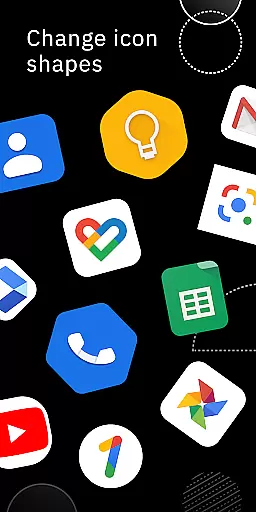
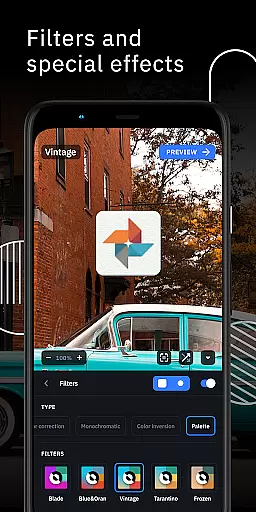
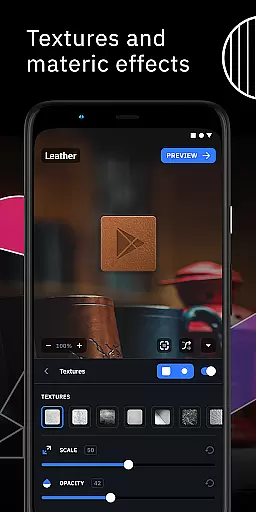
Icon Pack Studio is a powerful personalization tool that allows users to create custom icon packs tailored to their preferences. With its advanced editor, users can resize, move elements, and apply filters like lights, shadows, textures, and bezels to craft unique icons.
The app also supports importing and tweaking existing icon packs, making it versatile for users who want to modify current themes. Compatible with most launchers, this app ensures broad usability across various devices and home screen setups.
One of the standout features of Icon Pack Studio is its advanced editor, which provides precise control over every element of an icon. Users can adjust sizes, positions, and apply special effects such as lights and shadows to achieve the desired look.
Additionally, the ability to import and tweak any installed icon pack enhances customization options. The app's compatibility with numerous launchers, including popular ones like Nova Launcher and Action Launcher, ensures that users can apply their creations across different platforms seamlessly.
Icon Pack Studio offers a wide array of customization options that cater to personal preferences and creativity. The advanced editor empowers users to resize, move, and apply special filters such as lights, shadows, textures, and bezels to any element of their custom icons.
This level of customization ensures that no two icon packs need to be the same, allowing for a personalized home screen that reflects individual tastes and styles. Users can experiment with different visual effects until they achieve the desired look for their icons.
Moreover, starting from version 2, the ability to import and tweak any installed icon pack on your device expands the customization horizon even further. This feature provides an unparalleled level of personal touch, making it possible to modify existing designs or create something entirely new from scratch.
Theme compatibility is a crucial aspect of Icon Pack Studio, ensuring that the icon packs you create will work seamlessly across a variety of launchers. Designed primarily to integrate with Smart Launcher, IPS also supports nearly any other launcher, enhancing its versatility.
The app has been tested and proven compatible with popular launchers like Nova Launcher, Action Launcher, Lawnchair Launcher, and many others. This extensive compatibility list means that regardless of the launcher you prefer, chances are high that IPS will fit right into your setup without issues.
However, it's important to note there are some unsupported launchers such as Xperia Home Launcher, Pixel Launcher, and Samsung One UI Home among others. Despite this, the broad range of support ensures most users can enjoy customized themes on their preferred platform.
User-friendly interface
Advanced editing tools
Wide launcher compatibility
Customizable icon packs
Active community support
Limited to supported launchers
Requires manual updates
No automatic backups
Premium features locked
Learning curve for beginners

Vertically oriented rectangular icons
 4.70
4.70
Prank your friends with realistic broken screen and cracked HD effects!
4.1
Themes - Widget & Wallpaper: Customize home screen, icon changer w unique themes
4.30
Unique Android Launcher
4.60 3.50
3.50
Launcher OS™ Pro without ads help make your phone simple and pretty
4.30
Adorable pets roam and play right on your phone screen!
3.30
300+ Stunning and well-designed widgets inspired by NOTHING.
4.70
350+ widgets with a premium glass-style finish, perfect for home & lock screens.
4.70
Enjoy a variety of amazing live wallpapers and colorful EDGE lighting borders!
4.80
Nothing Icon pack with more than 3750+ highly crafted icons.
4.70
A minimalist productivity launcher. One-hand-friendly. Zero ads.
4.70
Classic analogue watch face. For wear os devices.
4.60
Want to make your phone more special than ever?
4.60
Transform your phone with Launcher iOS 26 - Smooth & elegant iOS experience
4.50 4.50
4.50
Romantic Kiss Stickers App. Start romantic messaging now!
4.30
Transform your phone with stunning video wallpapers and a unique, personal touch
3.80
Struggling to find apps? Use this app to locate and open any app on your phone!
2.20


User Reviews