
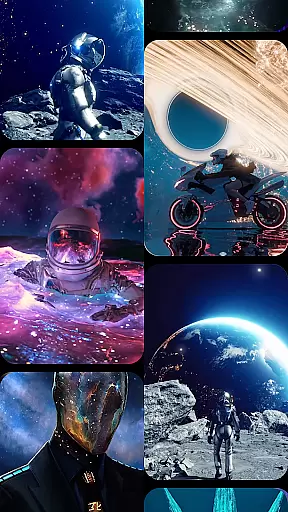

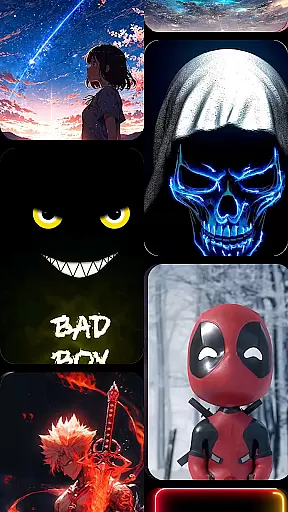

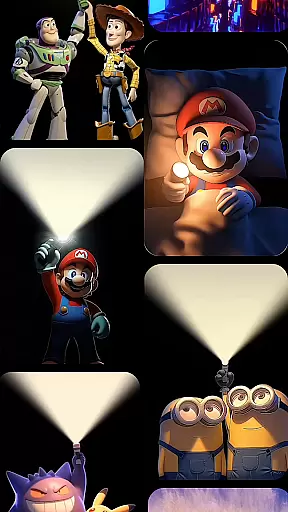


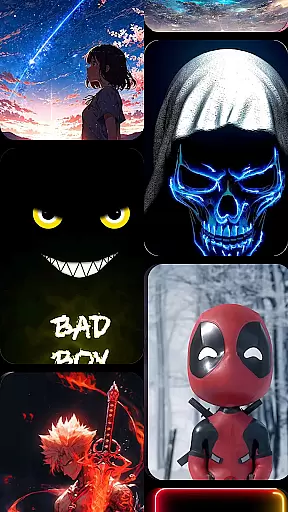

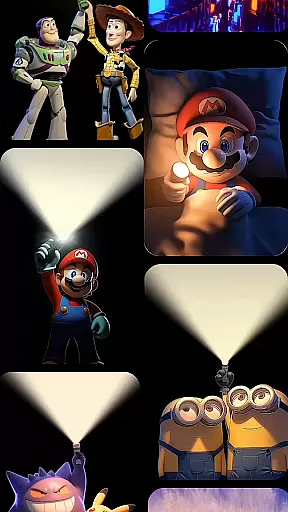

Cool Launcher Pro is a premium home screen replacement app designed to elevate your Android experience through stunning 3D themes, smooth performance, and complete customization. This launcher offers a sleek, modern interface that combines aesthetics with functionality, making it ideal for users seeking both style and efficiency.
The app features an advanced animation engine that powers breathtaking live video wallpapers and dynamic 3D effects, ensuring every interaction feels fluid and visually captivating. With tools like smart app management, real-time weather updates, and built-in widgets, Cool Launcher Pro helps you stay organized while enjoying a personalized device experience.
Cool Launcher Pro stands out with its extensive personalization options, including customizable themes, icon packs, fonts, and wallpapers. Users can choose from a vast library of free resources or upload their own designs for a unique touch. The app's live video wallpapers and 3D animations are powered by a cutting-edge animation engine, delivering seamless transitions and vibrant visuals.
Smart app management automatically organizes apps into folders, decluttering your home screen while maintaining easy access. Built-in tools such as weather updates, a Bible reader, and a live wallpaper gallery enhance daily productivity and convenience. Additionally, the integrated theme store offers countless categories, ensuring there’s always something new to match your mood or preferences.
Customization is at the heart of CoolLauncher Pro, offering users a vast array of options to tailor their device's appearance and functionality.
This app provides an extensive selection of themes, icon packs, custom fonts, and wallpapers, ensuring that every user can find something that resonates with their personal style. Whether you prefer sleek minimalism or vibrant, eye-catching designs, CoolLauncher Pro has it all.
Moreover, the app supports live video wallpapers and 3D effects, powered by an advanced animation engine. This feature allows for dynamic screen transitions and animations, bringing a new level of interactivity and personal expression to your home screen.
The ability to add personal images and create unique setups means that no two devices need look the same, providing limitless possibilities for personalization.
CoolLauncher Pro excels in theme compatibility, ensuring that all visual elements work seamlessly together.
Users can explore the worldu2019s largest theme store, which offers a wide variety of categories from futuristic tech-inspired designs to serene nature-themed visuals. Each theme is crafted to maintain visual consistency across icons, fonts, and wallpapers.
This attention to detail ensures that whether you choose a pre-designed theme or mix and match individual components, your device will always have a polished and cohesive look.
Furthermore, the app's compatibility extends beyond just aesthetics; functional elements like widgets and tools are also designed to integrate smoothly, enhancing both the beauty and usability of your device.
Stunning 3D effects
Extensive customization
Smooth performance
Smart app organization
Built-in productivity tools
Premium version costly
High battery usage
Occasional bugs
Complex settings
Limited free themes

Capture moments that pass like a storm, second by second.
 4.5
4.5
Wear Os Watch Face - Seasonal - Animated Snow Effect - 9 Animals
4.20
Shimeji adds cute animated characters to your screen, lively and fun.
4.70
Ultimate Gallery Lock App - Hide Pictures, Videos and Lock Apps Instantly!
4.60
Organize and manage your photos and videos effortlessly with Photo Gallery
4.20
Unleash Your Creativity and Connect with Loved Ones with Lockscreen Drawing!
4.20
Handcrafted pixel art icons, widgets & wallpapers
4.60
Emoji Maker app - Design custom emojis and effortlessly blend them with Mixer
3.80
set a new experience for the Android mobile phone
4.20
One 8 icons glass color version
4.80
100+ Stylish Fonts, Emojis, Symbols keyboard for Instagram & TikTok!
4.80
Enjoy a variety of amazing live wallpapers and colorful EDGE lighting borders!
4.80
400+ Beautifully crafted widgets inspired by NOTHING.
4.70
A light in the dark, a unique style and an andless cutomization!
4.30
App Icon Changer & Shortcut Creator. Customize your icons without any watermarks
4.30
Realistic animated snow on your wrist, with 10 images landscapes to choose from
4.00
Create unique, fun emojis with Funny Emoji Maker! Unlimited creativity!
4.00
HappyLighting is a Bluetooth lamp control software.
3.40
Interactive Miniature Painting Catalogue
3.30


User Reviews