
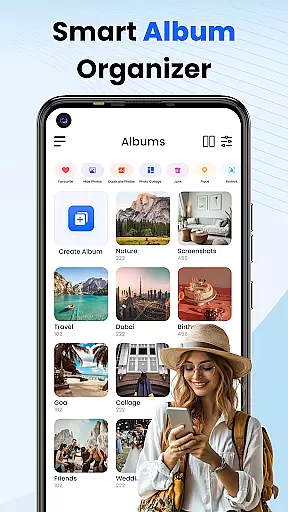
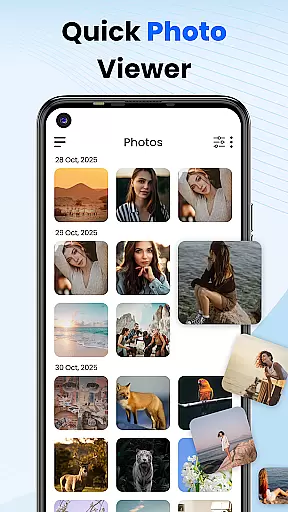
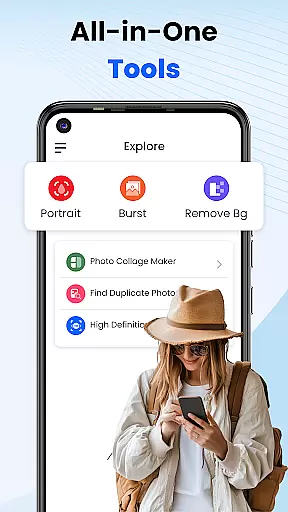
Gallery 2025 is a comprehensive photo management app designed to simplify the organization and enhancement of your digital memories. This feature-rich application offers smart organization tools that automatically categorize photos and videos by timeline, location, and path, making it effortless to manage large collections. With built-in editing capabilities, users can easily enhance their images directly within the app.
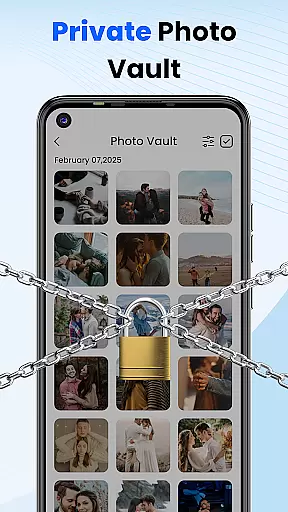
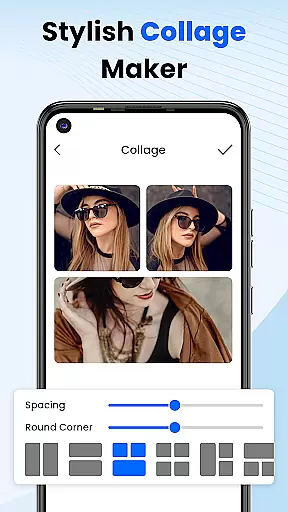
The app places a strong emphasis on privacy and security, providing a PIN-protected vault for safeguarding sensitive media. Whether you need to hide personal memories or confidential files, Gallery 2025 ensures they remain secure through encryption and multiple security options including numeric PINs and pattern locks. Its lightweight design includes functionalities like album locking, collage creation, and video playback, making it an all-in-one solution for photo management.
Gallery 2025 stands out with its powerful features tailored for both casual users and photography enthusiasts. The app's Smart Organization functionality uses advanced algorithms to sort media files automatically, while the Effortless Search feature allows quick retrieval of specific items based on places or dates. A dedicated Recovery Options system helps restore accidentally deleted files from the recycle bin, ensuring no precious memory is lost.
Privacy protection is at the core of Gallery 2025's design. The Private Vault feature provides an encrypted space to store confidential media, accessible only through secure authentication methods such as PINs, patterns, or security questions. Additionally, the Gallery Lock function adds another layer of security by password-protecting entire albums. As a bonus, the app also serves as a simple photo editor, allowing users to make basic adjustments and enhancements without needing separate software.
Customization is at the heart of Photo Gallery, allowing users to tailor their photo management experience according to their preferences. This app offers a diverse range of customization options that cater to both novice and advanced users.
One of the standout features is the ability to automatically categorize photos and videos by timeline, location, and path, making it effortless to organize and retrieve your media files. Additionally, users can create collages, edit photos with built-in tools, and even lock albums to keep their private content secure.
The app also provides recovery options for accidentally deleted media, ensuring that users never permanently lose their cherished memories. With features like the secure vault and gallery lock, users have the flexibility to manage security settings with a numeric PIN, pattern, or security question.
By offering such a wide array of customization possibilities, Photo Gallery empowers users to create a personalized and secure environment for managing their digital memories.
Theme compatibility in Photo Gallery ensures that users can enjoy a visually cohesive experience across their devices. The app supports various themes, allowing users to choose one that best fits their personal style or device settings.
Whether you prefer a light theme for daytime use or a dark theme to reduce eye strain at night, Photo Gallery has you covered. The app's interface adapts seamlessly to these themes, providing an optimal viewing experience regardless of your choice.
In addition to aesthetic benefits, theme compatibility enhances usability. The app maintains consistent functionality and ease of navigation, irrespective of the theme selected. This means users can switch between themes without worrying about losing productivity or convenience.
With its robust theme compatibility, Photo Gallery not only meets but exceeds user expectations by delivering a customizable and visually pleasing experience that aligns perfectly with individual preferences and device configurations.
User-friendly interface
Advanced privacy features
Comprehensive editing tools
Efficient file organization
Reliable recovery system
Limited advanced editing
Occasional performance lags
Ads in free version
Storage limitations
Complex settings

A launcher for Samsung Good Lock and Good Guardians modules without ads
 4.70
4.70
Ultimate widget creator. Design custom widgets for a truly unique home screen!
3.90
Turn text & photos into stunning AI videos, art, and creative visual stories.
4.50
Design your screen with unique, vibrant clocks
3.80
HappyLighting is a Bluetooth lamp control software.
3.40
200+ Material Inspired Widgets
4.50
Amazing letter fonts in your messages and social statuses
4.70
Fast SMS & group chat - use GIFs and emojis from your home screen launcher.
4.50
Cool custom fonts & keyboard themes! Symbols & font changer for Instagram
4.50
A Colorful and Minimal icon pack in an Outline Style - Over 13,600 icons!
4.70
300+ Stunning and well-designed widgets inspired by NOTHING.
4.70
Glass style colourful icons with a One UI look and feel
4.60
Make your phone look simple & luxury, like iDevice
4.60
Ultra realistic gold analog watch face with lots of customization options.
4.50
Aesthetic Widgets, HD Wallpapers, Themes in Mico Widget for Home and Lock Screen
4.50
Unique Fonts, typefaces and stylish text. Fonts for Instagram, Whatsapp & others
4.20
Run multiple accounts of the same app on a single device
4.10
Interactive Miniature Painting Catalogue
3.30
Custom edge gestures for volume control, brightness, apps, and shortcuts.
4.2


User Reviews