
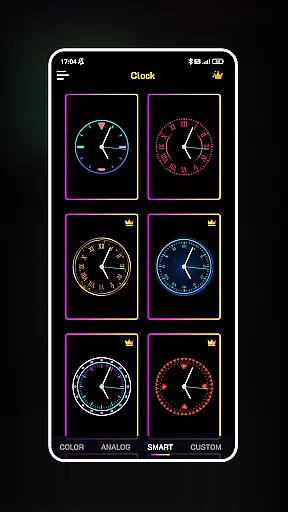
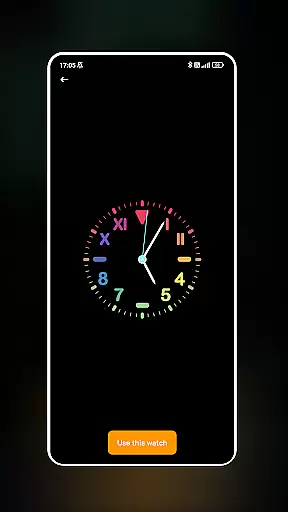
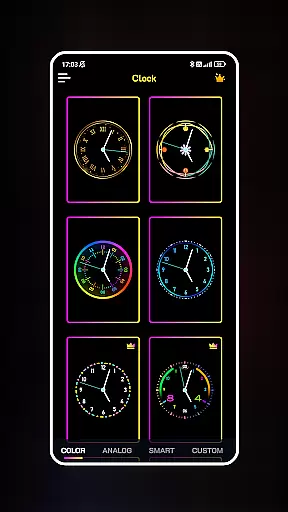
Neon Clock Wallpaper is a dynamic personalization app that allows users to design and customize unique clock wallpapers for both home screens and lock screens. The app offers diverse pre-made templates with various styles, colors, and neon effects, enabling users to express their individuality through creative clock designs.
With its intuitive interface, users can easily personalize every aspect of the clock's appearance, including size, color, and style. Whether you're looking to add a touch of vibrancy or create a fully customized digital masterpiece, Neon Clock Wallpaper provides all the tools necessary to make your device stand out. This app is perfect for those who want their phone to reflect their personal style while maintaining functionality.
Neon Clock Wallpaper stands out with its robust customization features. Users can choose from a wide variety of ready-to-use clock templates, each offering unique designs and vibrant neon effects. These templates serve as a starting point for creativity, allowing users to modify elements such as colors, sizes, and styles to match their preferences.
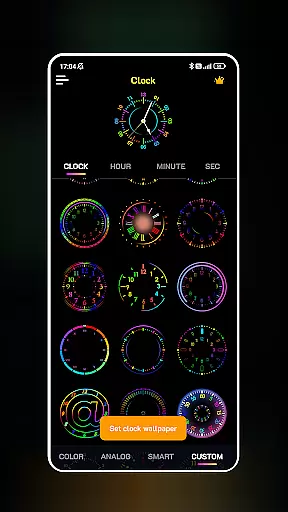
The app also supports advanced personalization options, enabling users to build clocks from scratch using customizable components. With support for both wallpaper and lock screen displays, Neon Clock Wallpaper ensures that your personalized designs are visible at all times. Its combination of aesthetic appeal and functional utility makes it an ideal choice for users seeking to enhance their device’s visual presentation while enjoying the practical benefits of a clock display.
Customization is at the heart of Neon Clock Wallpaper, allowing users to express their unique style through diverse clock designs. The app offers a wide array of pre-made templates that cater to various tastes, ensuring that every user can find something that resonates with their personal aesthetic.
Beyond the selection of templates, the app enables the creation of custom clocks by mixing and matching components. Users can adjust colors, sizes, and styles, crafting a clock that perfectly aligns with their vision. This level of customization ensures that no two clocks need to be the same, offering limitless possibilities for personal expression.
The inclusion of stunning neon effects adds another layer of individuality. These effects make each clock not just a time-telling device but also a vibrant piece of art. With such a variety of customization options, users can continually refresh their screen's look, keeping their device feeling new and reflective of their evolving style.
Neon Clock Wallpaper excels in theme compatibility, ensuring that the clocks you design will seamlessly integrate with your deviceu2019s home and lock screens. This compatibility enhances the visual coherence of your device, making it not only functional but also aesthetically pleasing.
Whether you choose a pre-designed template or craft a custom clock, the app guarantees that your creation will display correctly across different devices and screen resolutions. This commitment to compatibility means that users never have to worry about distorted images or misaligned elements ruining the look of their carefully designed clocks.
Furthermore, the ability to set your unique clock as both a wallpaper and lock screen background reinforces the seamless experience. This dual functionality allows for a cohesive theme that persists whether your device is in use or locked, providing an uninterrupted expression of personal style. With Neon Clock Wallpaper, achieving a harmonious and visually appealing device has never been easier.
User-friendly interface
Vibrant neon effects
Customizable templates
Lock screen support
Unique designs
Limited free options
High battery usage
Occasional glitches
Ads in free version
Complex for beginners

Only for Wear OS devices!
 4.90
4.90
Dark icon pack based on One 8
4.80
Zip lock screen with magic wallpaper to decorate your phone with fun zipper lock
4.60
Customize glowing edges, wallpapers, and caller screen with EdgeAura.
3.50
Adaptive Dot Style IconPack with Light & Dark Theme.
3.70
Unleash Your Creativity and Connect with Loved Ones with Lockscreen Drawing!
4.20
A minimalist productivity launcher. One-hand-friendly. Zero ads.
4.70
Customize phone with anime themes, 3D icons, aesthetic widgets & wallpapers
4.80
Fast SMS & group chat - use GIFs and emojis from your home screen launcher.
4.50
Customizable Glass widgets. Over 360+ stunning widgets and more!
4.70
Nothing Icon pack with more than 3750+ highly crafted icons.
4.70
350+ widgets with a premium glass-style finish, perfect for home & lock screens.
4.70
A retro cartoon style watch face and a punch right in the face of the copyright
4.60
Handcrafted pixel art icons, widgets & wallpapers
4.60
Try creating your own keyboard with "Keyboard theme for android" app now!
4.50
AI-powered Copilot. Personalized keyboard with gifs, stickers & themes
4.40
More than 3000+ themes and 9000+ wallpapers for everybody!
4.10
Transform your phone with stunning video wallpapers and a unique, personal touch
3.80
Adorable pets roam and play right on your phone screen!
3.30


User Reviews