
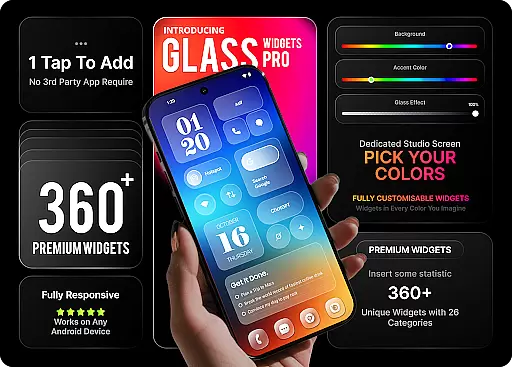
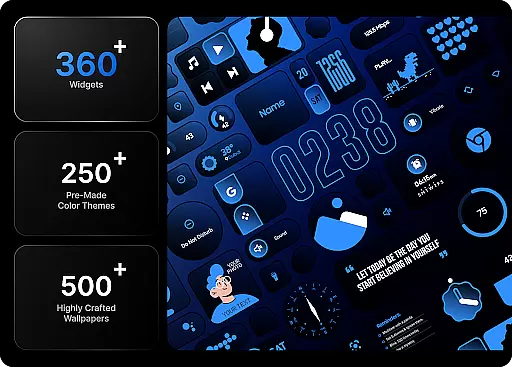
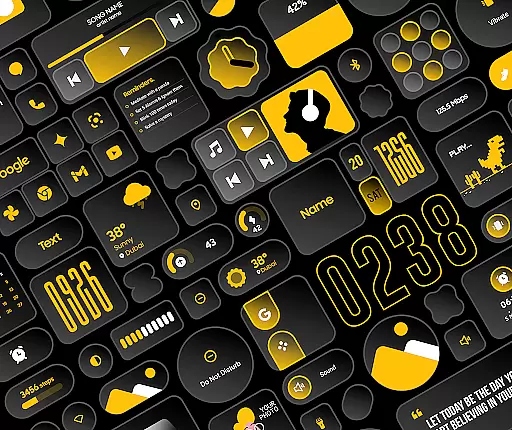
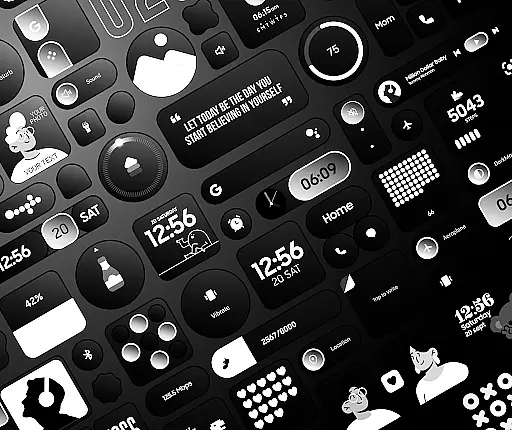
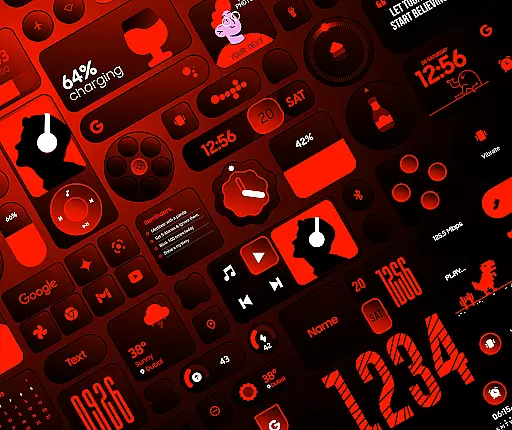
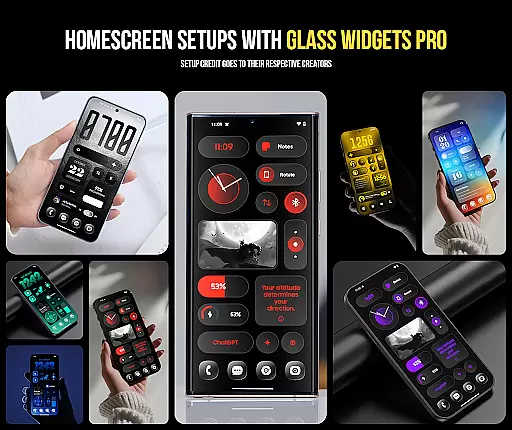
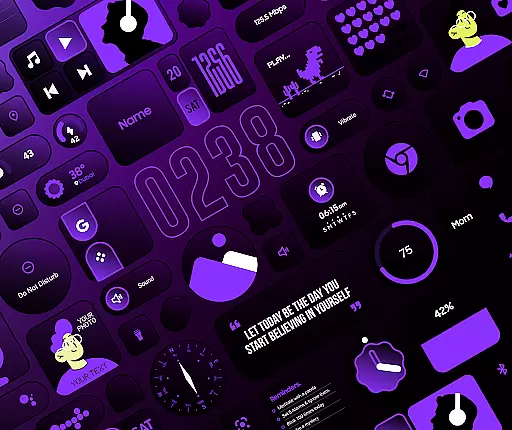
Glass Widgets Pro is a premium personalization app that transforms your smartphone's home screen with fully customizable widgets featuring stunning glass effects. This app offers over 360 premium widgets, 500 curated wallpapers, and 250 theme templates, providing users with extensive options to design a unique and modern interface.
The app stands out through its native functionality, eliminating the need for additional widget apps like KWGT. Users can instantly customize their home screens with features such as glass effect widgets, adjustable colors, and pre-designed templates. With categories ranging from clock and weather widgets to productivity tools and photo widgets, Glass Widgets Pro ensures both aesthetic appeal and practical utility.
Whether you're looking to enhance visual appeal or improve device usability, this app delivers a complete solution for personalizing your smartphone experience.
Glass Widgets Pro distinguishes itself through an impressive range of features designed to offer maximum customization. The signature glass effect is available on all widgets, giving your home screen a sleek, transparent look that complements modern smartphone designs.
Users can personalize every aspect of their widgets, including background colors, accent colors, and opacity levels. For those who prefer ready-made designs, the app includes over 250 color templates crafted by professional designers. These features ensure that whether you want to create a minimalist layout or a vibrant, dynamic interface, the app provides the tools to achieve your vision.
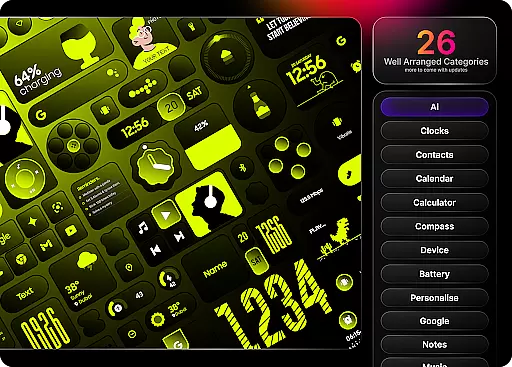
In addition to its customization capabilities, the app offers widgets across 27 categories, covering essential functions like time display, weather updates, battery monitoring, and productivity tools. Each category contains multiple styles and formats, ensuring that users can find the perfect widget for their specific needs.
Customization is at the heart of Glass Widgets Pro, offering users an extensive range of options to tailor their home screens. With over 360 premium widgets, the app allows for adjustments in background colors, accent colors, and even the opacity of the glass effect, ensuring a personalized aesthetic that aligns with individual preferences.
The level of customization extends beyond just colors. Users can choose from more than 250 professionally designed color templates, providing a quick and easy way to apply complex designs with a single tap. This eliminates the need to start from scratch while still delivering a unique look that reflects personal style.
Glass Widgets Pro covers a wide array of categories, including clock, weather, battery, and productivity widgets, among others. Each category offers multiple styles and functionalities, allowing users to mix and match different widgets to create a cohesive and functional home screen setup that suits their lifestyle.
Moreover, the app includes 500 curated wallpapers and 250 theme templates, which complement the widgets and enhance the overall visual appeal. These resources ensure that users have everything they need to complete their home screen transformation without having to seek additional content elsewhere.
Glass Widgets Pro excels in theme compatibility, ensuring that all its widgets integrate seamlessly with various Android devices and themes. The native functionality of the app means it operates independently of third-party applications like KWGT, providing a smooth and reliable user experience across different devices.
Each widget is crafted to maintain visual consistency regardless of the device's operating system version or custom skin. This ensures that whether you're using a Samsung, Google Pixel, or any other Android device, the widgets will retain their intended design and functionality without compatibility issues.
In addition to device compatibility, the app supports a broad spectrum of themes. Users can switch between light and dark modes or apply third-party themes without worrying about disruptions in widget appearance or performance. This flexibility empowers users to adapt their home screens according to changing preferences or trends.
Furthermore, regular updates promise new widgets, wallpapers, and templates, continually expanding the app's compatibility with emerging design trends and user needs. This commitment to ongoing improvement guarantees that Glass Widgets Pro remains a versatile and future-proof solution for personalized home screen management.
Extensive Customization
Stunning Glass Effects
Wide Widget Variety
User-Friendly Interface
Exclusive Wallpapers
Premium Price Tag
High Storage Demand
Limited Free Options
Complex for Beginners
Occasional Bugs

Vertically oriented rectangular icons
 4.70
4.70
A retro cartoon style watch face and a punch right in the face of the copyright
4.60
3D, live, and moving wallpapers & themes in 4K and HD for your device.
4.50
Transform your phone with Launcher iOS 26 - Smooth & elegant iOS experience
4.50
Customize glowing edges, wallpapers, and caller screen with EdgeAura.
3.50 4.50
4.50
Transform your device in a game console
4.40
Modern Glass Icon Pack with glossy icons, clean minimal theme & aesthetic style
4.0
set a new experience for the Android mobile phone
4.20
Only for Wear OS devices!
4.90
Wallpaper HD 4K Live - Thousands of high-quality Anime backgrounds for you.
4.80
Bring adorable pets to life on your screen. Playful, interactive and full of fun
4.60
Want to make your phone more special than ever?
4.60
300+ Beautifully crafted widgets inspired by OneUI.
4.60
Vibrant Adaptive Icons with Material You and Enhanced Monet Colors.
4.50
The definitive Icon pack maker and editor
4.30
Ultimate widget creator. Design custom widgets for a truly unique home screen!
3.90 3.50
3.50
⭐ OneUI inspired Fluffy Icon Pack – Soft. Stylish. Standout. ⭐
4.2


User Reviews